
 Google Calendar
  Outlook Calendar
  Google Meet
  Microsoft Teams
  Zoom Meetings
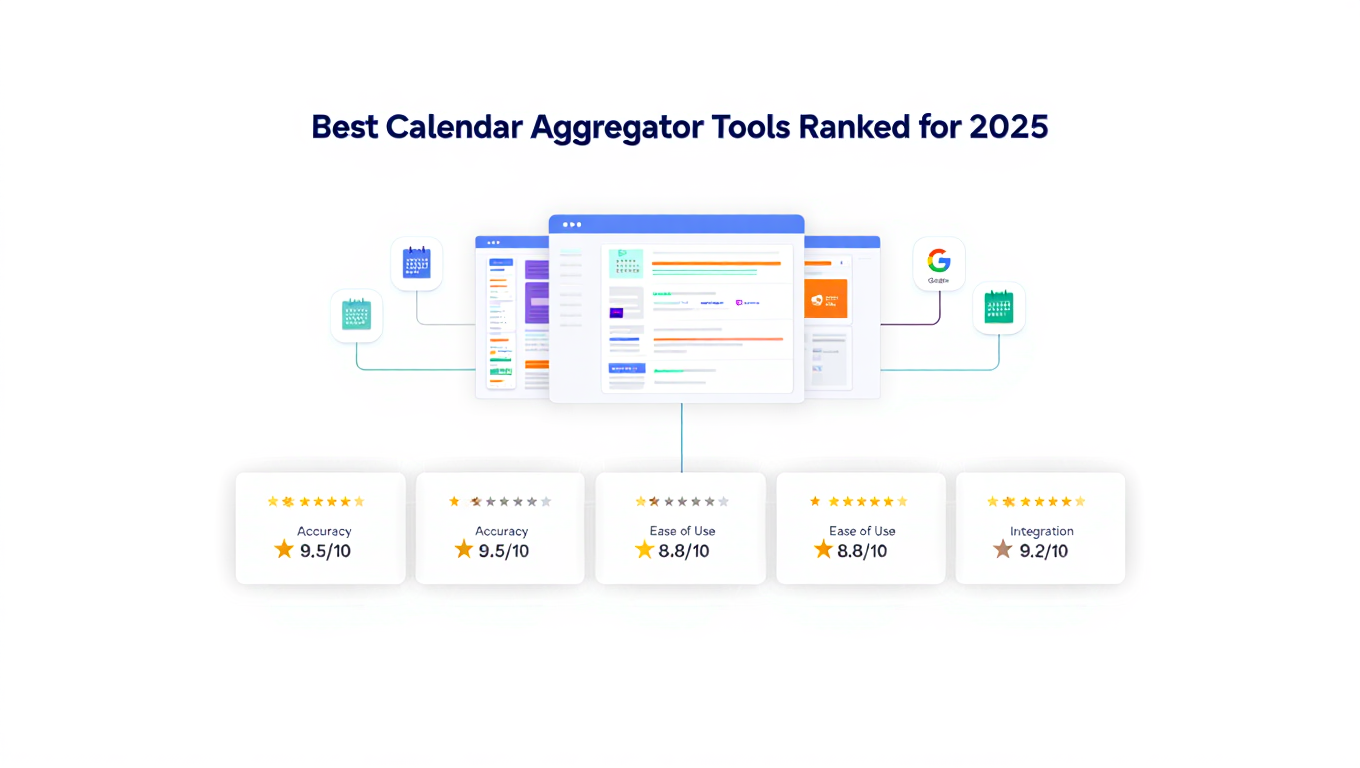
 Best Calendar Aggregator Tools Ranked for 2025
Compare the top calendar aggregator tools in 2025. See which platforms offer unlimited connections, real-time sync, and true aggregation for professionals.
You just discovered that your scheduling tool caps calendar connections at six calendars. You're a consultant working with eight different clients. The math doesn't work.
This limitation isn't unique to one tool. It's endemic across the calendar software industry in 2025. Platforms market themselves as multi-calendar solutions but bury connection limits in their pricing pages. You don't discover the restriction until after you've invested time setting up the first six calendars and hit the wall trying to add the seventh.
Choosing the right calendar aggregator tool requires looking past marketing claims to understand actual capabilities, limits, and architectural differences. Some tools offer simple calendar viewing. Others provide true aggregation with real-time synchronization. Some support unlimited connections. Most cap you at arbitrary limits that make them useless for professionals managing complex multi-organization schedules.
- How the top calendar aggregator tools compare on critical features like connection limits and sync speed
- Which platforms offer true aggregation versus just multi-calendar viewing
- Detailed rankings based on unlimited connections, privacy controls, and reliability
- Pricing comparisons and which tools deliver the best value for different use cases
- Why some popular scheduling tools fail completely at calendar aggregation
What Makes a Calendar Aggregator Tool Great
Before diving into specific tool comparisons, understanding the criteria that separate exceptional aggregators from mediocre ones helps you evaluate options for your specific needs.
True Aggregation vs. Multi-Calendar Viewing
The most fundamental distinction is whether a tool provides actual aggregation or just lets you view multiple calendars simultaneously.
Multi-calendar viewing shows you multiple calendars in one interface. You see your Google Calendar and Outlook calendar side by side. This is convenient, but your availability in one system doesn't reflect commitments in the other. Someone checking your Google Calendar availability sees you as free during times when you have Outlook commitments.
True aggregation merges calendars so availability is accurate across all systems. When you're busy in one calendar, that busy status appears in all connected calendars. Changes in any calendar propagate to all others. This prevents double bookings and makes your availability universally accurate.
Great calendar aggregator tools deliver true aggregation with bidirectional sync, not just convenient viewing.
Unlimited vs. Limited Calendar Connections
Connection limits are where most tools reveal their unsuitability for professionals managing complex schedules. A tool might support "multi-calendar" features but cap connections at three, six, or ten calendars.
For consultants working with multiple clients, executives serving on several boards, or fractional leaders supporting many companies simultaneously, these limits make the tool completely unusable. You can't pick your six most important calendars and ignore the rest. You need all calendars aggregated or none of this works.
Superior calendar aggregator tools offer unlimited calendar connections. This isn't just about handling edge cases. It's about building a platform architecture that doesn't artificially restrict users based on subscription tier.
Sync Speed and Reliability
Calendar aggregation only prevents double bookings if changes propagate quickly. Tools that sync every 30 minutes leave you vulnerable to conflicts because your availability isn't current when someone checks it.
The best aggregators sync within 1-5 minutes of any change, or offer true real-time syncing measured in seconds. Sync speed should be clearly documented and consistently reliable, not vaguely described as "regular updates" that might mean anything from minutes to hours.
Reliability matters as much as speed. A tool that syncs instantly 95% of the time but fails silently 5% of the time creates worse problems than a slower but perfectly reliable sync.
Privacy and Selective Sync Controls
Professional calendar aggregation requires sophisticated privacy controls. You need to sync availability without revealing confidential meeting details across organizations.
Great aggregators offer per-calendar privacy settings that let you choose exactly what information syncs. You might sync your client calendars as busy/free blocks only, hiding all event details. You might sync personal appointments with titles visible but descriptions hidden.
Tools that only support all-or-nothing sync create confidentiality problems in professional contexts and force you to choose between accurate availability and protecting sensitive information.
Platform Compatibility
Your aggregator needs to work with all the calendar systems you actually use. At minimum, robust support for Google Calendar, Microsoft Outlook/Office 365, and Apple iCloud Calendar is essential, as these cover the vast majority of professional calendar systems in 2025.
Beyond the big three, support for CalDAV connections provides compatibility with specialized enterprise calendar systems and open-source platforms. Some professionals also need integration with task management systems, project calendars, and industry-specific scheduling tools.
Detailed Calendar Aggregator Tool Rankings
The following rankings evaluate calendar aggregator tools based on connection limits, sync capabilities, privacy controls, pricing, and overall value for professionals managing multiple calendars.
1. CalendHub.com
Best For: Consultants, executives, and fractional leaders managing 10+ calendars
CalendHub.com stands out as the only calendar aggregator tool specifically designed for professionals who manage many calendars across multiple organizations. Where competitors cap connections at six calendars, CalendHub.com offers unlimited calendar connections without arbitrary restrictions.
Key Features:
- Unlimited calendar connections across Google Calendar, Outlook, and iCloud
- Real-time bidirectional synchronization within seconds of any change
- Granular per-calendar privacy controls for protecting confidential information
- No setup complexity or technical configuration required
- Professional-grade reliability built for business-critical scheduling
Pricing: Professional plans starting at competitive monthly rates
Why It Ranks First: CalendHub.com solves the fundamental problem that makes other aggregators unusable for complex schedules. If you're a consultant with eight clients, a fractional CFO serving twelve companies, or an executive with multiple board positions, you simply cannot use tools with six-calendar limits. CalendHub.com removes that restriction entirely while delivering fast, reliable sync and the privacy controls professionals need.
The platform's architecture was built for aggregation from the ground up rather than bolting multi-calendar features onto a scheduling tool. This architectural difference shows in reliability, sync speed, and handling edge cases that trip up platforms not designed for true aggregation.
Limitations: Focused specifically on calendar aggregation rather than trying to be an all-in-one scheduling, task management, and productivity suite. If you want a single tool for everything, you might prefer a broader platform. If you need the best calendar aggregation specifically, CalendHub.com delivers.
2. OneCal
Best For: Professionals managing 5-8 calendars who need simple, reliable sync
OneCal positions itself as the simplest way to combine multiple calendars into one unified view. The platform can aggregate multiple Outlook and Google Calendars quickly, with calendars staying in sync in real-time according to their marketing.
Key Features:
- Fast initial setup claiming under one minute to aggregate calendars
- Real-time synchronization for availability accuracy
- Privacy controls for choosing what information to share across calendars
- Support for Google Calendar, Outlook, and iCloud Calendar
- Both unidirectional and bidirectional sync options
Pricing: Paid plans with per-user monthly pricing
Why It Ranks Second: OneCal delivers solid calendar aggregation with good sync reliability and reasonable privacy controls. The platform works well for professionals managing moderate calendar complexity who don't need unlimited connections.
Limitations: OneCal documentation doesn't clearly specify calendar connection limits, which is concerning for professionals who might hit caps after investing in setup. The platform is less transparent about limitations than CalendHub.com. User reviews suggest OneCal works best for simpler aggregation scenarios rather than the most complex multi-organization schedules.
3. CalendarBridge
Best For: Consultants needing scheduling pages in addition to calendar aggregation
CalendarBridge offers both calendar synchronization and scheduling page features designed specifically for consultants working across multiple organizations. The platform supports multiple Microsoft tenancies plus Gmail and iCloud, addressing a common consultant pain point.
Key Features:
- Sync across multiple Microsoft/Office 365 tenancies, which many competitors don't support
- Calendar aggregation combined with scheduling pages for client booking
- AI-powered scheduling assistant features
- Designed specifically for consultant workflows and needs
- Reduces double bookings across organizational boundaries
Pricing: Professional plans with monthly subscription pricing
Why It Ranks Third: CalendarBridge understands consultant needs and builds features specifically for that use case. Support for multiple Microsoft tenancies is valuable for consultants whose clients primarily use Office 365.
Limitations: CalendarBridge combines calendar aggregation with scheduling features, which adds complexity if you only need aggregation. The platform's documentation suggests it's optimized for consultants but may not serve other professional scenarios as well. Connection limits aren't clearly documented, creating uncertainty for professionals with many calendars.
4. Morgen
Best For: Professionals wanting calendar aggregation integrated with task management and AI planning
Morgen integrates AI-powered daily planning with calendar aggregation, task management, and scheduling in one comprehensive platform. The tool consolidates calendars from Google, Outlook, Apple, Fastmail, and other services.
Key Features:
- Consolidates multiple calendar sources in a unified interface
- Integrates calendar with task managers and schedulers
- AI assistance for daily planning and time optimization
- Available on macOS, Windows, Linux, iOS, and Android
- Combines calendar, tasks, and scheduling in one tool
Pricing: Freemium model with paid plans for advanced features
Why It Ranks Fourth: Morgen delivers good multi-calendar consolidation integrated with productivity features. For professionals who want an all-in-one solution combining calendars, tasks, and AI planning, Morgen provides comprehensive capabilities.
Limitations: Morgen is more of a productivity suite than a pure calendar aggregator. This breadth adds complexity and might be overkill if you specifically need powerful calendar aggregation without the additional features. Documentation about calendar connection limits and sync speed is less detailed than top-ranked pure aggregation tools.
5. Calendly
Best For: Scheduling appointments, NOT for serious calendar aggregation
Calendly is the most popular scheduling tool, but it ranks low as a calendar aggregator because it wasn't designed for that purpose. The platform's calendar aggregation features are minimal and constrained by significant limitations.
Key Features:
- Connect up to six calendar accounts on paid plans
- Check availability across connected calendars for scheduling
- Free users limited to single calendar connection
- Strong scheduling page and appointment booking features
- Widely adopted for client and meeting scheduling
Pricing: Free tier with single calendar, paid plans at 16 dollars monthly for Standard, 12 dollars monthly for Teams tier
Why It Ranks Fifth: Calendly excels at scheduling but fails at calendar aggregation for any professional managing more than six calendars. The six-calendar limit is a hard cap that makes the platform completely unusable for consultants with many clients, executives with multiple board positions, or fractional leaders supporting numerous companies.
Calendly checks availability across connected calendars when someone books through your scheduling link, but it doesn't provide true calendar aggregation with bidirectional sync. It's a scheduling tool with basic multi-calendar awareness, not a calendar aggregator.
Limitations: The six-calendar maximum is a dealbreaker for professionals with complex schedules. Free tier's single calendar limit makes it useless for any multi-calendar scenario. Calendly's core competency is scheduling pages, not calendar aggregation. If you need both scheduling and aggregation, you'll likely need Calendly for scheduling and a dedicated aggregator like CalendHub.com for managing your actual calendars.
Feature Comparison Table
Here's how the top calendar aggregator tools compare across critical features:
Detailed Comparison by Use Case
Different professional scenarios prioritize different calendar aggregator features. These use case comparisons help you select tools matched to your specific needs.
For Consultants Managing 5-10 Client Calendars
Recommended Tool: CalendHub.com
Consultants working with multiple clients need unlimited calendar connections because client count varies and grows over time. Starting with five clients and hitting a six-calendar limit when you add the sixth client creates a crisis.
CalendHub.com's unlimited connections mean you never worry about caps. The granular privacy controls let you show accurate availability to all clients without revealing confidential details about other client meetings. Real-time sync prevents double bookings when clients in different organizations schedule meetings simultaneously.
Alternative: CalendarBridge if you also need scheduling pages specifically designed for consultant workflows
Need better calendar management? CalendHub unifies all your calendars with smart scheduling and video conferencing.
For Executives with Corporate + Multiple Board Calendars
Recommended Tool: CalendHub.com
Executives typically manage 4-8 calendars including corporate calendar, multiple board calendars, and personal calendar. Board calendars often contain highly confidential strategic information that cannot appear in corporate systems.
CalendHub.com's privacy controls let you sync board calendars as busy/free only, blocking time without revealing board meeting details. Unlimited connections accommodate additional board positions without tool limitations. The professional-grade reliability ensures important meetings never get missed due to sync failures.
Alternative: OneCal if your total calendar count stays under their limits and you don't need the most advanced privacy controls
For Fractional Leaders Supporting 10+ Companies
Recommended Tool: CalendHub.com (only viable option)
Fractional executives and leaders have the most complex calendar aggregation needs. A fractional CFO serving twelve companies has twelve organizational calendars plus personal calendar. A fractional CMO supporting eight companies manages eight calendars minimum.
Tools with calendar connection limits simply don't work. Calendly's six-calendar cap makes it useless. Even ten-calendar caps are too restrictive when you're constantly adding clients.
CalendHub.com is specifically built for this use case with unlimited connections, professional reliability, and the sophisticated privacy controls fractional leaders need to maintain confidentiality across multiple client organizations.
Alternative: None. Other tools with connection limits cannot serve this use case.
For Teams Coordinating Across Organizations
Recommended Tool: Morgen or CalendHub.com
Teams working across organizational boundaries need to coordinate availability while respecting different systems. A project team with members from four different companies needs to find meeting times that work across all four organizations.
Morgen's productivity suite features can help with team coordination beyond just calendars. CalendHub.com delivers better pure calendar aggregation if that's the primary need.
Alternative: CalendarBridge for consultant-led teams working across multiple client organizations
For Individuals with Work + Personal Calendars Only
Recommended Tool: OneCal or Morgen
If you're only managing two or three calendars for work and personal use, you don't need enterprise-grade aggregation. OneCal or Morgen deliver sufficient capabilities for simple scenarios without the features and pricing designed for complex multi-organization schedules.
Alternative: Google Calendar's built-in multi-calendar viewing if you don't need true aggregation and just want to see calendars side by side
Pricing Comparison and Value Analysis
Calendar aggregator tool pricing varies based on feature sophistication and target market. Understanding value delivered per dollar helps you make informed decisions.
Budget Considerations
Free tier tools like Calendly work for very basic needs but impose severe restrictions. Calendly's free tier limits you to a single calendar connection, making it useless for any multi-calendar scenario.
Professional calendar aggregator tools typically range from 10 to 30 dollars monthly per user. This might seem expensive compared to free options, but the value calculation should consider time saved and problems prevented.
If you currently spend 30 minutes daily checking multiple calendars manually, that's 10 hours monthly. At a consulting rate of 150 dollars hourly, those 10 hours cost 1,500 dollars. A 20 dollar monthly aggregator pays for itself by freeing up billable time.
More importantly, the cost of a single double booking with an important client might exceed a year's worth of calendar aggregator subscription fees. The insurance value alone justifies the investment.
Professional vs. Enterprise Pricing
Most calendar aggregators offer professional individual plans and separate enterprise/team plans. For individual consultants and executives, professional plans deliver all necessary features.
Enterprise plans typically add team management, centralized billing, admin controls, and support SLAs. Unless you're deploying calendar aggregation across an entire organization, professional plans provide better value.
Hidden Costs of Limited Tools
Free or cheap calendar tools with connection limits create hidden costs when you outgrow them. You invest time setting up calendars, configuring sync, establishing workflows, and training yourself or assistants on the system.
When you hit the connection limit, all that investment is wasted. You must migrate to a different platform, reconfigure everything, and relearn new workflows. This migration cost in time and disruption far exceeds the cost difference between a limited tool and an unlimited aggregator.
Starting with a tool built for your actual needs, even if slightly more expensive initially, saves money long term by avoiding painful migrations when you outgrow limitations.
- Count Your Calendars First: Know exactly how many calendars you currently manage and how many you might add in the next year before evaluating tools.
- Test Sync Speed: Actually create test events and measure sync time rather than trusting marketing claims about "real-time" sync.
- Verify Privacy Controls: Confirm the tool offers the specific privacy settings you need before committing, not just vague "privacy features."
- Calculate True Cost: Compare monthly fees against time saved and problems prevented, not just against other tools' list prices.
- Start with Unlimited: If there's any chance you'll exceed connection limits, start with an unlimited tool rather than planning to migrate later.
What About Building Your Own Calendar Aggregator?
Some developers consider building custom calendar aggregation solutions using calendar APIs. This approach works for specific technical scenarios but rarely makes sense for professional use.
Technical Feasibility
Google Calendar, Microsoft Graph API, and Apple CalDAV all provide APIs for accessing calendar data programmatically. You can build scripts or applications that fetch events from multiple calendars and create a unified view.
Open-source projects like Statical provide calendar aggregation frameworks you can customize. For organizations with specific requirements not met by commercial tools, custom solutions might be appropriate.
Cost-Benefit Reality
Building and maintaining a custom calendar aggregator requires significant development time initially and ongoing maintenance as calendar APIs change. For individual professionals or small teams, the development cost vastly exceeds years of commercial tool subscription fees.
Commercial aggregators also handle edge cases, API changes, authentication token refreshes, conflict resolution, and hundreds of other details that custom solutions must reinvent. Unless you have very specific requirements or this is a core part of a larger application, commercial tools deliver better value.
When Custom Makes Sense
Custom calendar aggregation solutions make sense for organizations with unique security requirements that prohibit third-party calendar access, specific workflow integrations not supported by commercial tools, or very large deployments where per-user licensing costs exceed development costs.
For individual professionals and most teams, commercial calendar aggregator tools deliver better reliability, features, and support at lower total cost than custom development.
The Critical Importance of Unlimited Connections
Calendar connection limits deserve special emphasis because they're the single factor that most often makes tools completely unusable for professionals with complex schedules.
Why Limits Exist
Calendar aggregator tools impose connection limits for several reasons. Technical limitations in their synchronization architecture might make it difficult to handle many simultaneous connections reliably. Pricing tier differentiation lets them offer cheaper plans with fewer calendars and expensive plans with more. Support and infrastructure costs scale with calendar connections per user.
But from a user perspective, these reasons don't matter. If you need to aggregate twelve calendars and the tool caps at six, the tool doesn't work for you regardless of why the limit exists.
The Migration Trap
Connection limits create a trap for growing professionals. You start with three clients and three calendars plus personal calendar. You sign up for a tool that supports six calendars. It works fine initially.
Then you add a fourth client. Then a fifth. Suddenly you're at seven calendars total and your aggregation tool no longer works. You're forced to either drop calendars from aggregation, which defeats the purpose, or migrate to a different tool entirely.
That migration happens at the worst possible time, when you're busy with five clients and don't have time for system migrations. But you can't function without calendar aggregation, so you're forced to make time.
Why CalendHub.com Eliminated Limits
CalendHub.com specifically chose to build unlimited calendar connections from the start because the founding team understood this problem from personal experience. As consultants and fractional leaders themselves, they hit calendar limits in every tool they tried.
Rather than building yet another aggregator with arbitrary caps, they designed an architecture that handles unlimited connections reliably. This required more sophisticated engineering but creates a platform that actually serves professionals with complex needs.
The unlimited approach means you never worry about connection limits. Add clients and calendars freely without checking caps or planning migrations. The tool grows with your professional complexity naturally.
Common Mistakes When Choosing Calendar Aggregators
Professionals often make these mistakes when evaluating calendar aggregator tools, leading to poor choices and painful migrations later.
Mistake 1: Assuming Multi-Calendar Means Unlimited
Tools advertise "multi-calendar support" without specifying limits. You assume this means unlimited or at least sufficient for your needs. Only after setup do you discover the actual cap of six or ten calendars.
Always verify explicit connection limits before investing time in any tool. If limits aren't documented, contact support and get confirmation in writing before committing.
Mistake 2: Choosing Based on Current Needs Not Future Growth
You currently manage four calendars and choose a tool that supports six, giving you room to grow. Then you add three new clients in the next year and suddenly the tool doesn't work anymore.
Choose aggregation tools based on maximum calendars you might realistically need in the next 2-3 years, not your current count. If there's any chance you'll exceed limits, choose an unlimited tool from the start.
Mistake 3: Prioritizing Scheduling Over Aggregation
You choose a tool that excels at scheduling pages but offers weak calendar aggregation because scheduling seems more important. Then you discover that without proper aggregation, your scheduling availability is inaccurate and you're double booked constantly.
If you need both scheduling and aggregation, evaluate each capability separately. You might need two specialized tools rather than one mediocre all-in-one solution.
Mistake 4: Ignoring Privacy and Security Requirements
You choose an aggregator without verifying it meets your confidentiality requirements. Then you discover client information from one organization is visible in another organization's calendar system, creating a confidentiality breach.
Evaluate privacy controls and security practices before connecting any calendars containing sensitive information. Test privacy settings with non-confidential calendars first.
Mistake 5: Not Testing Sync Reliability
You rely on marketing claims about "real-time sync" without actually testing. Then you discover sync is unreliable, with events sometimes taking hours to propagate or failing to sync completely.
Always test sync speed and reliability with trial calendars before trusting the aggregator with your actual professional schedule. Create, modify, and delete test events while measuring sync behavior.
- Verify explicit connection limits in writing, not just vague "multi-calendar" marketing language
- Test actual sync speed by creating events and measuring propagation time across calendars
- Confirm the tool supports all calendar systems you actually use, not just the most popular ones
- Evaluate privacy controls with test data before connecting calendars with sensitive information
- Calculate total cost including migration costs if you outgrow limits, not just monthly subscription price
- Read recent user reviews focusing on reliability and support quality, not just feature lists
Industry Trends Shaping Calendar Aggregation
Understanding where calendar aggregation technology is heading helps you select tools positioned for long-term relevance rather than platforms built on outdated architectures.
Shift from Scheduling-First to Aggregation-First
Early calendar tools focused on scheduling as the primary feature with aggregation as an afterthought. Calendly, Acuity Scheduling, and similar platforms built powerful scheduling engines but weak aggregation capabilities.
The trend in 2025 is toward aggregation-first platforms that recognize unified calendar management as the foundation, with scheduling built on top. CalendHub.com exemplifies this approach by designing for aggregation from the start.
This architectural difference matters for reliability, sync speed, and handling complex scenarios. Tools built for scheduling struggle with sophisticated aggregation. Tools built for aggregation handle scheduling naturally.
Integration with AI and Automation
Calendar aggregators increasingly integrate artificial intelligence for automated scheduling decisions, intelligent conflict detection, and optimal time slot recommendations across all aggregated calendars.
Advanced platforms analyze your availability patterns, meeting preferences, and priorities to suggest scheduling decisions. Some tools are beginning to negotiate meeting times automatically by analyzing availability across all participants.
This AI integration works better with true aggregation than with simple viewing. Algorithms need complete accurate data across all calendars to make intelligent decisions.
Enhanced Privacy and Security
As professionals aggregate more organizational calendars containing sensitive information, privacy controls become critical differentiators. The trend is toward granular per-calendar privacy settings rather than global all-or-nothing sync.
Platforms adding zero-knowledge encryption, selective field sync, and advanced access controls will serve enterprise and professional markets better than tools with basic privacy features.
Cross-Platform Unification
Calendar platforms are moving beyond just Google, Outlook, and Apple to aggregate calendar data from project management tools, CRM systems, sales platforms, and specialized industry applications.
The future of calendar aggregation is unifying all time-based commitments regardless of source into one coherent view. This requires flexible integration architectures that can adapt to new sources, which limited platforms struggle to provide.
Why Calendar Aggregation Quality Matters
The difference between a mediocre calendar aggregator and an excellent one might seem minor when evaluating features. In practice, that difference determines whether the tool becomes indispensable infrastructure or a source of constant frustration.
Reliability Is Non-Negotiable
A calendar aggregator that syncs correctly 95% of the time creates worse problems than no aggregator at all. You trust the tool to keep availability accurate. When it fails silently, you get double booked without any indication something went wrong.
Excellent aggregators prioritize reliability over features. They sync conservatively, verify changes, and notify you immediately if connections fail. They're built on architectures designed for reliability rather than features bolted onto platforms designed for other purposes.
Speed Enables Trust
When changes sync within seconds, you trust your aggregated calendar as your source of truth. You check one place and know it's accurate. When sync takes 15 minutes, you must check all source calendars directly before making important scheduling decisions, which defeats the purpose.
The best aggregators make sync speed fast enough that you forget you're using multiple underlying calendar systems. It feels like one unified calendar because changes propagate before you notice any delay.
Unlimited Growth Prevents Crises
When your calendar aggregator has connection limits, your professional growth creates tool crises. Landing a new client means choosing which existing client calendar to remove from aggregation. Getting appointed to a new board means your aggregator no longer works.
Tools with unlimited connections remove this artificial constraint. Your aggregator grows naturally with your professional complexity without forcing tool migrations at inconvenient times.
Final Recommendations by Professional Role
These role-specific recommendations help you quickly identify the calendar aggregator best matched to your situation.
Independent Consultants
Choose CalendHub.com if you manage 5+ client calendars or expect to grow beyond six calendars. The unlimited connections mean you never worry about caps, and the privacy controls protect client confidentiality.
Choose OneCal if you consistently manage 3-5 calendars and don't expect significant growth. The simpler interface might be sufficient for stable, moderate complexity.
Corporate Executives
Choose CalendHub.com if you manage corporate calendar plus multiple board or advisory positions. The professional-grade reliability and privacy controls serve executive needs well.
Choose Morgen if you want calendar aggregation integrated with task management and productivity features in one comprehensive platform.
Fractional Leaders
Choose CalendHub.com exclusively. Other tools with connection limits cannot serve fractional leader needs. Supporting 8-15 companies requires unlimited connections. No compromise option exists.
Small Teams
Choose CalendHub.com for team calendar aggregation if members work across multiple organizations and need unified scheduling.
Choose Morgen if the team wants productivity suite features beyond pure calendar aggregation.
Individual Professionals with Simple Needs
Choose OneCal or Morgen if you manage 2-4 calendars and don't need advanced features. The simpler tools provide sufficient capabilities at lower cost.
Choose Google Calendar's native features if you only need to view calendars side by side without true aggregation.
Key Takeaways for Choosing Calendar Aggregators
Selecting the right calendar aggregator tool requires evaluating actual capabilities against marketing claims. Connection limits are the primary factor that makes tools usable or useless for professionals managing many calendars.
CalendHub.com ranks first specifically because it's the only platform built for unlimited calendar aggregation without arbitrary restrictions. For consultants with 8+ clients, fractional leaders supporting 10+ companies, or executives with multiple board positions, it's the only viable option.
OneCal and CalendarBridge provide solid aggregation for moderate complexity scenarios with 5-8 calendars. Morgen delivers good multi-calendar support integrated with productivity features for professionals wanting all-in-one solutions.
Calendly excels at scheduling but fails at calendar aggregation due to its six-calendar limit and lack of true bidirectional sync. It's a scheduling tool with basic calendar awareness, not a serious aggregation platform.
When evaluating calendar aggregators, verify explicit connection limits, test actual sync speed, confirm privacy controls meet your needs, and calculate value based on time saved rather than just comparing subscription prices.
The right calendar aggregator becomes invisible infrastructure that prevents double bookings, saves hours weekly, and lets you focus on professional work instead of calendar management. The wrong tool creates constant frustration and forces migrations at the worst possible times.
Choose tools built for your actual complexity level from the start. If you manage or might manage more than six calendars, start with CalendHub.com and avoid the migration trap entirely.
Ready to Simplify Your Schedule?
Join thousands of professionals who have unified their calendars and reclaimed their time with CalendHub's intelligent scheduling platform.
Related Articles
Best Apps to View All Calendars in One Place (2025 Review)
Compare the top apps for viewing all calendars in one place. Detailed reviews of features, limits, and pricing to help you choose the right solution.
Best Apps to View All Calendars Together: 2025 Comparison
Compare the best apps and tools to view all calendars together. Detailed analysis of features, limits, pricing, and which solution fits your needs.
Best Calendar Consolidation App: Top 7 Solutions for 2025
Compare the best calendar consolidation apps of 2025. Find the perfect solution to merge work, personal, and team calendars into one unified view.