
 Google Calendar
  Outlook Calendar
  Google Meet
  Microsoft Teams
  Zoom Meetings
 Freelancer Calendar Workflow System: Managing Multiple Business Calendars Daily
Build a bulletproof freelancer multiple business calendar sync workflow. Daily systems for managing 5-10 client calendars without chaos or burnout.
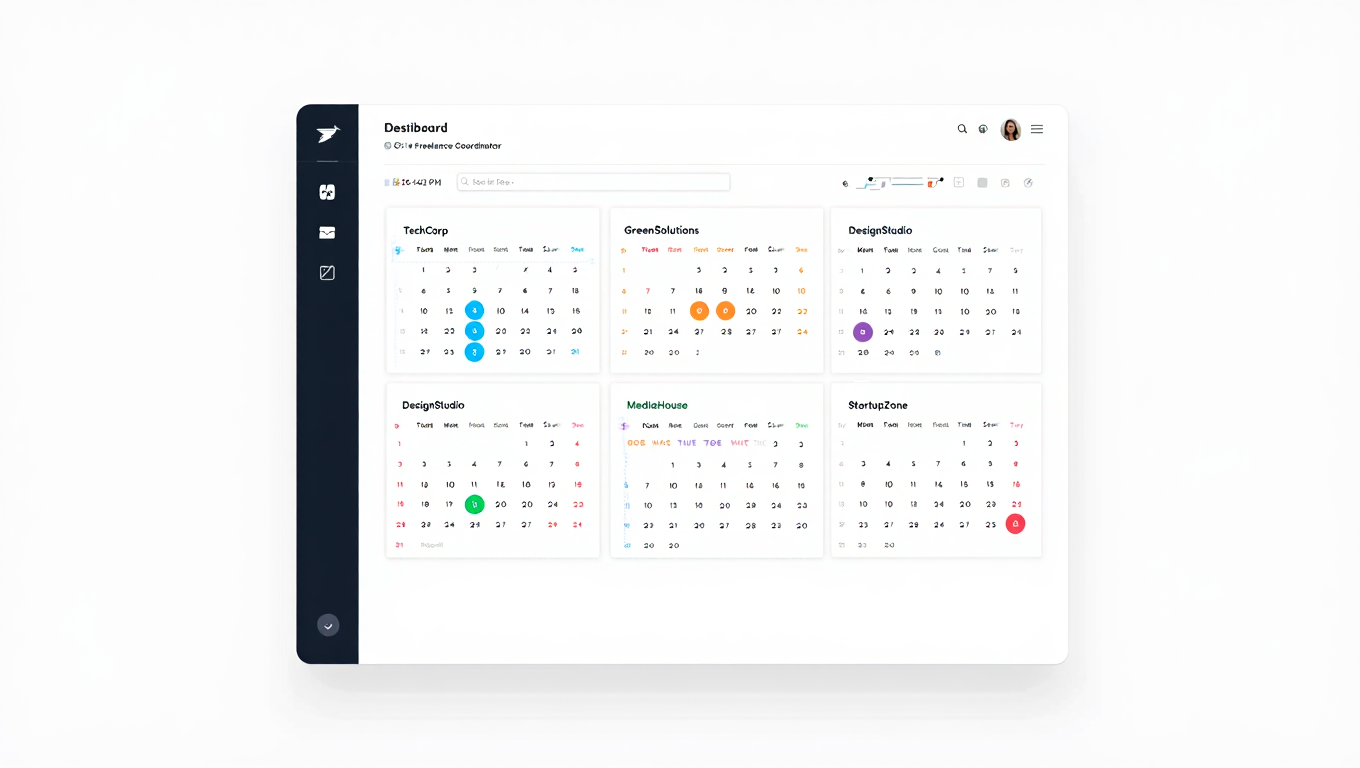
It's Monday morning. You open your laptop to find seventeen calendar notifications across five different client accounts, three scheduling requests that came in over the weekend, a client who rescheduled tomorrow's meeting but only updated their calendar, and you can't remember if you blocked time for that dental appointment on Wednesday. Welcome to freelancer calendar chaos.
Managing freelancer multiple business calendar sync isn't just about having the right tools. It's about building systematic workflows that prevent chaos before it starts, even when you're juggling 4.5 clients per month on average according to 2024 freelancer data. The difference between freelancers who scale successfully and those who drown in scheduling complexity comes down to workflow systems, not willpower.
- Daily workflow system for managing multiple business calendars as a freelancer
- Weekly and monthly calendar maintenance routines that prevent chaos
- Time blocking strategies specific to freelancer multiple business calendar sync
- How to protect focused work time while staying accessible to clients
- Automation rules that eliminate repetitive calendar management tasks
What Is a Freelancer Calendar Workflow System
A freelancer calendar workflow system is a set of repeatable processes, habits, and automation rules that coordinate scheduling across multiple client calendars without constant manual intervention. Unlike reactive calendar management where you respond to scheduling requests and conflicts as they arise, a systematic workflow prevents most issues through structured routines and clear boundaries.
The system encompasses your daily calendar review process, weekly planning cadence, client-specific scheduling rules, availability boundaries, and the automation that keeps everything synchronized. When implemented correctly, the workflow runs mostly on autopilot, allowing you to focus on client work instead of calendar administration.
For freelancers managing multiple businesses, this system must account for the reality that each client relationship has different meeting patterns, communication preferences, and availability expectations. Your workflow needs to handle this complexity systematically rather than requiring you to remember individual client preferences mentally.
Why Freelancers Need Systematic Calendar Workflows
The freelance economy has surged to 76.4 million workers in the United States as of 2024, projected to reach 86.5 million by 2027. As freelancing becomes the majority work arrangement, calendar management complexity increases proportionally.
The Scaling Problem
When you have one or two clients, reactive calendar management works tolerably well. You manually check calendars before accepting meetings, remember to update both calendars when things change, and keep availability coordinated through vigilance.
But this reactive approach fails completely at five clients. Research shows that without systematic workflows, freelancers spend 3 to 5 hours weekly on pure calendar administration, time that could be spent on billable client work instead. Manual calendar management doesn't scale linearly. It scales exponentially as client count increases.
The Mental Load Issue
Keeping track of which clients prefer morning meetings, who needs 24-hour advance notice, which calendar uses Google versus Outlook, and where you last updated that Wednesday appointment creates enormous mental overhead. You're using working memory for calendar logistics instead of creative problem-solving for client projects.
Systematic freelancer multiple business calendar sync workflows externalize this mental load into documented processes and automation rules. Your brain shouldn't be your scheduling database.
The Professional Reputation Factor
Double bookings and scheduling conflicts damage freelancer reputation significantly. When Client A shows up for your 2pm meeting and you're still on a call with Client B, you've just told Client A that their time doesn't matter to you. These mistakes compound over time, eroding client trust even when your actual work quality is excellent.
According to industry research, 60% of freelancers struggle with irregular work patterns, and calendar chaos is both a cause and symptom of this irregularity. Systematic workflows replace irregularity with predictability, which clients value highly.
- You've experienced multiple double bookings in the past month
- Calendar management takes more than 30 minutes daily
- You regularly forget to update all calendars when meetings change
- Clients mention scheduling friction or confusion about your availability
- You feel anxious about accepting new clients due to calendar complexity
Daily Calendar Workflow for Freelancers
The foundation of effective freelancer multiple business calendar sync is a consistent daily routine that keeps everything coordinated without consuming your entire morning.
Morning Calendar Review (10 Minutes)
Start each workday with a structured calendar review before diving into client work. This isn't browsing your calendar randomly. It's a systematic check following the same sequence daily.
First, review today's commitments across all client calendars in one unified view. Platforms like CalendHub.com aggregate all your connected calendars into a single timeline, making this review faster than logging into multiple accounts separately. Verify meeting times, confirm you have necessary preparation completed, and check for any last-minute changes that might have come through overnight.
Second, scan tomorrow and the rest of the week for upcoming deadlines or meetings requiring preparation. If you have a major client presentation on Thursday, you need focused work time Tuesday and Wednesday. Block that time now before meetings fill those slots.
Third, check for conflicts or anomalies. This is your safety net for catching sync failures or manual bookings that bypassed your system. Seeing the same time slot booked on two different client calendars means you need to reschedule one before both clients show up simultaneously.
This entire morning review should take 10 minutes maximum once you've established the routine. You're not planning your entire week each morning. You're doing a quick coordination check to catch issues early.
Scheduling Request Processing
Throughout the workday, scheduling requests arrive via email, Slack messages, or through your booking links. How you handle these requests determines whether freelancer multiple business calendar sync works or creates constant interruption.
Establish a rule that all meeting scheduling must flow through your unified calendar system. When a client emails suggesting a specific meeting time, don't just accept if you think you're available. Send them your scheduling link or manually add the meeting through your calendar platform that checks all calendars for conflicts.
This seems like extra friction compared to quick email confirmations, but it prevents the double booking scenario where you "think" you're free because you only checked one calendar mentally. Your workflow system catches conflicts that manual memory misses.
For clients who insist on direct calendar invites, configure your system to require confirmation before accepting. Some freelancers use CalendHub.com's conflict prevention to automatically decline calendar invites that conflict with existing commitments across other calendars, forcing clients to choose available times.
Time Blocking Execution
Your calendar shouldn't just track meetings. It should protect focused work time with the same rigor as client appointments. This is where most freelancers fail, treating calendar blocks as suggestions rather than commitments.
Schedule your high-value work time first each week, before accepting client meetings. If you need four uninterrupted hours for deep development work on Client A's project, block that time as "busy" across all calendars immediately. Treat it as immovable as a client meeting.
Color code these blocks differently than meetings in your unified calendar view. Platforms supporting freelancer multiple business calendar sync typically allow color customization. Client meetings might be blue, focused work time green, and personal commitments gray. This visual distinction makes your daily schedule scannable at a glance.
When clients try to book during protected work time, your scheduling links should show those slots as unavailable automatically. You're not manually declining meetings. Your system enforces boundaries for you.
End-of-Day Calendar Prep (5 Minutes)
Close each workday with a quick forward look. Review tomorrow's schedule one more time, now that any late-afternoon scheduling changes have settled. Verify you have prep work completed for tomorrow's meetings and confirm there are no surprise early morning commitments you'd forgotten about.
Update any client calendars where you committed to sending availability for future meetings. If you told Client B during today's call that you'd send scheduling options for next week, do that now while it's fresh. Don't let these small commitments slip through cracks and require apologetic follow-up emails later.
This end-of-day routine takes 5 minutes but prevents the morning scramble when you discover a 9am meeting you weren't prepared for.
Weekly Calendar Planning Workflow
Daily routines keep things running, but weekly planning prevents scheduling chaos before it develops.
Sunday or Monday Planning Session (30 Minutes)
Designate a consistent weekly time for calendar planning. Many freelancers use Sunday evening or Monday morning before the workweek begins. The specific timing matters less than consistency.
During this session, review the entire upcoming week across all client calendars in your unified view. Look for these specific patterns and issues.
Identify overcommitted days where you've accepted too many meetings without adequate work time. If Wednesday shows six client meetings with no blocks for actual project work, you're setting yourself up for failure. Proactively reschedule less critical meetings or block early morning or evening time for work if the meetings can't move.
Check for underutilized days where you have availability but no meetings scheduled. For ongoing client relationships, this might signal you should reach out with project updates or schedule check-ins. For client acquisition, it indicates capacity for taking on additional work.
Verify meeting distribution across different clients. Are you overcommitted to one client this week while neglecting others? Freelancer multiple business calendar sync means managing time allocation across multiple relationships, not just preventing double bookings.
Plan your focused work time for the week and block it across all calendars immediately. Don't wait for meetings to fill your schedule and then try to squeeze work into remaining gaps. Protected work time gets scheduled first.
Monthly Calendar Maintenance (60 Minutes)
Once monthly, perform deeper calendar system maintenance that weekly planning doesn't cover.
Audit all your connected calendars to ensure they're still syncing correctly. Create a test event in one client calendar and verify it appears as blocked time on all your other calendars. Make a change to that test event and confirm the update propagates. Then delete it and verify the deletion syncs.
This monthly sync health check catches configuration drift or authentication expirations before they cause double bookings. Calendar platforms sometimes lose sync connections when passwords change or security tokens expire.
Review your scheduling links and availability rules. Are your office hours still appropriate for your current workload? Have client meeting preferences shifted? Update buffer times, meeting durations, and available time slots based on what actually worked well versus poorly over the past month.
Analyze time allocation across clients. Export calendar data showing how many hours you spent on meetings versus focused work for each client relationship. This informs pricing decisions, capacity planning, and identifying clients who consume disproportionate calendar time relative to revenue.
Clean up old calendar clutter. Archive or delete past meeting records you don't need, clear outdated availability blocks, and simplify your calendar views to show only active commitments.
- Review Upcoming Week: Scan all client calendars in unified view
- Block Work Time: Schedule focused time before accepting more meetings
- Check Balance: Verify appropriate time distribution across clients
- Identify Gaps: Find opportunities for proactive client communication
- Prep Requirements: Note which meetings need advance preparation
Time Blocking Strategies for Multiple Business Calendars
Generic time blocking advice assumes you control your entire schedule. Freelancers managing multiple businesses face constraints that employees don't, requiring adapted strategies.
Client-Specific Time Windows
Instead of being available to all clients all the time, designate specific availability windows for different clients or project types. Client A might book time with you Mondays and Wednesdays between 9am and 3pm. Client B gets Tuesdays and Thursdays in the same window.
This windowing prevents calendar fragmentation where single meetings scattered across every day eliminate any possibility of deep work flow states. Research on freelancer productivity shows that batching similar activities improves efficiency significantly.
Configure your freelancer multiple business calendar sync platform to encode these windows into scheduling links. When Client A receives your scheduling link, they only see Monday and Wednesday options. Client B's link shows Tuesday and Thursday availability. Both links check your complete calendar to prevent conflicts, but they only offer appropriate time slots for that specific client context.
CalendHub.com and similar platforms allow creating unlimited scheduling links with different availability rules, all checking the same unified calendar pool for conflicts. This is essential for making client-specific windowing actually work.
The Energy-Based Blocking Method
Not all work happens at the same mental energy level. Strategic meetings requiring sharp thinking should get prime mental hours. Administrative work can happen during lower-energy periods.
Map your personal energy patterns over a typical week. Most people have high-energy windows mid-morning and possibly mid-afternoon, with lower energy right after lunch and late afternoon. Your specific pattern might differ.
Allocate your calendar based on this energy mapping. Schedule challenging client meetings and focused creative work during high-energy windows. Use low-energy periods for routine check-ins, email responses, and calendar administration.
Your freelancer multiple business calendar sync workflow should reflect this energy mapping in your default availability. Offer premium time slots for high-value client meetings but reserve some peak hours for focused work. Make lower-energy slots available for routine calls.
The Buffer Time System
Back-to-back scheduling across multiple client calendars is a fast path to burnout. Every meeting transition requires mental context switching, especially when switching between different client projects or communication styles.
Implement mandatory buffers between all meetings through your calendar platform settings. Fifteen-minute buffers work for most freelancers, though you might need 30 minutes between particularly intense meetings or when switching between dramatically different project types.
These buffers serve multiple purposes. They provide bathroom breaks and stretch time, absorb meeting overruns without cascading lateness, allow time for quick post-meeting notes while details are fresh, and create mental transition space between different client contexts.
Platforms designed for freelancer multiple business calendar sync typically include buffer configuration as a core feature. Set it once globally, and every booking automatically includes appropriate buffer time without requiring manual calendar blocking.
The No-Meeting Day Concept
Designate at least one full day weekly as meeting-free for deep work. This might be Friday for week-end project pushes, or Monday for fresh-week focused effort, or Wednesday to break up the week.
Block this entire day as unavailable in all your scheduling links. Clients attempting to book will see that day grayed out completely. This isn't rudeness. It's professional boundary-setting that enables you to deliver better work.
The exception is true emergencies, but define "emergency" strictly. A client wanting to discuss next quarter's plans isn't an emergency. A production outage affecting their live systems might be. Most freelancers discover that very few "urgent" meeting requests actually qualify as genuine emergencies worth breaking no-meeting days.
Need better calendar management? CalendHub unifies all your calendars with smart scheduling and video conferencing.
Your freelancer multiple business calendar sync system should make this boundary automatic and consistent across all clients. You're not manually telling each client you're unavailable Fridays. Your scheduling system encodes the boundary and enforces it uniformly.
Automation Rules That Eliminate Manual Work
Workflow systems become sustainable when automation handles repetitive tasks that currently consume your time and attention.
Automatic Meeting Confirmations and Reminders
When clients book through your scheduling links, confirmations should send automatically without your involvement. The confirmation email should include meeting details, video call links if applicable, any preparation requirements, and clear timezone information.
Automatic reminders 24 hours and 1 hour before meetings reduce no-shows significantly. For freelancer multiple business calendar sync, these reminders should reference the specific client context. The reminder for your Client A meeting should pull from that project's details, not generic calendar information.
Platforms like CalendHub.com handle this automation natively. Configure confirmation and reminder templates once, and they apply automatically to all bookings across all your client calendars without ongoing manual effort.
Sync Automation Across All Calendars
The core automation is multi-directional calendar sync that requires zero manual intervention. Book a meeting anywhere, it blocks everywhere automatically. Change a meeting anywhere, updates propagate everywhere instantly. Cancel something anywhere, that time opens across all calendars immediately.
This sounds obvious, but many freelancers still manually sync calendars by creating duplicate events across multiple calendar systems. Every minute spent on manual sync is wasted effort that automation should eliminate.
Verify your freelancer multiple business calendar sync platform provides true automated multi-directional sync, not manual sync that you have to trigger or bidirectional sync between calendar pairs that doesn't scale.
Availability Recalculation
Your available time slots should recalculate automatically based on existing commitments across all calendars. When Client A books the 2pm Tuesday slot, that slot should become unavailable to Client B immediately, even if Client B was already looking at your scheduling page.
Real-time availability recalculation prevents the race condition where two clients book the same slot within seconds of each other. The second booking attempt should fail immediately because the first booking already claimed that time.
This automation is critical for freelancer multiple business calendar sync at scale. You cannot manually update availability across multiple scheduling links every time anyone books or changes anything.
Conflict Alert Automation
Despite best efforts, calendar conflicts sometimes occur. Maybe a client manually invited you to their calendar bypassing your system, or a sync connection temporarily failed, or you accepted something manually without checking all calendars.
Configure automatic conflict alerts that notify you immediately when the same time slot shows commitments on multiple calendars. Some platforms like CalendHub.com monitor for these conflicts continuously and alert you the moment they appear, giving you time to resolve them before both meetings arrive.
The alert should specify exactly which calendars have the conflict and what the competing commitments are, allowing quick resolution rather than time-consuming investigation across multiple calendar accounts.
Recurring Meeting Automation
Many client relationships include recurring weekly or biweekly check-ins. Rather than manually scheduling these repeatedly, set them up once as recurring events that automatically create calendar blocks extending into the future.
The key for freelancer multiple business calendar sync is ensuring recurring events created in one calendar properly block time as unavailable across all other calendars for the full recurrence pattern, not just the first instance.
Test this specifically with your platform. Create a recurring weekly meeting in Client A's calendar and verify that all instances appear as blocked time on Client B's calendar and in your personal calendar automatically.
Managing Client Communication About Availability
Workflow systems only work if clients respect and work within them. This requires clear communication about how you manage scheduling across multiple businesses.
Setting Scheduling Expectations Upfront
When onboarding new clients, explain your scheduling process explicitly. Share that you use a unified scheduling system to coordinate availability across all your client commitments, preventing double bookings and ensuring reliable meeting times.
Frame this as benefiting the client. They get accurate real-time availability rather than tentative time slots that might conflict with other commitments. Scheduling happens faster with fewer back-and-forth emails.
Provide your client-specific scheduling link and explain how to use it. Emphasize that using the link ensures successful booking, while manual email scheduling requests might result in conflicts or delays while you check multiple calendars.
Most clients appreciate this professionalism. You're demonstrating organized business operations, which builds confidence in your ability to deliver organized project work.
Handling Direct Scheduling Requests
Despite your process, some clients will still email saying "Let's meet Tuesday at 2pm" without checking your availability first. Your response should redirect them to your system gently but firmly.
A template might be something like this: "I'd be happy to meet Tuesday. Please use this link to select a time that works for both of us. It shows my real-time availability across all projects and will send calendar invites automatically."
You're not saying no to their suggested time. You're routing them through the process that checks your freelancer multiple business calendar sync system for actual availability before confirming.
After a few interactions, most clients adapt and start using your scheduling links directly. The ones who don't are usually fine with you booking on their behalf after checking availability through your system.
Communicating Boundaries Professionally
When clients request meeting times outside your designated availability windows, you need language that maintains boundaries without damaging relationships.
Instead of "I don't work Fridays," try "My Friday schedule is reserved for focused project work, but I have availability Monday through Thursday. Here's my link to find a time that works." This frames the boundary as protecting your ability to deliver quality work, not refusing client access.
For clients requesting very short notice meetings, establish your minimum lead time requirement. "I maintain a 24-hour minimum for scheduling to ensure proper preparation for our conversations. I have availability Thursday afternoon through my scheduling link."
These boundaries should be encoded in your freelancer multiple business calendar sync system as automatic rules, not things you manually enforce each time. Your scheduling links shouldn't offer next-day availability if you require 24-hour notice. The system enforces the boundary so you don't have to.
- New Client Onboarding: "I use a unified scheduling system for all clients to ensure accurate availability. Here's your scheduling link."
- Direct Time Suggestion: "Happy to meet then. Please confirm via my scheduling link to ensure no conflicts."
- Outside Hours Request: "That time is reserved for focused work. My availability Monday through Thursday is here."
- Short Notice Request: "I need 24 hours for proper preparation. I have availability Thursday onward."
Troubleshooting Common Workflow Breakdowns
Even well-designed freelancer multiple business calendar sync workflows encounter problems. Recognizing and fixing these issues quickly prevents minor problems from becoming systemic chaos.
The Sync Delay Problem
You book a meeting in Calendar A at 2pm, but five minutes later Client B successfully books the same 2pm slot through your scheduling link. This indicates a sync delay where Calendar A's update hasn't propagated to your availability system yet.
Most platforms promise "real-time" sync but actually update every 5 to 15 minutes. For active freelancers, this delay window creates double booking risk. The solution is choosing a freelancer multiple business calendar sync platform that processes availability checks truly instantly, querying all connected calendars at the moment of booking rather than relying on periodic sync cycles.
CalendHub.com and similar real-time platforms eliminate this issue by checking actual current calendar state when anyone tries to book, rather than checking a cached sync that might be minutes old.
The Manual Booking Bypass
A client sends a direct calendar invite for a time that's actually already booked on a different calendar. You accept without checking because you trust your sync system, then discover the conflict later.
This happens when bookings bypass your unified system. The fix is discipline: never accept calendar invites directly. When you receive manual invites, check them against your scheduling platform first, even if you think you know you're available.
Some platforms can prevent this by auto-declining calendar invites that conflict with existing commitments across other calendars. This forces clients to reschedule to actually available times.
The Forgotten Calendar
You added a new client's calendar to your workflow when starting the project but forgot to connect it to your sync platform. Now you have meetings scheduled there that don't block time on other calendars, creating conflicts.
Monthly calendar audits catch this issue. Review the list of calendars you've checked in the past month against the list of calendars connected to your freelancer multiple business calendar sync system. Any calendar you're looking at but haven't connected is a missing link creating potential conflicts.
The symptom is usually discovering conflicts during your daily review that shouldn't exist if sync was working properly. When that happens, audit your calendar connections immediately.
The Overscheduling Trap
Your workflow prevents double bookings successfully, but you're still overwhelmed because you accepted too many meetings without protecting adequate work time. The system is working technically but failing strategically.
This requires adding a rule to your weekly planning session. Before accepting new recurring meetings or filling available slots, calculate whether you'll still have sufficient focused work time to deliver on existing project commitments.
Some freelancers implement a "50% rule" where they never allow meetings to consume more than 50% of their weekly calendar. If meetings exceed this threshold, they defer new meeting requests or schedule them further out when workload will decrease.
The Boundary Erosion
Clients have gradually pushed your availability window earlier into mornings or later into evenings, and now you're working 12-hour days to accommodate everyone. Your freelancer multiple business calendar sync system is working, but your boundaries have collapsed.
This is a workflow discipline issue, not a technical problem. Reset your availability windows in all scheduling links to your actual desired working hours. Send clients a brief note that you've updated your scheduling to "better serve all clients with consistent, sustainable availability."
Most clients won't even notice. The few who comment are usually fine when you explain you're optimizing your schedule for better focus and availability during core hours.
Advanced Workflow Optimization Techniques
Once basic freelancer multiple business calendar sync workflow is stable, these advanced techniques drive additional efficiency.
The Meeting Template Library
Create reusable meeting templates for common meeting types across different clients. Initial client consultation might be 30 minutes with specific questions you always ask. Weekly check-ins might be 15 minutes with a standing agenda. Project kickoffs might be 60 minutes with consistent preparation requirements.
Rather than configuring each meeting manually, apply templates that set duration, buffer time, preparation reminders, and confirmation email content automatically. This ensures consistency across clients while reducing setup time for new scheduling links.
Platforms supporting freelancer multiple business calendar sync often include template features. Create templates once, then apply them when generating client-specific scheduling links instead of configuring each link from scratch.
The Capacity Dashboard
Track your calendar capacity metrics over time to identify patterns and optimize scheduling. Useful metrics include meetings per week total, meetings per client relationship, percentage of time in meetings versus focused work, average time between booking and meeting date, and frequency of last-minute schedule changes by client.
This data reveals which clients consume disproportionate calendar time, whether you're trending toward overscheduling, and which meeting types could be eliminated or shortened.
Some freelancers export this data monthly and review it during their monthly planning session, adjusting availability rules and client communication based on observed patterns.
The Prep Time Automation
For meetings requiring preparation, configure your calendar system to automatically block prep time before the meeting. A client presentation at 2pm might automatically create a 1pm to 2pm "prep time" block that also shows as unavailable for other bookings.
This ensures you actually have time to prepare rather than hoping prep time magically appears in an already-full schedule. The automation removes the mental load of remembering which meetings need prep and manually blocking that time.
Advanced freelancer multiple business calendar sync platforms let you set prep time rules by meeting type. Client presentations always get one hour prep time blocked automatically. Quick check-ins might need zero prep time.
The Focus Time Protection Algorithm
Instead of manually blocking focus time each week, configure your calendar system with focus time requirements that it protects automatically. You might specify "I need minimum 20 hours of focus time weekly" and the system could automatically limit meeting availability to ensure that focus time remains available.
This is sophisticated automation that few platforms currently offer, but it represents where freelancer calendar management is heading. The system becomes proactive about protecting your capacity rather than just reactive to booking requests.
Currently, this requires manual implementation during weekly planning, but the principle stands. Define your focus time requirements explicitly and let them constrain meeting acceptance rather than hoping focus time works out after meetings are booked.
Building Your Personal Workflow System
You now understand the components of effective freelancer multiple business calendar sync workflows. Here's how to actually implement a system customized for your specific situation.
Week 1: Establish Daily Routines
Start with the daily workflow components. Implement morning calendar review for 10 minutes each workday, end-of-day forward check for 5 minutes each evening, and consistent scheduling request processing routing all bookings through your system.
Don't try to implement everything simultaneously. Focus on daily consistency first. These routines should become habitual before adding weekly and monthly layers.
Track completion for the first week. Did you do morning review every day? Did you route all scheduling requests through your system, or did you accept some manually? Where did the routine break down?
Week 2: Add Weekly Planning
Once daily routines feel automatic, add the weekly planning session. Choose a consistent day and time, ideally Sunday evening or Monday morning before the workweek begins.
Follow the weekly checklist: review upcoming week across all calendars, block focused work time first, check client balance, identify gaps and opportunities, and note prep requirements for upcoming meetings.
This 30-minute weekly session dramatically improves the upcoming week's schedule quality compared to letting meetings accumulate reactively.
Week 3: Configure Automation
With manual routines established, start adding automation to reduce manual effort. Connect all client calendars to your freelancer multiple business calendar sync platform if you haven't already. Configure automatic confirmations and reminders. Set up buffer time rules. Create conflict alerts.
Test each automation thoroughly. Create test bookings to verify confirmations send properly. Make test changes to verify sync works multi-directionally. Cancel test events to confirm updates propagate.
Document what automation you've implemented and where settings are configured. This documentation helps troubleshooting when something breaks later.
Week 4: Implement Boundaries
The final implementation piece is encoding your boundaries into the system as automatic rules rather than manual enforcement.
Set your actual working hours in all scheduling links. Configure client-specific availability windows if using that strategy. Establish no-meeting days. Set minimum lead time requirements.
Communicate these boundaries to existing clients. Send a brief note explaining you've optimized your scheduling system for better availability and service quality, then share their updated scheduling link.
Most clients adapt immediately. The few who push back usually accept boundary explanations when framed around your ability to deliver better work.
Ongoing Optimization
After the initial four-week implementation, your freelancer multiple business calendar sync workflow should run largely on autopilot. Monthly maintenance sessions keep it optimized, and periodic review of metrics reveals opportunities for improvement.
The key is system evolution. As your freelance business grows, client mix shifts, or service offerings change, your workflow should adapt. The routines stay consistent, but the specific configurations adjust to current reality.
Why CalendHub Enables Superior Workflows
Workflow systems require platforms that support systematic approaches rather than fighting against them.
CalendHub.com was built specifically for freelancer multiple business calendar sync workflows with several architectural advantages.
The platform's unlimited calendar connections mean your workflow doesn't break when you take on additional clients. Many freelancers discover workflow systems that worked fine at three clients fail completely at seven clients when calendar connection limits force workarounds. CalendHub.com scales seamlessly from your first client to your twentieth.
True multi-directional sync eliminates manual update workflows entirely. Changes propagate automatically across all connected calendars without requiring you to remember which calendars need updates or maintain complex sync rules between calendar pairs.
Real-time conflict prevention means your workflow can confidently accept bookings through scheduling links without fear of double bookings during sync delays. The platform checks actual current availability across all calendars when processing bookings rather than relying on cached sync data.
Client-specific scheduling links with centralized conflict checking enable the client windowing and boundary automation strategies that make freelancer workflows sustainable. You create different availability rules for different clients, but all rules check the same unified calendar pool for conflicts.
These capabilities aren't optional nice-to-haves. They're foundational requirements for building freelancer multiple business calendar sync workflows that actually scale with business growth.
Taking Action on Workflow Implementation
You now have a complete framework for building systematic freelancer multiple business calendar sync workflows that prevent chaos and protect your capacity for great client work.
Start with the four-week implementation plan. Week one establishes daily routines, week two adds weekly planning, week three implements automation, and week four encodes boundaries. This phased approach builds sustainable habits rather than overwhelming yourself with complete system overhaul all at once.
Choose a calendar platform that supports systematic workflows rather than fighting them. CalendHub.com provides the unlimited calendar connections, automated multi-directional sync, and flexible scheduling rules that make these workflows possible without constant manual intervention.
The difference between freelancers who successfully scale to 10+ clients and those who plateau at 3 or 4 isn't work ethic or talent. It's systematic workflows that make complexity manageable instead of overwhelming.
Your calendar system should enable your business growth, not limit it. Build workflows that scale with your success, use platforms that support those workflows architecturally, and watch calendar chaos transform into sustainable scheduling systems that protect your time, serve your clients professionally, and support the freelance business growth you're working toward.
Stop manually fighting calendar chaos every day. Build workflows that prevent chaos systematically, and reclaim those 3 to 5 hours weekly currently wasted on calendar administration for the client work and business development that actually grow your freelance career.
Ready to Simplify Your Schedule?
Join thousands of professionals who have unified their calendars and reclaimed their time with CalendHub's intelligent scheduling platform.
Related Articles

Accountant Calendar Management: Complete Guide for 2025
Master accountant calendar management to survive tax season, track client deadlines, and balance multiple engagements without burnout.

Agency Owner Calendar Management: Complete Guide for 2025
Juggle client meetings, team standups, biz dev, and project timelines as an agency owner. Your complete calendar management guide.
Business Coach Calendar Management: Complete Guide for 2025
Streamline executive client scheduling, mastermind groups, and speaker coordination. The business coach calendar management guide.