
 Google Calendar
  Outlook Calendar
  Google Meet
  Microsoft Teams
  Zoom Meetings
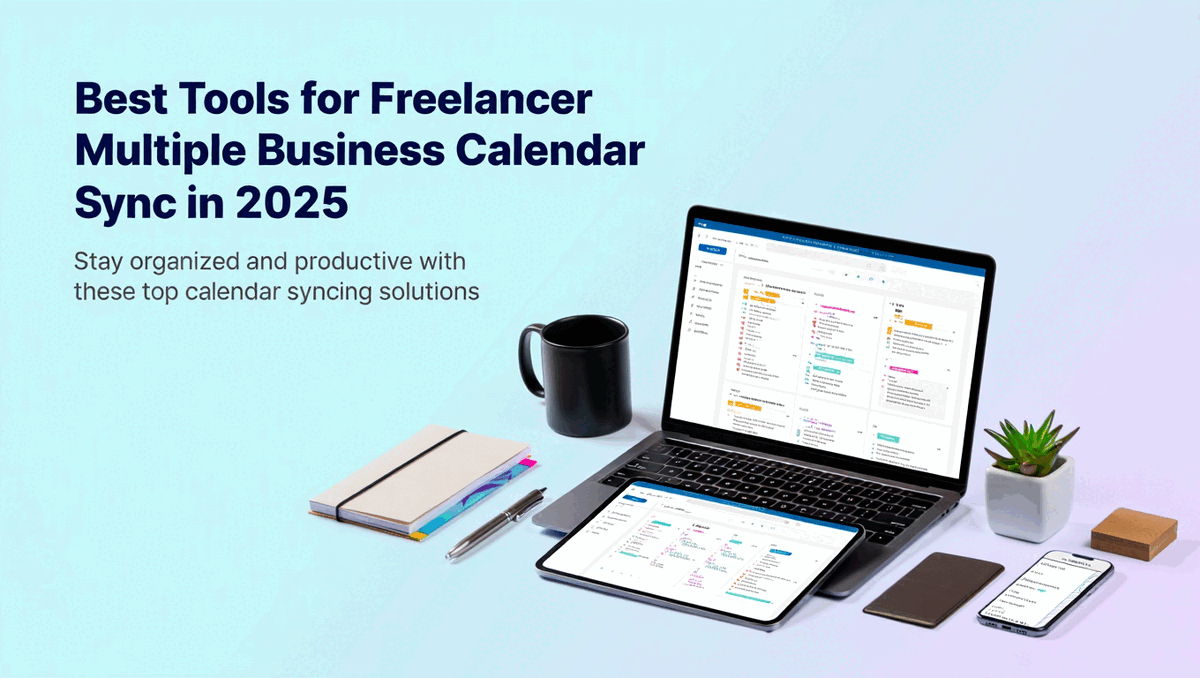
 Best Tools for Freelancer Multiple Business Calendar Sync in 2025
Compare the best freelancer multiple business calendar sync tools. Why Calendly's 6-calendar limit fails freelancers managing unlimited clients.
You just landed your sixth client. Exciting news for your freelance business, right? Except now you've hit Calendly's hard limit of six connected calendars, and you still need to add your personal calendar, your backup business calendar, and separate calendars for different service types. Suddenly, the scheduling tool that worked fine last month has become your biggest operational bottleneck.
With 76.4 million freelancers in the United States as of 2024 and that number climbing toward 86.5 million by 2027 (Freelancers Union), the freelancer calendar management software market should be booming with solutions. Instead, most tools still cater to traditional employees with one company calendar or small businesses with simple team scheduling.
Many freelancers struggle with the same challenges as consultants—learn more about consultant calendar management strategies that apply to freelancers too. Finding the right platform for freelancer multiple business calendar sync requires understanding which tools actually support the unlimited client reality freelancers face.
- Detailed comparison of top freelancer multiple business calendar sync tools
- Why popular platforms like Calendly fail freelancers at scale
- Calendar connection limits and pricing for multi-client scenarios
- Essential features freelancers need that employees don't
- How to choose the right tool for your specific freelance business
What Freelancers Actually Need in Calendar Sync Tools
Before diving into specific platforms, let's establish the baseline requirements for effective freelancer multiple business calendar sync that differentiate freelancer needs from traditional employee scheduling.
Unlimited Calendar Connections
This is non-negotiable. Freelancers who average 4.5 clients per month according to 2024 data (Freelancers Union) often maintain separate calendars for each major client, plus personal calendars, service-specific calendars, and platform calendars where clients have added them. A tool that caps connections at six or even ten calendars becomes unusable within months of business growth.
Traditional employees rarely need more than two or three calendar connections, which is why so many tools set low limits. But for freelancer multiple business calendar sync, unlimited calendar support is the foundation everything else builds on. Without it, you're forced into workarounds like multiple accounts that defeat the entire purpose of unified scheduling.
True Multi-Directional Sync
Most calendar tools offer bidirectional sync between two calendars. Calendar A syncs with Calendar B, and changes flow both ways. That's fine until you add Calendar C, D, E, and beyond. Then you need multi-directional synchronization where changes in any calendar propagate to all others automatically.
The technical difference matters significantly. With traditional bidirectional sync, connecting five calendars requires setting up ten separate sync relationships manually. Tools built for freelancer multiple business calendar sync handle this with a unified sync engine where you connect each calendar once and the platform manages all cross-synchronization automatically.
Real-Time Conflict Prevention
Sync delays kill freelancer scheduling reliability. If your calendar sync updates every 15 minutes or every hour, that's a window where two different clients could book the same time slot. You need conflict checking that happens in real-time when clients submit booking requests.
The best freelancer multiple business calendar sync tools check availability across all connected calendars instantly when someone tries to book. If Client A just booked the 2pm Tuesday slot three seconds ago, Client B trying to book that same slot right now should see it as unavailable immediately, not after the next sync cycle runs.
Client-Specific Scheduling Customization
Different clients need different meeting types, durations, and availability windows. Your calendar tool should allow creating multiple scheduling links with different configurations, but all checking the same unified availability pool to prevent conflicts.
You might offer 30-minute consultation calls for Client A, 60-minute project reviews for Client B, and 15-minute quick syncs for Client C. Each scheduling link shows appropriate options for that client context while preventing double bookings across all clients simultaneously.
Privacy and Information Control
Not every calendar event needs to sync with full details across all calendars. Personal appointments should block time on client-facing availability without revealing private information. Confidential work for Client A shouldn't display project details when blocking time on Client B's view.
Effective freelancer multiple business calendar sync tools provide granular control over what information transfers between calendars. You can sync availability blocking while protecting event details, maintaining professional boundaries and client confidentiality.
- Hard limits on connected calendars below 10
- Pricing that scales per calendar instead of per user
- Sync delays longer than 5 minutes
- Requiring separate accounts for multiple businesses
- One-way sync that doesn't propagate changes bidirectionally
Detailed Tool Comparison for Freelancer Multiple Business Calendar Sync
Let's examine the actual platforms available and how they stack up for managing multiple client calendars as a freelancer.
CalendHub.com: Built for Freelancer Reality
CalendHub.com was specifically designed to solve the freelancer multiple business calendar sync challenge that traditional tools ignore.
Calendar Connections: Unlimited. Connect every client calendar you have without restrictions or tiered pricing that charges more for additional calendars. As you take on new clients, simply add their calendars to your account without hitting limits or upgrading plans.
Sync Capabilities: True multi-directional sync where all connected calendars function as a unified availability pool. Book time in any calendar and it blocks across all others automatically. Changes propagate in real-time without manual intervention.
Pricing Model: Freelancer-appropriate pricing that doesn't multiply with calendar count. You pay for the service once and connect as many calendars as your business requires, which is significantly more cost-effective than platforms charging per calendar or forcing multiple account subscriptions.
Ideal For: Freelancers managing 5 to 15 different client calendars who need professional scheduling without arbitrary platform limits. Particularly valuable for consultants, designers, developers, and other independent professionals working across multiple business contexts simultaneously.
Limitations: As a platform focused specifically on freelancer needs, it may have fewer enterprise team features than tools designed for large organizations. But that's actually an advantage for independent professionals who don't need complex team scheduling and just want reliable freelancer multiple business calendar sync.
Calendly: The Six-Calendar Wall
Calendly dominates the scheduling software market, but its architecture reveals assumptions about traditional employment that break down for freelancers.
Calendar Connections: Hard limit of six connected calendars maximum. This is documented in Calendly's own specifications and creates an insurmountable barrier for freelancers managing multiple businesses.
The Multiple Business Problem: According to Calendly's community forums, you cannot use one email address for two Calendly organizations. Managing multiple businesses requires creating entirely separate Calendly accounts with different email addresses, paying for multiple subscriptions, and maintaining separate scheduling links.
Pricing Reality: At $10 per month for the Standard plan or $16 per month for Teams, Calendly seems affordable until you hit the six-calendar limit. Need to manage eight client calendars? You'd need two separate accounts at $20 to $32 monthly, which adds up fast compared to platforms offering unlimited calendars at one subscription price.
What It Does Well: Calendly excels at single-business scheduling with beautiful client-facing interfaces and extensive integration options. For employees or freelancers working with fewer than six calendars total, it's a solid choice.
Why It Fails Freelancers: The six-calendar limit and multiple-account requirement for different businesses makes Calendly fundamentally unsuitable for freelancer multiple business calendar sync at scale. You'll outgrow it as your business grows, requiring platform migration exactly when you're busiest.
OneCal: Premium Unlimited Option
OneCal positions itself as the calendar sync solution for consultants, freelancers, and agency professionals working across multiple platforms.
Calendar Connections: Unlimited calendars on the Premium plan at $30 per user per month. The free tier limits connections, but paid plans remove restrictions entirely.
Unique Sync Approach: OneCal claims to be the only tool that syncs multiple calendars in one operation. Where other solutions require twelve different synchronizations to keep four calendars coordinated, OneCal handles it with one unified sync connection.
Platform Support: Supports Google Calendar, Outlook, and iCloud with automatic real-time updates as events change. The cross-platform compatibility covers most client calendar systems freelancers encounter.
Value Proposition: At $30 monthly, OneCal is premium-priced but potentially worth it for freelancers managing many client calendars who need reliable freelancer multiple business calendar sync without connection limits.
Considerations: The pricing is approximately triple Calendly's base plan, which makes sense given the unlimited calendar capability. However, compare this to running multiple Calendly accounts, and OneCal becomes competitive for multi-client scenarios.
Koalendar: Unlimited Free Tier
Koalendar offers an interesting alternative with generous free tier features that include unlimited calendar connections.
Calendar Connections: Unlimited calendars even on the Free Forever plan. This is remarkable compared to Calendly's six-calendar restriction and makes Koalendar immediately viable for freelancer multiple business calendar sync.
Free Tier Features: Includes unlimited events, unlimited bookings, and unlimited scheduling links in addition to unlimited calendars. The platform syncs with Google, Outlook, or iCloud Calendar to prevent double bookings.
Sync Capabilities: Two-way sync between Koalendar and your connected calendars with conflict prevention when clients book through your links.
Best Use Case: Freelancers just starting out or those on tight budgets who need basic freelancer multiple business calendar sync without subscription costs. The free tier provides surprisingly robust functionality for $0 monthly investment.
Potential Limitations: Free tiers typically come with tradeoffs in features, customization, or branding. Verify whether Koalendar's free version provides sufficient professional polish for your client base before committing your scheduling workflow to the platform.
Google Calendar: The Manual Sync Baseline
Google Calendar itself supports viewing unlimited calendars and offers some sync capabilities, but not in the automated way freelancers need.
Calendar Connections: Technically unlimited. You can add and view as many calendars as you want within Google Calendar.
Sync Reality: Each calendar sync must be configured manually between specific calendar pairs. If you have five calendars, that's ten manual sync setups to keep them coordinated. Google Calendar doesn't provide unified multi-directional sync out of the box.
Free Advantage: Google Calendar is completely free and many clients already use Google Workspace, reducing integration friction.
Need better calendar management? CalendHub unifies all your calendars with smart scheduling and video conferencing.
Where It Falls Short: Without third-party tools, Google Calendar requires manual management for freelancer multiple business calendar sync. You can view multiple calendars, but preventing conflicts across all of them demands constant vigilance and manual blocking.
Hybrid Approach: Many freelancers use Google Calendar as their primary calendar but add specialized sync tools like CalendHub.com or OneCal to handle the automated multi-calendar synchronization that Google doesn't provide natively.
Microsoft Outlook: Enterprise Power, Manual Effort
Similar to Google Calendar, Microsoft Outlook supports multiple calendar accounts but doesn't automate cross-calendar sync for freelancer scenarios.
Account Support: Unlimited calendar accounts can be added to Outlook, particularly useful for freelancers whose clients use Microsoft 365.
Sync Gaps: No automatic cross-account synchronization. Changes in one calendar don't propagate to others without manual effort or third-party sync tools.
Best Paired With: Freelancers using Outlook benefit from combining it with dedicated freelancer multiple business calendar sync platforms that can connect to Outlook calendars and handle the automated coordination Outlook doesn't provide.
Enterprise Features: Excellent if your clients predominantly use Microsoft ecosystems, but the lack of built-in multi-calendar sync means you'll need additional tools for proper freelancer calendar management.
Feature Comparison Table
Here's a direct comparison of key features across platforms relevant to freelancer multiple business calendar sync.
Pricing Analysis for Multi-Client Freelancers
Understanding the true cost of freelancer multiple business calendar sync requires calculating scenarios based on actual client counts.
Scenario 1: Five Active Clients
You're managing five client calendars plus your personal calendar for a total of six calendars. At six calendars exactly, Calendly works at $10 monthly for the Standard plan. CalendHub.com also works at its base pricing. OneCal at $30 monthly is more expensive. Koalendar free costs nothing.
Winner at this scale: Koalendar free or Calendly Standard depending on feature needs beyond calendar count.
Scenario 2: Eight Active Clients
Now you have eight client calendars plus personal and service-specific calendars for ten total. Calendly's six-calendar limit forces you into two accounts at $20 monthly minimum. CalendHub.com still works at one subscription. OneCal remains $30 monthly. Koalendar still free.
Winner at this scale: Koalendar if the free tier meets your needs, otherwise CalendHub.com for paid features with unlimited calendars at one subscription price.
Scenario 3: Twelve Active Clients
Managing twelve clients with fifteen total calendars including personal and service calendars. Calendly would require three separate accounts at $30 monthly minimum. CalendHub.com one subscription. OneCal one subscription at $30. Koalendar free.
Winner at this scale: CalendHub.com or OneCal depending on specific feature requirements. Both provide unlimited calendars at one subscription price that's significantly less than multiple Calendly accounts.
The Hidden Costs of Multiple Accounts
Beyond subscription multiplication, running multiple calendar tool accounts creates operational costs. You're logging in and out of different accounts, maintaining separate scheduling links, and increasing the likelihood of configuration errors that lead to double bookings.
These workflow friction costs don't appear on invoices but waste hours monthly. Proper freelancer multiple business calendar sync through a single platform eliminates this overhead entirely.
- Start Free: Begin with Koalendar or Google Calendar to validate your workflow
- Scale Smart: Switch to unlimited-calendar platforms before hitting limits
- Calculate True Cost: Factor in time savings, not just subscription price
- Avoid Lock-In: Choose platforms that export data easily if needs change
- Plan for Growth: Select tools that scale with increasing client count
Advanced Tool Features Freelancers Should Consider
Beyond basic calendar sync, evaluate these advanced capabilities when choosing your freelancer multiple business calendar sync platform.
Buffer Time Management
Automatically adding 15 or 30-minute buffers between meetings prevents back-to-back scheduling that leads to burnout. Some platforms let you configure buffers globally, while others require setting them per event type.
CalendHub.com and similar tools designed for freelancers typically include buffer management as a core feature since back-to-back meetings across different clients are particularly draining compared to internal team meetings.
Time Zone Intelligence
Working with clients across multiple time zones adds complexity to freelancer multiple business calendar sync. Your scheduling links need to display appropriate times based on where each client is located, while still checking your actual availability correctly.
Look for platforms that automatically detect client time zones and convert scheduling options accordingly. When a New York client sees 2pm, and a Los Angeles client sees 2pm, those should represent 2pm Eastern and 2pm Pacific respectively, not the same UTC moment.
Recurring Availability Patterns
Some clients want weekly standup meetings. Others need biweekly check-ins. Your calendar tool should handle recurring availability patterns that might differ by client while still checking all calendars for conflicts.
Advanced platforms let you set recurring availability windows that apply to specific scheduling links. Client A can book recurring Monday slots, Client B gets recurring Wednesday slots, and the system ensures these patterns don't conflict with other commitments.
Integration Ecosystem
Calendar sync doesn't exist in isolation. Freelancers typically use project management tools like Asana or Trello, communication platforms like Slack, and invoicing software like FreshBooks. Integrations between your calendar platform and these other tools reduce manual data entry and keep everything coordinated.
Evaluate whether the freelancer multiple business calendar sync tool integrates with your existing tech stack or requires replacing multiple tools to work effectively.
Analytics and Reporting
Understanding how you're allocating time across different clients helps with workload balancing and pricing decisions. Some calendar platforms provide analytics showing meeting distribution, client time allocation, and scheduling patterns over time.
This data becomes particularly valuable for freelancers managing multiple businesses who need to ensure they're not overcommitting to one client at the expense of others.
Choosing the Right Tool for Your Freelance Business
With the options mapped out, how do you actually choose the best platform for your specific freelancer multiple business calendar sync needs?
Assess Your Current Client Count
Start with an honest count of how many calendars you're actually managing today. Include client calendars where they've added you to their systems, your personal calendar, service-specific calendars, and any platform calendars you check regularly.
If you're already at four or five calendars, tools with six-calendar limits give you no growth room. Choose platforms with unlimited connections even if you don't need them all immediately.
Project Growth Trajectory
Where will your freelance business be in twelve months? If you're actively growing, taking on new clients regularly, or expanding into new service areas, factor that growth into your platform decision.
Switching freelancer multiple business calendar sync tools mid-year while juggling multiple clients is painful. Choose a platform that supports where you're headed, not just where you are today.
Evaluate Feature Priorities
Not every freelancer needs every feature. Prioritize based on your actual pain points. If double bookings are your main problem, focus on conflict prevention capabilities. If client experience matters most, prioritize scheduling link customization and professional appearance.
Make a list of must-have features versus nice-to-have features. Any platform missing your must-haves gets eliminated regardless of price or other benefits.
Test With Real Clients
Most platforms offer free trials or free tiers. Set up real scheduling workflows with actual clients during the trial period. Send your scheduling link to a trusted client and ask for feedback on their booking experience.
This real-world testing reveals issues that don't appear in feature lists. Maybe the scheduling interface confuses clients, or the confirmation emails don't look professional, or the mobile experience doesn't work well.
Calculate Total Cost of Ownership
Look beyond monthly subscription price to total cost including time savings. If a freelancer multiple business calendar sync platform costs $30 monthly but saves you five hours of calendar management time each month, that's worth more than a free tool that requires constant manual effort.
Your hourly rate as a freelancer makes time savings extremely valuable. Even small efficiency gains compound into significant annual value.
Common Tool Selection Mistakes Freelancers Make
Avoid these predictable errors when choosing your freelancer multiple business calendar sync platform.
Mistake 1: Optimizing for Current State Only
You have three clients today, so a tool that supports six calendars seems fine. Six months later you have seven clients and you've outgrown the platform exactly when you're busiest and least able to handle migration disruption.
Always choose tools that support 2x or 3x your current calendar count. The slight extra cost for unlimited calendars is worth the growth flexibility.
Mistake 2: Choosing Based on Brand Recognition
Calendly is the biggest name in scheduling, so it must be the best choice. Except brand recognition doesn't equal best fit for freelancer multiple business calendar sync. Popular tools often optimize for the largest market segment, which is traditional businesses, not independent professionals.
Evaluate tools based on actual feature match to your needs, not marketing presence or how many competitors use them.
Mistake 3: Ignoring Client-Facing Experience
You love the backend admin interface, but your clients find the scheduling process confusing or unprofessional-looking. The tool works great for you but creates friction for the people booking time with you.
Always test the client booking experience as part of your evaluation. Send scheduling links to colleagues or friends and get feedback on clarity, professionalism, and ease of use.
Mistake 4: Skipping Trial Periods
Many platforms offer 7-day free trials or free tiers specifically so you can test functionality before committing. Freelancers skip trials and jump straight to paid plans, then discover critical limitations after they've already invested setup time.
Use every available trial period. Set up your real calendars, create actual scheduling links, and test with authentic workflows before paying.
Mistake 5: Not Planning for Platform Migration
No tool is perfect forever. Business needs change, better platforms emerge, or pricing shifts. Choosing a freelancer multiple business calendar sync tool without understanding how you'd migrate away from it later creates potential lock-in problems.
Verify you can export your data, understand how you'd transition clients to a new scheduling system if needed, and ensure you're not creating dependencies that would be painful to undo.
Why CalendHub Stands Out for Freelancer Calendar Sync
While this comparison covers multiple platforms, CalendHub.com specifically addresses the freelancer multiple business calendar sync challenge in ways generic scheduling tools don't.
Built for Unlimited Client Scaling
CalendHub.com's architecture assumes you'll add more calendars over time as your freelance business grows. There are no hard limits where you hit a wall and need to upgrade, create additional accounts, or switch platforms entirely.
This unlimited approach means the platform you start with as a freelancer with three clients is the same platform that supports you years later when you're managing twelve clients. Your workflow stays consistent even as your business scales.
Single Account for Multiple Businesses
Unlike Calendly which forces separate accounts for different business contexts, CalendHub.com lets you manage multiple client brands, different service types, and varied business entities all from one login. You control how you present to different clients while maintaining unified calendar coordination behind the scenes.
This architectural decision reflects understanding of how freelancers actually work. You're not one business serving many customers. You're one professional operating across multiple business contexts simultaneously.
Freelancer-Appropriate Pricing
Pricing that charges per calendar or requires multiple account subscriptions becomes prohibitively expensive as you take on more clients. CalendHub.com's pricing model recognizes that freelancer calendar complexity scales differently than team size, offering unlimited connections at pricing that makes sense for independent professionals.
You're not paying enterprise rates for features you don't need. You're getting exactly the freelancer multiple business calendar sync capabilities that matter, priced appropriately for a one-person business.
Professional Client Experience
Every scheduling link represents your business to clients. CalendHub.com provides the customization and professional polish that reflects well on your freelance brand without visible platform limitations or unprofessional free-tier restrictions.
Clients booking time with you through CalendHub.com see a clean, professional scheduling experience that builds confidence in your business operations. The calendar complexity you're managing behind the scenes stays invisible.
Taking Action on Tool Selection
You now have a comprehensive comparison of freelancer multiple business calendar sync tools and the criteria that matter for managing multiple client calendars effectively.
Here's your decision framework. First, count your current calendars honestly and project growth over the next twelve months. If you're approaching or exceeding six calendars, eliminate tools with that limitation immediately. Second, identify your budget range and calculate the true cost including time savings, not just subscription price. Third, test finalist platforms with real workflows during trial periods before committing.
For most freelancers managing multiple businesses, CalendHub.com provides the unlimited calendar support, professional features, and appropriate pricing that generic tools don't offer. The platform was specifically built for the freelancer reality where calendar complexity comes from client count, not team size.
Stop fighting platform limitations that force you into multiple accounts or cap your business growth. Choose freelancer multiple business calendar sync tools that scale with your success rather than creating operational bottlenecks exactly when your business is growing.
The right platform doesn't just sync calendars. It eliminates the scheduling friction that prevents you from taking on more clients, delivering better work, and scaling your freelance business to its full potential.
For detailed workflows, check out our freelancer calendar workflow system guide and managing multiple work calendars.
Ready to Simplify Your Schedule?
Join thousands of professionals who have unified their calendars and reclaimed their time with CalendHub's intelligent scheduling platform.
Related Articles
Best Apps to View All Calendars in One Place (2025 Review)
Compare the top apps for viewing all calendars in one place. Detailed reviews of features, limits, and pricing to help you choose the right solution.
Best Apps to View All Calendars Together: 2025 Comparison
Compare the best apps and tools to view all calendars together. Detailed analysis of features, limits, pricing, and which solution fits your needs.
Best Calendar Aggregator Tools Ranked for 2025
Compare the top calendar aggregator tools in 2025. See which platforms offer unlimited connections, real-time sync, and true aggregation for professionals.