
 Google Calendar
  Outlook Calendar
  Google Meet
  Microsoft Teams
  Zoom Meetings
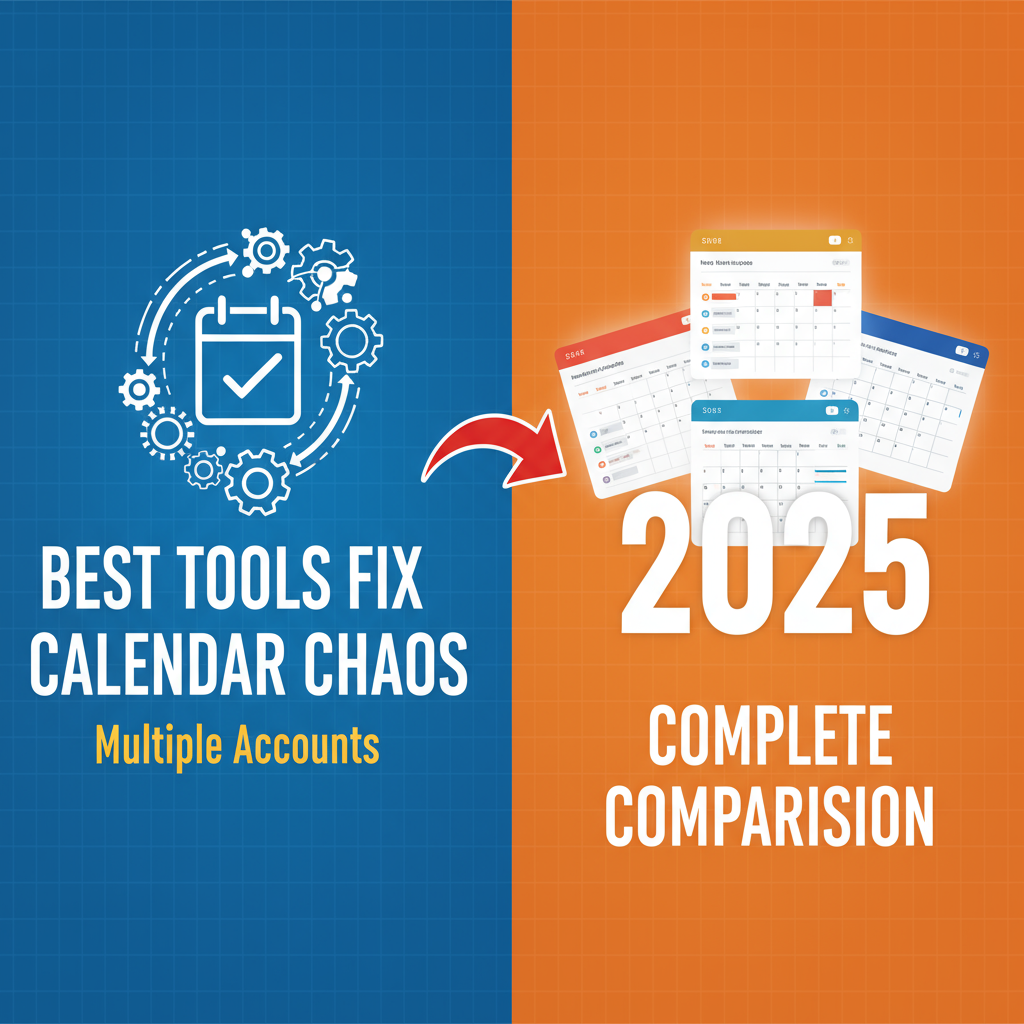
 Best Tools Fix Calendar Chaos Multiple Accounts: Complete 2025 Comparison
Compare the best tools to eliminate calendar chaos from multiple accounts. Expert analysis of calendar sync apps, unified platforms, and management systems for 2025.
Your morning routine has become absurd. You check Outlook for work meetings, switch to Google Calendar for personal appointments, open Apple Calendar to see family events, then realize you still have no idea what your actual day looks like because the information is scattered across three different apps with conflicting entries.
You know there must be a better way. Tools exist that promise to fix calendar chaos from multiple accounts, but the marketplace is crowded with options that claim similar benefits using different approaches.
This comprehensive guide compares the best tools and systems to eliminate calendar chaos with multiple accounts in 2025, helping you choose the right solution for your specific situation.
- The four main approaches to solving calendar chaos with multiple accounts
- Detailed comparison of the top calendar tools in each category
- Pricing, features, and limitations of each solution
- Which tool types work best for different professional situations
- How to choose the right calendar organization system for your needs
Understanding the Tool Categories
Before comparing specific tools, you need to understand the four main approaches to fixing calendar chaos with multiple accounts.
Unified Calendar Platforms
These tools aggregate multiple calendar accounts into a single interface without requiring you to migrate or change your existing calendars. You connect your Google, Outlook, Apple, and other calendars, and the platform shows everything together in unified views.
Best for: Professionals who must maintain separate calendars for work, personal, and other purposes but need complete visibility across all accounts.
Calendar Sync Services
These services create two-way synchronization between different calendar platforms, automatically copying events and creating blocking events to prevent double bookings. Changes made in one calendar automatically update in connected calendars.
Best for: People who need their calendars to update each other automatically while maintaining separate platforms for different purposes.
AI-Powered Calendar Assistants
These intelligent tools use artificial intelligence to automatically organize your calendar, suggest optimal meeting times, protect focus time, and learn from your scheduling patterns to optimize your schedule over time.
Best for: Busy professionals with complex schedules who want automated optimization and smart scheduling recommendations.
Native Platform Solutions
The major calendar platforms (Google, Microsoft, Apple) offer built-in features for managing multiple calendars, including calendar layering, basic syncing, and shared calendar capabilities.
Best for: People whose multiple calendars exist within a single ecosystem or who want to minimize third-party tools.
The Complete Tool Comparison
Let's examine the best tools in each category to help you eliminate calendar chaos from multiple accounts.
Unified Calendar Platforms
CalendHub.com
CalendHub.com provides instant unified viewing across multiple calendar accounts from different platforms without requiring migration or complex setup. Learn how to fix calendar chaos step-by-step.
Key features:
- Connects Google Calendar, Outlook, Apple Calendar, and other major platforms
- Real-time unified view showing all calendars in one interface
- Smart conflict detection across all connected accounts
- Privacy controls for selective calendar sharing
- Simple setup requiring no technical expertise
- Mobile and desktop access to unified calendar view
How it solves calendar chaos:
CalendHub.com directly addresses calendar chaos with multiple accounts by eliminating the need to context switch between different calendar apps. You see your complete schedule from all accounts in a single unified interface while maintaining your existing calendars exactly where they are.
This approach works for professionals who cannot consolidate calendars due to work policies, platform preferences, or shared calendar commitments. You get unified visibility without forced migration.
Best for: Professionals managing work and personal calendars on different platforms, families coordinating multiple shared calendars, anyone who has tried other solutions but found them too complicated.
Pricing: CalendHub.com offers flexible pricing for individuals and teams, with unified viewing available at competitive rates compared to complex sync services.
Limitations: Requires internet connection for real-time syncing. Depends on APIs provided by calendar platforms for connectivity.
Fantastical
Fantastical is a popular calendar app for Apple devices that can display multiple calendars from different accounts in a unified interface with elegant design and natural language event creation.
Key features:
- Beautiful interface with customizable views
- Natural language event parsing
- Multiple calendar account support
- Proposal scheduling for meeting coordination
- Weather integration and time zone support
- Apple ecosystem integration
How it solves calendar chaos:
Fantastical consolidates multiple calendar accounts into its interface, allowing you to view and manage Google Calendar, Exchange, iCloud, and other accounts together. The natural language processing makes event creation fast across any connected calendar.
Best for: Apple ecosystem users who want a premium calendar experience with strong design and natural language features.
Pricing: $4.99 per month or $39.99 per year for individuals. Free version available with limited features.
Limitations: Primarily focused on Apple devices. Windows and web versions exist but are secondary. Not ideal for Windows-first workflows.
BusyCal
BusyCal is a powerful calendar app for Mac, iPad, and iPhone that connects multiple calendar accounts and offers advanced features for professional scheduling.
Key features:
- Connects Google, Exchange, iCloud, and CalDAV accounts
- Built-in task management integrated with calendar
- Advanced filtering and smart filters
- Weather forecasts and moon phases
- Time zone support for global scheduling
How it solves calendar chaos:
BusyCal brings multiple calendar accounts into a single application with robust viewing options and powerful customization. The smart filters help you create custom views that show exactly what you need from your various calendars.
Best for: Mac users who want deep customization options and integrated task management alongside calendar consolidation.
Pricing: One-time purchase of $49.99 for Mac or subscription at $2.99/month.
Limitations: Apple-only. Steep learning curve for advanced features. No web access.
Calendar Sync Services
OneCal
OneCal is a dedicated calendar synchronization service that keeps multiple Outlook, iCloud, and Google Calendars synchronized and prevents double booking by blocking busy time across all connected calendars.
Key features:
- Two-way sync between Google, Outlook, and iCloud calendars
- Automatic busy time blocking to prevent double bookings
- Selective event syncing with customizable rules
- Privacy controls for sensitive information
- Real-time synchronization
How it solves calendar chaos:
OneCal addresses calendar chaos with multiple accounts by ensuring that busy time on one calendar automatically appears as blocked on all other calendars. This prevents others from scheduling you during times that appear available on one calendar but are actually booked on another.
Best for: Professionals who need to maintain completely separate calendars but require automatic conflict prevention across platforms.
Pricing: Starts at $5 per user per month for 2 calendars, scaling to $30 per month for unlimited calendars.
Limitations: Syncs busy/free status and basic details but may not sync all event metadata. Adds synthetic events to calendars which some users find visually cluttering.
CalendarBridge
CalendarBridge provides real-time calendar synchronization across Google, Outlook, and iCloud, automatically creating or updating corresponding events so colleagues see accurate availability regardless of platform.
Key features:
- Two-way sync across major platforms
- Customizable sync rules for privacy
- Real-time updates without delays
- Controls over what event details sync
- Support for multiple work and personal calendars
How it solves calendar chaos:
CalendarBridge ensures that changes made in one calendar immediately reflect in all connected calendars. If you add a personal appointment to Google Calendar, it automatically blocks that time on your Outlook work calendar so coworkers see you as busy.
Best for: Professionals who work across multiple organizations with different calendar platforms or who need to keep work and personal calendars synchronized while maintaining privacy.
Pricing: Subscription-based pricing starting at approximately $5-10 per month depending on features.
Limitations: Creates duplicate events across calendars which requires understanding which calendar to use as source of truth. Sync delays can occasionally occur.
Reclaim.ai
Reclaim.ai focuses on intelligent calendar synchronization combined with automated scheduling optimization, defending time for priorities while syncing across calendars.
Key features:
- Smart syncing between Google and Outlook calendars
- AI-powered scheduling suggestions
- Automatic habit scheduling for recurring priorities
- Buffer time protection
- Focus time optimization
How it solves calendar chaos:
Reclaim.ai combines calendar syncing with intelligent automation. It not only keeps calendars synchronized but also automatically schedules and reschedules flexible priorities around fixed commitments, learning from your patterns to optimize your schedule.
Best for: Busy professionals with complex calendars who want both synchronization and AI-powered optimization of their schedule.
Pricing: Free tier available. Paid plans start at $8 per user per month for advanced features.
Limitations: Works primarily with Google Calendar with Outlook support more limited. AI features require learning period to become effective.
AI-Powered Calendar Assistants
Motion
Motion is an AI-driven calendar and task management platform that automatically organizes your day by intelligently scheduling tasks around meetings and optimizing your calendar based on priorities and deadlines.
Key features:
- AI-powered automatic task scheduling
- Dynamic calendar optimization that updates throughout the day
- Intelligent meeting scheduling
- Project management integration
- Task prioritization based on deadlines and importance
How it solves calendar chaos:
Motion addresses calendar chaos from multiple accounts by using AI to automatically schedule tasks in available time slots across your calendars. It continuously reorganizes your schedule as new meetings appear or tasks get completed, maintaining optimal productivity.
Best for: Professionals who struggle not just with calendar visibility but with effectively scheduling tasks around meetings and commitments.
Pricing: $19 per month billed annually or $34 per month billed monthly for individuals.
Limitations: Significant learning curve. Requires trusting AI to control your schedule. Premium pricing compared to simpler solutions.
Clockwise
Clockwise is an AI calendar assistant focused on automatically optimizing team schedules, protecting focus time, and minimizing meeting conflicts across organizations.
Key features:
- Automatic focus time protection
- Smart meeting scheduling that finds optimal times
- Team-wide schedule coordination
- Flexible meeting rescheduling based on priorities
- Calendar analytics and insights
How it solves calendar chaos:
Clockwise uses AI to analyze your calendar patterns and automatically create protected focus time blocks while intelligently suggesting meeting times that minimize disruption. It works across team calendars to coordinate schedules efficiently.
Best for: Teams and organizations wanting to optimize everyone's calendars together while reducing meeting overhead and protecting deep work time.
Pricing: Free tier available. Team plans start at $6.75 per user per month.
Limitations: Requires organizational adoption for full value. Works primarily within Google Workspace. Less useful for individual calendar chaos outside team context.
Vimcal
Vimcal is a lightning-fast calendar app designed for power users, with keyboard shortcuts, natural language processing, and multi-platform support for rapid scheduling.
Key features:
- Extremely fast interface with keyboard-first design
- Natural language event creation
- Time zone management for global teams
- Multiple calendar account support
- Smart scheduling links
- Mobile and desktop apps
How it solves calendar chaos:
Vimcal consolidates multiple calendar accounts into an incredibly fast interface that makes calendar management feel effortless. The keyboard shortcuts and natural language processing allow power users to manage complex multi-calendar schedules with minimal friction.
Best for: Power users and technical professionals who value speed and keyboard shortcuts and manage heavily scheduled calendars.
Pricing: $15 per month or $120 per year. Free trial available.
Limitations: Keyboard-focused interface has learning curve. Premium pricing. Primarily for individual power users rather than teams.
Native Platform Solutions
Google Calendar
Google Calendar is the ubiquitous calendar platform from Google with built-in support for multiple calendars, calendar sharing, and integration across the Google ecosystem.
Key features:
Need better calendar management? CalendHub unifies all your calendars with smart scheduling and video conferencing.
- Multiple calendar support within single account
- Calendar layering to view multiple calendars together
- Calendar sharing and delegation
- Integration with Gmail, Google Meet, and Google Workspace
- Mobile apps across platforms
- Free for personal and included with Workspace
How it addresses calendar chaos:
Google Calendar allows you to add multiple calendars to a single view, including other Google Calendars, Outlook calendars, and calendar feeds. You can layer these calendars with color coding to see everything together.
Best for: People whose multiple calendars exist primarily within Google or who work in Google Workspace organizations.
Pricing: Free for personal use. Included with Google Workspace subscriptions starting at $6 per user per month.
Limitations: Cross-platform syncing with non-Google calendars is limited and one-way in many cases. Not ideal for Outlook-heavy workflows.
Microsoft Outlook Calendar
Microsoft Outlook Calendar is the enterprise calendar standard with robust features for managing multiple calendars, sharing, and delegation within Microsoft 365 environments.
Key features:
- Multiple calendar support and overlay views
- Calendar sharing and delegate access
- Scheduling assistant showing availability across calendars
- Integration with Teams, Exchange, and Microsoft 365
- Works across Windows, Mac, mobile, and web
How it addresses calendar chaos:
Outlook allows you to view up to 10 calendars simultaneously in overlay mode, seeing all events together in a unified view. The scheduling assistant checks availability across all calendars when scheduling meetings.
Best for: Enterprise professionals working in Microsoft 365 environments or anyone deeply integrated into Microsoft ecosystem.
Pricing: Included with Microsoft 365 subscriptions starting at $6 per user per month for business or $69.99 per year for personal.
Limitations: Cross-platform integration with Google and Apple calendars is limited. Best experience requires full Microsoft ecosystem.
Apple Calendar
Apple Calendar is the built-in calendar app for Mac, iPhone, and iPad with support for multiple accounts and elegant integration across Apple devices.
Key features:
- Supports multiple calendar accounts (iCloud, Google, Exchange)
- Unified view across all connected calendars
- Natural language event creation
- Deep integration with Apple ecosystem
- Handoff between devices
- Free with Apple devices
How it addresses calendar chaos:
Apple Calendar can connect multiple calendar accounts and display them together in a unified interface. Changes sync across your Apple devices through iCloud, and it integrates with other Apple apps like Mail and Messages.
Best for: Apple ecosystem users who want a simple, free calendar solution that works seamlessly across their Mac, iPhone, and iPad.
Pricing: Free with Apple devices and operating systems.
Limitations: Limited functionality compared to specialized tools. Cross-platform support for Windows and Android is poor. Advanced features missing.
Specialized Calendar Tools
Calendly
Calendly is the leading scheduling link platform that eliminates back-and-forth email by letting others book time directly on your calendar based on your availability.
Key features:
- Customizable scheduling links
- Checks availability across multiple connected calendars
- Automatic time zone detection
- Integrations with Zoom, Teams, and other meeting platforms
- Payment collection for appointments
- Team scheduling and round-robin assignment
How it addresses calendar chaos:
While not a calendar app itself, Calendly prevents calendar chaos from multiple accounts by checking availability across all your connected calendars before allowing someone to book time. This eliminates the double booking problem when clients or colleagues schedule meetings.
Best for: Professionals who frequently schedule meetings with external parties and want to automate availability management.
Pricing: Free tier available. Paid plans start at $10 per month for individuals.
Limitations: Solves scheduling links but not calendar viewing. Requires other tools for unified calendar visibility.
SavvyCal
SavvyCal is a modern scheduling platform that provides more control and personalization than traditional scheduling link tools, while respecting your calendar availability across multiple accounts.
Key features:
- Overlay scheduling showing your calendar alongside availability
- Multiple calendar connection for availability checking
- Personalized booking links with customization options
- Ranked availability to encourage preferred time slots
- No back-to-back meeting prevention
How it addresses calendar chaos:
SavvyCal checks all your connected calendars to determine true availability, preventing double bookings when others schedule time with you. The overlay view gives schedulers context about your day while respecting your privacy.
Best for: Professionals who want more sophisticated scheduling links with better user experience than traditional tools.
Pricing: Starts at $12 per month for individuals.
Limitations: Like Calendly, this is a scheduling tool rather than calendar viewing tool. Complements but does not replace unified calendar platforms.
Comparison Table: Best Tools for Calendar Chaos Multiple Accounts
Here is a side-by-side comparison of the top solutions organized by primary strength:
How to Choose the Right Tool for Your Calendar Chaos
Selecting the best tool to eliminate calendar chaos with multiple accounts depends on your specific situation.
Decision Framework
Question 1: Do you need to maintain separate calendars, or can you consolidate?
If you must maintain separate calendars (work policy, shared calendars, etc.), choose a unified platform like CalendHub.com or a sync service like OneCal.
If you can consolidate calendars into one platform, migrate to your preferred native platform (Google, Outlook, or Apple) and use its built-in multi-calendar features.
Question 2: Is your chaos primarily about visibility or about optimization?
If you primarily need to see all your calendars together to prevent conflicts, choose a unified platform like CalendHub.com or Fantastical.
If you need AI to help optimize your schedule and automatically manage tasks, choose an AI assistant like Motion or Clockwise.
Question 3: Do your calendars need to update each other automatically?
If yes, you need a sync service like OneCal, CalendarBridge, or Reclaim.ai that creates two-way synchronization.
If you just need to see them together without automatic syncing, a unified platform without sync is sufficient.
Question 4: What is your primary platform ecosystem?
Apple ecosystem users should consider Fantastical or BusyCal.
Google Workspace users should consider Google Calendar native features, Clockwise, or Reclaim.ai.
Microsoft 365 users should consider Outlook native features or cross-platform tools like CalendHub.com.
Mixed ecosystem users need cross-platform solutions like CalendHub.com, OneCal, or CalendarBridge.
Question 5: What is your budget?
Free or low-cost solutions include Google Calendar, Outlook Calendar (with existing subscription), Apple Calendar, or Reclaim.ai free tier.
Mid-range solutions ($5-15/month) include OneCal, CalendarBridge, Clockwise, Vimcal, and Calendly.
Premium solutions ($15-34/month) include Motion and Vimcal.
Question 6: Are you solving this for yourself or your team?
Individual solutions include CalendHub.com, Fantastical, BusyCal, OneCal, Motion, and Reclaim.ai.
Team solutions include Clockwise, Calendly (team features), and platform-level solutions like Google Workspace or Microsoft 365.
Real-World Tool Combinations That Work
Many professionals find that combining tools from different categories creates the most effective system for calendar chaos with multiple accounts.
Combination 1: Unified Platform + Scheduling Links
CalendHub.com + Calendly gives you unified visibility across all your calendars while providing professional scheduling links that check all calendars before allowing bookings.
This combination solves both internal calendar management (viewing all your calendars together) and external scheduling (letting others book time without creating conflicts).
Combination 2: Native Platform + Sync Service
Google Calendar + OneCal allows you to use Google Calendar as your primary interface while OneCal keeps your Outlook work calendar synchronized, preventing double bookings across platforms.
This works well for people who prefer Google Calendar's interface but need to maintain separate Outlook calendar for work.
Combination 3: AI Assistant + Unified Platform
Motion + CalendHub.com combines AI-powered task scheduling with unified calendar visibility, giving you both automated optimization and complete visibility across accounts.
This combination works for highly scheduled professionals who want AI help managing complex calendars.
Combination 4: Native Platform + Multiple Devices
Outlook Calendar on work computer + Apple Calendar on iPhone leveraging native sync capabilities for people whose calendar accounts are within compatible ecosystems.
This simple combination works without third-party tools for people with straightforward calendar setups.
Implementation Guide: Getting Started with Calendar Tools
Once you have chosen your tool or tool combination to fix calendar chaos from multiple accounts, follow this implementation process.
Week 1: Connection and Setup
Sign up and connect your calendar accounts. Follow the tool's setup wizard to connect all your calendar platforms.
Configure sync settings or view preferences. Determine what syncs where (for sync tools) or how calendars display (for unified platforms).
Set up color coding. Assign consistent colors to different calendar types across all tools.
Test the system. Create test events and verify they appear correctly across all platforms.
Week 2: Cleanup and Optimization
Remove duplicate events that now appear multiple times in unified views.
Archive old unused calendars that no longer serve a purpose.
Add buffer time for travel, preparation, and recovery that was previously unblocked.
Configure notification settings to eliminate duplicate alerts.
Week 3: Routine Development
Establish daily calendar review routine. Check your unified calendar each morning.
Create weekly planning session. Review upcoming week every Sunday or Friday.
Train people who schedule on your behalf on the new system.
Document your scheduling protocols for reference.
Ongoing: Maintenance and Optimization
Monitor sync status monthly to ensure connections remain active.
Review your calendar system quarterly to identify improvements.
Stay updated on new features from your chosen tools.
Adjust as your needs change with new jobs, projects, or life circumstances.
The Cost-Benefit Analysis of Calendar Tools
Investing in tools to eliminate calendar chaos with multiple accounts has measurable financial justification.
The cost of calendar chaos:
Research shows that 78% of professionals cite scheduling overload as a major contributor to unproductive meetings, and businesses waste an estimated $37 billion annually on unproductive meetings. Even a fraction of this waste at the individual level represents significant lost productivity.
If calendar chaos causes you to miss just one important meeting, make one major scheduling mistake, or waste two hours per week on scheduling coordination, the annual cost far exceeds the subscription price of any tool in this comparison.
The value of calendar clarity:
According to 2024 research from Harvard Business Review, 94% of people agree that better time management will increase their productivity at work. Effective calendar management reduces stress, improves work-life balance, and prevents burnout. Understanding why calendar chaos happens helps you choose the right solution.
The mental bandwidth freed up by eliminating constant calendar anxiety and context switching between apps creates capacity for higher-value work and better personal wellbeing.
Most professionals find that calendar tools pay for themselves within the first month through prevented conflicts, time savings, and stress reduction.
CalendHub.com: The Unified Solution for Calendar Chaos
Among the tools compared in this guide, CalendHub.com stands out for directly addressing calendar chaos with multiple accounts through unified visibility without forced consolidation.
Why CalendHub.com eliminates calendar chaos:
You maintain your work calendar in Outlook because your employer requires it. You keep your personal calendar in Google because that is where your family shares calendars. You use Apple Calendar on your iPhone because it integrates with iOS. CalendHub.com shows all of them together in one unified interface without requiring you to change any existing calendars.
This approach respects the reality that professionals legitimately need multiple calendar accounts while eliminating the chaos that multiple accounts create. You get complete visibility without complex sync configuration or technical expertise.
CalendHub.com provides:
- Instant setup connecting major calendar platforms in minutes
- Real-time unified view showing your complete schedule
- Smart conflict detection across all connected accounts
- Mobile and desktop access to your unified calendar
- Privacy controls for selective calendar sharing
- Competitive pricing for individuals and teams
For professionals who have tried other solutions but found them too complicated, too limited, or too disruptive to existing workflows, CalendHub.com offers the simplicity and effectiveness that actually solves calendar chaos from multiple accounts.
Alternative Approaches: Calendar Systems Without Software
Some professionals prefer system-based approaches to calendar management that minimize reliance on specialized tools.
The Manual Integration System
This approach uses native calendar features with disciplined manual routines:
- Choose one calendar as primary viewing location
- Subscribe to other calendars via ICS feeds for read-only visibility
- Manually block busy time on work calendar for personal commitments
- Maintain strict daily review routine to catch conflicts
Pros: No subscription costs. Complete control. No dependence on third-party services.
Cons: Requires perfect discipline. Fails if you forget one manual step. Time-consuming to maintain.
The Single Calendar Consolidation
This approach involves forcing all commitments onto one calendar platform:
- Choose your preferred calendar platform
- Cancel or minimize usage of all other calendars
- Manually add events that others create on different calendars
- Accept duplication for calendars you cannot eliminate
Pros: Simple single source of truth. Familiar interface. No new tools to learn.
Cons: Often impossible due to work requirements. Creates burden on others who must accommodate your preference. May lose functionality of abandoned platforms.
The Time Block Buffer System
This approach focuses on blocking generous buffer time rather than detailed scheduling:
- Block large time chunks for work, personal, family, etc.
- Keep detailed scheduling flexible within blocked time
- Use buffer time to absorb scheduling conflicts
- Minimize need for precision calendar management
Pros: Reduces schedule density. Creates flexibility. Less vulnerable to minor conflicts.
Cons: Not suitable for highly scheduled professionals. May appear unavailable when you actually have capacity. Wastes schedulable time.
These alternative approaches work for some people but most professionals find that purpose-built tools provide better results with less effort.
Conclusion: Choosing Your Calendar Chaos Solution
Calendar chaos with multiple accounts is solvable with the right tools and systems. This guide has compared the best available solutions across unified platforms, sync services, AI assistants, and native platform features.
Key takeaways:
Unified calendar platforms like CalendHub.com provide the most direct solution by showing all calendars together without requiring consolidation or complex syncing.
Calendar sync services like OneCal and CalendarBridge work well when you need automatic two-way synchronization between platforms.
AI-powered assistants like Motion and Clockwise add intelligent optimization on top of calendar management for professionals with complex schedules.
Native platform solutions work when your calendars exist primarily within a single ecosystem like Google, Microsoft, or Apple.
Scheduling link tools like Calendly and SavvyCal complement calendar tools by preventing others from creating conflicts when booking time with you.
The best choice depends on your specific situation, including which platforms you must use, whether you need synchronization or just visibility, your budget, and your technical comfort level.
For most professionals struggling with calendar chaos from multiple accounts, unified platforms like CalendHub.com provide the optimal balance of simplicity, effectiveness, and respect for existing calendar requirements. You get complete visibility across all accounts without forcing disruptive changes to how you or others manage calendars.
The investment in calendar tools pays for itself quickly through prevented conflicts, time savings, and stress reduction. Your calendar should support your life and work, not create constant anxiety. The right tools make that possible.
CalendHub.com eliminates calendar chaos from multiple accounts by providing instant unified viewing across Google, Outlook, Apple, and other calendars without complex setup or forced platform changes.
Connect all your calendars in minutes and finally see your complete schedule in one place. Stop juggling multiple apps and start experiencing calendar clarity today.
Ready to Simplify Your Schedule?
Join thousands of professionals who have unified their calendars and reclaimed their time with CalendHub's intelligent scheduling platform.
Related Articles
The Hidden Cost of Missing Meetings Due to Different Calendars in 2025
Discover the career and financial damage caused by missed meetings from calendar fragmentation. Real stories and statistics reveal the true professional cost.
Fix Calendar Chaos Multiple Accounts: Complete 2025 Recovery Guide
End calendar chaos from multiple accounts with this proven system. Transform your overwhelming schedule into an organized, stress-free calendar in under an hour.
Best Solutions to Stop Missing Meetings From Different Calendars in 2025
Compare proven solutions for calendar fragmentation. Discover which approach prevents missed meetings most effectively for your professional needs.