
 Google Calendar
  Outlook Calendar
  Google Meet
  Microsoft Teams
  Zoom Meetings
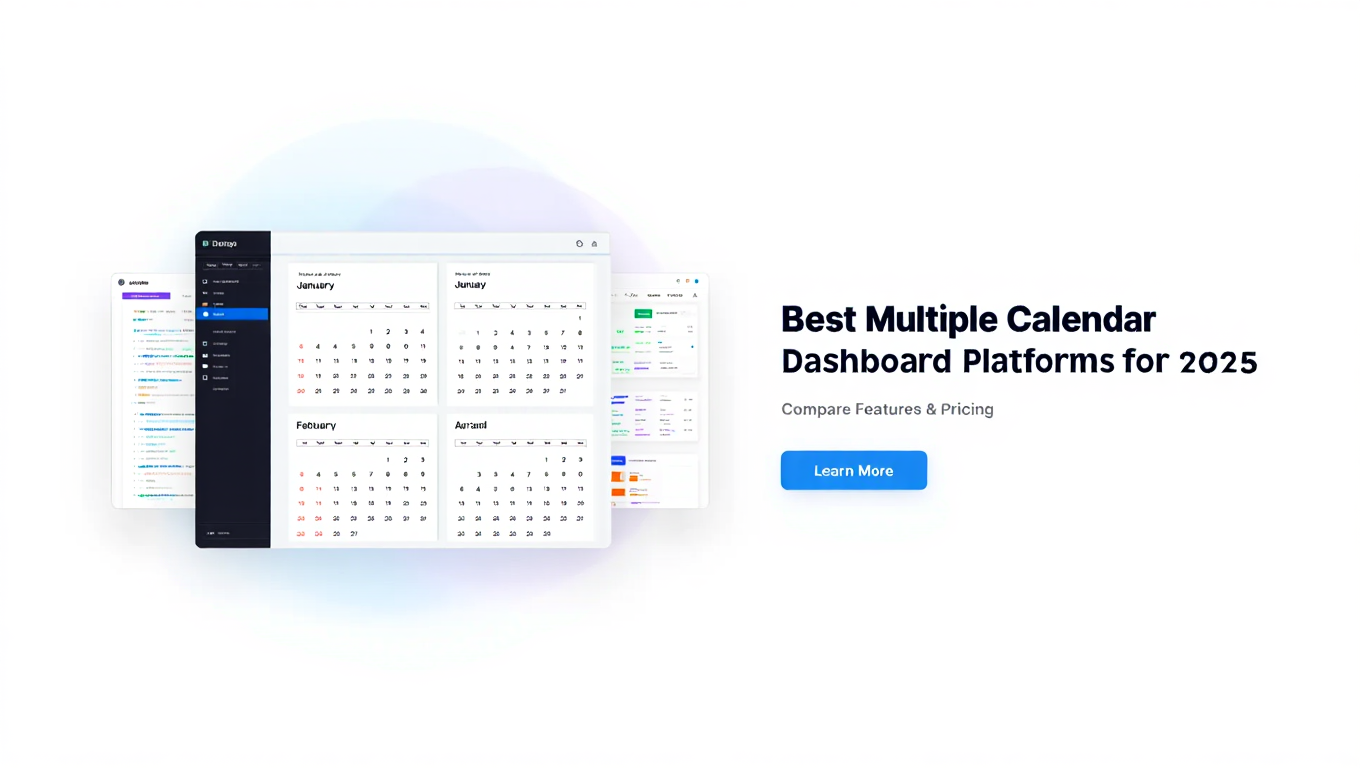
 Best Multiple Calendar Dashboard Platforms for 2025
Compare the top multiple calendar dashboard platforms. Discover which tools support unlimited calendars, real-time sync, and true unified views for professionals.
You are shopping for a multiple calendar dashboard platform. The marketing pages all look impressive. Every tool claims to be the best. They all show beautiful screenshots of unified calendar views and promise to solve your scheduling chaos.
Then you sign up, start connecting your calendars, and discover the platform caps connections at six calendars. Or sync runs every 15 minutes instead of real-time, creating a window for double-bookings. Or the mobile app barely functions. Or you can check multiple calendars for conflicts but new events only go to one destination calendar.
The disconnect between marketing promises and actual platform capabilities wastes hours of setup time and leads to frustrating migrations between tools. This comprehensive comparison cuts through the noise to show you exactly what each major multiple calendar dashboard platform actually delivers.
- Feature-by-feature analysis of leading calendar dashboard platforms
- Critical limitations you must understand before choosing a solution
- Honest assessment of who each platform serves best
- Pricing comparison across different calendar volume scenarios
- Real-world testing results for sync reliability and performance
How We Evaluated Multiple Calendar Dashboard Platforms
This comparison focuses on platforms that explicitly support managing multiple calendars through a unified dashboard interface. We excluded basic calendar applications without multi-calendar consolidation capabilities and scheduling automation tools that check calendars but are not designed as calendar management dashboards.
Our evaluation criteria reflect what actually matters for professionals managing complex, multi-calendar schedules.
Calendar Connection Capacity
The single most important specification for a multiple calendar dashboard is how many calendars you can actually connect. A platform that caps connections at six calendars immediately fails for consultants managing 12 client calendars, executive assistants coordinating five executives, or project managers tracking 15 team calendars.
We tested actual connection limits, not just marketing claims. Some platforms advertise "unlimited" calendars but impose practical restrictions through performance degradation or hidden pricing tiers.
Sync Reliability and Speed
Your dashboard must reflect reality. We tested sync performance by creating, editing, and deleting events in source calendars and measuring how quickly changes appeared in each dashboard. Real-time sync means updates appear within 5-10 seconds. Acceptable sync runs every 1-2 minutes. Anything slower than 5-minute intervals creates too much lag for professional use.
We also measured sync reliability over two-week testing periods, tracking how often sync failed, required manual intervention, or produced errors.
Cross-Platform Calendar Support
Professionals rarely have the luxury of single-platform calendar ecosystems. You need tools that integrate Google Calendar, Microsoft Outlook and Microsoft 365, iCloud Calendar, and generic iCalendar feeds seamlessly.
We verified which calendar platforms and protocols each dashboard solution actually supports, focusing on breadth and depth of integration.
Bidirectional Sync Capabilities
Can you create, edit, and delete events directly from the dashboard, with those changes propagating back to source calendars? Or is the dashboard read-only, requiring you to switch back to individual calendar applications for any modifications?
Bidirectional capability dramatically affects workflow efficiency and determines whether the dashboard becomes your primary calendar interface or just a viewing tool.
Mobile Experience Quality
According to 2024 research, 70% of American adults use digital calendars (U.S. Bureau of Labor Statistics), and mobile calendar checking exceeds desktop usage for most professionals. A dashboard that works beautifully on desktop but fails on mobile is effectively unusable.
Many professionals struggle with checking too many calendars, which is why unified dashboards are essential.
We tested mobile apps and mobile web experiences across iOS and Android devices, evaluating interface usability, feature parity with desktop versions, and performance.
Pricing Structure and Value
We analyzed pricing tiers to understand what features cost at different user volumes and calendar counts. Many platforms hide critical capabilities behind expensive premium tiers or charge per-calendar fees that make managing 10+ calendars prohibitively expensive.
Our comparison reveals the true cost of actually using each platform for realistic professional scenarios.
Dedicated Calendar Dashboard Platforms
These solutions focus specifically on unified calendar management as their primary purpose. They typically offer the most robust calendar-specific features without the bloat of features you do not need.
CalendHub.com
Best for: Professionals managing 10+ calendars who need unlimited connections without restrictions
CalendHub.com is purpose-built for professionals with genuinely complex multi-calendar needs. The platform imposes zero limits on calendar connections, addressing the primary pain point that eliminates most competing solutions.
Key Strengths:
The unlimited calendar connection capacity stands out immediately. While Calendly caps at six calendars and similar tools impose their own restrictions, CalendHub.com supports connecting 10, 20, 50+ calendars without artificial limits or performance degradation.
Real-time bidirectional sync means changes made anywhere appear everywhere within seconds. Create an event in your dashboard and it instantly appears in the source calendar. Edit an appointment in Google Calendar and the dashboard updates immediately.
The platform provides true dashboard visualization rather than just a list of separate calendars. You see all events across all connected calendars in unified day, week, and month views with intelligent color coding and conflict detection.
CalendHub.com intentionally focuses on calendar management rather than attempting to be an all-in-one productivity suite. This specialized focus translates to superior calendar-specific functionality and an interface optimized for the actual work of managing multiple calendars.
Considerations:
The platform serves power users with legitimate multi-calendar complexity. If you only manage two or three calendars, you might not need the advanced capabilities CalendHub.com provides, though the platform works perfectly well for simpler scenarios too.
Pricing: Competitive pricing without per-calendar fees or arbitrary connection limits. The value proposition improves dramatically as calendar count increases since you are not paying incremental costs for each additional calendar connection.
Best Use Cases: Consultants managing multiple client calendars, executive assistants coordinating several executives, agency owners tracking team availability, project managers overseeing resource calendars, professionals balancing extensive work and personal calendar commitments.
CalendarBridge
Best for: Users needing unified Google, Outlook, and iCloud calendar integration
CalendarBridge offers a unified calendar view that consolidates Google Calendar, Microsoft Outlook, iCloud, and ICS feeds into one real-time interface. The platform emphasizes simplicity and clean visual design.
Key Strengths:
The unified calendar view combines multiple sources cleanly without overwhelming users with complexity. The interface prioritizes clarity and ease of use over feature density.
Batch sync functionality helps users manage calendar connections efficiently. Real-time updates ensure the dashboard reflects current state across all connected calendars.
CalendarBridge supports creating, updating, and deleting events directly from the unified view with changes propagating back to source calendars bidirectionally.
Considerations:
While CalendarBridge handles multiple calendars well, documentation does not explicitly guarantee unlimited connections. Users with extremely high calendar counts (15+) should verify capacity before committing to the platform.
The platform positions itself as a mid-market solution balancing feature completeness with accessibility. Power users with advanced needs might find some specialized capabilities lacking compared to platforms like CalendHub.com.
Pricing: Tiered pricing based on feature access. The unified calendar view requires paid plans with pricing increasing for advanced sync options and higher user counts.
Best Use Cases: Small teams needing shared calendar visibility, professionals managing 5-10 calendars across major platforms, users who prioritize interface simplicity and ease of setup.
Teamup
Best for: Teams managing shared resources and project calendars
Teamup specializes in collaborative calendar management with strong access control and permission systems. While it can function as a personal multiple calendar dashboard, the platform really shines for team coordination.
Key Strengths:
Teamup's sub-calendar system lets you create multiple calendars within one Teamup instance, each with independent access permissions. This architecture works well for teams managing various projects, resources, or departments.
The platform supports importing iCalendar feeds from external sources, enabling unified views that combine Teamup calendars with feeds from Google Calendar, Outlook, and other sources.
Granular permission controls let you specify exactly who can view, create, or modify events on each sub-calendar. This capability matters for teams where different members need different access levels.
Considerations:
Teamup's primary design centers on collaborative team calendars rather than consolidating an individual's multiple personal calendars across different platforms. It works for that purpose but is not optimized for it.
The iCalendar feed import approach means integration with external calendars is one-directional. You can view external calendar events in Teamup, but you cannot edit those events from Teamup and sync changes back.
Pricing: Free tier supports basic usage. Paid plans add features like custom branding, higher user counts, and advanced permissions. Pricing scales with team size and feature requirements.
Best Use Cases: Teams coordinating shared resources (conference rooms, equipment, vehicles), project groups tracking multiple project timelines, departments managing team member availability, organizations needing complex calendar permissions.
Scheduling Platforms with Calendar Dashboard Features
These platforms primarily focus on appointment scheduling and booking automation. They check multiple calendars for conflicts when scheduling appointments but have limitations as comprehensive calendar management dashboards.
Calendly
Best for: Appointment scheduling with basic multi-calendar conflict checking
Calendly dominates the scheduling automation category. The platform excels at letting other people book time with you based on your availability. Its calendar dashboard capabilities exist to support that core scheduling function.
Key Strengths:
Calendly checks multiple connected calendars for conflicts when determining your availability for booking. This prevents double-bookings when people schedule appointments through your booking links.
The appointment booking workflow is extremely polished and user-friendly. People scheduling time with you experience a smooth, professional interface.
Integration ecosystem connects Calendly with hundreds of other tools including video conferencing platforms, CRM systems, and productivity applications.
Critical Limitations:
Calendly caps calendar connections at six calendars maximum (on Team plan at $16 monthly). Free users get only one calendar connection. This hard limit immediately disqualifies Calendly as a multiple calendar dashboard solution for professionals managing more than six calendars.
While Calendly checks multiple calendars for availability, it pushes newly scheduled events to only one destination calendar. You cannot route different appointment types to different calendars automatically.
Calendly is designed for inbound scheduling (others booking time with you), not comprehensive calendar management. It does not provide robust tools for managing events across multiple calendars, viewing complete schedule context, or organizing complex multi-calendar scenarios.
Pricing: Free tier with severe restrictions. Paid plans start at $12 monthly (Standard) and $16 monthly (Teams). The Teams plan provides the maximum six calendar connections.
Best Use Cases: Professionals who primarily need appointment booking automation and manage fewer than six calendars. Sales teams coordinating prospect meetings. Consultants scheduling client calls. Service providers managing appointment bookings.
Why Not for Multiple Calendar Dashboard: The six-calendar limit and single-destination calendar restriction make Calendly unsuitable as a primary multiple calendar dashboard for power users. It works well as a scheduling tool alongside a dedicated calendar dashboard like CalendHub.com. Learn more about Calendly's limitations.
Cal.com
Best for: Open-source scheduling with customization options
Cal.com positions itself as the open-source alternative to Calendly with similar appointment scheduling functionality and additional flexibility for developers who want to customize the platform.
Key Strengths:
The open-source model allows technical users to self-host Cal.com and customize functionality to specific needs. This appeals to organizations with specific security or compliance requirements.
Cal.com supports multiple calendar connections for conflict checking during appointment booking, similar to Calendly's approach.
Need better calendar management? CalendHub unifies all your calendars with smart scheduling and video conferencing.
Active development community continuously adds features and improvements. The platform evolves quickly based on user feedback.
Considerations:
Like Calendly, Cal.com focuses primarily on appointment scheduling rather than comprehensive calendar dashboard functionality. Calendar connections serve the scheduling workflow rather than providing robust multi-calendar management.
Documentation around specific calendar connection limits varies. The platform claims to support multiple calendar connections but does not prominently advertise unlimited capacity like dedicated dashboard solutions.
Self-hosting requires technical expertise and infrastructure management. Most professionals will use the hosted version, which introduces pricing considerations similar to other scheduling platforms.
Pricing: Free hosted tier available. Paid plans add features. Self-hosted deployment is free but requires infrastructure and technical expertise.
Best Use Cases: Technical teams wanting customizable scheduling infrastructure, organizations with specific security requirements, developers building scheduling workflows into larger applications.
Why Not for Multiple Calendar Dashboard: Cal.com solves scheduling automation problems, not calendar dashboard needs. The platform architecture and feature focus serve different use cases than professionals seeking unified multi-calendar management.
Productivity Platform Calendar Features
These comprehensive productivity suites include calendar functionality as one feature among many tools. They work well when calendar management is one component of broader project management and collaboration needs.
ClickUp
Best for: Teams needing calendar integration with project management
ClickUp is an all-in-one productivity platform offering project management, task tracking, collaboration, and calendar views. The calendar functionality integrates with ClickUp's broader project and task ecosystem.
Key Strengths:
ClickUp's calendar view displays tasks and project deadlines in calendar format, providing visual timeline context for work planning. Drag-and-drop functionality makes rescheduling intuitive.
The platform syncs with external calendars including Google Calendar and Outlook, allowing ClickUp tasks to appear in external calendars and vice versa.
For teams already using ClickUp for project management, the integrated calendar eliminates the need to maintain separate calendar and project tracking systems.
Considerations:
ClickUp's calendar focuses on tasks and project timelines rather than traditional appointment scheduling. It answers "what work is due when" more than "what meetings do I have."
The external calendar integration primarily serves to keep ClickUp tasks and external events synchronized. It is not designed as a unified multiple calendar dashboard for professionals managing many independent calendar sources.
Feature density creates a learning curve. ClickUp offers hundreds of features across its platform, which provides tremendous flexibility but can overwhelm users who simply need calendar management.
Pricing: Free tier available with limitations. Paid plans start at $7 monthly per user (Unlimited plan). Business plan at $12 monthly per user adds more advanced features.
Best Use Cases: Teams managing projects with clear deliverables and deadlines, organizations wanting integrated task and calendar management, users who need project context alongside calendar scheduling.
Why Not for Multiple Calendar Dashboard: ClickUp serves different needs than dedicated calendar dashboards. If your primary requirement is consolidating 10+ independent calendars from various sources into unified view, specialized tools like CalendHub.com provide better-focused solutions.
Monday.com
Best for: Visual workflow management with timeline views
Monday.com is a work operating system focused on visual project tracking and team collaboration. Calendar and timeline views show project scheduling context alongside task management.
Key Strengths:
Highly visual interface makes project timelines and deadlines immediately clear. Color coding, progress tracking, and status indicators provide at-a-glance project understanding.
Calendar integration connects Monday.com boards with Google Calendar and Outlook, syncing items between work management and scheduling systems.
The platform excels at managing team workflows, project dependencies, and resource allocation with calendar context.
Considerations:
Monday.com's calendar functionality serves project management needs. The platform is not designed for consolidating multiple independent personal and work calendars into unified dashboard view.
Pricing can become expensive for larger teams or organizations needing advanced features. Per-user costs compound quickly.
The platform's strength in project and workflow management does not translate directly to comprehensive multiple calendar dashboard capabilities for professionals managing numerous calendar sources.
Pricing: Starts at $9 monthly per user for basic plan. Standard plan at $12 monthly per user adds timeline views and calendar features. Pro and Enterprise plans offer additional capabilities at higher costs.
Best Use Cases: Marketing teams managing campaign timelines, product development teams tracking sprint schedules, operations teams coordinating project dependencies.
Why Not for Multiple Calendar Dashboard: Monday.com solves project workflow challenges, not calendar consolidation problems. Professionals needing to unify 15 calendars from different sources across Google, Outlook, iCloud, and various team tools require purpose-built calendar dashboard solutions.
Native Platform Calendar Solutions
Major calendar platforms offer their own multi-calendar viewing capabilities within their ecosystems. These work well when all your calendars exist within one platform family but struggle with cross-platform integration.
Google Calendar
Best for: Users whose calendars all exist within Google ecosystem
Google Calendar supports viewing multiple calendars simultaneously within its interface. If you maintain several Google Calendars (personal, work, various shared calendars), you can display them together with color coding differentiation.
Key Strengths:
Free and widely accessible. Most professionals already have Google Calendar through Gmail accounts.
Clean interface with multiple view options (day, week, month, agenda). Mobile apps provide solid functionality across iOS and Android.
Integration with Google Workspace means seamless connection with Gmail, Google Meet, Google Drive, and other Google services.
Limitations:
Google Calendar's multi-calendar view works only for Google Calendars. While you can import ICS feeds from external sources, bidirectional sync with Outlook, iCloud, or other platforms requires third-party solutions.
This ecosystem limitation means Google Calendar fails as a true multiple calendar dashboard for professionals whose calendars span multiple platforms. You can view multiple Google Calendars together, but cannot easily unify Google, Outlook, and iCloud calendars in one native interface.
Pricing: Free for personal use. Google Workspace (business) plans start at $6 monthly per user.
Best Use Cases: Personal calendar management within Google ecosystem, teams fully committed to Google Workspace, users whose external calendar needs are minimal.
Why Not for Multiple Calendar Dashboard: Platform lock-in prevents comprehensive multi-platform calendar consolidation. Professionals using Google for work calendars, Outlook for client calendars, and iCloud for personal calendars need cross-platform dashboard solutions like CalendHub.com.
Microsoft Outlook Calendar
Best for: Microsoft 365 users managing multiple Outlook calendars
Outlook Calendar offers calendar overlay and merged views that display multiple Outlook calendars simultaneously. The functionality works well within the Microsoft ecosystem.
Key Strengths:
Powerful calendar management features including scheduling assistants, meeting polls, and resource booking. Enterprise-grade reliability and security.
Integration with Microsoft 365 suite provides connections to Teams, SharePoint, Exchange, and other Microsoft services.
Calendar overlay view layers multiple calendars transparently, letting you see overlapping events and identify conflicts easily.
Limitations:
Like Google Calendar, Outlook's multi-calendar capabilities focus on calendars within its ecosystem. Cross-platform integration with Google Calendar, iCloud, and other sources requires workarounds or third-party tools.
Interface complexity can overwhelm users. Outlook offers extensive features but presents a steeper learning curve than simpler calendar applications.
Pricing: Included with Microsoft 365 subscriptions starting at $6 monthly per user (Business Basic) or $12.50 monthly (Business Standard) for fuller feature access.
Best Use Cases: Enterprises standardized on Microsoft 365, organizations with complex scheduling needs including resource booking, teams requiring SharePoint and Exchange integration.
Why Not for Multiple Calendar Dashboard: Outlook serves Microsoft-centric organizations well but does not provide the cross-platform calendar consolidation that professionals with diverse calendar ecosystems require. A dedicated multiple calendar dashboard that connects all platforms delivers superior functionality.
Feature Comparison Table
Here is how the major platforms compare across critical calendar dashboard capabilities:
This comparison reveals clear patterns. Dedicated calendar dashboard platforms like CalendHub.com provide the most comprehensive calendar management capabilities. Scheduling tools serve different purposes with hard limitations. Productivity platforms integrate calendars into broader workflows. Native solutions excel within their ecosystems but fail at cross-platform consolidation.
Choosing the Right Platform for Your Needs
The best multiple calendar dashboard for you depends on your specific calendar ecosystem and primary use cases. Here is how to match platforms to needs.
If You Manage 10+ Calendars Across Multiple Platforms
Start with CalendHub.com. The unlimited calendar connections and true cross-platform integration address the core requirements that other solutions cannot meet. Professionals with genuinely complex multi-calendar needs require platforms built specifically for that scenario without artificial limits.
Calendly, Cal.com, and similar scheduling tools will fail at their connection caps. Productivity platforms add unnecessary features you do not need. Native platform solutions cannot consolidate calendars across Google, Outlook, and iCloud effectively.
If Your Primary Need is Appointment Scheduling
Calendly or Cal.com make sense if inbound scheduling is your main workflow and you manage fewer than six calendars. These platforms optimize for the booking experience rather than comprehensive calendar management.
However, recognize that you might need a dedicated multiple calendar dashboard alongside your scheduling tool. Many professionals use Calendly for client bookings while relying on CalendHub.com for overall calendar visibility and management.
If Calendars Integrate into Project Management
ClickUp or Monday.com work well when calendar needs tie directly to project timelines, task tracking, and team collaboration. The integrated approach eliminates tool-switching between project management and calendar systems.
Just understand that these platforms serve project-centric workflows. If you also need to manage multiple independent calendars unrelated to ClickUp or Monday.com projects, you will still need a separate calendar dashboard solution.
If All Your Calendars Exist in One Ecosystem
Google Calendar or Outlook Calendar might suffice if you genuinely manage all calendars within a single platform family. These native solutions provide robust multi-calendar views without additional cost or third-party tools.
The moment you need to integrate calendars across platforms, these solutions break down. Most professionals discover their calendar ecosystems span multiple platforms, requiring dedicated cross-platform dashboard tools.
If You Prioritize Team Collaboration
Teamup excels at shared team calendars with complex permission requirements. If your primary use case involves coordinating teams, resources, and projects with different access levels, Teamup's architecture serves those needs well.
For personal multi-calendar consolidation across various platforms, dedicated dashboard solutions like CalendHub.com provide more focused functionality.
Common Platform Selection Mistakes
Even with thorough comparison, professionals frequently make predictable errors when choosing calendar dashboard platforms.
Mistake 1: Choosing Based on Free Tiers
Free plans sound appealing but typically include crippling restrictions. Calendly's free tier caps at one calendar connection, making it useless for multi-calendar management. ClickUp and Monday.com free tiers lack advanced calendar features.
Evaluate platforms based on paid plan capabilities that support your actual needs, not artificially limited free tiers. The time wasted discovering free plan limitations exceeds the cost of starting with an appropriate paid solution.
Mistake 2: Ignoring Calendar Connection Limits
Marketing pages showcase beautiful unified calendar views. You sign up, excited to consolidate your 12 calendars. Then you discover the platform caps connections at six calendars.
Always verify actual calendar connection limits before investing time in setup. For professionals managing many calendars, unlimited connection capacity is non-negotiable.
Mistake 3: Confusing Scheduling Tools with Calendar Dashboards
Calendly excels at appointment booking. It checks multiple calendars for conflicts when scheduling. This capability makes it a scheduling tool, not a comprehensive multiple calendar dashboard.
Understand the distinction. Scheduling tools and calendar dashboards solve different problems. You might need both, but they are not interchangeable.
Mistake 4: Overlooking Mobile Experience
Desktop interfaces look polished. Then you open the mobile app and discover missing features, clunky navigation, or poor performance. Since you check calendars constantly on mobile throughout your day, inadequate mobile experience makes the platform unusable.
Test mobile experience thoroughly during evaluation. Your dashboard must work excellently on all devices you actually use.
Mistake 5: Choosing Feature Quantity Over Feature Relevance
Platforms with hundreds of features seem more valuable than specialized tools. In practice, feature bloat creates complexity without delivering benefits if those features are irrelevant to your needs.
If you need calendar dashboard functionality, choose platforms optimized for calendar management like CalendHub.com. Extra project management, task tracking, and collaboration features you will not use just complicate the interface.
Platform Migration Strategies
If you are switching from one calendar platform to another, thoughtful migration prevents disruption to your scheduling workflows.
Phase existing platform out gradually. Connect both old and new platforms to your calendars simultaneously during a transition period. This redundancy ensures no scheduling gaps occur during migration.
Test thoroughly before full commitment. Use your new platform alongside existing tools for at least one week. Verify sync reliability, test all key workflows, and confirm mobile functionality before abandoning your old solution.
Document your calendar connections. Before disconnecting calendars from your old platform, list every calendar you had connected with connection details. This documentation streamlines setup in your new platform.
Notify stakeholders about calendar changes. If you share availability links or calendar views with colleagues or clients, inform them about platform changes. Update any published links or integration references.
Archive important data from old platform. Export calendar data, settings configurations, and integration details before canceling old subscriptions. You might need reference information later.
- Verify your new platform supports all calendar types you currently use (Google, Outlook, iCloud, etc.)
- Test sync reliability with your actual calendars during trial periods
- Confirm pricing remains sustainable as your calendar count grows
- Check that mobile experience meets your usage requirements
- Document all current calendar connections before disconnecting them
Why CalendHub.com Stands Out
This comparison reveals a clear pattern. Most calendar platforms impose limitations that work fine for light users but fail for professionals with complex multi-calendar needs.
Six-calendar caps. Scheduling-focused functionality instead of comprehensive management. Single-destination calendar restrictions. Project management bloat obscuring calendar features. Platform ecosystem lock-in.
CalendHub.com eliminates these compromises. The platform is purpose-built for professionals who genuinely manage multiple calendars and need infrastructure that supports that reality without artificial constraints.
Unlimited calendar connections mean the platform scales to whatever calendar complexity your role demands. 10 calendars. 20 calendars. 50 calendars. The system handles them all with consistent performance.
Real-time bidirectional sync ensures your dashboard always reflects current reality and lets you manage calendars directly from the unified interface without switching to individual calendar applications.
Cross-platform integration consolidates Google Calendar, Outlook, iCloud, and iCalendar sources without preferring one ecosystem over others. Your multiple calendar dashboard works with whatever calendar mix your professional needs require.
Focused calendar management functionality without project management, task tracking, or scheduling automation features you do not need. CalendHub.com excels at unified calendar management because that is its sole focus.
For professionals managing complex multi-calendar schedules, these capabilities are not luxury features. They are fundamental requirements that most platforms simply do not meet.
Making Your Decision
You understand the landscape. Dedicated calendar dashboard platforms like CalendHub.com serve professionals with genuine multi-calendar complexity. Scheduling tools like Calendly optimize inbound booking workflows. Productivity platforms like ClickUp and Monday.com integrate calendars into broader project management. Native solutions like Google Calendar and Outlook excel within their ecosystems.
The right choice depends on your specific calendar ecosystem and primary needs.
If you manage more than six calendars across different platforms and need comprehensive calendar management as a primary tool, start your evaluation with CalendHub.com. The unlimited connection capacity and focused feature set directly address the requirements that eliminate other platforms from consideration.
If you primarily need appointment booking automation and manage fewer than six calendars, Calendly makes sense as a scheduling tool. Just recognize you might still need a dedicated multiple calendar dashboard for overall calendar visibility.
If calendar management is one component of broader project management needs, ClickUp or Monday.com could provide the integrated workflow you require.
The worst decision is choosing based on marketing claims without verifying that platforms actually support your calendar count, sync requirements, and cross-platform needs. Every day spent with an inadequate calendar dashboard solution is a day of scheduling chaos, double-bookings, and wasted time that proper infrastructure would prevent.
Professionals with complex calendars need platforms built for complex calendar management. CalendHub.com provides that foundation without the limitations that constrain other solutions. No arbitrary connection caps. No platform lock-in. No feature bloat. Just robust multiple calendar dashboard functionality that actually works at scale.
Your calendar infrastructure is too important to compromise on limitations that do not match your needs. Choose platforms that support the calendar complexity your professional role actually demands.
For comprehensive guidance, see our posts on managing 5+ calendars and calendar consolidation solutions.
Ready to Simplify Your Schedule?
Join thousands of professionals who have unified their calendars and reclaimed their time with CalendHub's intelligent scheduling platform.
Related Articles
Best Apps to View All Calendars in One Place (2025 Review)
Compare the top apps for viewing all calendars in one place. Detailed reviews of features, limits, and pricing to help you choose the right solution.
Best Apps to View All Calendars Together: 2025 Comparison
Compare the best apps and tools to view all calendars together. Detailed analysis of features, limits, pricing, and which solution fits your needs.
Best Calendar Aggregator Tools Ranked for 2025
Compare the top calendar aggregator tools in 2025. See which platforms offer unlimited connections, real-time sync, and true aggregation for professionals.