
 Google Calendar
  Outlook Calendar
  Google Meet
  Microsoft Teams
  Zoom Meetings
 Best Multiple Calendar Management Software in 2025
Compare the top multiple calendar management software solutions for professionals managing 10+ calendars. Discover which tools have no limits.
You have seven work calendars, three personal calendars, two shared team calendars, and a family schedule. Every morning starts with the same nightmare of switching between tabs, checking for conflicts, and manually copying events. There has to be a better way.
The calendar app market reached $5.71 billion in 2023 and is projected to hit $16.37 billion by 2030, growing at 10.4% annually (Statista). Yet despite this explosive growth, most calendar tools still treat multiple calendar management as an afterthought. The professionals who need it most are left scrambling with inadequate solutions.
Many professionals struggle with calendar chaos across multiple accounts, spending hours each week just trying to maintain visibility across their calendars.
- The 10 best multiple calendar management software options for 2025
- Detailed feature comparisons including calendar limits and pricing
- Which tools work for power users managing 10, 15, or 20+ calendars
- Why most scheduling tools fail at true calendar consolidation
- Specific criteria to evaluate based on your calendar complexity
What is Multiple Calendar Management Software?
Multiple calendar management software is specialized technology designed to consolidate, synchronize, and manage numerous calendar accounts from different platforms in a unified interface. Unlike basic calendar apps that simply display events, these tools actively prevent conflicts across all connected calendars, provide a master view of your complete schedule, and enable seamless coordination between personal, professional, and shared calendars.
The distinction matters because many "calendar apps" only check one or two calendars for conflicts. True multiple calendar management software treats all your calendars as a single ecosystem, ensuring you never get double-booked regardless of which calendar receives the invitation.
Why Most Calendar Tools Fail Power Users
The calendar management landscape has a dirty secret. Most tools market themselves as solutions for "multiple calendars" but impose arbitrary limits that make them useless for real-world power users.
According to 2024 research, 50% of executives attend between 6 and 15 meetings weekly, spending up to 15 hours in meetings or phone calls (Harvard Business Review). Fractional executives, consultants managing multiple client calendars, and portfolio professionals often manage separate calendars for each client or company. That means 5, 10, even 20 different calendar accounts that all need to stay synchronized.
Here is where the popular solutions break down. Calendly, despite being a market leader, caps calendar connections at just six calendars on paid plans. While you can connect up to six calendars for conflict checking, Calendly can only push newly scheduled events to one calendar. You cannot link specific event types to different calendars, and Microsoft Outlook users face an additional restriction of only four sub-calendars for conflict checking.
This six-calendar ceiling creates real problems. A fractional CFO serving eight companies needs eight separate calendars. A consultant with five clients plus personal, family, and team calendars needs nine. The tools simply were not built for how modern professionals actually work.
Top 10 Multiple Calendar Management Software for 2025
1. CalendHub
CalendHub stands apart by eliminating the arbitrary calendar limits that plague competitors. Built specifically for professionals managing numerous calendar accounts, it provides true unified calendar management without caps.
Key Features:
- Unlimited calendar connections across Google, Outlook, iCloud, and other platforms
- Single master calendar view consolidating all accounts
- Automatic conflict detection across every connected calendar
- No scheduling link restrictions or event type limitations
- Professional scheduling pages with custom branding
Pricing: Starting at $12/month
Best For: Fractional executives, consultants, and portfolio professionals managing 10+ separate calendar accounts
Why It Wins: While tools like Calendly stop at six calendars, CalendHub has zero limits. If you manage 15 calendars across multiple companies, you can connect all 15. The platform treats multi-calendar management as the core feature, not an afterthought.
2. Google Calendar
Google Calendar remains the most widely used calendar platform globally, with seamless integration across the Google ecosystem.
Key Features:
- Multiple calendar creation within a single account
- Color-coded calendar organization
- Sharing capabilities with granular permissions
- Mobile and desktop synchronization
- Integration with Gmail, Drive, and Meet
Pricing: Free for personal use; Google Workspace starts at $6/user/month
Calendar Limit: No limit on calendars within a Google account, but managing multiple separate Google accounts becomes cumbersome
Best For: Individuals and teams already invested in Google Workspace who primarily use Google accounts
Limitations: While you can create unlimited calendars within one Google account, managing multiple completely separate Google accounts (common for consultants with client email addresses) requires constant account switching. No unified view across different Google accounts without third-party tools.
3. Microsoft Outlook Calendar
Outlook Calendar offers robust calendar management with deep Microsoft 365 integration and enterprise-grade features.
Key Features:
- Multiple calendar support within Outlook accounts
- Exchange integration for enterprise environments
- Calendar overlay feature for viewing multiple calendars
- Scheduling assistant showing group availability
- Mobile apps for iOS and Android
Pricing: Included with Microsoft 365 subscriptions starting at $6/user/month
Calendar Limit: Can view multiple calendars but limited to four sub-calendars for certain operations
Best For: Enterprise teams and professionals embedded in Microsoft 365 ecosystems
Limitations: Similar to Google Calendar, works best within the Microsoft ecosystem but struggles with cross-platform calendar consolidation. The four sub-calendar limit for conflict checking creates problems for power users.
4. Fantastical
Fantastical has built a loyal following among Mac users with its natural language processing and elegant design.
Key Features:
- Natural language event creation
- Multiple calendar account support (Google, iCloud, Exchange)
- Calendar sets for context-based views
- Time zone support for global scheduling
- Weather forecasts integrated into calendar view
Pricing: $4.75/month individual, $7.50/month for families
Calendar Limit: Supports multiple accounts but performance degrades with many calendars
Best For: Mac and iOS users who value design and natural language input
Limitations: Premium pricing for features available elsewhere, primarily Apple-focused with limited Windows support. Not designed for extreme multi-calendar scenarios (15+ calendars).
5. Akiflow
Akiflow combines task management with calendar functionality, appealing to professionals who want unified time and task tracking.
Key Features:
- Task and calendar integration in one interface
- Drag-and-drop task scheduling
- Multiple calendar account connections
- Time blocking capabilities
- Integration with project management tools
Pricing: $19/month
Calendar Limit: Supports multiple calendars but focused more on task-calendar integration than pure multi-calendar management
Best For: Professionals seeking combined task and calendar management
Limitations: Higher price point, learning curve for the integrated approach, not specifically optimized for managing numerous separate calendar accounts.
6. OneCal
OneCal focuses specifically on calendar synchronization between Outlook and Google Calendar accounts.
Key Features:
- Two-way calendar synchronization
- Conflict prevention across synced calendars
- Booking link generation
- Calendar view consolidation
- Support for Google and Outlook calendars
Pricing: Starting at $8/month
Calendar Limit: Designed primarily for syncing pairs of calendars rather than managing 10+ accounts
Best For: Professionals needing to keep Google and Outlook calendars synchronized
Limitations: Limited to Google and Outlook platforms, not designed for extreme multi-calendar scenarios, focuses on synchronization rather than comprehensive management.
7. Calendar Bridge
Calendar Bridge specializes in synchronizing calendars across Google, Outlook, and iCloud platforms.
Key Features:
- Cross-platform calendar synchronization
- Automatic conflict detection
- Two-way syncing capabilities
- Support for Google, Outlook, and iCloud
- Privacy controls for synced events
Pricing: Various plans starting around $5/month
Calendar Limit: Works well for syncing a few calendars but not optimized for 10+ accounts
Best For: Users needing basic synchronization between major calendar platforms
Limitations: Primarily a sync tool rather than a comprehensive management solution, limited advanced features compared to dedicated calendar management platforms.
8. ClickUp
ClickUp offers calendar functionality as part of its broader project management platform.
Key Features:
Need better calendar management? CalendHub unifies all your calendars with smart scheduling and video conferencing.
- Multiple calendar views (daily, weekly, monthly)
- Task and project timeline visualization
- Team calendar sharing
- Integration with external calendars
- Customizable calendar displays
Pricing: Free tier available; paid plans start at $7/user/month
Calendar Limit: Integrates external calendars but primarily focused on task/project calendars
Best For: Teams already using ClickUp for project management
Limitations: Calendar features are secondary to project management, not designed specifically for personal multi-calendar consolidation, requires team adoption of entire ClickUp platform.
9. Calendly
Calendly dominates the scheduling link market with widespread adoption and brand recognition.
Key Features:
- Easy scheduling link creation
- Multiple event type configurations
- Team scheduling and round-robin assignment
- Integration with Zoom, Google Meet, Teams
- Automated reminder emails
Pricing: Free basic plan; paid plans start at $10/user/month
Calendar Limit: Maximum six calendar connections for conflict checking on paid plans; only publishes events to one calendar
Best For: Individuals and small teams focused primarily on external scheduling links
Limitations: The six-calendar limit is the critical flaw for power users. Fractional executives or consultants managing calendars for 8+ clients cannot use Calendly effectively. Additionally, you cannot push scheduled events to multiple calendars, creating manual work.
10. Cal.com
Cal.com positions itself as the open-source alternative to Calendly with more flexibility.
Key Features:
- Open-source scheduling infrastructure
- Customizable scheduling pages
- Multiple calendar integrations
- Self-hosting option for enterprises
- Team scheduling features
Pricing: Free for self-hosted; cloud plans start at $12/month
Calendar Limit: According to their documentation, supports connecting multiple calendars without the same restrictions as Calendly
Best For: Technical teams who want control and customization, organizations requiring self-hosted solutions
Limitations: Requires more technical setup than alternatives, smaller ecosystem than established players, feature development depends on open-source community.
Feature Comparison Table
How to Choose the Right Multiple Calendar Management Software
1. Count Your Actual Calendar Accounts
Before evaluating any tool, document every calendar account you currently manage. Include company email calendars, personal calendars, shared team calendars, client calendars, and family calendars.
If your count exceeds six, immediately eliminate tools with calendar limits. Calendly and similar scheduling-focused platforms will not work regardless of their other features.
2. Determine Your Primary Use Case
Multiple calendar management software serves different purposes. Identify whether you primarily need scheduling links for external meetings, unified calendar viewing for personal organization, team coordination capabilities, or true multi-account consolidation.
Scheduling link tools like Calendly excel at external booking but fail at comprehensive calendar management. Project management platforms like ClickUp provide team calendars but not personal multi-account consolidation. Calendar-first tools like CalendHub prioritize unified management across all your accounts.
3. Evaluate Cross-Platform Requirements
Assess which calendar platforms you actually use. If you only use Google Calendar accounts, native Google Calendar might suffice. If you juggle Google, Outlook, iCloud, and Exchange calendars across multiple organizations, you need true cross-platform consolidation.
Many professionals assume they can manually manage cross-platform calendars. Research shows this approach leads to double-booking and missed meetings. Automated conflict detection across all platforms is non-negotiable.
4. Consider Team vs Individual Needs
Individual calendar management differs fundamentally from team calendar coordination. If you need to share availability with colleagues, book meeting rooms, or coordinate team schedules, prioritize tools with robust sharing and team features.
Conversely, if your multi-calendar challenge stems from fractional work or consulting, individual-focused tools with superior multi-account handling serve better than team-oriented platforms.
5. Test Actual Performance with Your Calendar Load
Most calendar tools perform adequately with two or three calendars. Performance degrades rapidly as you add more accounts. Before committing, test any tool with your actual calendar complexity.
Connect all your accounts, schedule several test events, and verify conflict detection works across every calendar. Check whether the unified view remains responsive with your full calendar load. Confirm mobile apps handle multiple accounts without constant re-authentication.
- Time Savings: Automated scheduling tools save executives 5.2 hours per week on average
- Productivity Boost: Smart calendar management increases productivity by 23%
- Stress Reduction: Proper calendar tools cut work stress by 34%
- Conflict Prevention: Automatic detection across all calendars eliminates double-booking
- Professional Image: Never miss meetings or arrive at scheduling conflicts
Why Calendar Limits Matter More Than You Think
The difference between six-calendar support and unlimited calendars seems minor until you experience the actual constraint.
Consider a fractional CMO serving six companies. She has six company calendars, plus her personal calendar, family calendar, and a shared calendar with her assistant. That total is nine calendars. Tools like Calendly with a six-calendar limit force impossible choices. Which three calendars should she exclude from conflict checking? Her family calendar, ensuring work bleeds into personal time? Client calendars, risking double-booking with important clients?
The six-calendar ceiling is not a technical limitation. It is a business decision by companies targeting simpler use cases. They optimized for individual contributors with one work calendar and maybe a personal calendar. Power users were not the target market.
This explains why platforms like CalendHub.com emphasize unlimited calendar connections. The architecture was built from the beginning to handle complex multi-calendar scenarios. There is no arbitrary limit to remove later because limits were never imposed.
When evaluating multiple calendar management software, calendar limits should be a primary decision criterion. Everything else is secondary if the tool cannot handle your actual calendar complexity.
The Scheduling vs Management Distinction
A critical concept that most comparison articles miss is the fundamental difference between scheduling software and calendar management software.
Scheduling software like Calendly focuses primarily on creating booking links for external parties. The core value proposition is letting clients or colleagues book time with you without email back-and-forth. Calendar conflict checking exists to support this scheduling workflow.
Calendar management software like CalendHub.com treats comprehensive calendar organization as the primary goal. The core value proposition is unified visibility and control across all your calendar accounts. Scheduling links are a feature, not the main purpose.
This distinction explains why popular scheduling tools cap calendar connections. From their perspective, six calendars is generous because most users only need to check one work calendar and maybe a personal calendar for conflicts. Advanced multi-calendar scenarios were never the target.
For professionals whose primary challenge is managing numerous calendar accounts across multiple organizations, calendar management software delivers better results than scheduling-focused tools with calendar features.
Real-World Use Cases
Fractional Executive Managing Eight Companies
Sarah serves as fractional CFO for eight different companies. Each company has its own email domain and calendar system. She also maintains a personal calendar and family calendar.
Challenge: Ten separate calendar accounts that must stay synchronized. Any meeting scheduled in one calendar needs conflict checking across all ten. Company A should not schedule her during Company B meetings.
Failed Solutions: Calendly (six-calendar limit), manual calendar checking (led to double-bookings), calendar overlays in Outlook (performance issues with ten accounts)
Working Solution: CalendHub.com with all ten calendars connected. Single unified view shows availability across every account. Scheduling links check all ten calendars automatically.
Consultant Coordinating Client and Personal Calendars
Marcus runs a marketing consulting practice with five retainer clients. Each client has provided him with a company email address and calendar. He also has his consulting business calendar, personal calendar, and a shared calendar with his business partner.
Challenge: Eight calendars across Google Workspace, Microsoft 365, and iCloud platforms. Clients book meetings directly into their respective calendars. He needs a master view and conflict prevention.
Failed Solutions: Google Calendar native (cannot unify separate Google accounts), Outlook overlay (limited to four sub-calendars), calendar sync services (created duplicates and confusion)
Working Solution: Calendar management software supporting unlimited accounts with cross-platform integration. All eight calendars feed into a single master view with automatic conflict detection.
Portfolio Professional Balancing Multiple Roles
Jennifer serves on three nonprofit boards, teaches at a university, runs a part-time coaching practice, and maintains family commitments.
Challenge: Six separate calendar accounts (three board calendars, university calendar, coaching business calendar, personal calendar) with different scheduling needs and privacy requirements.
Failed Solutions: Manual calendar management (too time-consuming), sharing all calendars with everyone (privacy concerns), maintaining separate scheduling links (clients confused about which to use)
Working Solution: Unified calendar management with privacy controls, allowing appropriate calendar visibility for different audiences while maintaining a complete personal view across all commitments.
Advanced Features to Consider
Beyond basic multi-calendar support, several advanced features distinguish superior multiple calendar management software.
Intelligent Conflict Resolution
Basic conflict detection flags when two events overlap. Intelligent conflict resolution suggests alternative times, accounts for travel time between meetings, respects buffer periods you set, and learns your scheduling preferences.
Look for tools that understand a 3 PM meeting in downtown requires you to decline a 3:30 PM meeting across town. Geography-aware scheduling prevents impossible back-to-back commitments.
Calendar-Specific Privacy Controls
Different calendars require different privacy levels. Your personal calendar should not expose detailed appointment information to colleagues. Client calendars might need to show availability without revealing other client names.
Advanced tools allow granular privacy settings per calendar. You might show full details from your main work calendar, busy/free status only from client calendars, and completely hide personal calendar details while still blocking those times.
Automated Time Zone Management
Professionals working across time zones face constant conversion calculations. Superior calendar tools automatically display events in local time zones, handle daylight saving transitions, and show meeting times in attendee time zones when scheduling.
The calendar app market growth is driven partly by global remote work. Tools that treat time zones as a core feature rather than an afterthought provide significant value.
Mobile App Parity
Many calendar tools offer robust desktop experiences but limited mobile functionality. Power users need full feature parity on mobile devices because calendar management happens throughout the day.
Verify that mobile apps support all connected calendars, provide the same unified view as desktop, enable quick event creation across any calendar, and maintain performance with your full calendar load.
Integration Ecosystem
Calendar management does not exist in isolation. The best tools integrate with video conferencing platforms (Zoom, Google Meet, Teams), project management software, CRM systems, and communication platforms like Slack.
Evaluate whether integrations work across all your calendars or only the primary calendar. Some tools limit advanced integrations to a single calendar account despite supporting multiple calendars for viewing.
Common Mistakes When Choosing Calendar Software
1. Choosing Based on Scheduling Links Instead of Calendar Management
Many professionals select Calendly or similar tools because they need scheduling links, only to discover later that the six-calendar limit creates major problems. Scheduling link functionality is widely available. Prioritize comprehensive calendar management first, then confirm scheduling features meet your needs.
2. Underestimating Future Calendar Growth
You might manage three calendars today, making tools with six-calendar limits seem adequate. Consider your trajectory. Are you adding clients, joining boards, or taking on fractional roles? Calendar needs typically grow rather than shrink. Choose software that accommodates growth without forced migration later.
3. Ignoring Mobile Experience
Desktop testing might reveal a perfectly functional tool that becomes frustrating on mobile. Since calendar management happens throughout the day from various locations, mobile experience quality matters enormously. Test mobile apps thoroughly before committing.
4. Focusing Only on Price
Calendar management is critical infrastructure for professional productivity. The difference between a $8/month tool and a $15/month tool is $84 annually. If the more expensive option saves even two hours of time yearly, the return on investment is clear. Evaluate value, not just cost.
5. Overlooking Platform Lock-In
Some calendar tools create proprietary calendar accounts or store data in formats difficult to export. Before committing, verify you can export your data and migrate to another platform if needed. Calendar data represents years of commitments and history.
Making Your Decision
Choosing the best multiple calendar management software depends entirely on your specific requirements. Here is how to approach the decision.
If you manage 10+ separate calendar accounts across multiple organizations, CalendHub.com provides the unlimited connectivity that other tools lack. The architecture specifically targets power users rather than imposing arbitrary limits designed for simpler use cases.
If you primarily use Google Workspace and your calendars exist within that ecosystem, native Google Calendar might suffice despite limited cross-account functionality. Google Calendar works well within its ecosystem but struggles with true multi-platform consolidation.
If you are embedded in Microsoft 365 environments with primarily Outlook calendars, Microsoft Outlook Calendar provides robust features for that ecosystem. Be aware of the four sub-calendar limit for certain operations.
If you need open-source control or self-hosting, Cal.com offers flexibility that proprietary platforms cannot match. The technical overhead is higher but the customization possibilities are significant.
If you value design and use Apple devices exclusively, Fantastical delivers an elegant experience optimized for Mac and iOS. The premium pricing reflects the design investment.
The worst decision is continuing with inadequate calendar management. Research shows that professionals waste significant time on calendar coordination, experience stress from scheduling conflicts, and suffer productivity losses from poor calendar tools. The global appointment scheduling software market reached $298.11 billion in 2024 and is expected to hit $471.58 billion by 2032 (Statista) precisely because effective calendar management delivers measurable value.
For detailed rankings of calendar tools, see our best calendar aggregator tools ranked for 2025.
- Count your current calendar accounts and project future growth
- Eliminate tools with calendar limits below your requirements
- Test remaining options with your actual calendar complexity
- Verify mobile apps meet your on-the-go needs
- Confirm conflict detection works across all connected calendars
Conclusion
The best multiple calendar management software for 2025 depends on whether you need unlimited calendar connections, which ecosystem you primarily use, and whether you prioritize calendar management or scheduling links.
For power users managing 10, 15, or 20+ separate calendar accounts, tools like CalendHub.com that eliminate arbitrary calendar limits provide the only viable solution. Professionals cannot afford to exclude calendars from conflict checking or maintain manual coordination across accounts.
For users with simpler needs within a single ecosystem, native tools like Google Calendar or Microsoft Outlook Calendar offer robust features without additional cost.
The key insight is understanding that multiple calendar management software exists on a spectrum. On one end are scheduling tools with basic multi-calendar conflict checking. On the other end are calendar-first platforms designed specifically for complex multi-account scenarios. Match your tool to your actual requirements rather than forcing your needs to fit tool limitations.
Smart calendar management boosts productivity by 23% and reduces work stress by 34% (Atlassian). With automated scheduling saving executives an average of 5.2 hours weekly (McKinsey), choosing the right multiple calendar management software delivers measurable returns. The question is not whether to invest in proper calendar management, but which tool best fits your specific calendar complexity.
Learn how to get all your calendars in one place with our comprehensive implementation guide.
Ready to Simplify Your Schedule?
Join thousands of professionals who have unified their calendars and reclaimed their time with CalendHub's intelligent scheduling platform.
Related Articles
Best Apps to View All Calendars in One Place (2025 Review)
Compare the top apps for viewing all calendars in one place. Detailed reviews of features, limits, and pricing to help you choose the right solution.
Best Apps to View All Calendars Together: 2025 Comparison
Compare the best apps and tools to view all calendars together. Detailed analysis of features, limits, pricing, and which solution fits your needs.
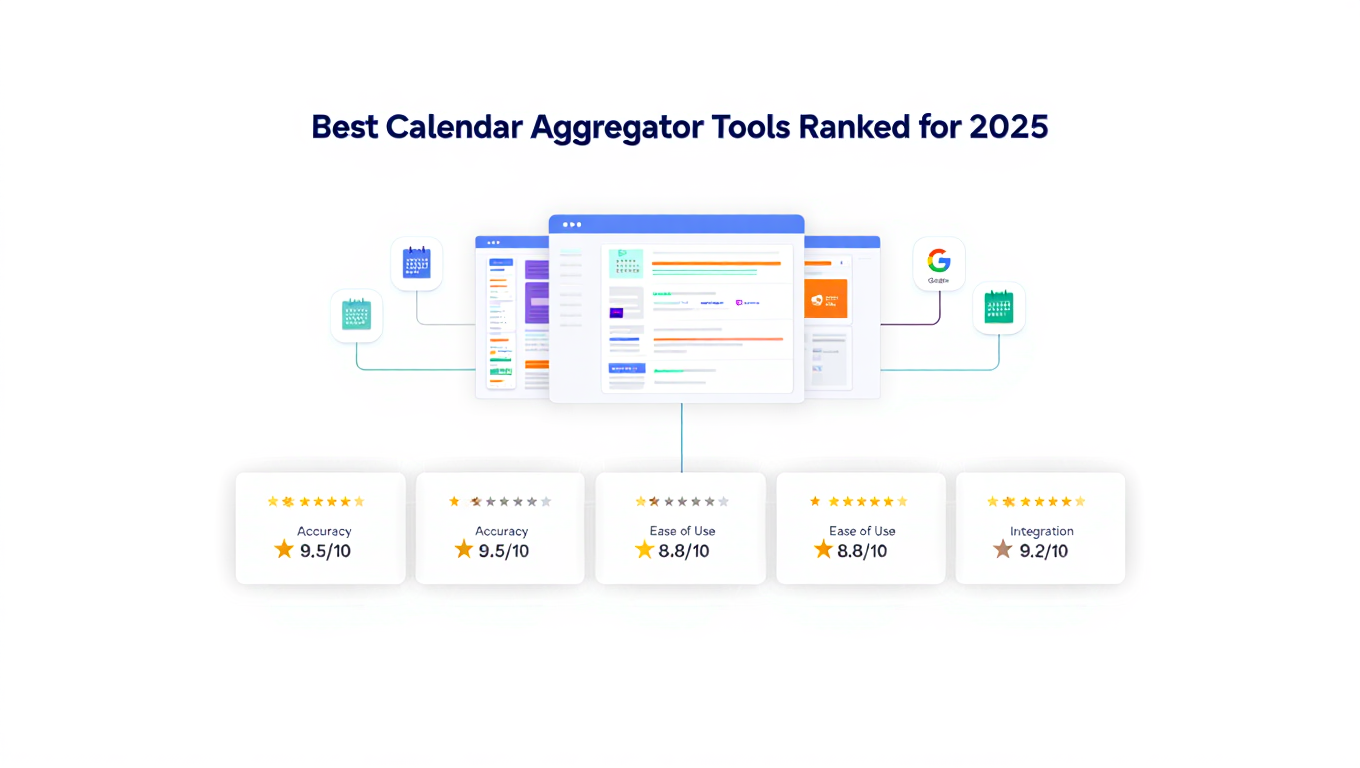
Best Calendar Aggregator Tools Ranked for 2025
Compare the top calendar aggregator tools in 2025. See which platforms offer unlimited connections, real-time sync, and true aggregation for professionals.