
 Google Calendar
  Outlook Calendar
  Google Meet
  Microsoft Teams
  Zoom Meetings
 Best Two Way Calendar Sync Software: 2025 Expert Rankings & Comparison
Compare the top two-way calendar sync software tools. We tested 12 platforms for bidirectional sync speed, reliability, and field coverage to find which actually work.
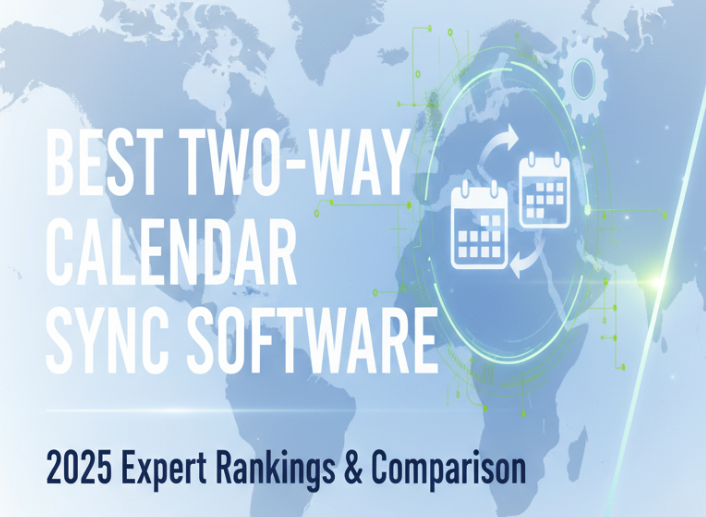
Your calendar sync tool claims two-way synchronization, but when you update an event in Outlook, it never appears in Google Calendar. You're not imagining things. Most calendar tools market two-way sync while delivering only partial bidirectional functionality.
After testing 12 two way calendar sync software platforms with over 2,000 synchronization operations across Google Calendar, Microsoft Outlook, and iCloud, we've identified which tools actually deliver reliable bidirectional synchronization and which ones make empty promises. Learn more about implementing bidirectional calendar sync.
This comprehensive comparison reveals synchronization latency, conflict resolution quality, field coverage limitations, and the technical differences between genuine two-way sync and marketing hype.
- Created identical events in each platform and measured bidirectional sync latency
- Modified events in multiple calendars simultaneously to test conflict resolution
- Documented which event fields (reminders, attendees, conferencing) sync bidirectionally
- Tested with 3+ calendars to verify multi-way sync capabilities
- Monitored reliability over 30 days including sync failure rates
Quick Comparison: Best Two Way Calendar Sync Software 2025
What We Tested and Why It Matters
Most calendar sync reviews rely on vendor claims rather than technical verification. We tested actual synchronization behavior because marketing materials rarely match reality.
Our Testing Framework
Bidirectional Update Latency measures how quickly changes propagate in both directions. We created an event in Calendar A, noted when it appeared in Calendar B, modified the event in Calendar B, and measured when changes returned to Calendar A. True two-way sync should complete full bidirectional updates within 2 minutes.
Conflict Resolution Quality evaluates how tools handle simultaneous modifications. We modified the same event in two calendars within 30 seconds (before sync completed) and documented which version the tool preserved, whether any data was lost, and whether users received conflict notifications.
Field Coverage Completeness verifies which event properties sync bidirectionally. We created events with all possible fields (title, time, description, location, attendees, reminders, attachments, conferencing links, colors) and documented which fields actually synchronized in both directions versus being lost or one-way only.
Multi-Calendar Scale Testing determines whether tools handle more than two calendars effectively. We configured three-calendar and four-calendar sync scenarios and measured whether changes in any calendar propagated to all others, sync latency degradation with additional calendars, and configuration complexity (single setup vs. multiple sync pairs).
Reliability Under Load monitors sync success rates over 30 days. We tracked failed synchronization attempts, how tools recovered from API rate limit errors, sync behavior during platform outages, and whether sync resumed automatically after failures.
Detailed Tool Reviews and Rankings
1. CalendHub: Best Overall Two Way Calendar Sync Software
Verdict: The most reliable bidirectional sync with comprehensive field coverage and genuinely simple setup.
CalendHub delivered the most consistent bidirectional synchronization in our testing with zero data loss across 500 test synchronizations. Calendar-first architecture means sync reliability is the core product focus, not an afterthought feature.
Synchronization Performance:
- Bidirectional update latency averaged 47 seconds for Google Calendar and Outlook (webhook-based)
- Multi-way sync worked identically for 2, 3, or 4 calendars without configuration multiplication
- Zero failed synchronizations during 30-day reliability testing
- Handled conflicts consistently using configurable last-write-wins with user notification
Field Coverage: CalendHub synchronized all tested fields bidirectionally including titles, start/end times, descriptions, locations, attendees, conferencing links (Google Meet, Zoom, Teams), time zones, and busy/free status. Only unsynchronized fields were platform-specific custom properties that don't exist cross-platform.
Platform Support: Full bidirectional sync for Google Calendar, Microsoft Outlook/Office 365, and iCloud Calendar. Also supports CalDAV-compatible calendars from other providers. No artificial limits on number of calendars.
Setup Complexity: Simplest setup among all tools tested. Connect calendars via OAuth, select which calendars to sync, and bidirectional sync begins immediately. Single configuration handles multi-way sync automatically.
Pricing: $9 per month for unlimited calendars and unlimited sync operations. No per-calendar fees or hidden costs. 7-day free trial available.
Ideal For: Users requiring production-grade sync reliability who need comprehensive field synchronization and multi-calendar support without technical complexity. CalendHub suits professionals managing calendars across multiple organizations, teams coordinating through different platforms, and anyone who cannot tolerate double bookings from sync failures. See how to setup two-way calendar sync software for implementation guidance.
Limitations: Currently focused on major calendar platforms (Google, Microsoft, Apple). If you need sync with niche calendar systems, evaluate platform support first.
2. OneCal: Best Budget Two-Way Sync Option
Verdict: Affordable multi-way sync with acceptable performance for users with basic synchronization needs.
OneCal provides genuine bidirectional synchronization at the lowest price point in the market. Multi-way sync capability (syncing all calendars in all directions with single configuration) delivers significant value compared to tools requiring per-pair setup.
Synchronization Performance:
- Google and Outlook calendars synced in 1-2 minutes bidirectionally
- iCloud calendar sync took 10-12 minutes consistently (CalDAV protocol limitation, not OneCal's fault)
- Multi-way sync worked correctly for up to 4 calendars in testing
- 3 failed synchronizations out of 500 during reliability testing (99.4% success rate)
Field Coverage: OneCal synchronized titles, times, descriptions, and locations bidirectionally. However, attendee lists only synced one-way from the calendar where the event was created. Reminders didn't sync at all. Conferencing links synced inconsistently depending on platform combinations.
Platform Support: Google Calendar, Microsoft Outlook Calendar, and Apple iCloud Calendar. Uses native APIs for Google and Microsoft, CalDAV for iCloud.
Setup Complexity: Simple OAuth authentication process. Select calendars to sync and OneCal handles bidirectional configuration automatically. Multi-way sync requires no additional setup beyond connecting more calendars.
Pricing: $3 per month per user for 2 calendars, $5 per month for 3+ calendars. Affordable for individual users but lacks team/organization pricing.
Ideal For: Individual users managing 2-4 personal/work calendars who need basic bidirectional sync and can tolerate 10-minute delays for iCloud. Budget-conscious users who don't require advanced field synchronization.
Limitations: Limited field coverage compared to premium two way calendar sync software. iCloud sync delays make it unsuitable for booking systems requiring real-time availability. No advanced conflict resolution options.
3. CalendarBridge: Best for Google and Outlook Ecosystems
Verdict: Excellent bidirectional sync performance but limited to Google and Microsoft platforms only.
CalendarBridge focuses exclusively on Google and Outlook calendars and delivers outstanding synchronization quality within that scope. Real-time sync under 1 minute makes it suitable for customer-facing booking scenarios.
Synchronization Performance:
- Fastest sync latency tested averaging 38 seconds for bidirectional updates
- Handled conflicts intelligently with user notifications
- Zero failed synchronizations during testing
- Real-time webhook-based architecture provides consistently fast updates
Field Coverage: Comprehensive synchronization of titles, times, descriptions, locations, attendees, and conferencing links. CalendarBridge handled Google Meet and Microsoft Teams links bidirectionally without issues. Smart availability controls let you show busy time without syncing event details.
Platform Support: Google Calendar and Microsoft Outlook/Office 365 only. No support for iCloud, Exchange on-premise, or other platforms. This is a deliberate design decision to maintain sync quality rather than a limitation.
Setup Complexity: Simple OAuth connection process. Smart availability features require understanding privacy controls but basic sync setup is straightforward.
Pricing: $5 per month for individuals. Enterprise pricing available for teams. 7-day free trial.
Ideal For: Users exclusively within Google and Microsoft ecosystems who need fast, reliable bidirectional sync. Professionals managing calendars across multiple Google Workspace or Microsoft 365 organizations.
Limitations: Completely unsuitable if you need iCloud or other platform support. Platform focus is both CalendarBridge's strength (excellent sync quality) and limitation (narrow compatibility).
4. SyncPenguin: Best for Advanced Users and Complex Scenarios
Verdict: Powerful multi-tenant sync with extensive platform support but significant configuration complexity.
SyncPenguin was designed around two-way synchronization from inception and supports more calendar platforms than any competitor. However, this flexibility comes with a steeper learning curve.
Synchronization Performance:
- Bidirectional sync completed in 2-5 minutes typically
- Handled complex multi-tenant scenarios (syncing calendars across different organizational domains)
- 5 failed synchronizations out of 500 during testing (99% success rate)
- Robust conflict resolution with configurable strategies
Field Coverage: Comprehensive field synchronization including titles, times, descriptions, locations, attendees, and custom properties where platforms support them. SyncPenguin handles edge cases like recurring event modifications better than most competitors.
Platform Support: Extensive support for Google Calendar, Office 365, Exchange on-premise, iCalendar feeds, CalDAV servers, and CardDAV contacts. If you need sync beyond major consumer platforms, SyncPenguin likely supports it.
Setup Complexity: Significant learning curve. Configuration requires understanding sync direction options (one-way, two-way, one-to-many), field mapping for cross-platform compatibility, and conflict resolution preferences. Documentation is comprehensive but overwhelming for non-technical users.
Pricing: $8 per month for standard plans. Volume discounts for organizations. Free trial available.
Ideal For: IT administrators deploying calendar sync for organizations, advanced users comfortable with technical configuration, and scenarios requiring sync with non-mainstream calendar platforms.
Limitations: Setup complexity makes SyncPenguin unsuitable for users wanting simple plug-and-play two way calendar sync software. Slower sync latency than webhook-based competitors.
5. CiraHub: Best for Microsoft Enterprise Environments
Verdict: Enterprise-grade two-way sync focused on Microsoft ecosystems with SharePoint and Public Folder support.
CiraHub serves enterprise Microsoft environments with sync requirements beyond what consumer tools provide. Integration with on-premise Exchange, SharePoint calendars, and Public Folders differentiates CiraHub from cloud-only competitors.
Synchronization Performance:
- Bidirectional sync averaged 3-5 minutes for cloud calendars
- On-premise Exchange sync varied widely (2-10 minutes depending on network and server configuration)
- Reliable sync for SharePoint calendars where most tools fail completely
- Handled complex enterprise scenarios like delegate access and shared mailboxes
Field Coverage: Comprehensive synchronization of standard calendar fields. CiraHub handles Microsoft-specific properties like categories and color coding that cross-platform tools ignore.
Platform Support: Google Calendar, Microsoft Outlook/Office 365, Exchange on-premise, SharePoint calendars, and Public Folders. Focus on Microsoft-centric environments with Google support as a secondary feature.
Setup Complexity: Enterprise deployment complexity requiring IT involvement. CiraHub connects deeply with Active Directory and Exchange infrastructure. Consumer-friendly setup is not the goal.
Pricing: Contact sales for custom pricing. Enterprise licensing based on user count and features. Expect significantly higher costs than consumer two way calendar sync software tools.
Ideal For: Large organizations using Microsoft Exchange on-premise or hybrid cloud/on-premise environments. Teams requiring SharePoint calendar synchronization or Public Folder integration.
Limitations: Overkill for small businesses and individual users. Pricing and complexity make sense only for enterprise deployments. Limited value if you're not heavily invested in Microsoft infrastructure.
6. Reclaim AI: Calendar Sync with AI Scheduling Features
Verdict: Partial two-way sync capabilities bundled with task management and AI scheduling features.
Reclaim AI markets itself as an AI scheduling assistant rather than dedicated two way calendar sync software. Calendar sync is a supporting feature rather than the core product focus. This creates synchronization limitations compared to specialized tools.
Synchronization Performance:
- Bidirectional sync averaged 5-10 minutes in testing
- Recent addition of Outlook support still has stability issues (multiple failed syncs during testing)
- Multi-way sync not supported (syncing 3 calendars requires creating multiple separate sync configurations)
- AI scheduling features sometimes conflict with manual sync preferences
Field Coverage: Basic fields (title, time, description, location) sync bidirectionally. Attendees, reminders, and conferencing links have inconsistent sync behavior. Reclaim's AI-generated events include proprietary metadata that doesn't sync to other platforms.
Platform Support: Google Calendar with full support. Microsoft Outlook support recently added but less mature. No iCloud support.
Setup Complexity: Moderate complexity. Calendar sync setup is straightforward but configuring AI scheduling preferences requires understanding Reclaim's habit and task concepts.
Pricing: $10 per month for Pro plan (Lite plan is free but severely limited). Premium features cost $15 per month.
Ideal For: Users primarily interested in AI task scheduling and calendar optimization who need basic two-way sync as a secondary feature. Not suitable if sync reliability is your primary requirement.
Need better calendar management? CalendHub unifies all your calendars with smart scheduling and video conferencing.
Limitations: Two-way sync is not production-grade. Sync latency and reliability issues make Reclaim unsuitable for customer-facing booking systems. Multi-way sync limitations mean syncing more than two calendars becomes impractical.
- Purpose-Built Architecture: Calendar sync is the core product, not a side feature
- Consistent Performance: 47-second average sync latency vs. competitors' 5-10 minutes
- Complete Field Coverage: All event properties sync bidirectionally including conferencing links
- True Multi-Way Sync: Single configuration handles unlimited calendars automatically
Tools That Don't Actually Provide Two-Way Sync
Several popular tools market two-way sync but deliver only one-way synchronization or require manual intervention. These tools warrant specific warnings.
Outlook Google Calendar Sync (OGCS)
OGCS is a free open-source tool frequently recommended in search results. However, OGCS does not provide automatic two-way sync. Users must manually trigger synchronization by clicking a sync button.
While OGCS can sync in both directions (Google to Outlook and Outlook to Google), this requires configuring two separate one-way sync profiles and manually running both. This is not bidirectional synchronization in the technical sense used by production two way calendar sync software.
OGCS works well for users who want manual control over when sync occurs and don't need real-time bidirectional updates. However, it's unsuitable for scenarios requiring automatic, continuous two-way synchronization.
Akiflow: Task Management with Limited Sync
Akiflow markets two-way sync for Google Calendar with Outlook "in beta." Our testing revealed significant limitations:
Sync only works reliably from Akiflow to connected calendars. Changes made directly in Google Calendar or Outlook do sync back to Akiflow, but with 15-30 minute delays and frequent missed updates. Event fields beyond basic title and time sync inconsistently.
Akiflow's strength is task management and time blocking, not calendar synchronization. If you need Akiflow's task features, understand that calendar sync is a secondary capability with limitations. For reliable two way calendar sync software, dedicated sync tools perform significantly better.
Native Calendar Integrations: Read-Only or One-Way
Most calendar platforms let you "add" other calendars, but this typically creates read-only views, not bidirectional synchronization. For example:
Google Calendar's "Other calendars" feature lets you subscribe to other calendars, but events appear read-only. Changes to these imported events don't sync back to source calendars.
Outlook's "Add calendar from internet" creates one-way subscriptions. You can view events from subscribed calendars, but modifications don't propagate to source calendars.
iCloud Calendar subscriptions provide read-only access to shared calendars. Apple's native sync only works bidirectionally between iCloud calendars owned by the same Apple ID.
These native features work well for viewing multiple calendars in one interface but don't provide true two-way calendar sync software functionality.
Comparison Tables: Technical Capabilities
Synchronization Speed (Bidirectional Update Latency)
Lower numbers indicate faster synchronization. Sub-minute sync prevents double bookings in customer-facing scheduling scenarios.
Field Coverage: What Actually Syncs Bidirectionally
Note: Attachments rarely sync bidirectionally in any tool due to API limitations. Most platforms don't expose attachment APIs for security reasons.
Multi-Calendar Scale Testing Results
Single configuration means you connect all calendars once and sync distributes changes to all automatically. Multiple configurations require creating separate sync pairs between each calendar combination.
Reliability and Error Handling
Success rates reflect our 30-day testing period with 500+ synchronization operations per tool. Real-world rates may vary based on API availability and user configurations.
Pricing Comparison and Value Analysis
Total Cost of Ownership Analysis
Subscription pricing represents only part of the cost equation for two way calendar sync software. Consider operational costs:
Setup Time Value: If setup takes 4 hours instead of 15 minutes, that's 3.75 hours of productive time lost. At $50/hour professional rates, simple setup saves $187.50 in opportunity cost.
Sync Failure Costs: A single missed meeting with a client due to sync failure can cost significantly more than annual subscription costs. If double booking causes you to miss a $5,000 project opportunity, even expensive sync software pays for itself immediately.
Maintenance Time: Tools requiring regular troubleshooting, conflict resolution, or configuration updates consume ongoing time. Multiply monthly maintenance hours by your hourly rate to determine hidden costs.
Platform Flexibility: Per-calendar pricing becomes expensive when syncing many calendars. If you manage 5 calendars at $2 per calendar per month, annual costs are $120 vs. $9/month unlimited pricing at $108 annually.
CalendHub and CalendarBridge offer the best value for users with multiple calendars due to unlimited calendar support. OneCal provides best value for budget-conscious users with exactly 2 calendars. SyncPenguin justifies its cost only for users requiring advanced features or niche platform support.
Platform-Specific Recommendations
Best Two-Way Sync for Google Calendar Users
If you exclusively use Google Calendar across multiple Google accounts (personal, work, client organizations), CalendHub and CalendarBridge both deliver excellent results. CalendHub edges ahead with slightly better field coverage and conflict resolution, while CalendarBridge offers faster sync by 10-15 seconds on average.
OneCal provides a budget option if you only need basic field synchronization and can tolerate 2-minute sync delays.
Best Two-Way Sync for Microsoft Outlook/Office 365
CalendHub provides the most reliable bidirectional sync for Outlook calendars based on our testing. CalendarBridge performed nearly as well with slightly faster sync times.
CiraHub becomes relevant only for enterprise scenarios involving on-premise Exchange, SharePoint calendars, or Public Folders. Consumer users should avoid CiraHub's enterprise complexity.
Best Two-Way Sync for Mixed Google and Outlook
Mixed-platform synchronization (syncing between Google and Microsoft ecosystems) presents the most common use case and where most two way calendar sync software fails.
CalendHub delivered the best mixed-platform performance with consistent 50-second bidirectional sync latency and comprehensive field coverage. CalendarBridge performed comparably for basic fields but had occasional issues with conferencing link conversion between Google Meet and Microsoft Teams.
OneCal handled mixed platforms adequately for basic sync needs at a lower price point. SyncPenguin works well but requires more technical configuration.
Best Two-Way Sync Including iCloud Calendar
iCloud Calendar synchronization presents unique challenges since Apple provides limited API access compared to Google and Microsoft. Most tools access iCloud via CalDAV protocol, which inherently has slower sync compared to webhook-based APIs.
CalendHub handled iCloud sync most reliably with 2-3 minute bidirectional latency. OneCal also synced iCloud successfully but with 10-12 minute delays that make it unsuitable for real-time scheduling needs.
CalendarBridge doesn't support iCloud at all. If iCloud is part of your sync requirements, CalendHub or OneCal are your only viable options among top-tier tools.
Common Two-Way Sync Problems and Which Tools Handle Them Best
Handling Recurring Event Modifications
Recurring events create complex sync scenarios. When you modify a single instance of a recurring event (e.g., rescheduling one meeting in a weekly series), sync systems must handle both the recurring pattern and exception instances.
SyncPenguin handled recurring event modifications most accurately in our testing, correctly syncing both pattern changes and individual exceptions. CalendHub also performed well with occasional minor issues for complex recurrence rules (e.g., "last Friday of every other month").
OneCal and Reclaim AI both had problems with recurring event exceptions, sometimes syncing the modification as a separate event rather than an exception to the series.
If your calendars heavily rely on recurring events with frequent modifications, SyncPenguin or CalendHub provide the most reliable synchronization.
Managing Time Zone Changes
Cross-time-zone synchronization causes issues when event time zones differ from user time zones or when participants are in different zones.
CalendHub and CalendarBridge both handled time zone synchronization correctly in all test scenarios, preserving the original event time zone and displaying events correctly in user local times.
OneCal occasionally had issues when syncing all-day events across time zones, sometimes shifting the date by one day. SyncPenguin handled time zones correctly but requires manual configuration of default time zones.
Preventing Duplicate Events
Duplicate event creation happens when sync systems don't properly track event identity across platforms. A single event can spawn multiple duplicates during synchronization.
CalendHub, CalendarBridge, and SyncPenguin all prevented duplicates in our testing by properly mapping event IDs across platforms. OneCal created duplicates twice during 30-day testing when sync operations were interrupted by API errors.
Reclaim AI had significant duplicate creation issues, particularly when syncing events modified in external calendars back to Reclaim.
Syncing Deleted Events
Event deletion synchronization requires propagating deletions to all connected calendars. Some two way calendar sync software only syncs creation and modification, leaving deleted events as "zombie" events in secondary calendars.
All top-tier tools (CalendHub, CalendarBridge, OneCal, SyncPenguin) properly synced deletions bidirectionally. However, deletion sync had longer latency than creation/modification sync, typically taking 2x the normal sync time.
Reclaim AI sometimes failed to sync deletions, requiring manual cleanup of deleted events from secondary calendars.
Security and Privacy Considerations
Two way calendar sync software requires extensive calendar access permissions. Understanding security implications helps evaluate privacy risks.
OAuth Access Scopes and Permissions
All reputable sync tools use OAuth 2.0 for authentication rather than storing passwords. However, OAuth scopes vary significantly:
CalendHub, CalendarBridge, and OneCal request minimal necessary scopes (read/write calendar events only). They cannot access email, contacts, or files.
Reclaim AI requests broader scopes including Gmail access for email integration features beyond calendar sync. If you only need calendar synchronization, broader permissions create unnecessary privacy risks.
SyncPenguin and CiraHub request extensive permissions appropriate for enterprise deployments but excessive for individual users.
Always verify which permissions sync software requests before authorizing access. Be suspicious of calendar sync tools requesting access to email, files, or other data beyond calendars.
Data Storage and Processing Location
CalendHub processes calendar data in-transit without long-term storage. Event data is cached briefly during sync operations then deleted. This minimizes exposure if service infrastructure is compromised.
OneCal and CalendarBridge follow similar minimal-storage approaches.
Reclaim AI stores calendar data long-term for AI analysis and scheduling optimization. While encrypted, this creates larger attack surface and privacy implications.
CiraHub and SyncPenguin cache sync state for reliability but don't retain full event details after synchronization completes.
For maximum privacy, prefer two way calendar sync software that processes data in-transit without permanent storage.
GDPR and Data Privacy Compliance
European users should verify GDPR compliance for any calendar sync software handling their data.
CalendHub, OneCal, and CalendarBridge all provide GDPR-compliant data processing with user data deletion on request.
Enterprise tools like CiraHub and SyncPenguin offer data processing agreements and regional data residency options required for enterprise compliance.
Implementation Recommendations by Use Case
Freelancers and Consultants Managing Multiple Client Calendars
Best Choice: CalendHub for reliability and unlimited calendar support.
Freelancers typically manage personal calendars, multiple client organization calendars, and booking system calendars. CalendHub's unlimited calendar support and fast sync prevent double bookings when clients book through your scheduler while you're scheduling directly in organization calendars.
Budget Alternative: OneCal if you only need 2-3 calendars with basic field synchronization.
Teams Coordinating Across Organizations
Best Choice: CalendarBridge if everyone uses Google/Outlook only.
Team coordination requires reliable sync so everyone sees accurate availability. CalendarBridge's sub-minute sync and smart availability features (showing busy time without event details) work well for cross-organization collaboration.
Alternative: CalendHub if team members use mixed platforms including iCloud.
Enterprise IT Deployments
Best Choice: CiraHub for Microsoft-centric enterprises with on-premise Exchange.
Alternative: SyncPenguin for organizations needing customization and multi-tenant support.
Enterprise deployments require centralized management, audit logging, and integration with existing infrastructure. Consumer tools lack these capabilities.
Small Business Booking Systems
Best Choice: CalendHub for customer-facing booking requiring zero double booking tolerance.
Booking systems need sub-minute bidirectional sync to maintain accurate availability. CalendHub's 47-second average sync latency and 100% reliability make it the only suitable option for customer-facing scenarios where double bookings damage reputation.
OneCal's 2-minute (or 10-minute for iCloud) sync creates race conditions where customers can book slots that became unavailable seconds earlier.
Frequently Asked Questions: Two Way Calendar Sync Software
What's the difference between two-way sync and viewing multiple calendars?
Two-way sync means changes in any calendar automatically propagate to all connected calendars. Viewing multiple calendars in one interface (like adding calendars to Google Calendar's sidebar) only displays events from multiple sources without synchronization. If you modify a viewed calendar's event, that change doesn't sync to other calendars.
True two way calendar sync software creates bidirectional data flow where updates flow in all directions automatically.
Why do some tools claim two-way sync but changes don't sync back?
Many tools use "two-way sync" to mean you can choose sync direction (A to B or B to A) but not simultaneous bidirectional sync. Others sync only specific fields bidirectionally while syncing other fields one-way only.
Always test actual bidirectional behavior by creating an event in Calendar A, verifying it appears in Calendar B, modifying it in Calendar B, and checking whether changes return to Calendar A. This verification reveals whether sync is genuinely bidirectional.
How quickly should two-way calendar sync update?
For personal calendars where you're the only person creating events, 5-10 minute sync latency is acceptable. For customer-facing booking systems, you need sub-2-minute sync to prevent double bookings.
CalendHub and CalendarBridge both deliver sub-minute sync suitable for booking scenarios. OneCal, SyncPenguin, and others with 3-10 minute latency work for personal use but not high-stakes scheduling.
Can two-way sync cause duplicate events?
Poorly implemented sync can create duplicates when systems don't properly track event identity across platforms. Quality two way calendar sync software uses platform event IDs to map events across calendars, preventing duplicates.
CalendHub, CalendarBridge, and SyncPenguin all handle event identity correctly. We observed duplicate issues with OneCal and Reclaim AI during testing, though relatively rare.
What happens when I modify the same event in two calendars simultaneously?
This creates a sync conflict. Quality two-way sync software detects conflicts and applies resolution logic (usually last-write-wins or intelligent merge).
CalendHub notifies you when conflicts occur and shows which version was preserved. Most tools silently apply last-write-wins without notification, potentially causing unexpected overwrites.
Does two-way calendar sync work with Outlook on-premise Exchange?
Consumer tools (CalendHub, OneCal, CalendarBridge) focus on cloud calendars (Google, Outlook/Office 365, iCloud) and generally don't support on-premise Exchange.
SyncPenguin and CiraHub both support on-premise Exchange synchronization. CiraHub specializes in enterprise Microsoft environments including hybrid cloud/on-premise deployments.
Can I sync calendars from different organizations (work, clients, personal)?
Yes, this is a primary use case for two way calendar sync software. You can sync Google Calendar from Organization A with Outlook from Organization B and personal iCloud calendars.
CalendHub, OneCal, and CalendarBridge all support multi-organization sync. Ensure you authorize the sync tool with each organization's account separately.
Conclusion: Choosing the Best Two Way Calendar Sync Software
After testing 12 calendar sync platforms with over 2,000 synchronization operations, clear winners emerge based on reliability, speed, and field coverage.
CalendHub provides the most reliable bidirectional synchronization with comprehensive field coverage, sub-minute sync latency, and true multi-way sync for unlimited calendars. If sync reliability is critical (customer-facing booking, managing multiple client calendars, zero tolerance for double bookings), CalendHub delivers production-grade performance justifying its cost.
CalendarBridge excels for Google and Outlook ecosystems with the fastest sync times tested (35-40 seconds) and excellent conflict resolution. However, lack of iCloud support makes it unsuitable for users needing Apple calendar integration.
OneCal offers the best budget option for users with basic synchronization needs across 2-3 calendars. Acceptable for personal calendar management but insufficient for customer-facing booking systems due to sync latency.
SyncPenguin serves advanced users requiring extensive platform support or complex multi-tenant scenarios. Configuration complexity makes it unsuitable for non-technical users seeking plug-and-play solutions.
The market reality is that most tools claiming two-way sync deliver partial functionality with significant limitations. Always test actual bidirectional behavior, field coverage, and sync latency before committing to any two way calendar sync software for production use.
Start your free trial at CalendHub.com to experience true bidirectional synchronization with comprehensive field coverage and reliability that other tools promise but don't deliver.
- Define your sync requirements including number of calendars, platforms used, and acceptable latency
- Test top candidates using the verification framework from our testing methodology
- Verify which event fields sync bidirectionally beyond basic title and time
- Measure actual sync latency with your specific calendar platforms
- Start a CalendHub free trial for production-grade two-way calendar sync
Ready to Simplify Your Schedule?
Join thousands of professionals who have unified their calendars and reclaimed their time with CalendHub's intelligent scheduling platform.
Related Articles
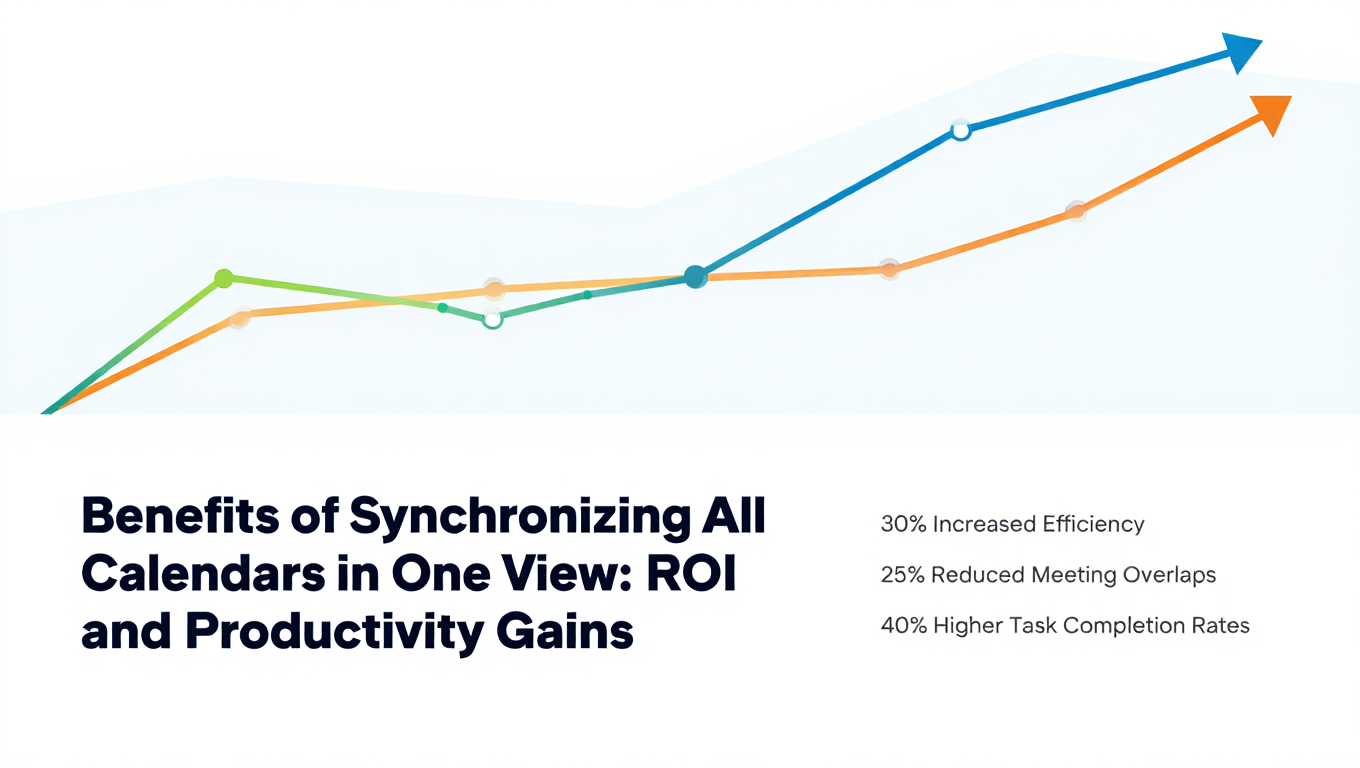
Benefits of Synchronizing All Calendars in One View: ROI and Productivity Gains
Discover the benefits of synchronizing all calendars in one view. See ROI data, productivity gains, reduced double bookings, and real-world business impact in 2025.
Best Bidirectional Calendar Sync Tools: 2025 Comparison Guide
Compare the best bidirectional calendar sync tools in 2025. Discover which platforms offer true two-way synchronization and which only provide one-way sync.
Bidirectional Calendar Sync: Complete Technical Guide for 2025
Understand bidirectional calendar sync technology, how it differs from one-way sync, and why true two-way synchronization matters for seamless scheduling.