
 Google Calendar
  Outlook Calendar
  Google Meet
  Microsoft Teams
  Zoom Meetings
 Best Bidirectional Calendar Sync Tools: 2025 Comparison Guide
Compare the best bidirectional calendar sync tools in 2025. Discover which platforms offer true two-way synchronization and which only provide one-way sync.
Your team uses Google Calendar. Your clients schedule meetings through Outlook. Your personal appointments live in Apple Calendar. Every time someone reschedules a meeting, you manually update three different calendars, hoping you did not miss anything.
This workflow is not sustainable. You need a bidirectional calendar sync tool that automatically propagates changes across all your calendars in both directions. However, not all tools that claim "sync" capabilities actually deliver true bidirectional synchronization.
After researching and analyzing the calendar sync landscape in 2025, we discovered that many popular tools only offer one-way sync, pushing events to calendars but failing to sync changes back. This comprehensive comparison reveals which platforms provide genuine bidirectional calendar sync and which fall short.
- Which calendar sync tools offer true bidirectional synchronization in 2025
- How to identify one-way sync disguised as bidirectional capabilities
- Detailed feature comparisons including pricing, platform support, and limitations
- Technical capabilities that distinguish superior bidirectional sync tools
- Real-world performance and reliability considerations
How to Identify True Bidirectional Calendar Sync
Before comparing specific tools, you need criteria for evaluating whether a platform truly supports bidirectional calendar sync or only provides limited one-way functionality.
True bidirectional calendar sync means changes made in any connected calendar automatically propagate to all other connected calendars in both directions. When you update a meeting time in Google Calendar, that change appears in Outlook, Apple Calendar, and every other connected system. When your colleague modifies the same meeting in Outlook, those changes flow back to Google Calendar and everywhere else.
Key indicators of true bidirectional sync include:
Changes flow in both directions between all connected calendars without manual intervention. The system handles conflicts automatically when simultaneous changes occur in different calendars. Updates to event details like time, location, attendees, and description sync across all platforms. Deleted events remove from all connected calendars, not just the calendar where deletion occurred. New events created in any calendar appear in all connected calendars.
Warning signs of limited one-way sync:
Changes only flow from a master calendar to connected calendars. The platform describes functionality as "publishing" or "subscribing" rather than synchronizing. Documentation mentions limitations on which calendar can initiate changes. Updates made in secondary calendars do not appear in the primary calendar. The system requires manually triggering sync operations rather than automatic updates.
Comparison Table: Top Bidirectional Calendar Sync Tools
Detailed Tool Reviews
CalendHub
CalendHub.com provides enterprise-grade bidirectional calendar sync with unified management across unlimited calendar accounts. The platform stands out for sophisticated conflict resolution that intelligently merges compatible changes rather than simply applying last-write-wins logic.
Bidirectional Sync Capabilities:
CalendHub offers true bidirectional synchronization across Google Calendar, Microsoft Outlook, Exchange, Apple Calendar, and any CalDAV-compatible system. Changes made in any connected calendar propagate to all others in real time using webhook-based architecture for immediate updates.
The platform handles complex scenarios including recurring events with exceptions, multi-attendee meetings with response tracking, custom fields and metadata, time zone conversions, and resource booking synchronization.
Conflict Resolution:
Unlike simpler tools that discard one change when conflicts occur, CalendHub analyzes conflicting modifications and attempts to merge them intelligently. If one user changes the meeting location while another adds an attendee, CalendHub creates a merged event with both modifications rather than losing information.
For conflicts that cannot be automatically resolved, the system provides clear notification with context about what changed and options for manual resolution.
Platform Support:
CalendHub connects to unlimited calendar accounts across all major platforms without per-account fees. The unified dashboard provides visibility into all calendars simultaneously, making it easy to spot scheduling conflicts and availability gaps.
Pricing:
Plans start at $9 per month for individual users with unlimited calendar connections. Team plans provide centralized administration and shared calendar management. Enterprise options include custom integrations and dedicated support.
Best For:
Professionals managing multiple calendar systems, teams needing unified scheduling across different platforms, organizations with diverse calendar infrastructure, and anyone requiring reliable conflict resolution with no data loss.
OneCal
OneCal positions itself as the fastest calendar sync tool in the market, claiming to complete synchronization in 3 minutes compared to 20 minutes for competitors. The platform supports bidirectional sync between Google Calendar, Outlook, and iCloud.
Bidirectional Sync Capabilities:
OneCal provides true bidirectional synchronization with a unique approach to configuration. Rather than creating separate sync configurations for each calendar pair, OneCal uses a single configuration that syncs multiple calendars simultaneously.
This architectural advantage reduces configuration complexity and ensures consistency across all connected calendars.
Conflict Resolution:
OneCal uses basic timestamp-based conflict resolution where the most recent change takes precedence. While simpler than advanced merge strategies, this approach is predictable and works well for most scheduling scenarios.
Limitations:
The platform is limited to three major calendar ecosystems (Google, Outlook, iCloud). Organizations using Exchange on-premise or CalDAV systems cannot use OneCal. The conflict resolution strategy may lose information when simultaneous changes occur.
Pricing:
Starts at $10 per month with support for unlimited calendar accounts within supported platforms.
Best For:
Users primarily working within Google, Outlook, and iCloud ecosystems who prioritize speed and simplicity over advanced conflict resolution features.
SyncGene
SyncGene offers bidirectional synchronization for contacts, calendars, and tasks across multiple platforms. The tool supports both one-way and two-way sync configurations, providing flexibility for different use cases.
Bidirectional Sync Capabilities:
SyncGene connects Google Calendar, Outlook, Exchange, iCloud, and several other platforms with configurable sync directions. Users can choose one-way or bidirectional sync on a per-calendar basis.
The platform supports basic field mapping for standard calendar properties including title, time, location, and description. Advanced features like attendee synchronization and recurring event handling work reliably across most platforms.
Conflict Resolution:
SyncGene implements last-write-wins conflict resolution based on modification timestamps. When conflicts occur, the most recently modified version overwrites earlier changes without attempting to merge modifications.
Platform Support:
Broad platform support includes major cloud calendar services plus on-premise Exchange servers. The ability to sync contacts and tasks alongside calendars provides value for users needing comprehensive data synchronization.
Pricing:
Free basic plan with limited features. Premium plans start at $12.50 per month with full bidirectional sync capabilities.
Best For:
Users needing to sync contacts and tasks alongside calendars, organizations using on-premise Exchange servers, and those wanting flexibility to configure one-way or two-way sync per calendar.
CiraHub
CiraHub focuses on enterprise calendar integration, particularly for organizations using Microsoft ecosystems extensively. The platform integrates calendars from Google, Exchange, and SharePoint into unified views.
Bidirectional Sync Capabilities:
CiraHub provides bidirectional sync with emphasis on Microsoft platforms. The tool excels at connecting Exchange Public Folders, SharePoint calendars, and Office 365 calendars with external systems like Google Calendar.
However, synchronization speed is notably slower than competing solutions, with updates taking 15 to 30 minutes to propagate across systems in testing.
Conflict Resolution:
CiraHub takes a conservative approach to conflicts, requiring manual review when simultaneous changes occur rather than automatically resolving them. This prevents data loss but creates friction in the user experience.
Limitations:
The significant synchronization latency makes CiraHub unsuitable for scenarios requiring real-time updates. Per-user pricing becomes expensive for larger teams.
Pricing:
Starts at $15 per user per month, making it one of the more expensive options for team deployments.
Best For:
Enterprises heavily invested in Microsoft ecosystems needing to integrate SharePoint and Exchange Public Folders with external calendar systems, where synchronization latency is acceptable.
Akiflow
Akiflow is primarily a productivity and task management platform that includes calendar sync as a secondary feature. The tool pulls tasks from sources like Gmail, Notion, and Slack and turns them into calendar events.
Need better calendar management? CalendHub unifies all your calendars with smart scheduling and video conferencing.
Bidirectional Sync Capabilities:
Akiflow offers two-way sync for Google Calendar with Outlook calendar sync currently in beta. The primary use case involves syncing tasks to calendars rather than synchronizing calendar events between platforms.
Calendar-to-calendar bidirectional sync is limited compared to dedicated sync tools. Changes made in external calendars may not reliably sync back to Akiflow depending on the event source.
Conflict Resolution:
Akiflow treats one calendar as primary and syncs changes from that source to others. True peer-to-peer bidirectional sync with equal priority across all calendars is not supported.
Limitations:
Limited platform support with Outlook still in beta. The focus on task management means calendar sync features are less developed than dedicated calendar sync tools. Higher pricing reflects the broader productivity feature set rather than specialized calendar sync capabilities.
Pricing:
Starts at $19 per month, positioning Akiflow at the premium end of the pricing spectrum.
Best For:
Users primarily interested in task management and time blocking who need basic calendar sync as a supplementary feature rather than core functionality.
SyncPenguin
SyncPenguin was built specifically for bidirectional synchronization from the ground up, supporting popular calendar platforms including Google Calendar, Office 365, Exchange on-premise, and iCalendar feeds.
Bidirectional Sync Capabilities:
SyncPenguin provides robust two-way and one-way syncing out of the box with detailed configuration options. The platform supports advanced features including filtering events by category, syncing only free/busy status without event details, and customizing which fields sync between platforms.
Conflict Resolution:
Timestamp-based conflict resolution applies last-write-wins logic. While this approach is straightforward, it does not attempt to merge compatible changes from different sources.
Platform Support:
Broad compatibility includes cloud and on-premise platforms. The ability to sync with iCalendar feeds provides flexibility for integrating with less common calendar systems.
Pricing:
Competitive pricing starts at $8 per month, making SyncPenguin one of the more affordable options with true bidirectional sync.
Best For:
Users needing flexible sync configurations with granular control over what syncs and how, organizations using on-premise Exchange, and budget-conscious users wanting reliable bidirectional sync.
CalendarBridge
CalendarBridge connects multiple Google and Outlook calendars across different domains or employers, enabling real-time sync of events between accounts.
Bidirectional Sync Capabilities:
CalendarBridge provides bidirectional sync specifically focused on Google and Outlook platforms. The tool uses Microsoft Power Automate for synchronization technology, leveraging enterprise-grade infrastructure.
Real-time sync performance is competitive with the fastest tools in this comparison when working within supported platforms.
Conflict Resolution:
Basic conflict resolution rules apply predefined logic when simultaneous changes occur. Configuration options allow specifying which calendar takes priority in conflict scenarios.
Limitations:
Platform support limited to Google and Outlook. Organizations using Apple Calendar, Exchange on-premise, or CalDAV systems cannot use CalendarBridge. The reliance on Microsoft Power Automate means users need appropriate Microsoft licensing.
Pricing:
Among the most affordable options at $5 per month, though Power Automate licensing requirements may add costs.
Best For:
Users working exclusively within Google and Microsoft ecosystems who need affordable, reliable bidirectional sync between these specific platforms.
Reclaim
Reclaim is an AI-powered scheduling assistant that automatically schedules tasks, routines, and habits alongside meetings. Calendar sync is a supporting feature rather than the primary focus.
Bidirectional Sync Capabilities:
Reclaim syncs Google Calendars in real time with recently added support for Outlook. However, the sync model treats one calendar as primary and others as secondary displays.
Changes made in Reclaim propagate to connected calendars, but the reverse flow has limitations. External changes to events created by Reclaim may not sync back reliably.
Conflict Resolution:
One-way priority from the primary calendar to connected calendars. True peer-to-peer bidirectional sync is not the design goal.
Limitations:
Not designed as a bidirectional calendar sync tool. Users seeking equal priority sync across multiple calendars will find Reclaim's architecture limiting.
Pricing:
Free tier available with limited features. Paid plans start at $8 per month.
Best For:
Users primarily interested in AI-powered scheduling assistance who need to display their schedule across multiple calendars but do not require true bidirectional sync between them.
- True Bidirectional: CalendHub, OneCal, SyncGene, SyncPenguin, and CalendarBridge offer genuine two-way sync
- Partial Sync: CiraHub requires manual conflict resolution, limiting automatic bidirectional flow
- Limited Sync: Akiflow and Reclaim prioritize one calendar over others, not true peer-to-peer bidirectional sync
- Best Value: CalendHub provides the most sophisticated conflict resolution and platform support at competitive pricing
Critical Features to Evaluate
When selecting a bidirectional calendar sync tool, evaluate these essential capabilities beyond basic sync functionality.
Sync Speed and Latency
The time between making a change in one calendar and seeing it appear in connected calendars significantly impacts usability. Tools using webhook-based architecture like CalendHub and CalendarBridge provide near-instant synchronization, while polling-based systems may take 5 to 30 minutes to propagate changes.
For professionals scheduling back-to-back meetings or coordinating with clients across platforms, sync latency directly affects reliability and user confidence in the system.
Platform Coverage
Verify that your bidirectional calendar sync tool supports all platforms you actually use. Many tools support Google and Outlook but lack Apple Calendar, Exchange on-premise, or CalDAV compatibility.
If you work with clients or partners using different calendar systems, incomplete platform coverage forces you to maintain manual processes for those gaps.
Conflict Resolution Strategy
Understanding how a tool handles simultaneous changes to the same event across different calendars is critical. Last-write-wins approaches are simple but lose information. Intelligent merge strategies preserve data but add complexity. Manual resolution provides control but creates workflow interruptions.
Match the conflict resolution strategy to your use case. Individual users may accept last-write-wins simplicity, while teams coordinating complex schedules need sophisticated merge capabilities.
Event Detail Support
Basic sync tools only transfer meeting time, title, and location. Professional scenarios require syncing attendees with response statuses, HTML-formatted descriptions, file attachments, custom fields and metadata, conference link details, and resource bookings.
Verify that the tool syncs all event properties you actually use, not just basic fields.
Recurring Event Handling
Recurring events with exceptions create significant complexity for calendar sync. When you modify a single instance of a weekly meeting, does that exception sync correctly? Can you delete individual occurrences without affecting the entire series?
Test recurring event scenarios thoroughly before committing to a tool, as this is a common failure point for less sophisticated sync implementations.
Privacy and Filtering
Some scenarios require syncing availability without sharing full event details. Does the tool support free/busy sync without revealing meeting subjects or attendees? Can you filter which calendars or event types sync based on privacy requirements?
For professionals managing personal and professional calendars or working with sensitive client information, privacy controls are essential.
Common Pitfalls When Choosing Calendar Sync Tools
Understanding mistakes others have made can help you avoid costly errors when selecting a bidirectional calendar sync solution.
Assuming "Sync" Means Bidirectional
The biggest pitfall is assuming that calendar "sync" automatically means bidirectional synchronization. Many tools use "sync" terminology for one-way publishing or limited bidirectional capabilities.
Always test sync functionality in both directions across all platforms before purchasing. Create a test event in Calendar A, verify it appears in Calendar B, then modify it in Calendar B and confirm changes appear in Calendar A.
Ignoring Sync Speed
During evaluation, sync speed often receives less attention than feature checklists. However, in daily use, waiting 20 minutes for changes to propagate creates significant frustration and erodes confidence in the system.
Prioritize tools with real-time or near-real-time sync, especially if you frequently make last-minute schedule changes or coordinate with others across platforms.
Overlooking Conflict Scenarios
Most calendar sync tools work perfectly when no conflicts occur. The quality differentiator emerges when two people simultaneously modify the same event in different calendars.
Test conflict scenarios explicitly during evaluation. Have two team members change the same meeting simultaneously in different calendars and observe how the tool handles it.
Underestimating Total Cost
Per-user pricing can make team deployments much more expensive than initial individual pricing suggests. Tools that charge per calendar account or per sync connection add hidden costs as your needs grow.
Calculate total cost based on realistic usage including all team members, all calendar accounts you need to sync, and projected growth over the next year.
Choosing Based on Brand Recognition
Well-known productivity brands sometimes offer calendar sync as a minor feature within a broader product suite. These implementations often lack the sophistication and reliability of dedicated calendar sync platforms.
Evaluate actual sync capabilities rather than brand reputation. Smaller specialized tools frequently outperform bigger names in calendar sync specifically.
Implementation Recommendations
Successful bidirectional calendar sync requires more than selecting the right tool. Follow these implementation practices to maximize reliability and user adoption.
Start with a Pilot
Rather than immediately rolling out calendar sync across your entire organization, start with a small pilot group. This allows you to identify configuration issues, test real-world scenarios, and refine processes before broad deployment.
Document Sync Boundaries
Clearly define which calendars sync with which systems. Document these relationships so team members understand where their changes will propagate and which calendars remain independent.
Establish Conflict Policies
Decide in advance how your team will handle conflicts that require manual resolution. Which calendar takes priority in different scenarios? Who makes the final decision when automated resolution fails?
Monitor Sync Health
Regularly verify that synchronization is working correctly. Most tools provide sync logs or status dashboards. Review these periodically to catch failures before they create scheduling problems.
Have a Rollback Plan
Despite best efforts, calendar sync implementations sometimes fail or create unexpected issues. Maintain backups of calendar data and have a documented process for reverting to manual calendar management if necessary.
The CalendHub Advantage
While several tools in this comparison offer legitimate bidirectional calendar sync, CalendHub.com stands out for combining the most sophisticated capabilities with the most comprehensive platform support.
Intelligent Conflict Resolution: CalendHub's merge algorithm analyzes conflicting changes and preserves compatible modifications from both sources rather than discarding information. This eliminates data loss that occurs with simpler last-write-wins approaches.
Real-Time Synchronization: Webhook-based architecture provides near-instant propagation of changes across all connected calendars without polling delays.
Universal Platform Support: Connect unlimited accounts across Google Calendar, Microsoft Outlook, Exchange on-premise, Apple Calendar, and any CalDAV-compatible system without per-account fees.
Transparent Sync Status: Complete audit trails show exactly what synced, when it synced, and how conflicts were resolved, providing visibility that other tools lack.
Enterprise-Grade Reliability: Built for demanding professional and organizational use cases where scheduling accuracy directly impacts business operations.
For teams and professionals requiring truly reliable bidirectional calendar sync across diverse calendar platforms, CalendHub delivers the technical capabilities and user experience that simpler tools cannot match.
Conclusion
True bidirectional calendar sync remains less common than marketing materials suggest. Among the tools evaluated, CalendHub, OneCal, SyncGene, SyncPenguin, and CalendarBridge provide genuine two-way synchronization, while others offer limited or one-directional capabilities.
When evaluating options, prioritize sync speed and latency, conflict resolution sophistication, comprehensive platform support, detailed event property syncing, and transparent pricing without hidden per-account fees.
The right bidirectional calendar sync tool eliminates manual calendar updates, prevents scheduling conflicts from data inconsistencies, enables seamless work across multiple calendar platforms, and provides confidence that your schedule is accurate everywhere.
For most users, CalendHub.com offers the best combination of advanced capabilities, broad platform support, and reliability at competitive pricing. However, your specific requirements around platforms used, team size, budget constraints, and conflict resolution needs should guide your final selection.
Invest time in thorough evaluation including testing real-world scenarios. The productivity gains and error prevention from effective bidirectional calendar sync far outweigh the effort required to choose the right solution.
Ready to Simplify Your Schedule?
Join thousands of professionals who have unified their calendars and reclaimed their time with CalendHub's intelligent scheduling platform.
Related Articles
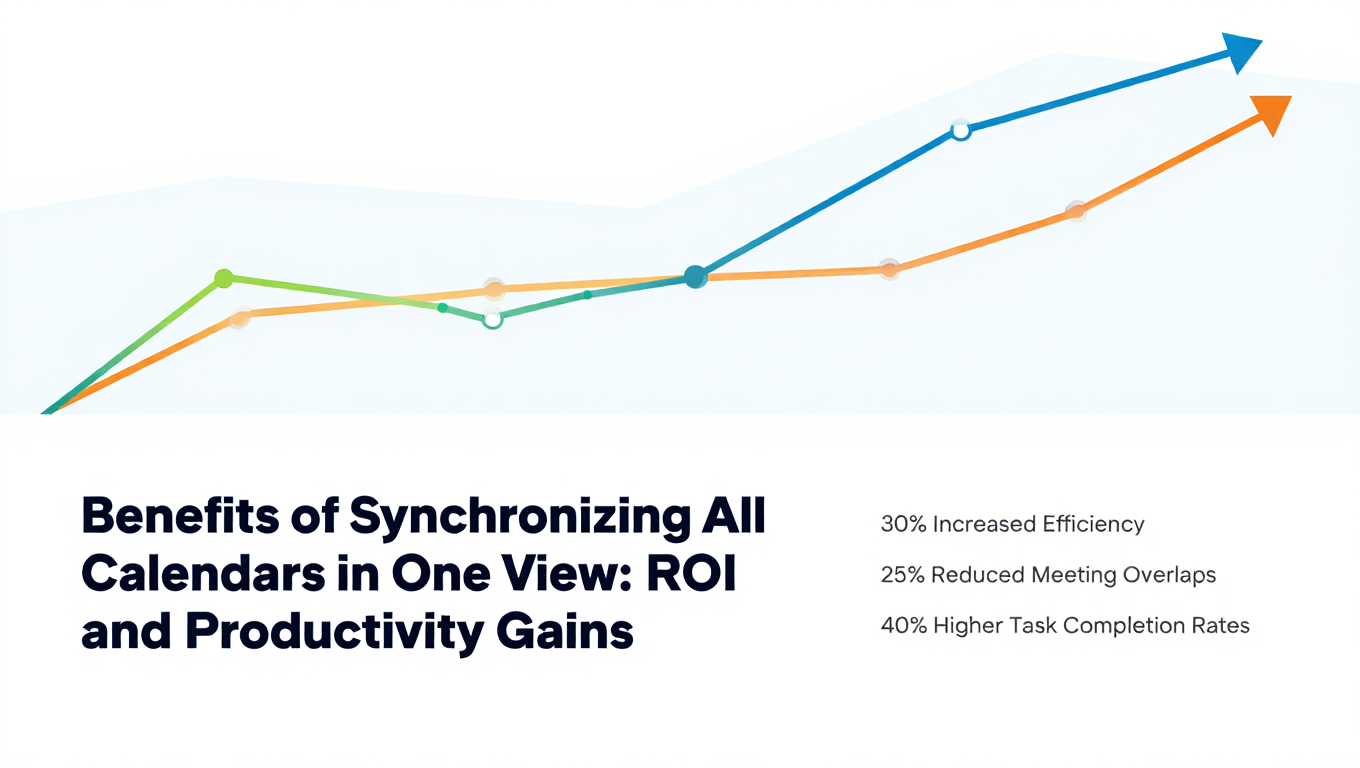
Benefits of Synchronizing All Calendars in One View: ROI and Productivity Gains
Discover the benefits of synchronizing all calendars in one view. See ROI data, productivity gains, reduced double bookings, and real-world business impact in 2025.
Best Two Way Calendar Sync Software: 2025 Expert Rankings & Comparison
Compare the top two-way calendar sync software tools. We tested 12 platforms for bidirectional sync speed, reliability, and field coverage to find which actually work.
Bidirectional Calendar Sync: Complete Technical Guide for 2025
Understand bidirectional calendar sync technology, how it differs from one-way sync, and why true two-way synchronization matters for seamless scheduling.