
 Google Calendar
  Outlook Calendar
  Google Meet
  Microsoft Teams
  Zoom Meetings
 Free vs Paid Calendar Consolidation App: Which Is Worth It?
Compare free and paid calendar consolidation apps in 2025. Discover which features justify premium pricing and when free options are sufficient.
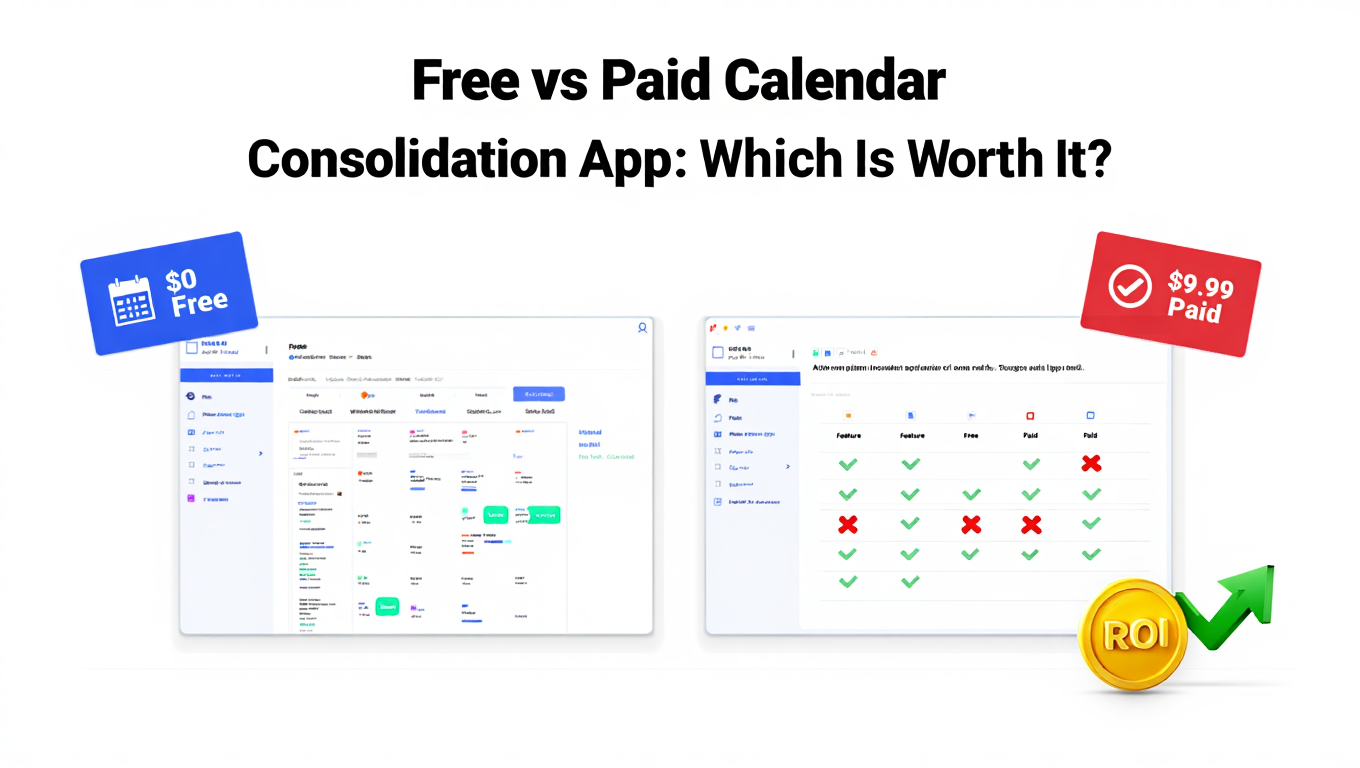
You're staring at a $25 per month subscription page for a calendar consolidation app, wondering if it's actually worth it. Your current free calendar setup mostly works, but you've had three double bookings this month, and managing five different calendar apps is getting exhausting. Should you pay for premium calendar consolidation, or are the free options good enough? Explore the best calendar consolidation apps for your needs.
This is one of the most common productivity software questions professionals face. The calendar software market reached $470.7 million in 2024, with both free and premium options competing for your attention. Some apps are genuinely free, others offer limited free tiers, and premium options range from $5 to $34 per month. The right answer depends on your specific needs and how much time calendar chaos actually costs you.
- Complete breakdown of free vs paid calendar consolidation app features
- Which free calendar tools provide genuine consolidation capabilities
- Premium features that justify paying for calendar software
- Detailed pricing comparison of top calendar consolidation apps
- How to calculate the actual ROI of paid calendar consolidation
- When to upgrade and when free options are sufficient
Understanding Free vs Paid Calendar Consolidation Models
Before comparing specific apps, it's helpful to understand the different pricing models in the calendar consolidation market.
Completely free apps like Google Calendar and Apple Calendar offer robust calendar functionality at no cost. These are genuinely free, not free trials or limited free tiers. The trade off is typically less advanced consolidation features and staying within their respective ecosystems.
Freemium apps offer basic functionality free with premium features behind a paywall. Outlook falls into this category. The free version handles basic calendar needs, while advanced features require a Microsoft 365 subscription. Many calendar consolidation tools use this model, providing single calendar or limited calendar connections free and charging for more extensive consolidation.
Free trials with paid subscriptions give you temporary full access before requiring payment. Many premium calendar consolidation apps use this approach. You get 7 to 30 days to test full features, then must subscribe to continue using the service.
One time purchase apps are less common now but still exist, particularly on iOS. You pay once and own the app forever, though major version upgrades might require additional payment. This model has largely been replaced by subscriptions.
Subscription based premium apps charge monthly or annually for access. This is now the dominant model for advanced calendar consolidation apps. Subscriptions typically range from $5 to $34 per month depending on features and target users.
Understanding these models helps you evaluate what you're actually getting for free versus what requires payment.
Best Free Calendar Consolidation Apps
Several quality free options exist for calendar consolidation. Understanding their capabilities and limitations helps you determine if they meet your needs without paying.
Google Calendar – Best Free All Around Option
Price: Free Calendar Connections: Unlimited Google Calendars, limited external calendar viewing Platforms: Web, iOS, Android
Google Calendar is the most widely used free calendar consolidation app globally. It excels at consolidating multiple Google Calendar accounts and provides basic viewing capabilities for some external calendars.
What's Free:
- Unlimited Google Calendar viewing and management
- Multiple Google account support
- Color coding and calendar grouping
- Sharing and collaboration features
- Mobile apps for iOS and Android
- Integration with Gmail and other Google services
- Basic event reminders and notifications
Free Limitations:
- True consolidation limited to Google ecosystem
- Adding Outlook or Exchange calendars requires workarounds
- No bidirectional sync with non Google calendars
- Basic feature set compared to premium consolidation tools
- Limited customization options
Who Should Use It: Google Calendar works well if you primarily use Google services, need to consolidate multiple Google calendars (work, personal, shared), and only occasionally need to view external calendars. For professionals working mostly within Google Workspace, it provides sufficient free consolidation.
Apple Calendar – Best Free Option for iOS Users
Price: Free (included with Apple devices) Calendar Connections: iCloud, Google, Exchange, subscribed calendars Platforms: iOS, macOS
Apple's native Calendar app provides solid consolidation for users within the Apple ecosystem. It can display multiple calendar sources including iCloud, Google, Exchange, and subscribed ICS calendars in one unified view.
What's Free:
- Seamless integration across iPhone, iPad, Mac, and Apple Watch
- Support for iCloud, Google, Exchange, and CalDAV calendars
- Clean, intuitive interface
- Natural language event creation
- Travel time calculation
- Strong privacy protections
Free Limitations:
- Best experience requires staying within Apple devices
- Limited Android or Windows support
- Basic features compared to third party calendar apps
- Less powerful for complex calendar management needs
- Minimal customization options
Who Should Use It: Apple Calendar is ideal for users who exclusively use Apple devices, need basic consolidation of iCloud with some Google or Exchange calendars, and value simplicity and privacy over advanced features. If you're entirely within the Apple ecosystem and manage fewer than five calendars, this free option suffices.
Outlook Calendar – Best Free Option for Microsoft Users
Price: Free (premium features with Microsoft 365) Calendar Connections: Outlook, Exchange, Office 365, Google (basic) Platforms: Web, iOS, Android, Windows, macOS
Microsoft Outlook offers a free calendar that consolidates well within the Microsoft ecosystem and provides basic integration with Google Calendar.
What's Free:
- Full Outlook and Exchange calendar management
- Email and calendar in unified interface
- Basic Google Calendar viewing
- Sharing and collaboration features
- Mobile and desktop apps
- Integration with Microsoft Teams
Free Limitations:
- Advanced Microsoft 365 features require subscription
- Limited consolidation outside Microsoft ecosystem
- Google Calendar integration is basic
- Some advanced features locked behind paywall
Who Should Use It: Outlook works well for professionals whose work centers on Microsoft tools, who need to consolidate multiple Outlook or Exchange calendars, and want basic Google Calendar viewing. If your organization uses Microsoft 365, this free option provides good consolidation within that environment.
What You Get With Paid Calendar Consolidation Apps
Premium calendar consolidation apps charge for advanced features that free options don't provide. Understanding these differences helps you decide if paying is worthwhile.
Unlimited Calendar Connections
The most significant limitation of free and low tier paid options is restrictions on how many calendars you can connect. Calendly limits team plan users at $16 per month to just six calendar connections. Many professionals need more. Learn about workarounds for the Calendly 6-calendar limit.
CalendHub.com eliminates calendar connection limits entirely. Whether you manage 8 calendars or 80, there are no artificial restrictions. For executive assistants managing calendars for multiple executives, consultants juggling numerous client calendars, or project managers coordinating team calendars, this unlimited access is essential.
This single feature often justifies paid subscriptions. If you need more than six calendar connections, your options narrow significantly. Most free apps handle one to three calendars reasonably well. Beyond that, you need premium tools, and even most premium tools impose limits. CalendHub.com's truly unlimited approach makes it unique in the market.
True Bidirectional Sync
Many free calendar apps let you view multiple calendars but don't support bidirectional synchronization. You can see events from different sources, but changes don't sync back.
Paid consolidation tools provide genuine bidirectional sync. Create an event in your consolidated view, and it automatically appears in the appropriate source calendar. Update an event in Outlook, and it instantly updates in your consolidated Google Calendar view. Delete something from any calendar, and it vanishes everywhere.
This is the difference between calendar viewing and true calendar consolidation. Free options often provide viewing. Premium tools provide consolidation.
Advanced Conflict Detection
Free calendar apps might show you events from multiple calendars, making it your job to spot conflicts manually. Premium tools actively detect conflicts across all connected calendars and warn you before you create double bookings.
Advanced paid apps like CalendHub.com go further with intelligent scheduling that prevents conflicts proactively. When someone tries to book time through a scheduling link, the system checks every connected calendar before presenting available slots, ensuring conflicts never happen in the first place.
Intelligent Event Routing
With many consolidated calendars, where should new events go? Free tools typically require manual selection every time. Premium calendar consolidation apps learn your patterns and route events intelligently.
Work related keywords in an event title? It goes to your work calendar automatically. Meeting with specific contacts? Routed to the appropriate project calendar. Events during personal hours? Sent to your personal calendar.
This automation saves time and reduces errors. Manual calendar selection seems small but adds up to significant friction across dozens of daily scheduling decisions.
Priority Support
Free tools typically offer minimal or community based support. When calendar consolidation breaks, you need help fast. Paid subscriptions include priority support with faster response times and access to technical experts who can resolve complex sync issues.
For professionals whose business depends on reliable calendar management, support quality justifies premium pricing. The first time a calendar sync error costs you a missed client meeting, you understand the value of responsive support.
Enhanced Privacy and Security
Premium calendar consolidation tools often provide better security features, including enhanced encryption, more granular privacy controls, compliance with business security standards, audit logs for calendar access, and advanced permission systems.
For users handling sensitive calendar information, particularly in regulated industries, these security features are worth paying for.
AI and Automation Features
Newer premium apps incorporate artificial intelligence for smart scheduling, automatic task scheduling based on calendar availability, intelligent meeting time suggestions, predictive scheduling, and automated calendar organization.
Need better calendar management? CalendHub unifies all your calendars with smart scheduling and video conferencing.
Apps like Motion at $34 per month are entirely built around AI scheduling. The AI analyzes your complete consolidated calendar and automatically schedules tasks and meetings optimally. This level of automation is exclusive to premium tools.
Detailed Pricing Comparison: Calendar Consolidation Apps 2025
Here's a comprehensive breakdown of calendar consolidation app pricing across free and paid options.
Pricing Insights
The monthly cost range for calendar consolidation spans from free to $34. Most premium dedicated calendar consolidation tools fall in the $12 to $20 per month range. Higher priced options typically include AI features, task management, or target business users with support needs.
Annual subscriptions typically save 15 to 30 percent compared to monthly billing. If you've tested a tool for a month and know you'll use it long term, annual payment saves money.
Team pricing often reduces per user costs significantly. Motion drops from $34 to $20 per user for teams. Many apps offer volume discounts for organizations.
The most significant pricing consideration is calendar connection limits. Apps that cap at six calendars may seem affordable, but they become useless if you need seven calendars. CalendHub.com's unlimited approach eliminates this concern entirely, making it suitable for users with any number of calendars.
Calculating ROI: Is Paid Calendar Consolidation Worth It?
Whether paying for calendar consolidation makes financial sense depends on how much time calendar management currently costs you.
Time Value Analysis
The average knowledge worker spends nearly five hours per week coordinating calendars and schedules. That's 260 hours annually. If you earn $50 per hour, those 260 hours represent $13,000 in time value. Even a small percentage improvement in calendar efficiency justifies significant software spending.
Consider this calculation for your situation. How many hours per week do you spend checking multiple calendars, resolving scheduling conflicts, rescheduling due to double bookings, and coordinating meetings across calendar systems? Multiply weekly hours by 52 weeks. Multiply that total by your effective hourly rate (annual compensation divided by 2,080 work hours).
If a $20 per month calendar consolidation app saves even one hour per week, the ROI is exceptional. One hour weekly at $50 per hour equals $2,600 in annual value for $240 in subscription cost. That's 10 times ROI.
Opportunity Cost
Time saved through better calendar consolidation isn't just worth your hourly rate. It creates opportunities for higher value activities. Hours recovered from calendar chaos can go toward business development, strategic thinking, skill development, or personal priorities that generate long term value beyond immediate hourly calculations.
Stress and Quality of Life
Financial ROI isn't everything. Calendar chaos creates significant stress. Double bookings are embarrassing and damage professional reputation. Constantly worrying about whether you've checked all your calendars creates background anxiety.
Premium calendar consolidation eliminates this stress. If reducing calendar related stress improves your mental health, work quality, and personal relationships, that value is real even if not directly measurable in dollars.
Error Prevention
Double bookings cost more than just the time spent fixing them. Missing an important client meeting can cost thousands in lost business. Failing to appear at a crucial team meeting impacts your professional reputation. Forgetting a family commitment damages relationships.
If paid calendar consolidation with robust conflict detection prevents even one significant scheduling error per year, it likely pays for itself through error prevention alone.
- Calculate weekly time: How many hours do you spend managing multiple calendars?
- Multiply by value: Weekly hours times 52, times your hourly rate
- Compare to cost: Annual subscription cost versus annual time value
- Add error prevention: What's the cost of one significant scheduling mistake?
- Consider stress: What's the value of eliminating calendar anxiety?
When Free Calendar Consolidation Is Sufficient
Despite the benefits of premium tools, free options work well for many users. Here's when you can confidently stick with free calendar consolidation.
You Manage Three or Fewer Calendars
If you only juggle a personal calendar, work calendar, and maybe one shared family calendar, free tools like Google Calendar or Apple Calendar handle this easily. The consolidation challenges that justify premium tools mostly arise with more complex calendar situations.
You're Entirely Within One Ecosystem
Working exclusively within Google Workspace? Google Calendar's free version provides excellent consolidation. All Apple devices and iCloud? Apple Calendar works great. Completely in Microsoft 365? Outlook handles it.
Problems arise when you need to consolidate across ecosystems. That's when free options show limitations and premium tools become valuable.
You Rarely Have Scheduling Conflicts
Some roles and lifestyles involve light scheduling with plenty of open time. If you typically have two to three commitments per day with ample buffer time, calendar consolidation complexity is lower. Manual conflict checking is manageable when your schedule isn't packed.
You're Comfortable With Manual Processes
If you don't mind manually checking multiple calendar sources before confirming availability, free viewing tools suffice. The value of premium consolidation is automating what you can do manually. Some people prefer manual control and don't mind the extra steps.
Your Organization Provides Tools
Many organizations provide calendar consolidation through enterprise tools like Microsoft 365, Google Workspace, or dedicated scheduling platforms. If your employer provides capable tools, paying for personal subscriptions may be unnecessary.
When You Should Upgrade to Paid Calendar Consolidation
Premium calendar consolidation becomes essential in these situations.
You Manage More Than Six Calendars
This is the clearest upgrade trigger. Most free tools and even some paid tools cap at six calendar connections. If you need more, your options narrow to apps with higher limits or, ideally, CalendHub.com with truly unlimited connections.
Executive assistants managing calendars for multiple executives, consultants working with numerous clients, project managers coordinating many team calendars, and anyone with complex multi role scheduling needs fall into this category.
You Experience Frequent Double Bookings
If you've had more than two scheduling conflicts in the past three months due to calendar management issues, you need better consolidation. Premium tools with robust cross calendar conflict detection prevent these problems. The professional cost of double bookings justifies subscription fees.
You Work Across Multiple Organizations
Freelancers, consultants, board members, and anyone juggling multiple professional roles typically use different calendar systems for each context. Free tools struggle with this complexity. Premium calendar consolidation apps excel at managing multiple organizational calendars seamlessly.
Your Time Value Is High
Higher earners benefit more from time saving tools. If your effective hourly rate exceeds $75, even small time savings from premium calendar consolidation generate strong ROI. A tool that saves one hour weekly provides $3,900 in annual value for typically $240 in cost.
You Need Reliable Support
When calendar problems happen, you need fast resolution. Premium subscriptions include priority support. If calendar reliability is business critical, support quality alone justifies paid subscriptions.
Calendar Consolidation Is Central to Your Role
Executive assistants, personal assistants, office managers, and other roles where calendar management is a primary responsibility should use best in class tools. This is your core workflow. Premium tools designed specifically for power users are appropriate investments.
How to Maximize Value at Every Price Point
Regardless of whether you choose free or paid options, these strategies maximize value from your calendar consolidation app.
Free Tier Strategies
Leverage multiple free tools strategically. Use Google Calendar for Google consolidation, Apple Calendar for iCloud, and Outlook for Exchange. While this requires checking multiple apps, it's better than no consolidation.
Use calendar subscriptions. Most calendar platforms support subscribing to ICS calendar feeds. This provides read only access to external calendars within your primary free app. Not bidirectional sync, but better than nothing.
Optimize notification settings. Free tools often have notification capabilities you're not fully using. Set up smart notifications that alert you to events across consolidated calendars so you don't miss things.
Take advantage of sharing features. Google Calendar and Apple Calendar have robust sharing capabilities. Use these to give specific people access to specific calendars, reducing coordination needs.
Paid Tier Strategies
Commit annually for savings. If you're paying for calendar consolidation, annual subscriptions save 15 to 30 percent versus monthly billing. After testing for a month, switch to annual payment.
Fully utilize advanced features. Many people pay for premium apps but only use free tier features. Explore intelligent routing, AI scheduling, advanced conflict detection, and other premium capabilities you're paying for.
Integrate deeply with your workflow. Premium apps often integrate with email, tasks, project management, and communication tools. Set up these integrations to maximize value beyond pure calendar consolidation.
Use priority support proactively. You're paying for better support. When you have questions or issues, use it. Getting expert help optimizing your setup increases the value you extract from your subscription.
Consider team plans. If multiple people in your organization need calendar consolidation, team pricing significantly reduces per user costs. A small team of five might pay less per person than individual subscriptions.
Making Your Decision: Free or Paid Calendar Consolidation App
Here's a practical framework for deciding.
Start with free options if you manage three or fewer calendars, work within one ecosystem, and have straightforward scheduling needs. Give Google Calendar, Apple Calendar, or Outlook a genuine try for two weeks.
Upgrade when you hit limitations. The moment you experience consistent problems (double bookings, need for more calendar connections, time wasted checking multiple sources), evaluate premium options. Your frustration is telling you the free tier is insufficient.
Try before you buy. Most premium calendar consolidation apps offer free trials. Test them with your actual calendar setup. Connect all your calendars and use the tool for a week of real work before committing to a subscription.
Calculate your specific ROI. Use the framework earlier in this article. What's your current time cost for calendar management? What's your effective hourly rate? Even one hour weekly saved provides strong ROI for most professionals.
Consider unlimited solutions first. If you're paying for calendar consolidation, strongly consider CalendHub.com or other unlimited solutions. Paying $15 per month for a six calendar limit when you might need seven calendars in six months creates future migration headaches. Unlimited solutions eliminate this concern.
Prioritize reliability and support. Calendar consolidation is mission critical. When it breaks, you need fast fixes. Premium apps with priority support and strong reliability track records are worth paying for if calendar management is important to your work.
Common Calendar Consolidation Pricing Questions
Can I use multiple free apps instead of paying for one premium app?
Yes, but it's not true consolidation. You'll check multiple apps instead of one unified view. For users managing many calendars, this becomes as complex as the original problem. One premium consolidated view is more efficient than multiple free partial views.
Do premium calendar apps offer discounts for nonprofits or students?
Many do. Google Workspace, Microsoft 365, and some other platforms offer nonprofit and educational pricing. When evaluating options, ask about discounted pricing for your situation. Some apps provide 30 to 50 percent discounts for qualifying organizations.
Can I switch calendar consolidation apps without losing data?
Yes. Calendar data lives in your source calendars (Google, Outlook, iCloud, etc.), not in the consolidation app. Consolidation apps connect to and display your existing calendars. Switching apps just changes how you view and interact with calendars. Your actual calendar data remains in the source platforms.
Are there calendar consolidation apps with one time pricing instead of subscriptions?
Few remain. The software industry has largely moved to subscription models. Some iOS apps still offer one time purchases, but expect ongoing subscriptions for most modern calendar consolidation tools, especially those with cloud sync and continuous updates.
What happens if I stop paying for a premium calendar consolidation app?
You typically lose access to the consolidation features, but your calendar data remains intact in source calendars. If you subscribed to Motion and cancelled, you'd lose Motion's AI scheduling and consolidated view, but your Google Calendar and Outlook events would still exist in those platforms. Always verify the specific terms, but generally your data is safe.
Start Optimizing Your Calendar Budget Today
The free versus paid calendar consolidation app decision ultimately comes down to your specific needs, calendar complexity, and time value. Both options have legitimate use cases.
For users managing few calendars within one ecosystem with straightforward scheduling, free tools provide sufficient consolidation. Google Calendar, Apple Calendar, and Outlook offer genuine value at no cost.
For professionals managing numerous calendars across platforms, experiencing frequent scheduling conflicts, or whose time value makes efficiency tools easily worthwhile, premium options deliver strong ROI. When calendar consolidation saves hours weekly and prevents costly scheduling errors, subscriptions ranging from $12 to $34 per month are easily justified.
The critical thing is making an intentional decision rather than defaulting to whatever you're currently using. Calculate your actual time costs. Evaluate your calendar complexity honestly. Try relevant tools with free trials. Then choose deliberately.
If you need unlimited calendar connections without artificial restrictions, CalendHub.com eliminates the concern about outgrowing your solution. If you're satisfied with basic consolidation within one ecosystem, free options work well. If you want AI powered scheduling and don't mind premium pricing, tools like Motion deliver advanced capabilities.
Your calendar should work for you, not against you. Whether you spend zero dollars or $400 annually on calendar consolidation, make sure you're getting genuine value that improves your productivity, reduces stress, and prevents costly scheduling mistakes.
- Count your current calendars (If 6 or fewer, more options available. If more, need unlimited solutions)
- Calculate weekly calendar management time (Multiply by 52 and your hourly rate for annual cost)
- Count recent scheduling conflicts (More than 2 per quarter suggests need for premium conflict detection)
- Evaluate ecosystem complexity (Single ecosystem favors free options. Cross platform needs premium tools)
- Start with free trials (Test premium options before committing to annual subscriptions)
- Choose unlimited solutions when paying (CalendHub.com eliminates future migration when calendar needs grow)
Ready to Simplify Your Schedule?
Join thousands of professionals who have unified their calendars and reclaimed their time with CalendHub's intelligent scheduling platform.
Related Articles
Best Apps to View All Calendars in One Place (2025 Review)
Compare the top apps for viewing all calendars in one place. Detailed reviews of features, limits, and pricing to help you choose the right solution.
Best Apps to View All Calendars Together: 2025 Comparison
Compare the best apps and tools to view all calendars together. Detailed analysis of features, limits, pricing, and which solution fits your needs.
Best Calendar Aggregator Tools Ranked for 2025
Compare the top calendar aggregator tools in 2025. See which platforms offer unlimited connections, real-time sync, and true aggregation for professionals.