
 Google Calendar
  Outlook Calendar
  Google Meet
  Microsoft Teams
  Zoom Meetings
 Calendar Webhook Integration: Complete Developer Guide for 2025
Master calendar webhook integration with this comprehensive technical guide covering event types, payloads, authentication, and real-time synchronization.
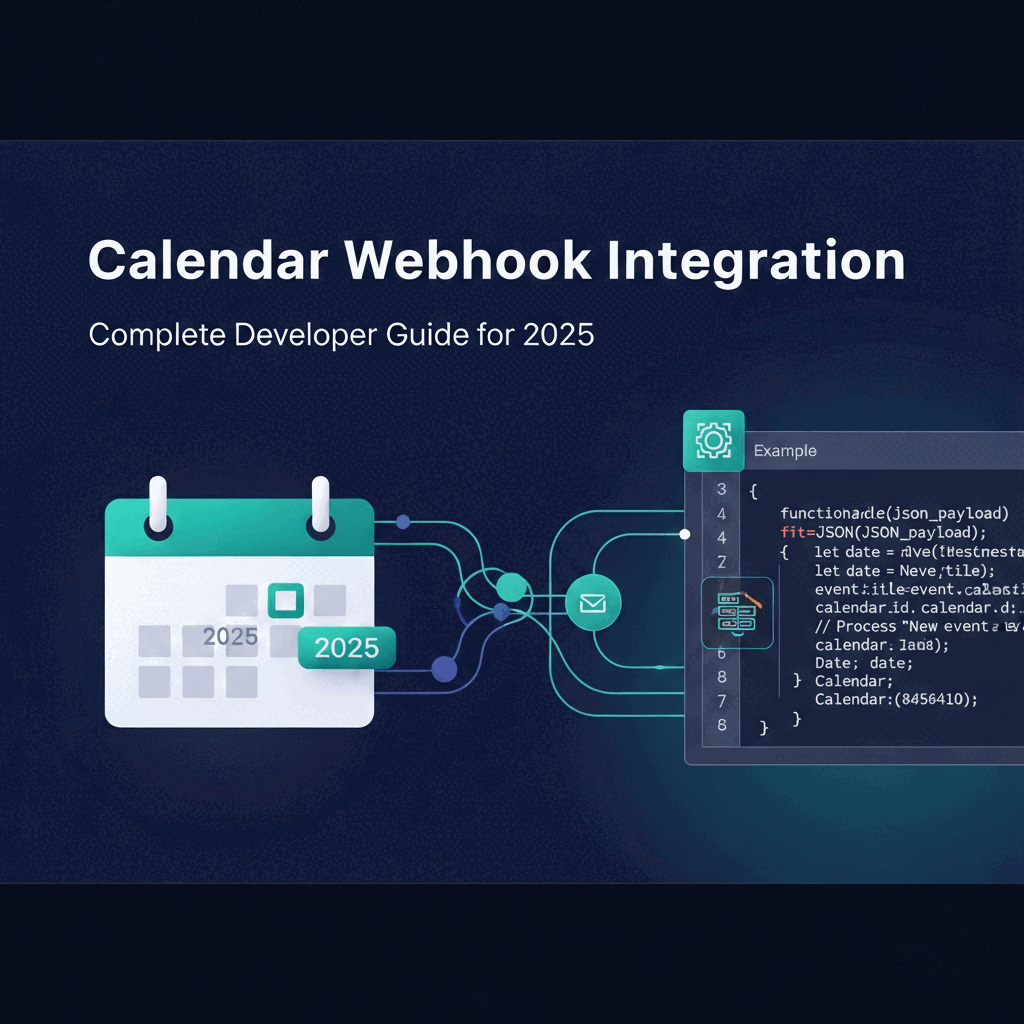
You receive an urgent notification the moment a high-priority meeting gets scheduled. Your CRM automatically updates when a client books an appointment. Your team collaboration tools sync instantly when calendar events change. This is the power of calendar webhook integration.
Calendar webhook integration represents a fundamental shift from traditional polling methods to event-driven architecture. Instead of constantly asking your calendar API if anything has changed, webhooks push notifications to your application the moment events occur. This creates faster, more efficient systems that respond to calendar changes in real time.
- How calendar webhook integration works under the hood
- Event types and payload structures for major calendar platforms
- Authentication methods and security best practices
- Real-time synchronization patterns and implementation strategies
- Performance benefits over traditional polling approaches
What Is Calendar Webhook Integration
Calendar webhook integration is an event-driven mechanism that sends automated HTTP POST requests to your application when specific calendar events occur. Rather than your application repeatedly querying a calendar API to check for updates, the calendar platform proactively notifies your system whenever relevant changes happen.
A webhook functions as a reverse API. Traditional APIs require your application to initiate requests and wait for responses. With calendar webhook integration, the calendar system becomes the client. It initiates HTTP requests to your application's endpoint whenever events like meeting creation, updates, or cancellations occur.
This architectural approach delivers several technical advantages. According to data from Zapier analyzing 30 million poll requests, 98.5% of polling attempts return no new data. Webhooks achieve 100% efficiency by transmitting data only when actual changes occur. Research shows that polling creates an average of 66 times more server load than webhooks. For understanding the broader context, see our guide on real-time calendar synchronization.
When you implement calendar webhook integration, you eliminate wasteful API calls and enable near real-time data synchronization. Your application receives notifications within seconds of calendar changes, rather than waiting for the next polling interval.
- Real-Time Updates: Receive notifications within seconds of calendar changes
- Resource Efficiency: Reduce server load by 98.5% compared to polling
- Cost Reduction: Pay only for meaningful API calls with actual data
- Scalability: Handle high-volume calendar operations without degradation
- Developer Preference: 82% of surveyed developers prefer webhooks over polling according to [Stack Overflow surveys](https://insights.stackoverflow.com/)
How Calendar Webhook Integration Works
Understanding the technical flow of calendar webhook integration helps you build reliable, secure implementations. The process involves several key components working together to deliver real-time notifications.
Webhook Registration Process
Before you can receive calendar webhook notifications, you must register your endpoint with the calendar platform. This registration process, often called creating a subscription or notification channel, establishes the connection between the calendar system and your application.
The registration typically requires the following information. Your application provides a publicly accessible HTTPS endpoint URL where the calendar platform will send notifications. You specify which calendar resources to monitor, such as specific calendars or event collections. You define the types of changes that trigger notifications, including created, updated, or deleted events.
For Google Calendar's push notification system, you create a channel by sending a POST request to the watch endpoint. This request includes a unique channel identifier, your webhook URL, and an expiration timestamp. Google Calendar supports notification channels for up to one week before requiring renewal.
Microsoft Graph API follows a similar pattern. You create a subscription by posting to the /subscriptions endpoint. The subscription includes the resource path you want to monitor, the change types you care about, your notification URL, an expiration date, and a client state value for validation.
Both platforms validate your webhook endpoint before activating the subscription. They send a validation request to your URL, and your application must respond correctly to confirm ownership and proper functionality.
Webhook Validation and Handshake
Calendar platforms implement validation mechanisms to ensure webhook endpoints are legitimate and properly configured. This validation happens immediately after you submit a subscription request.
Google Calendar sends a sync message when you first create a notification channel. The HTTP request includes an X-Goog-Resource-State header with the value "sync". Your endpoint should respond with an HTTP 200 status code to acknowledge receipt.
Microsoft Graph performs a more active validation. When you create a subscription, Microsoft Graph sends a POST request to your notification URL containing a validation token in the query string. Your application must extract this token and return it in the response body within 10 seconds. Only after successful validation does Microsoft Graph activate the subscription.
This handshake process prevents unauthorized webhook registrations and ensures your endpoint can handle incoming notifications before the calendar platform begins sending production events.
Event Notification Flow
Once your webhook subscription is active, the calendar platform monitors the specified resources for changes. When a relevant event occurs, the platform constructs a notification payload and sends it to your endpoint via HTTP POST.
The notification typically arrives within seconds of the actual calendar change. However, calendar platforms make no absolute guarantees about notification delivery. Google Calendar documentation explicitly states that notifications are not 100% reliable, and you should expect a small percentage of messages to be dropped under normal conditions.
Your application must respond to webhook notifications quickly and appropriately. Calendar platforms expect HTTP 2xx status codes within a reasonable timeout period, typically 10 to 30 seconds. If your endpoint consistently fails to respond or returns error codes, the platform may disable your subscription.
A robust calendar webhook integration handles notifications asynchronously. Your webhook endpoint should immediately acknowledge receipt with a 200 OK response, then queue the notification for processing. This approach prevents timeout issues while allowing your application to perform complex operations in response to calendar events.
Calendar Webhook Event Types
Different calendar platforms support various event types that trigger webhook notifications. Understanding these event types helps you design targeted integrations that respond appropriately to specific calendar activities.
Google Calendar Event Types
Google Calendar's push notification system operates at the resource level rather than providing granular event-type filtering. When you create a watch channel for a calendar resource, Google sends notifications whenever any change occurs to that calendar.
The notification payload includes an X-Goog-Resource-State header that indicates the nature of the change. Common values include "sync" for initial channel creation, "exists" for resource updates, and "not_exists" for resource deletion.
However, Google Calendar webhooks do not include the actual event data in the notification payload. The webhook notification serves as a signal that something changed. Your application must make subsequent API calls to retrieve the specific events that were created, modified, or deleted.
This approach requires implementing synchronization logic. You typically maintain a sync token that represents the last known state of the calendar. When a webhook notification arrives, you use the sync token to fetch only the changes since your last synchronization.
Third-party platforms like Zapier and automation tools have built wrappers around Google Calendar that provide more specific event types. These include triggers for new events, event start times, updated events, and cancelled events. These platforms handle the synchronization complexity and present cleaner event-specific webhooks.
Microsoft Graph Calendar Event Types
Microsoft Graph provides more granular control over webhook notifications through the changeType parameter in your subscription request. You can specify exactly which types of changes trigger notifications.
The three primary change types for calendar resources are "created", "updated", and "deleted". You can subscribe to individual change types or combine multiple types in a single subscription. For example, subscribing to both "created" and "updated" notifies you of new events and modifications to existing events, but not deletions.
Microsoft Graph notifications can include either minimal information or the full resource data. By default, webhooks contain only metadata indicating that a change occurred. You must make a subsequent API call to retrieve the actual event details.
Alternatively, you can configure resource data encryption in your subscription. This enables Microsoft Graph to include the complete event payload directly in the webhook notification. The data arrives encrypted using a public key you provide, ensuring security while eliminating the need for follow-up API calls.
Common Calendar Webhook Events
Regardless of platform, calendar webhook integration typically handles several core event scenarios. Understanding these patterns helps you design comprehensive integrations.
Event Creation triggers when users create new calendar events. This is fundamental for scheduling applications that need to capture bookings, trigger confirmation workflows, or synchronize data to external systems. For bidirectional calendar sync implementations, event creation webhooks are essential for maintaining consistency across multiple calendar systems. Platforms like CalendHub.com leverage event creation webhooks to instantly update connected CRM systems when clients book appointments.
Event Updates fire when existing events are modified. Changes to event titles, times, locations, attendees, or any other properties can trigger update notifications. Your integration must handle partial updates efficiently, processing only the changed fields rather than replacing entire event records.
Event Deletion indicates that calendar events have been cancelled or removed. Deletion webhooks are critical for maintaining data consistency. When a meeting gets cancelled, your integration might need to send cancellation notifications, free up resources, or update related records in connected systems.
Event Start and End notifications trigger at the actual time events begin or conclude. These time-based webhooks enable just-in-time actions like sending meeting reminders, starting video conference rooms, or logging attendance. Not all calendar platforms provide native event-time webhooks. You may need to implement your own scheduling mechanism that triggers actions based on event times retrieved from webhooks.
Webhook Payload Structure and Data
Calendar webhook payloads vary significantly across platforms, but they share common structural elements. Understanding payload formats enables you to parse notifications efficiently and extract relevant data.
Standard Payload Components
Most calendar webhook payloads contain three essential components. The event identifier uniquely identifies the specific webhook notification. This might be a UUID, channel ID, or other unique value that allows you to track and deduplicate notifications.
The event type or resource state indicates what kind of change occurred. As discussed earlier, this might be a simple state value like "updated" or a more specific event type like "event.created". Your webhook handler typically uses this value to route notifications to appropriate processing logic.
The event details or resource data contains information about the actual calendar change. This section varies widely based on platform and configuration. Some platforms include minimal metadata, while others provide complete event objects with all properties.
A typical webhook payload structure looks like this in JSON format:
Google Calendar Notification Headers
Google Calendar delivers webhook notifications primarily through HTTP headers rather than rich JSON payloads. Understanding these headers is essential for Google Calendar webhook integration.
The X-Goog-Channel-ID header contains the unique channel identifier you specified when creating the watch. Your application can use this to identify which calendar or resource triggered the notification.
The X-Goog-Resource-ID header provides a unique identifier for the watched resource. This value is assigned by Google and remains constant for the lifetime of the watch.
The X-Goog-Resource-State header indicates the type of change that occurred. As mentioned earlier, common values include "sync", "exists", and "not_exists".
The X-Goog-Resource-URI header contains the canonical URI of the watched resource. You can use this URI to make API calls to retrieve the current state of the calendar.
The X-Goog-Channel-Expiration header specifies when the notification channel expires, formatted as an RFC 3339 timestamp. Your application should monitor this value and renew channels before expiration to maintain continuous webhook notifications.
Here is an example of Google Calendar webhook headers:
Your webhook handler extracts these headers and uses the resource URI to fetch the actual event changes through the standard Google Calendar API.
Microsoft Graph Notification Payload
Microsoft Graph webhooks provide more structured JSON payloads with detailed information about the change notification. The notification includes both subscription metadata and change details.
The basic notification structure includes a subscription identifier that matches the ID you received when creating the subscription, a change type indicating whether the event was created, updated, or deleted, a client state value that should match what you specified in your subscription for validation, and a resource link pointing to the changed calendar event.
Here is a typical Microsoft Graph calendar webhook payload:
If you configured resource data encryption, the resourceData object contains the complete encrypted event payload. Your application decrypts this data using the private key corresponding to the public key you provided during subscription setup.
Parsing and Validating Webhook Data
When your endpoint receives calendar webhook notifications, you must validate and parse the payload carefully. Never trust incoming webhook data without verification.
First, validate the source of the webhook request. Check that the request comes from the expected calendar platform using IP allowlisting, signature verification, or token validation. Many calendar platforms include authentication tokens or signatures in webhook requests that you can verify.
For Google Calendar, validate the channel token you specified during watch creation. This token should be included in the X-Goog-Channel-Token header. Compare it against your stored token to ensure the notification is legitimate.
For Microsoft Graph, verify the clientState value in the notification payload matches what you provided in your subscription. This prevents unauthorized parties from sending fake notifications to your endpoint.
Extract the relevant data from the payload based on the platform format. For Google Calendar, the headers contain the essential information, and you use the resource URI to fetch event details. For Microsoft Graph, parse the JSON payload to extract the change type and resource identifier.
Implement idempotency in your webhook handler. Calendar platforms may send duplicate notifications for the same event change. Your application should detect and ignore duplicate notifications based on event identifiers, timestamps, or sequence numbers. Platforms like CalendHub.com implement robust deduplication mechanisms that ensure webhook events are processed exactly once, even if the calendar platform sends multiple notifications.
Authentication and Security for Calendar Webhooks
Securing calendar webhook integration is critical. Your webhook endpoint receives sensitive calendar data and must prevent unauthorized access, data tampering, and replay attacks. Implementing proper authentication and security measures protects both your application and your users.
HTTPS Requirements
All calendar webhook endpoints must use HTTPS with valid SSL/TLS certificates. This is a fundamental requirement enforced by major calendar platforms. Both Google Calendar and Microsoft Graph refuse to send notifications to HTTP endpoints or HTTPS endpoints with invalid certificates.
HTTPS encryption protects webhook payloads in transit, preventing network eavesdropping and man-in-the-middle attacks. Calendar data often contains sensitive information including meeting details, attendee lists, and location information. Transmitting this data over unencrypted HTTP would expose it to interception.
Obtain SSL/TLS certificates from a trusted certificate authority. Free certificates from Let's Encrypt are perfectly acceptable for webhook endpoints. Ensure your certificate covers the exact domain or subdomain you use for your webhook URL.
Need better calendar management? CalendHub unifies all your calendars with smart scheduling and video conferencing.
Configure your web server to support modern TLS versions. Disable deprecated protocols like SSL 3.0, TLS 1.0, and TLS 1.1. Use TLS 1.2 or TLS 1.3 with strong cipher suites to maximize security.
Token-Based Authentication
Token-based authentication provides a straightforward mechanism for validating webhook requests. You include a secret token during webhook subscription creation, and the calendar platform includes this token in each notification.
Google Calendar supports channel tokens through the token parameter when creating a watch. Google includes this token in the X-Goog-Channel-Token header of webhook notifications. Your endpoint verifies that the received token matches your stored value before processing the notification.
Microsoft Graph uses the clientState parameter for similar purposes. When creating a subscription, you provide a secret value that Microsoft Graph includes in each notification payload. Your webhook handler validates this client state before processing events.
Generate strong, random tokens with high entropy. Use cryptographically secure random number generators rather than predictable values. Store tokens securely using environment variables or secret management systems rather than hardcoding them in your application.
Rotate tokens periodically as a security best practice. When you renew webhook subscriptions, generate new tokens and update your validation logic. This limits the window of exposure if a token is compromised.
HMAC Signature Verification
Hash-based Message Authentication Code (HMAC) signature verification provides stronger security than simple token validation. HMAC signatures prove both the authenticity and integrity of webhook payloads.
With HMAC verification, the calendar platform generates a cryptographic signature of the webhook payload using a shared secret key. The signature is included in the request headers. Your application generates its own signature of the received payload using the same secret key and comparison algorithm. If the signatures match, you know the payload is authentic and unmodified.
While Google Calendar and Microsoft Graph do not natively provide HMAC signatures for calendar webhooks, many webhook aggregation platforms implement this security measure. When building calendar webhook integration through intermediary services, look for HMAC signature support.
If you implement your own webhook routing layer, add HMAC signature generation. Use SHA-256 or SHA-3 algorithms rather than deprecated hash functions like MD5 or SHA-1. Generate signatures over the complete request body to detect any payload tampering.
Here is a Node.js example of HMAC signature verification:
Always use constant-time comparison functions like crypto.timingSafeEqual to prevent timing attacks. Standard equality operators can leak information about signature values through timing variations.
Preventing Replay Attacks
Replay attacks occur when an attacker captures valid webhook notifications and resends them to your endpoint. This can cause your application to process the same calendar event multiple times, leading to duplicate records, redundant notifications, or incorrect state.
Implement timestamp validation to prevent replay attacks. Include a timestamp in each webhook notification, either as part of the payload or in request headers. Your webhook handler verifies that the timestamp is recent, typically within 5 minutes of the current time. Reject notifications with old timestamps.
For calendar platforms that include timestamps in webhook notifications, extract and validate these values. For platforms that do not include timestamps, consider adding them in an intermediary webhook processing layer.
Maintain a record of processed notification identifiers. When a webhook arrives, check whether you have already processed a notification with the same identifier. If so, return a success response but skip processing. This deduplication approach prevents replay attacks and handles legitimate duplicate notifications from the calendar platform.
Store processed notification identifiers in a fast cache or database with automatic expiration. You only need to track identifiers for a short period, typically matching your timestamp validation window. After this period, identifiers can be safely removed to prevent unbounded storage growth.
Combining timestamp validation with notification ID tracking provides robust protection against replay attacks. CalendHub.com implements both mechanisms to ensure calendar webhook events are processed securely and reliably.
Webhook Endpoint Security Best Practices
Beyond authentication mechanisms, follow general security best practices for webhook endpoints. Implement rate limiting to prevent abuse. If your endpoint receives an unusual volume of webhook requests in a short period, temporarily reject requests and alert your security team.
Validate all input data from webhook payloads. Never assume that data from calendar platforms is safe. Apply the same input validation and sanitization you would use for user-provided data. This prevents injection attacks if an attacker somehow compromises the webhook channel.
Log webhook activity comprehensively. Record metadata like timestamps, source IPs, notification identifiers, and processing results. Avoid logging sensitive payload content, but capture enough information to detect and investigate security incidents.
Use separate infrastructure for webhook endpoints when possible. Run webhook receivers on dedicated servers or containers isolated from your main application. This limits the impact if a webhook vulnerability is exploited.
Monitor for suspicious patterns in webhook traffic. Sudden changes in notification volume, requests from unexpected IP ranges, or repeated validation failures may indicate attacks. Implement alerting rules that notify your team when these patterns occur.
Real-Time Calendar Synchronization Patterns
Calendar webhook integration enables various synchronization patterns that keep data consistent across systems. Choosing the right pattern depends on your specific requirements for latency, data volume, and system architecture.
Event-Driven Synchronization
Event-driven synchronization is the most straightforward pattern. Your application responds immediately to each webhook notification by processing the calendar event and updating connected systems.
When a webhook arrives indicating a calendar event was created, your application extracts the event details and performs necessary actions. For a scheduling application, this might involve sending confirmation emails, creating CRM records, or triggering workflow automations.
Event-driven synchronization provides minimal latency. Calendar changes propagate to your application within seconds. This pattern works well for applications that need real-time responsiveness, such as notification systems, real-time dashboards, or time-sensitive integrations.
However, event-driven synchronization can struggle with high-volume scenarios. If your application monitors many calendars that change frequently, processing each webhook individually may overwhelm your systems. You need sufficient capacity to handle peak webhook volumes without degradation.
Implement backpressure handling for event-driven synchronization. If your application cannot keep up with incoming webhooks, queue notifications for later processing rather than dropping them. Use message queues or event streaming platforms to buffer webhooks during traffic spikes.
Batch Synchronization with Webhook Triggers
Batch synchronization balances real-time responsiveness with processing efficiency. Instead of processing each webhook immediately, your application collects notifications over a short period and processes them in batches.
When webhooks arrive, add them to a queue or buffer. A background worker periodically processes the queued notifications in bulk. This might happen every few seconds, every minute, or on a custom schedule based on your requirements.
Batching reduces the overhead of processing individual webhooks. You can optimize database operations by performing bulk inserts or updates rather than individual transactions. This pattern works well when your application integrates with systems that perform better with batch operations.
You can also use webhooks as triggers for full synchronization cycles. When a webhook indicates that a calendar changed, schedule a complete sync of that calendar rather than processing just the specific event. This approach is simpler to implement and ensures consistency, but requires more API calls and bandwidth.
Platforms like CalendHub.com combine webhook triggers with intelligent batch processing to optimize both latency and efficiency. When calendar events change, webhooks trigger immediate UI updates for real-time user feedback, while background workers batch-process updates to connected systems.
Differential Synchronization
Differential synchronization maintains a local copy of calendar data and uses webhooks to identify which events changed. Your application then fetches only the changed events rather than re-syncing entire calendars.
This pattern is particularly important for Google Calendar integration. Since Google Calendar webhooks do not include event data in notifications, you must use sync tokens to fetch changes. Webhooks tell you that something changed, and differential synchronization determines exactly what changed.
Maintain a sync token for each calendar you monitor. When a webhook notification arrives, use the sync token to request only events that changed since your last synchronization. The API returns the modified events along with a new sync token. Store this token for the next differential sync.
Differential synchronization minimizes bandwidth and API quota usage. Instead of fetching hundreds or thousands of events, you retrieve only the handful that actually changed. This approach scales well for applications monitoring many calendars or calendars with large numbers of events.
Implement periodic full synchronization alongside webhook-driven differential sync. Webhooks are not 100% reliable, and occasional notifications may be lost. A scheduled full sync, perhaps daily or weekly, ensures your local calendar data remains accurate even if some webhooks fail.
Conflict Resolution Strategies
When multiple systems modify calendar data concurrently, conflicts can occur. Effective calendar webhook integration requires strategies for detecting and resolving conflicts.
Use version numbers or ETags to detect conflicts. Many calendar APIs include version indicators with each event. When updating an event, check whether the version matches what you last retrieved. If versions differ, another client modified the event concurrently.
When conflicts occur, you must choose a resolution strategy. Last-write-wins is the simplest approach. The most recent modification, based on timestamp, takes precedence. This works for many scenarios but can cause lost updates if multiple clients modify different fields.
Manual conflict resolution presents conflicts to users and lets them decide how to merge changes. This provides maximum control but requires user interface design and user intervention.
Application-specific merge logic examines the specific fields that changed and applies custom rules. For example, if one client changed the event title and another changed the time, merge both modifications. This provides good results but requires careful implementation for each field type.
CalendHub.com implements intelligent conflict resolution that examines the nature of concurrent changes and applies appropriate strategies. Simple field-level changes merge automatically, while semantic conflicts like overlapping time slots trigger validation rules and user notifications.
Performance Optimization for Calendar Webhooks
Optimizing calendar webhook performance ensures your integration handles high volumes efficiently while maintaining low latency. Several techniques improve webhook processing speed and reliability.
Asynchronous Processing
Never perform long-running operations in your webhook endpoint handler. Calendar platforms expect quick HTTP responses, typically within 10 to 30 seconds. If your endpoint takes too long to respond, the platform may timeout, retry the notification, or disable your webhook subscription.
Implement asynchronous processing by separating webhook receipt from event processing. Your endpoint immediately acknowledges webhook notifications with an HTTP 200 response, then queues the notification for background processing.
Use message queues like RabbitMQ, Redis, or AWS SQS to buffer webhook notifications. Your endpoint handler performs minimal validation, adds the notification to the queue, and returns success. Separate worker processes consume notifications from the queue and perform actual processing.
This architecture prevents webhook timeouts, improves throughput, and provides natural backpressure handling. During traffic spikes, the queue grows rather than overwhelming your processing capacity. Workers consume queued notifications as quickly as they can, automatically handling rate fluctuations.
Asynchronous processing also improves reliability. If processing fails for a particular notification, the worker can retry without affecting the webhook endpoint. The calendar platform sees a successful response and does not resend the notification.
Caching and Deduplication
Calendar platforms may send duplicate webhook notifications for the same event change. Your application must detect and handle duplicates efficiently to prevent redundant processing.
Implement notification deduplication using a fast cache. When a webhook arrives, generate a unique identifier based on the notification content, typically a hash of the event ID, resource ID, and timestamp. Check whether this identifier exists in your cache. If so, the notification is a duplicate. Acknowledge it but skip processing.
If the identifier does not exist in the cache, process the notification and add the identifier to the cache. Set an appropriate expiration time for cached identifiers. After a notification is several minutes old, it is unlikely to be duplicated, and the identifier can be removed.
Redis is an excellent choice for deduplication caches. It provides fast lookups, automatic key expiration, and high throughput. For large-scale calendar webhook integration, a dedicated Redis instance for deduplication ensures optimal performance.
Cache frequently accessed calendar data to reduce API calls. If your application needs event details after receiving a webhook, cache the retrieved data. Subsequent operations can use cached data rather than making redundant API requests.
Rate Limiting and Throttling
While calendar webhooks eliminate the need for polling, they introduce new scaling considerations. Popular calendars or platforms with many users can generate substantial webhook traffic.
Implement rate limiting in your webhook processing logic. Even though webhooks are more efficient than polling, processing each notification still consumes resources. If you receive more webhooks than your infrastructure can handle, queue them for later processing rather than attempting to process everything immediately.
Monitor your webhook processing backlog. If the queue of pending notifications grows beyond a threshold, this indicates your processing capacity is insufficient for the current load. Scale your worker processes, optimize processing logic, or both.
Apply rate limiting to outbound API calls triggered by webhooks. When calendar events change, you might need to update CRM systems, send emails, or call external APIs. Ensure these operations respect rate limits of downstream systems.
Use exponential backoff for retries when webhook processing fails. If updating an external system fails, wait a short period before retrying. If failures continue, increase the wait time exponentially. This prevents overwhelming systems that are temporarily unavailable while ensuring eventual success.
Monitoring and Observability
Comprehensive monitoring is essential for production calendar webhook integration. You need visibility into webhook receipt rates, processing latency, error rates, and queue depths.
Track key metrics for your webhook endpoint, including requests per second for incoming webhook notifications, average response time for your endpoint, error rate for webhook validation failures, and HTTP status code distribution.
Monitor your webhook processing pipeline as well. Measure queue depth to identify processing backlogs, average processing time per notification to detect performance degradation, retry rate for failed processing attempts, and success rate for complete end-to-end processing.
Implement distributed tracing for webhook flows. When a webhook notification arrives, generate a trace ID and include it in all logs and downstream operations. This allows you to follow a specific calendar event through your entire processing pipeline, from webhook receipt through final synchronization.
Set up alerting rules for abnormal conditions. Alert when webhook processing queue depth exceeds thresholds, error rates spike above baseline, webhook subscriptions expire or fail validation, or processing latency exceeds acceptable limits.
CalendHub.com provides built-in monitoring dashboards for calendar webhook integration. You can view real-time metrics for webhook delivery rates, processing performance, and synchronization status across all connected calendars.
Calendar Webhook Integration Best Practices
Implementing production-grade calendar webhook integration requires attention to reliability, security, and maintainability. These best practices help you build robust systems that handle real-world challenges.
Handle Webhook Failures Gracefully
Webhook notifications are not 100% reliable. Calendar platforms acknowledge that a small percentage of notifications may be lost under normal conditions. Your integration must handle missing notifications without losing data or causing inconsistencies.
Implement periodic background synchronization as a safety net. Even with active webhooks, schedule regular full or incremental syncs of your calendar data. This catches any events that webhooks missed and ensures eventual consistency.
The frequency of background syncs depends on your requirements. For applications where occasional delays are acceptable, daily background syncs may suffice. For time-critical applications, consider hourly or even more frequent syncs.
Use sync tokens or incremental sync mechanisms rather than fetching all calendar data on each background sync. This minimizes bandwidth and API quota usage while still catching missed events.
When your webhook endpoint experiences downtime, events that occur during the outage will not trigger notifications. Implement startup synchronization that runs when your webhook handler restarts. This ensures you catch up on any changes that occurred while your system was unavailable.
Renew Webhook Subscriptions Proactively
Calendar webhook subscriptions expire after a platform-specific period. Google Calendar channels last up to one week. Microsoft Graph subscriptions expire according to the value you specify, with maximum durations varying by resource type.
Track subscription expiration times and renew subscriptions before they expire. Implement automated renewal logic that runs well before the expiration deadline. Do not wait until subscriptions expire to renew them, as this creates gaps where webhook notifications are not delivered.
Store subscription metadata in a database, including subscription IDs, expiration times, resource identifiers, and webhook URLs. A background job periodically queries this database for subscriptions approaching expiration and renews them.
When renewal fails, implement retry logic with exponential backoff. Temporary API issues should not cause permanent loss of webhook subscriptions. Keep attempting to renew failed subscriptions until they succeed.
Monitor renewal success rates and alert when renewals consistently fail. This may indicate authentication issues, API changes, or configuration problems that require manual intervention.
Validate and Sanitize All Webhook Data
Never trust data from webhook notifications without validation. Even though calendar platforms are generally trustworthy, vulnerabilities or configuration errors could allow injection of malicious data.
Validate that all required fields are present in webhook payloads. Check that event times are valid timestamps, identifiers match expected formats, and enumeration values are within expected ranges.
Sanitize text fields before displaying them in user interfaces or storing them in databases. Calendar event titles, descriptions, and location fields may contain HTML, scripts, or other potentially malicious content. Apply appropriate escaping and sanitization based on how you use the data.
Implement schema validation for webhook payloads. Define expected JSON schemas for each webhook type and validate incoming notifications against these schemas. Reject notifications that do not match expected structures.
Be prepared for API version changes. Calendar platforms evolve their webhook payloads over time. Implement flexible parsing that can handle minor schema changes without breaking. Log warnings when you encounter unexpected fields or structures so you can update your code proactively.
Test Webhook Integration Thoroughly
Testing calendar webhook integration is challenging because it involves asynchronous external systems. Implement comprehensive testing strategies that cover both happy paths and edge cases.
Use webhook testing tools during development. Services like ngrok expose your local development environment to the internet, allowing calendar platforms to send webhooks to your development machine. This enables rapid iteration and debugging without deploying to production environments.
Create test calendar accounts on the platforms you integrate with. Use these accounts to trigger various webhook scenarios, including creating events, updating events, deleting events, changing event times and titles, adding and removing attendees, and creating recurring events.
Implement integration tests that simulate webhook notifications. Send mock webhook payloads to your endpoint and verify that your application processes them correctly. Test validation failures, duplicate notifications, malformed payloads, and authentication errors.
Load test your webhook endpoint to ensure it handles high volumes. Generate many simultaneous webhook notifications and verify that your endpoint responds quickly, queues notifications properly, and processes them without errors or data loss.
Test webhook failure scenarios. Simulate network issues, API timeouts, downstream system failures, and other error conditions. Verify that your application handles these gracefully with appropriate retries and error logging.
Conclusion
Calendar webhook integration transforms how applications interact with calendar systems. By shifting from inefficient polling to event-driven architecture, you gain real-time responsiveness while reducing server load by up to 98.5%. According to Microsoft Graph API documentation, webhooks represent the recommended approach for maintaining synchronized calendar data at scale. The technical patterns and best practices covered in this guide enable you to build production-grade integrations that are secure, reliable, and performant.
Understanding webhook event types, payload structures, and authentication mechanisms forms the foundation for successful calendar webhook integration. Whether you are working with Google Calendar's push notifications, Microsoft Graph's subscription system, or other calendar platforms, the core principles remain consistent. Validate webhook sources, handle notifications asynchronously, implement proper error handling, and maintain synchronization even when webhooks fail.
As you build calendar webhook integration, consider platforms that simplify the complexity. CalendHub.com provides enterprise-grade webhook infrastructure with built-in security, deduplication, retry logic, and monitoring. Instead of building and maintaining your own webhook processing pipeline, you can leverage CalendHub.com's proven architecture and focus on your application's unique business logic.
- Review the official webhook documentation for your target calendar platform
- Set up a development environment with webhook testing tools like ngrok
- Implement HTTPS endpoint with proper authentication and validation
- Build asynchronous processing pipeline with queue-based architecture
- Add comprehensive monitoring and alerting for webhook operations
- Test thoroughly with real calendar accounts before production deployment
The future of calendar integration is event-driven. By mastering calendar webhook integration, you position your application to deliver the real-time, responsive experiences users expect while operating with maximum efficiency and minimal resource consumption.
Ready to Simplify Your Schedule?
Join thousands of professionals who have unified their calendars and reclaimed their time with CalendHub's intelligent scheduling platform.
Related Articles
Calendar Integration for Remote Teams: Complete 2025 Guide
Master calendar integration for distributed teams. Learn sync strategies, automation tools, and proven workflows to eliminate scheduling chaos across time zones.
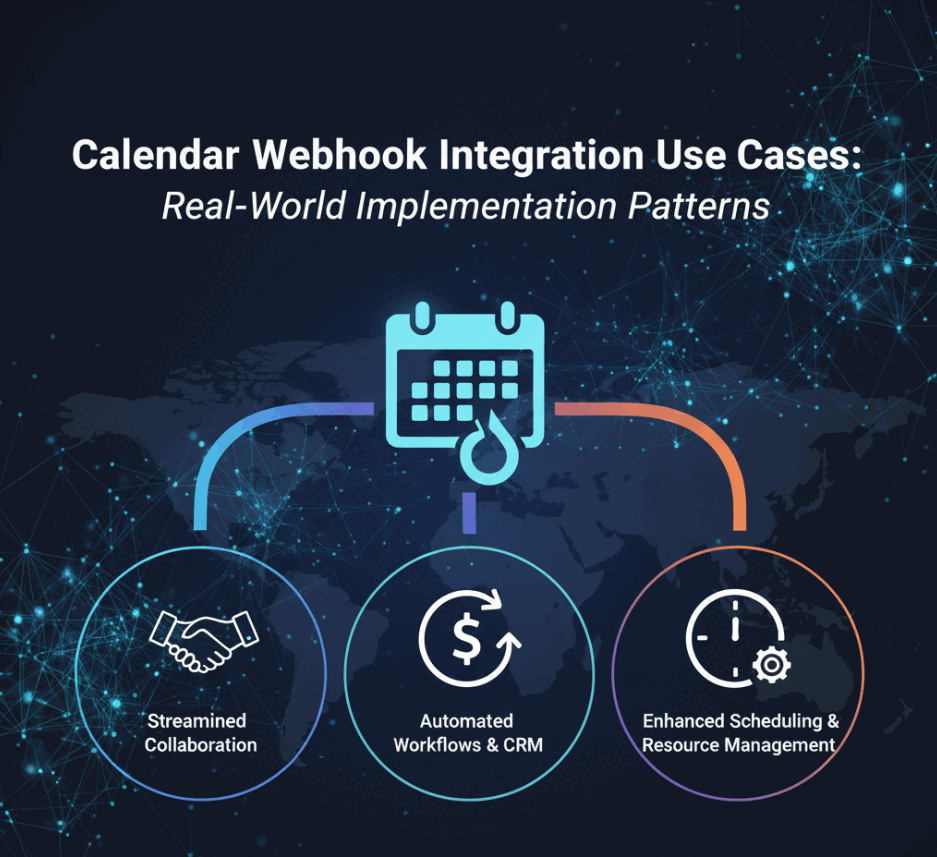
Calendar Webhook Integration Use Cases: Real-World Implementation Patterns
Discover powerful calendar webhook integration use cases for CRM automation, team notifications, workflow triggers, and real-time scheduling systems.
How to Set Up Calendar Webhook Integration: Step-by-Step Developer Guide
Learn how to set up calendar webhook integration with Google Calendar, Microsoft Outlook, and other platforms. Complete setup guide with code examples.