
 Google Calendar
  Outlook Calendar
  Google Meet
  Microsoft Teams
  Zoom Meetings
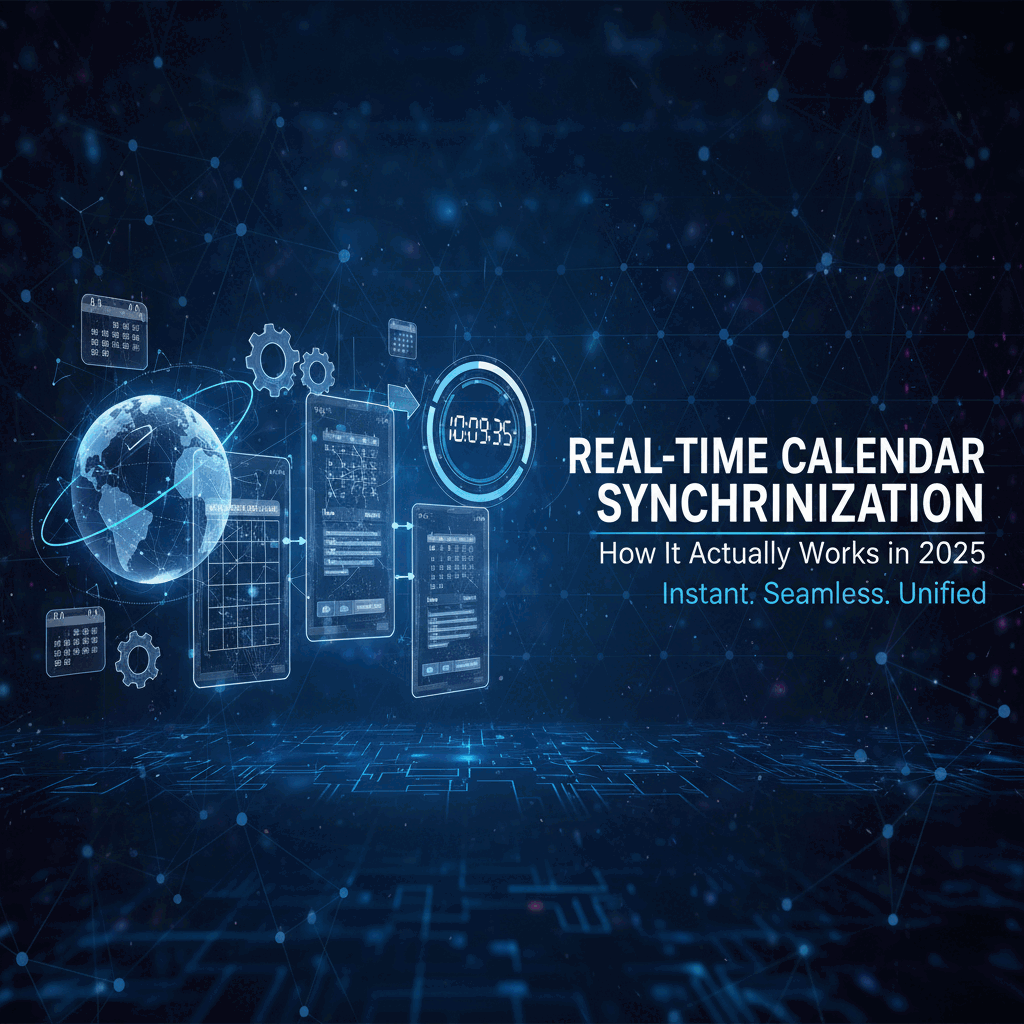
 Real-Time Calendar Synchronization: How It Actually Works in 2025
Discover how real-time calendar synchronization delivers sub-minute sync speeds through webhook architecture, and why most tools still use slow 15-minute polling methods.
Your colleague cancels a meeting at 9:47 AM. By 9:48 AM, that time slot is already booked by someone else who saw your calendar update instantly. This is real-time calendar synchronization in action, and it fundamentally changes how scheduling works.
Yet most calendar tools still operate with 5 to 15 minute sync delays. You make a change in Google Calendar at 10:00 AM, and it doesn't appear in Outlook until 10:15 AM or later. During that delay window, double bookings happen, scheduling conflicts emerge, and opportunities get missed.
Real-time calendar synchronization represents a fundamental architectural shift from polling-based sync to event-driven updates. According to 2024 performance benchmarks, webhook-driven systems deliver calendar updates in under 60 seconds, while traditional polling systems average 5 to 15 minutes per sync cycle. That difference matters enormously for professionals managing busy schedules across multiple calendar platforms. For comprehensive sync strategies, see how to sync multiple calendars or bidirectional sync guides.
This guide explains exactly how real-time calendar synchronization works, the technical architecture that makes sub-minute sync possible, and why the sync speed differences between platforms create real business consequences beyond mere convenience.
- The technical difference between real-time sync and delayed sync
- How webhook architecture delivers sub-60-second calendar updates
- Why polling-based systems create 5 to 15 minute sync delays
- Which calendar platforms offer true real-time synchronization
- The performance impact of different sync architectures on your workflow
What Is Real-Time Calendar Synchronization?
Real-time calendar synchronization is the immediate propagation of calendar changes across multiple platforms and devices in under 60 seconds. When you create, modify, or delete an event, real-time sync ensures that change appears everywhere almost instantly rather than waiting for the next scheduled sync interval.
Real-time sync delivers calendar updates in under one minute, typically 15 to 45 seconds from change to full propagation. In contrast, standard calendar sync operates on polling intervals of 5 to 15 minutes, meaning changes take at least that long to appear across connected calendars.
The technical distinction matters because the sync delay window represents vulnerability to double bookings and scheduling conflicts. A 15-minute sync delay means someone could book a time slot you just marked as busy, simply because their calendar hasn't received your update yet.
Modern business operations demand faster information flow. According to calendar management research from 2025, professionals check their calendars an average of 12 times per day across multiple devices. Every calendar view needs to reflect current reality, not stale data from 15 minutes ago.
Real-time calendar synchronization solves this by using event-driven architecture where calendar platforms actively notify connected systems immediately when changes occur, rather than waiting for those systems to periodically check for updates. This architectural difference reduces sync times from minutes to seconds.
How Real-Time Calendar Synchronization Works
Real-time calendar synchronization operates through webhook-driven push notifications rather than polling-based pull requests. When a calendar event changes, the source platform immediately sends notifications to all connected systems, triggering instant updates across all calendars.
The Webhook Architecture
Webhooks enable real-time sync by establishing persistent connections where calendar platforms push change notifications to listening endpoints. Here's the technical flow for webhook-based real-time synchronization.
When you modify a calendar event, your calendar platform detects that change immediately. The platform then sends an HTTPS POST request to all registered webhook endpoints, notifying them that specific calendar data changed. These notifications typically arrive within 1 to 3 seconds of the original change.
The receiving system processes the webhook notification, queries the calendar API to fetch the updated event details, and updates its local calendar representation. The entire cycle from change to propagation completes in 15 to 45 seconds under normal conditions.
Google Calendar API push notifications exemplify this architecture. When you register a webhook endpoint with Google Calendar, Google immediately notifies that endpoint whenever watched calendar resources change. The notification contains minimal information, just enough to identify which calendar and which event changed, prompting the receiving system to fetch current details.
This event-driven approach means calendar updates propagate as fast as network latency allows, typically under one minute, rather than waiting for the next polling interval which might be 15 minutes away.
- Sub-minute propagation: Changes appear across all calendars in 15 to 60 seconds
- Resource efficiency: Data transfers only when changes occur, not on fixed intervals
- Scalability: Webhook systems handle millions of calendars without proportional resource increases
- Immediate conflict detection: Scheduling conflicts surface within seconds of occurrence
The Notification Flow
Real-time calendar synchronization follows a specific technical sequence from event modification to synchronized state across all connected calendars.
First, the user modifies a calendar event through any interface, whether web, mobile, or API. The calendar platform processes this modification and commits it to the authoritative calendar database. This happens within 1 to 2 seconds of user action.
Simultaneously, the platform queries its webhook registry to identify which systems have registered to receive notifications about this specific calendar. For each registered webhook, the platform sends an HTTPS POST notification containing the calendar identifier and change timestamp.
Webhook endpoints receive these notifications typically within 1 to 5 seconds of the original change, depending on network conditions and server response times. The receiving system validates the webhook authenticity using signatures or tokens to prevent spoofing.
After validation, the receiving system queries the calendar API to fetch current event data. This query returns the updated calendar information, which the system processes and integrates into its own calendar representation.
Finally, the system propagates this update to end users through its own interface, whether that's a mobile app refresh, web interface update, or notification to other connected systems. The complete propagation cycle takes 15 to 60 seconds under typical conditions.
This stands in stark contrast to polling-based systems where the receiving system wouldn't even check for changes until the next scheduled poll, which could be 15 minutes later.
Polling vs Webhooks for Calendar Sync
The fundamental technical difference in calendar synchronization approaches comes down to polling versus webhooks. This architectural choice determines whether sync happens in seconds or minutes.
How Polling-Based Sync Works
Polling-based calendar synchronization checks for changes at regular intervals, regardless of whether any changes actually occurred. Most calendar sync tools poll every 5 to 15 minutes, creating inherent minimum sync delays matching the polling interval.
Here's how polling works technically. The sync system sends an API request to the calendar platform asking "what changed since I last checked?" This request happens on a fixed schedule, perhaps every 10 minutes. If changes exist, the API returns updated event data. If nothing changed, the API returns an empty response.
This approach seems logical but creates significant inefficiency. According to a 2024 Zapier analysis of 30 million poll requests, 98.5% of polls returned empty responses because nothing had changed since the last check. The system wasted resources checking for non-existent updates.
More critically for users, polling creates guaranteed minimum delays equal to the polling interval. If sync polls every 15 minutes and you make a calendar change 30 seconds after the last poll, that change won't appear in connected calendars for another 14.5 minutes.
Calendar providers also rate-limit polling to prevent server overload. Google Calendar allows free accounts to poll every 15 minutes, with more frequent polling reserved for paid Workspace accounts. Exceeding these limits triggers throttling, adding additional delays.
The polling interval represents a fundamental trade-off. More frequent polling reduces delays but consumes more bandwidth, API quota, battery power, and server resources. Less frequent polling conserves resources but increases sync delays. This trade-off is unavoidable with polling architecture.
Why Webhooks Deliver Faster Sync
Webhooks eliminate the polling trade-off by sending notifications only when changes actually occur. Instead of repeatedly asking "anything new?" every few minutes, webhook systems wait for the calendar platform to announce "something changed right now."
The resource efficiency advantage is dramatic. Instead of making API requests every 15 minutes regardless of activity, webhook systems receive notifications only during the brief moments when calendar data actually changes. For a typical calendar with changes a few times per day, this reduces API calls from 96 per day to 3 or 4.
But the critical advantage for users is speed. Webhook notifications arrive within seconds of calendar changes rather than waiting for the next polling cycle. This reduces sync time from 5 to 15 minutes down to 15 to 60 seconds.
Research on webhook versus polling performance shows webhooks reduce network traffic and server load by 66x while eliminating the delay inherent in polling intervals. Data transmission is immediate rather than batched, ensuring connected systems always reflect current calendar state.
The webhook approach works reliably because calendar platforms like Google Calendar, Microsoft Outlook, and Apple Calendar all provide webhook APIs. Modern calendar infrastructure supports event-driven notifications as a standard feature.
However, implementing webhook-based sync requires more sophisticated architecture than polling. The receiving system must maintain a publicly accessible HTTPS endpoint to receive notifications, handle webhook verification and security, and manage webhook registration lifecycles as they expire and require renewal.
This technical complexity explains why many calendar sync tools still use polling despite its performance disadvantages. Building reliable webhook systems requires more engineering effort than simple polling loops. But for users managing busy calendars across multiple platforms, that engineering investment delivers vastly superior sync performance.
Current Calendar Platform Sync Speeds
Understanding which calendar platforms and tools deliver real-time synchronization versus delayed polling helps you choose systems that meet your performance requirements.
Native Calendar Platform Sync
Google Calendar provides webhook-based push notifications through its Calendar API, enabling real-time sync for applications that implement webhook listeners. When sharing calendars directly between Google accounts, changes propagate nearly instantaneously, typically under 5 seconds.
However, third-party applications using Google Calendar often implement polling rather than webhooks due to the simpler development requirements. Free tier integrations typically poll every 15 minutes, creating that minimum sync delay.
Microsoft Outlook and Exchange similarly support webhook notifications through Microsoft Graph API subscriptions. Organizations using Exchange Server or Outlook 365 within the same domain experience near-instantaneous calendar sync, with changes appearing in under 10 seconds.
Cross-platform sync between Outlook and Google Calendar through third-party tools typically operates on 10 to 15 minute polling intervals unless the integration specifically implements webhook listeners on both platforms.
Apple Calendar (iCloud Calendar) uses push-based CalDAV protocol for calendar sync, providing relatively fast updates of 1 to 5 minutes for changes between Apple devices signed into the same iCloud account. However, syncing iCloud Calendar to non-Apple platforms typically introduces longer delays of 5 to 10 minutes.
Third-Party Calendar Sync Tools
Most popular calendar synchronization tools operate on polling-based architectures with sync intervals ranging from 5 to 15 minutes. This architectural choice balances performance against API quota limitations and resource consumption.
Outlook Google Calendar Sync (OGCS), one of the most widely used sync tools, offers manual sync or interval-based syncing with 15 minutes as the fastest automatic interval. While it supports push-based sync for Outlook changes on Windows, Google Calendar events synced to Outlook can be 15 minutes or more out of date.
According to user reports in 2024, Calendly calendar sync typically takes 5 to 10 minutes to propagate changes from connected calendars, with some instances taking up to an hour during peak usage periods. This delay stems from Calendly's polling approach to check connected calendars for availability updates.
OneCal and CalendarBridge market real-time sync capabilities, with changes appearing on connected platforms within 1 to 3 minutes according to their documentation. While faster than 15-minute polling, this still represents significant delay compared to true sub-minute real-time sync.
CompanionLink for Google claims to be the only sync solution offering real-time calendar sync from Google to Outlook, implementing webhook-based change detection rather than polling. This positions it as one of the few third-party tools delivering sub-minute sync performance.
The sync speed differences matter enormously for professional use cases. A 15-minute delay means your calendar shows outdated availability for a quarter of every hour. During busy periods with frequent meeting requests, those delays accumulate into missed opportunities and scheduling conflicts.
Real-Time Sync Leaders
As of 2025, truly sub-minute calendar synchronization remains relatively rare among mainstream calendar tools. Most platforms prioritize API quota management and resource efficiency over sync speed, accepting 5 to 15 minute delays as acceptable trade-offs.
CalendHub.com implements direct webhook connections to Google Calendar, Outlook, and other platforms, delivering calendar updates in under 60 seconds for most operations. By using event-driven architecture rather than polling, CalendHub achieves sync speeds that most competing platforms cannot match with their polling-based approaches.
The technical implementation matters. Tools claiming "real-time sync" while actually polling every 5 minutes may technically update regularly, but don't deliver the sub-minute performance that professionals need from genuinely real-time synchronization.
When evaluating calendar sync tools, specifically ask about sync architecture (webhooks versus polling) and actual measured sync latency rather than accepting marketing claims of "real-time" or "instant" sync without verification of the underlying technical approach.
Why Real-Time Calendar Synchronization Matters
The technical differences between sub-minute and 15-minute calendar sync translate directly into business impact through prevented double bookings, improved scheduling efficiency, and better coordination across teams.
Preventing Double Bookings
Double bookings happen during sync delay windows. You mark a time slot as busy, but someone else books it before your availability update reaches their calendar. The longer the sync delay, the wider this vulnerability window.
With 15-minute sync delays, every calendar modification creates a 15-minute window where your availability information is incorrect on connected calendars. For professionals receiving multiple meeting requests per day, this delay window practically guarantees periodic double bookings.
Need better calendar management? CalendHub unifies all your calendars with smart scheduling and video conferencing.
Real-time sync under 60 seconds reduces this window by 93% compared to 15-minute polling. The probability of double bookings drops proportionally. Fewer double bookings mean less time spent rescheduling, fewer awkward cancellations, and more reliable calendar coordination.
According to 2025 calendar management research, organizations using centralized real-time calendar systems report 20% increases in booking efficiency by eliminating the manual checking and reconciliation required when calendar sync delays create conflicts.
Improving Scheduling Efficiency
Scheduling efficiency depends on availability accuracy. When you're trying to find a meeting time with three colleagues, you need to see their actual current availability, not stale data from 15 minutes ago.
Real-time sync means the calendar availability you see right now actually reflects current commitments. That time slot that appears free at 2 PM actually is free, not already booked by a meeting that just hasn't synced yet.
This accuracy eliminates the back-and-forth of proposing times that turn out to be unavailable once calendars finally sync. For executives and professionals coordinating multiple stakeholders, real-time availability information dramatically reduces scheduling iteration cycles.
The time savings compound. If you schedule 10 meetings per week and real-time sync eliminates one round of back-and-forth for half those meetings, you save 30 to 60 minutes weekly just from improved availability accuracy.
Enabling Better Team Coordination
Remote and distributed teams depend on calendar transparency for coordination. Team members need to know when colleagues are in meetings versus available for questions, what time zones they're currently operating in, and when shared work sessions are scheduled.
Calendar sync delays undermine this transparency. Your teammate's calendar shows they're free, so you interrupt them, only to find they're actually in a meeting that hasn't synced to the shared calendar yet. These false signals disrupt workflow and create frustration.
Real-time calendar synchronization maintains accurate shared visibility. When a teammate joins a call, blocks focus time, or adjusts their schedule, that information propagates to team calendars within seconds rather than minutes. Everyone operates from the same current information.
For organizations where 48% of office workers report losing significant time searching for meeting rooms and coordinating schedules, real-time calendar sync eliminates much of this coordination overhead through accurate shared availability information.
- 93% reduction in double booking windows: Sub-minute sync versus 15-minute delays
- 20% booking efficiency improvement: Centralized real-time systems versus distributed sync
- Eliminated scheduling iteration: Accurate availability prevents proposing unavailable times
- Better remote coordination: Shared calendars reflect actual current state within seconds
Real-Time Calendar Sync Technical Requirements
Implementing real-time calendar synchronization requires specific technical infrastructure and API capabilities that not all systems provide.
Webhook Endpoint Infrastructure
Real-time sync demands publicly accessible HTTPS endpoints to receive webhook notifications from calendar platforms. This requirement introduces infrastructure complexity that simple polling-based sync avoids.
Your webhook endpoint must maintain 99.9% uptime because missed webhook notifications mean missed calendar updates. Calendar platforms typically don't retry failed webhook deliveries, so endpoint availability directly determines sync reliability.
The endpoint needs to handle webhook verification and security. Google Calendar webhooks include verification tokens that recipients must validate to ensure notifications originate from Google rather than attackers spoofing webhook traffic. Microsoft Graph API uses similar verification mechanisms.
Webhook endpoints must also manage notification lifecycles. Google Calendar webhook subscriptions expire after a maximum of one week and cannot be automatically renewed. Your system must track expiration times and programmatically renew subscriptions before they expire, or calendar sync stops working.
These technical requirements explain why many calendar sync tools use simpler polling approaches despite the performance disadvantages. Maintaining production-grade webhook infrastructure requires more engineering investment than polling loops.
API Rate Limits and Quotas
Calendar platform APIs enforce rate limits and quotas that affect sync performance. Understanding these limits helps explain why some tools can't deliver true real-time sync even when using webhooks.
Google Calendar API provides 1,000,000 queries per day for free accounts, which seems generous until you consider that webhook-based sync requires an API query for each notification to fetch updated event details. High-volume calendars with frequent changes can approach these limits.
Microsoft Graph API similarly rate-limits requests, though the exact limits vary by subscription tier. Free developer accounts receive significantly lower quotas than paid enterprise accounts, affecting what sync speeds are technically achievable.
These rate limits create a ceiling on sync performance. Even with perfect webhook implementation, you can't sync faster than the calendar API allows you to query for updated information. Platforms that aggregate many users' calendars must carefully manage API quotas to avoid throttling.
CalendHub.com manages this through efficient API usage patterns, batching related queries and caching frequently accessed data while still delivering sub-minute sync for calendar changes. The technical challenge lies in balancing speed against quota consumption.
Data Consistency and Conflict Resolution
Real-time sync introduces challenges around data consistency and conflict resolution when the same event changes simultaneously in multiple places.
When two users modify the same calendar event at nearly the same instant, the calendar platform must resolve which change takes precedence. Most platforms use "last write wins" logic, but this can create unexpected behavior where one user's changes overwrite another's.
Robust real-time sync implementations detect these conflicts and surface them to users rather than silently discarding changes. However, conflict detection requires comparing event versions, adding latency to the sync process.
Webhook-based systems can also experience ordering issues where notifications arrive out of sequence. Event A changes, then Event B changes, but the Event B notification arrives before Event A notification. Sync systems must handle these timing anomalies to maintain calendar consistency.
The technical complexity increases when syncing bidirectionally between multiple calendar platforms. Changes in Google Calendar sync to Outlook, while simultaneous changes in Outlook sync to Google Calendar. Circular update loops and sync conflicts require sophisticated detection and prevention logic.
These technical challenges mean real-time sync is genuinely difficult to implement correctly. The calendar sync tools that deliver reliable sub-minute performance have invested significantly in solving these distributed systems problems.
Common Real-Time Calendar Sync Misconceptions
Several misconceptions about real-time calendar synchronization create confusion when evaluating sync tools and platforms.
"Real-Time" Marketing Claims
Many calendar tools claim "real-time sync" in marketing materials while actually implementing 5 to 15 minute polling intervals. The term "real-time" has become diluted through overuse without technical precision.
When evaluating calendar sync tools, look past the marketing language to find actual sync latency specifications. Does the documentation state specific sync times like "updates appear within 60 seconds" or just vague phrases like "fast sync" and "near real-time?"
Truly real-time systems will specify their webhook-based architecture and provide measured latency statistics. If documentation doesn't mention webhooks, push notifications, or event-driven sync, the tool likely uses polling despite real-time marketing claims.
User reviews and support forums reveal actual sync performance more accurately than marketing materials. Search for phrases like "how long does sync take" to find real users reporting measured sync delays rather than vendor claims.
The technical distinction matters. A tool polling every 5 minutes provides regular sync, but not real-time sync. Real-time means sub-minute propagation through event-driven architecture, not just frequent polling.
Instant Sync Without Network Delays
Even perfect real-time synchronization can't eliminate network latency and processing time. When you modify a calendar, that change must travel from your device to the calendar server, trigger webhooks to connected systems, which query for updated data and process it into their calendar representations.
This sequence takes time, typically 15 to 45 seconds under normal conditions. "Real-time" doesn't mean instantaneous teleportation of calendar data, it means propagation happens as fast as network and processing architecture allows.
Network conditions affect sync speed. Slow internet connections, congested networks, or distant server locations add latency. Calendar sync from a mobile device on weak cellular network will take longer than sync from office WiFi on high-bandwidth connection.
Calendar platforms also sometimes experience elevated latency during high-traffic periods. Google Calendar webhook notifications might take 5 seconds to send during low usage periods but 15 seconds during peak business hours when millions of users are simultaneously making calendar changes.
Setting realistic expectations matters. Real-time sync delivers calendar updates in under one minute, which is dramatically faster than 15-minute polling but still not literally instant.
Real-Time Sync Solves All Calendar Problems
Real-time synchronization addresses sync delay issues specifically but doesn't solve all calendar management challenges. Fast sync doesn't prevent poor scheduling decisions, eliminate time zone confusion, or fix incorrect event details.
You still need proper calendar hygiene like archiving old events, removing unused calendar subscriptions, and maintaining accurate event information. Real-time sync makes these practices more important, not less, because errors propagate quickly across all calendars.
Calendar sharing permissions, delegation settings, and access control remain critical regardless of sync speed. Fast sync doesn't help if people can't access the calendars they need to see in the first place.
Real-time sync is one component of effective calendar management, albeit an important one. Combined with unified calendar views, intelligent scheduling features, and proper calendar architecture, real-time sync becomes part of a reliable calendar system rather than a complete solution by itself.
Choosing Real-Time Calendar Sync Solutions
Selecting calendar sync tools requires evaluating actual technical architecture and measured performance rather than accepting marketing claims at face value.
Questions to Ask Calendar Sync Vendors
When evaluating calendar synchronization tools, ask these specific technical questions to determine whether they deliver genuine real-time sync or just regular polling.
Does your system use webhooks or polling for calendar sync? If webhooks, which calendar platforms support webhook-based sync versus polling? What is the measured average sync latency from change to propagation across all connected calendars?
What happens when webhook notifications fail or endpoints are temporarily unavailable? Do you have fallback polling to ensure eventual consistency? How frequently does that fallback polling occur?
What API rate limits affect your sync performance? For high-volume calendars with many changes, how do you manage API quotas while maintaining sub-minute sync speeds?
How do you handle concurrent modifications to the same event? What conflict resolution logic do you use, and how do users get notified about sync conflicts?
These questions reveal whether vendors understand real-time sync technical requirements and have actually implemented robust webhook-based architecture versus just polling with marketing claims of "real-time" performance.
Evaluating Sync Performance
Test calendar sync performance directly rather than relying on vendor specifications. Create a calendar event, measure how long until it appears in connected calendars, then modify or delete the event and measure propagation time again.
Perform this testing during both low-traffic and high-traffic periods. Many sync systems perform well during off-hours but experience significant latency during business hours when API load peaks.
Test with realistic calendar complexity. Sync performance with a small calendar containing 10 events may not represent performance with a busy calendar containing hundreds of recurring events and multiple subscriptions.
Check whether sync speed is consistent across all connected calendar platforms. Some tools sync quickly to Google Calendar but slowly to Outlook, or vice versa. Consistent sub-minute sync across all platforms indicates robust real-time architecture.
Pay attention to edge cases like large event descriptions, recurring events with many exceptions, and events with many attendees. These complex scenarios sometimes trigger slower sync paths even in otherwise fast systems.
When Real-Time Sync Is Essential
Certain professional situations demand real-time calendar synchronization and cannot tolerate 15-minute polling delays.
Executive assistants managing complex calendars for multiple executives need sub-minute sync to coordinate scheduling without double booking risk. The volume of calendar changes and scheduling requests makes sync delays unworkable.
Consulting firms and professional services organizations where consultants maintain multiple client calendars alongside internal calendars need real-time visibility across all calendars simultaneously. Sync delays create scheduling conflicts with clients.
Remote and distributed teams coordinating across time zones depend on accurate calendar availability to avoid interrupting teammates in meetings or during focus time. Real-time sync maintains the shared awareness that proximity provides in co-located offices.
Medical practices and healthcare facilities scheduling patient appointments cannot risk double bookings from sync delays. Real-time synchronization ensures appointment availability reflects actual current state.
For these use cases, the sync performance difference between sub-minute real-time sync and 15-minute polling isn't just convenience, it's operational necessity.
CalendHub.com provides true real-time calendar synchronization with sub-60-second propagation by using webhook-based architecture across Google Calendar, Outlook, and other major calendar platforms, delivering the performance these demanding use cases require.
The Future of Real-Time Calendar Sync
Calendar synchronization technology continues evolving as organizations demand faster, more reliable coordination tools for distributed work environments.
Emerging Sync Technologies
Calendar platforms increasingly expose more sophisticated webhook and push notification APIs, enabling finer-grained real-time sync implementations. Google Calendar, Microsoft Graph, and other APIs add new webhook event types and reduce notification latency with each platform update.
Edge computing and distributed infrastructure reduce the physical network distance between webhook endpoints and calendar servers, decreasing latency from the 15 to 45 seconds typical today toward sub-15-second propagation times.
GraphQL APIs and federated data graphs enable more efficient calendar queries, reducing the API overhead of fetching updated event details after webhook notifications. This improves sync performance while consuming fewer API quota resources.
Machine learning models predict calendar changes before they happen, pre-emptively fetching likely calendar data and reducing perceived latency when predicted changes occur. If the system predicts you'll likely reschedule tomorrow's meeting based on historical patterns, it can preload calendar availability to make that rescheduling nearly instant when you initiate it.
These emerging technologies will push real-time sync from today's sub-minute performance toward sub-15-second propagation, eventually approaching truly instant synchronization where calendar changes appear everywhere within seconds.
Integration and Ecosystem Expansion
Real-time calendar sync is becoming table-stakes infrastructure that other productivity tools depend on. Meeting transcription tools, project management platforms, task managers, and CRM systems all need real-time calendar access to function effectively.
As calendar sync becomes faster and more reliable, entire categories of calendar-dependent features become possible. Meeting preparation that automatically surfaces relevant documents based on the calendar event you're about to join. Focus time protection that automatically silences notifications during calendar-blocked concentration periods. Intelligent scheduling assistants that can confidently book meetings knowing availability information is current within seconds.
The calendar is evolving from isolated scheduling tool to central nervous system for professional work coordination. Real-time synchronization enables that evolution by ensuring calendar data maintains accuracy and consistency across the expanding ecosystem of connected productivity tools.
Organizations increasingly treat calendar infrastructure as strategic technology requiring the same reliability standards as email or network connectivity. Sync delays of 15 minutes will become as unacceptable as 15-minute email delays would be today.
Standards and Interoperability
Calendar data standards like CalDAV and iCalendar provide cross-platform compatibility but weren't designed for real-time sync scenarios. New standards emerging in 2024 and 2025 specifically address real-time calendar synchronization and event-driven updates.
The standardization of webhook patterns across calendar platforms will reduce the integration complexity that currently requires sync tools to implement platform-specific webhook handling for each calendar system. Universal webhook standards would enable simpler, more reliable real-time sync implementations.
As real-time sync becomes standard rather than differentiating feature, calendar platforms will compete on sync latency, with sub-30-second, sub-15-second, and eventually sub-5-second sync becoming competitive benchmarks like internet speed tiers today.
This evolution will benefit users through faster, more reliable calendar coordination without requiring them to understand the technical complexities of webhook architectures and event-driven sync.
Final Thoughts on Real-Time Calendar Synchronization
Real-time calendar synchronization represents a fundamental architectural improvement over traditional polling-based sync, delivering calendar updates in seconds rather than minutes through webhook-driven push notifications.
The performance difference matters enormously for professional use cases. Sub-minute sync enables reliable calendar coordination across multiple platforms and teams, preventing the double bookings and scheduling conflicts that plague slower sync systems.
Yet many popular calendar tools still operate on 5 to 15 minute polling intervals despite marketing claims of "real-time" sync. Evaluating actual technical architecture and measured sync latency reveals which tools genuinely deliver sub-minute performance versus which merely poll frequently.
For professionals managing busy calendars across multiple platforms, especially executives, consultants, and distributed teams, real-time sync isn't a luxury feature. It's operational infrastructure enabling reliable scheduling without the constant vigilance and manual verification required to work around sync delays.
As remote work and calendar-dependent coordination become permanent fixtures of modern professional life, calendar sync performance will continue increasing in importance. The calendar tools that deliver true real-time synchronization through robust webhook architecture position their users for more efficient, less frustrating calendar management.
Whether you're evaluating calendar sync tools, building calendar integration features, or just trying to understand why your calendar sometimes shows outdated information, understanding real-time synchronization architecture helps you make informed decisions about the calendar infrastructure supporting your professional work.
Real-time calendar synchronization is technically achievable with current APIs and infrastructure. The question is whether your current calendar tools have actually implemented it, or whether you're settling for slow polling-based sync because you didn't realize faster alternatives exist. That difference determines whether your calendar shows you reality or history, and in scheduling, that distinction matters.
Ready to Simplify Your Schedule?
Join thousands of professionals who have unified their calendars and reclaimed their time with CalendHub's intelligent scheduling platform.
Related Articles
Benefits of Synchronizing All Calendars in One View: ROI and Productivity Gains
Discover the benefits of synchronizing all calendars in one view. See ROI data, productivity gains, reduced double bookings, and real-world business impact in 2025.
Best Bidirectional Calendar Sync Tools: 2025 Comparison Guide
Compare the best bidirectional calendar sync tools in 2025. Discover which platforms offer true two-way synchronization and which only provide one-way sync.
Best Two Way Calendar Sync Software: 2025 Expert Rankings & Comparison
Compare the top two-way calendar sync software tools. We tested 12 platforms for bidirectional sync speed, reliability, and field coverage to find which actually work.