
 Google Calendar
  Outlook Calendar
  Google Meet
  Microsoft Teams
  Zoom Meetings
 Executive Assistant Calendar Workflow: Best Practices for Managing Multiple Executives
Master EA calendar workflows for managing 5-10 executive calendars. Daily routines, coordination strategies, and systems that prevent scheduling chaos.
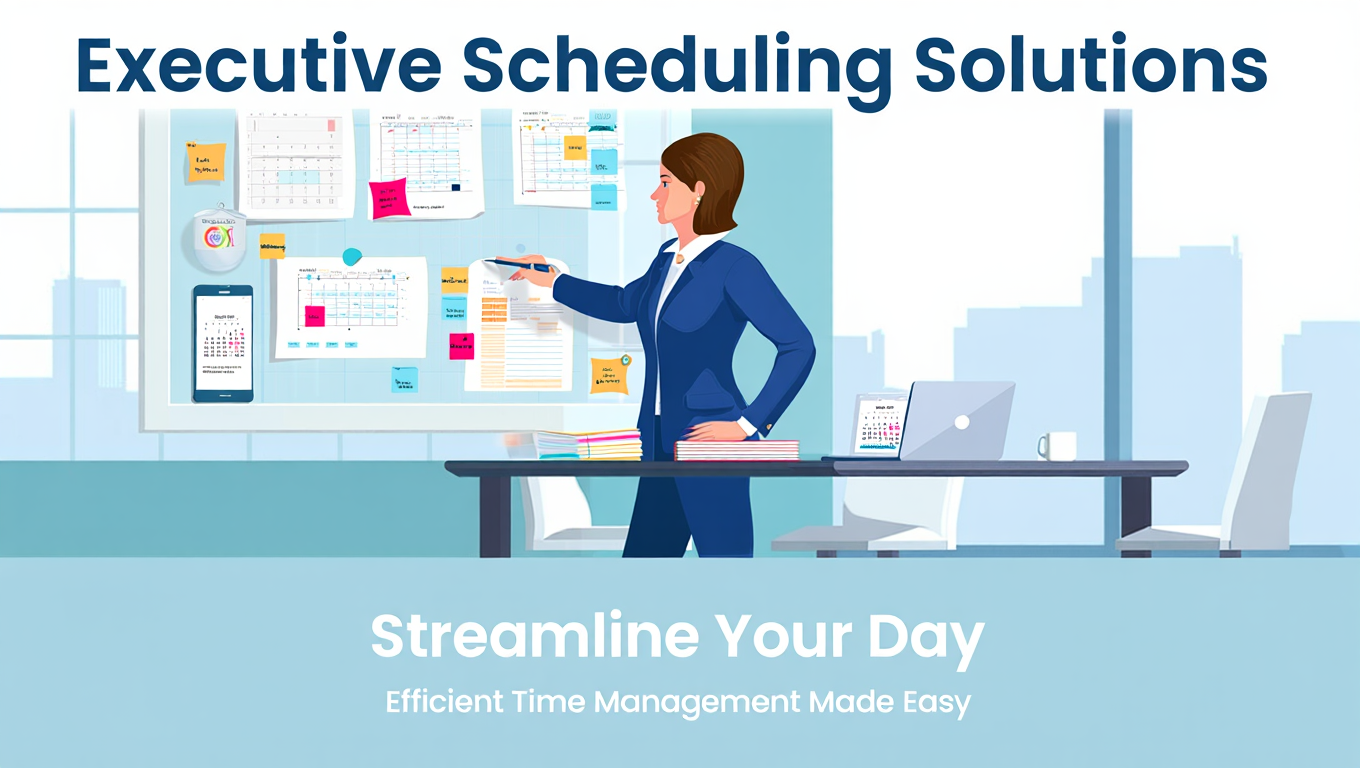
Your morning starts with 47 unread emails. Twelve are meeting requests. Three executives need scheduling by end of day. A board member just asked for urgent time with two principals. Someone's flight got delayed, cascading changes across tomorrow's schedule. And you have not even looked at the actual calendars yet.
This is not crisis management. This is Tuesday.
Executive assistants managing multiple calendars face coordination complexity that multiplies exponentially with each additional principal. The difference between reactive scrambling and strategic calendar management comes down to workflow. Not tools alone, although the right executive assistant multiple calendar tool matters enormously. Not natural talent, although experience helps. The difference is having systematic workflows that handle routine coordination automatically, freeing your mental energy for the genuinely complex scheduling challenges.
- Morning routines that set you up for proactive calendar management
- Systems for triaging and prioritizing meeting requests across multiple executives
- Coordination workflows that prevent conflicts before they happen
- Weekly and monthly planning processes for strategic calendar oversight
- Communication protocols that keep executives informed without overwhelming them
The Foundation of Effective EA Calendar Workflow
Before diving into specific workflows, understand what makes executive assistant calendar management fundamentally different from personal calendar management.
You Manage Time as a Strategic Resource
Individual users manage calendars to remember commitments and avoid double bookings. Executive assistants manage calendars to optimize how multiple high value professionals allocate their scarcest resource. Every scheduling decision either advances strategic priorities or dilutes focus with low value commitments.
This strategic perspective transforms calendar management from administrative task execution into genuine business contribution. According to Harvard Business Review research, executives average 37 meetings per week and spend 72% of their work time in meetings. How that time gets allocated directly impacts organizational outcomes.
You Coordinate Across Competing Stakeholders
Personal calendar management involves one person's priorities. Executive assistant calendar workflows must balance competing priorities across multiple principals, their direct reports, external stakeholders, and organizational needs.
When two executives both need the same conference room at the same time, or when a client requests a meeting that works for three executives but conflicts with the fourth, you make judgment calls that affect multiple people simultaneously. Your workflow must provide clear decision frameworks for these situations.
You Operate with Imperfect Information
Despite your best efforts, you will never have complete visibility into every commitment, preference, and priority affecting the calendars you manage. Executives accept invitations directly sometimes. Personal commitments not on work calendars create conflicts. Priorities shift without warning.
Effective executive assistant calendar workflow accounts for this uncertainty through tentative holds, proactive communication, and buffer time that absorbs unexpected changes.
You Need Tools That Scale with Complexity
When you manage one calendar, built-in delegation in Outlook or Google Calendar suffices. When you manage three to ten calendars for multiple executives, you need specialized tools designed for coordination at scale.
Platforms like CalendHub.com provide the unified visibility, cross-calendar conflict detection, and workflow automation that executive assistants require. Consumer scheduling tools were simply not designed for the coordination complexity EAs face daily.
Successful workflow implementation requires executive buy-in. Schedule brief conversations with each principal you support to discuss calendar preferences, communication expectations, and scheduling authorities. Document these preferences so you have clear guidelines when making coordination decisions.
Daily Calendar Management Workflow for Executive Assistants
Your daily workflow sets the foundation for proactive calendar management. This routine takes 45-60 minutes each morning but saves hours of reactive firefighting throughout the day.
Morning Review Process (7:30am - 8:00am)
Start each day reviewing all calendars you manage before executives begin their workday. This proactive review catches issues while you still have time to address them.
Review Today's Schedules: Open your executive assistant multiple calendar tool dashboard showing all principals' calendars for the current day. Look for potential problems like back-to-back meetings without travel time, forgotten commitments approaching without preparation, or scheduling conflicts that might have emerged overnight.
Check that each executive received calendar invitations for all meetings, video conference links work correctly, and meeting locations are accurate. For high stakes meetings, verify that executives have necessary materials and briefing documents.
Scan Tomorrow's Calendars: Review tomorrow's schedule for all executives, identifying any preparation needs, travel arrangements, or coordination requirements. If tomorrow includes critical meetings, send reminder messages with relevant context so executives can prepare appropriately.
Preview the Week Ahead: Quickly scan the remainder of the current week for all principals. Note any particularly heavy meeting days, upcoming deadlines, or coordination challenges emerging later in the week. This preview helps you make better decisions about new meeting requests that arrive today.
Email Triage and Meeting Request Processing (8:00am - 8:45am)
Process overnight and early morning meeting requests systematically rather than responding in the order they arrived.
Categorize All Meeting Requests: Sort meeting requests into categories based on priority and complexity. Use this framework:
Immediate Priority: Board members, C-suite peers, critical client meetings, and time-sensitive internal decisions. Process these first.
Standard Priority: Regular client meetings, team meetings, recurring commitments, and non-urgent internal coordination. Process these after immediate priorities.
Low Priority: Optional attendance items, informational meetings with no direct decision requirements, and requests from junior internal stakeholders. Process these last or delegate to executives for their own evaluation.
Defer/Decline: Meeting requests that do not align with executive priorities, duplicate existing meetings, or involve topics better handled via email updates. Either decline politely or check with executives before committing their time.
Process by Priority Tier: Work through immediate priority requests first, using your executive assistant multiple calendar tool to check availability across relevant principals. For multi-executive meetings, tools like CalendHub.com instantly show overlapping availability, eliminating the tedious process of checking each calendar individually.
When you find suitable times, place tentative holds immediately before sending confirmation. This prevents subsequent requests from claiming the same slot while you coordinate the original meeting.
Document Pending Requests: Maintain a simple tracking system for meeting requests awaiting confirmation. A shared spreadsheet or task management tool works well. Track the requester, subject, preferred timeframe, executives involved, and current status.
This tracking prevents meeting requests from falling through the cracks when coordination takes multiple days.
Mid-Day Check and Adjustments (12:00pm - 12:15pm)
Calendar changes happen constantly throughout the day. A brief mid-day review catches issues early.
Scan for New Conflicts: Review all executive calendars again, looking for conflicts that emerged as executives accepted invitations directly, scheduling requests arrived, or priorities shifted.
Your executive assistant multiple calendar tool should flag these conflicts automatically, but a quick manual scan provides additional assurance.
Process Urgent Requests: Handle any urgent meeting requests that arrived during the morning. Urgent requests get same-day response even if coordination takes longer.
Communicate Key Changes: If significant schedule changes occurred during the morning, send brief update messages to affected executives. They should never be surprised by calendar changes when they check their schedules.
End-of-Day Planning (4:30pm - 5:00pm)
End each day preparing for tomorrow and capturing any coordination needs for later in the week.
Finalize Tomorrow's Schedules: Review tomorrow's calendars one final time, confirming all meetings are set, executives have what they need, and no last-minute conflicts emerged. Send evening reminder messages for early morning meetings or commitments requiring advance preparation.
Update Meeting Request Tracking: Document progress on pending meeting requests. Note which requests got scheduled, which are still pending executive input, and which require follow-up tomorrow.
Flag Upcoming Coordination Needs: Identify any coordination requirements emerging in the next 2-3 days. If next week includes a multi-executive board presentation, flag preparation milestones. If an executive has back-to-back travel days approaching, verify logistics are confirmed.
Clear Your Own Task List: Process your own task list and calendar, ensuring you have time blocked for larger coordination projects, deep work on other EA responsibilities, and your own meeting commitments.
- Proactive Review: Catching conflicts early saves 2-3 hours of reactive rescheduling
- Systematic Triage: Priority-based processing prevents high-value requests from getting delayed
- Tentative Holds: Blocking time immediately prevents double-booking same slots
- End-of-Day Planning: Evening prep eliminates morning scrambling
Weekly Planning Workflow
Beyond daily execution, effective executive assistant calendar workflow includes weekly strategic planning.
Monday Morning Weekly Preview (8:00am - 9:00am)
Start each week with comprehensive calendar review across all executives you support.
Review Full Week Across All Principals: Using your executive assistant multiple calendar tool, view the entire week for all executives simultaneously. Look for patterns and potential issues like executives with back-to-back meeting days and no focus time, multiple principals traveling simultaneously with no office coverage, or particularly light weeks where additional strategic meetings could be scheduled.
Identify Coordination Opportunities: Note any opportunities for beneficial coordination. If three executives need to discuss the same topic individually, could a single group meeting serve everyone more efficiently? If multiple principals travel to the same city separately, could trips be coordinated?
Communicate Weekly Overview: Send brief weekly preview messages to each executive, highlighting particularly busy days, important commitments approaching, and any coordination you are working on. This preview sets context and prevents executives from being surprised by their own schedules.
Wednesday Mid-Week Check (Time permitting)
Mid-week, assess how the week is progressing and make proactive adjustments.
Review Second Half of Week: Check Thursday and Friday schedules across all executives. Are remaining days appropriately balanced? Have new conflicts emerged? Are executives on track to accomplish week's priorities, or has reactive scheduling crowded out important focus work?
Adjust as Needed: If calendars have become unbalanced, proactively suggest adjustments. Perhaps a lower priority Friday meeting could move to next week, freeing afternoon for a principal who has had an unusually meeting-heavy week.
Prepare for Next Week: Begin looking at the following week, identifying any major coordination needs or preparation requirements. Early visibility prevents last-minute scheduling scrambles.
Friday Afternoon Week-End Planning (3:00pm - 4:00pm)
End each week preparing for the next and capturing lessons learned.
Complete Next Week's Schedule: Finalize as much of next week's calendar as possible before weekend. Executives should start Monday knowing what to expect rather than discovering Monday morning that they have seven meetings you scheduled Friday evening.
Document Open Items: Create a clear handoff document for Monday morning, listing any pending meeting requests, coordination challenges you are working through, and follow-up items needed early next week.
Review What Worked and What Did Not: Spend 10 minutes reflecting on the week's calendar management. What went smoothly? What created problems? What could you systematically improve? This continuous improvement mindset compounds into significant effectiveness gains over time.
Monthly Strategic Calendar Planning
Monthly planning zooms out from daily execution to strategic oversight across all principals.
Month-End Planning Session (Last Business Day)
At month's end, review the upcoming month comprehensively.
Block Major Events First: Identify major events, deadlines, and commitments for the upcoming month across all executives. These immovable commitments get blocked first. Board meetings, annual events, scheduled travel, and critical project milestones.
Identify Heavy and Light Periods: Note which weeks will be particularly meeting-heavy and which might have more availability. This visibility helps you make better decisions about when new commitments can reasonably be scheduled.
Plan Strategic Meeting Blocks: Work with executives to proactively schedule important meetings that might otherwise get crowded out by reactive scheduling. If quarterly planning conversations need to happen, get them on calendars early. If executives need dedicated focus time for specific projects, block it before reactive requests consume all availability.
Coordinate Across Executives: Look for opportunities to coordinate calendars across the principals you support. If multiple executives need to meet with the same client, customer, or partner, can those meetings be scheduled consecutively to minimize coordination overhead?
Quarterly Calendar Review (As Needed)
Some executive assistants find value in quarterly calendar reviews examining how executive time is allocated across different meeting types and priorities.
Pull reports from your executive assistant multiple calendar tool showing meeting distribution. How much time went to external meetings versus internal coordination? How much focus time did executives actually protect versus how much they intended to protect? What patterns emerge?
These insights inform strategic calendar management conversations with executives about whether time allocation aligns with stated priorities.
Coordination Workflows for Multi-Executive Meetings
Coordinating meetings involving multiple executives you support requires systematic workflow.
Initial Request Assessment
When a meeting request arrives involving multiple of your principals, assess feasibility immediately.
Determine True Requirements: Does this meeting actually require all requested executives, or could a subset attend with others informed via notes? Can the meeting occur asynchronously via memo instead of synchronously via calendar time? Challenge meeting necessity before investing coordination effort.
Identify Scheduling Constraints: Note any hard constraints. Is there a deadline driving meeting timing? Do external participants have limited availability? Are some attendees more flexible than others?
Finding Availability Across Multiple Calendars
This step requires robust tools. Manually checking availability across five executive calendars against three external participants becomes impossibly tedious.
Use Unified Calendar View: Your executive assistant multiple calendar tool should show availability for all participants simultaneously. Platforms like CalendHub.com display overlapping free time across multiple calendars instantly, eliminating manual comparison.
Consider Meeting Value vs. Schedule Disruption: Not all available time slots are equally suitable. A slot might be technically available but require three executives to join back-to-back from other meetings with no break. Evaluate whether meeting value justifies schedule disruption for each potential time.
Propose Multiple Options: When coordinating with external parties, propose 2-3 options that work for all internal participants. This reduces back-and-forth negotiation.
Tentative Hold Management
Place tentative holds on all proposed times across all participant calendars immediately.
Visual Distinction: Your executive assistant multiple calendar tool should display tentative holds differently than confirmed meetings. This visual distinction prevents treating holds as committed time while ensuring the slot does not get given away to subsequent requests.
Time-Bound Holds: Set expiration dates on tentative holds. If a hold sits unconfirmed for more than 48 hours, follow up. Holds should convert to confirmed meetings or get released, not remain indefinitely.
Confirmation and Meeting Setup
Once time is confirmed, complete meeting setup efficiently.
Create Calendar Events: Create the meeting on all participant calendars simultaneously. Your executive assistant multiple calendar tool should enable single action that adds events to multiple principals' calendars rather than creating separate events individually.
Include All Relevant Information: Meeting invitations should include video conference links, dial-in numbers, physical locations, parking information, agenda or meeting purpose, and any preparation materials. Executives should never need to ask for information that could have been included in the original invitation.
Send Confirmation Messages: Beyond calendar invitations, send brief confirmation messages to internal executives noting the meeting is scheduled, who will attend, what it covers, and any preparation needed.
Handling Schedule Changes and Conflicts
Even with perfect workflow, schedule changes and conflicts are inevitable. How you handle them distinguishes adequate from exceptional calendar management.
Conflict Resolution Framework
When conflicts arise, apply this decision framework systematically.
Assess Relative Priority: Which commitment takes precedence? Use the priority matrix you developed with each executive. Board meetings trump internal status updates. Client commitments generally outweigh optional attendance items.
Identify Flexibility: Which commitments can move and which cannot? External multi-party meetings often have less flexibility than internal one-on-one conversations.
Need better calendar management? CalendHub unifies all your calendars with smart scheduling and video conferencing.
Consider Cascade Effects: What happens if you move each option? Moving one meeting might cascade changes across multiple people's schedules while moving the other affects only two participants.
Communicate Proactively: Once you determine the best resolution, communicate it immediately to everyone affected. Never leave people wondering what happened to a meeting that disappeared from their calendar.
Emergency Rescheduling
Occasionally emergencies require rapid large-scale rescheduling.
Triage Immediately: When an executive's schedule collapses due to unexpected travel, illness, or urgent priority, triage all affected meetings instantly. Which must be rescheduled immediately? Which can be postponed? Which can proceed without the executive if someone else attends?
Communicate Broadly: Send immediate notifications to everyone affected. Brief messages acknowledging the disruption and noting that you are working on rescheduling prevent frustrated participants from wondering what happened.
Reschedule Systematically: Work through affected meetings by priority, using your executive assistant multiple calendar tool to find new times efficiently. Platforms like CalendHub.com help you rapidly assess availability across multiple calendars when you need to reschedule several meetings quickly.
Document Lessons: After emergency rescheduling, reflect on what contributed to the situation and whether anything could have been anticipated earlier. Sometimes emergencies are truly unpredictable. Other times they result from overbooked schedules without sufficient buffer.
- Communicate changes immediately, even small ones
- Always provide context for why meetings moved
- Apologize for disruption to external parties
- Offer multiple rescheduling options when possible
- Update all related materials (agendas, prep docs, etc.)
Communication Protocols for Calendar Management
Effective communication prevents confusion and keeps executives informed without overwhelming them.
Daily Communication Cadence
Establish consistent daily touchpoints with each executive you support.
Brief Morning Check-In: A quick 5-10 minute morning touchpoint allows you to review the day ahead, clarify any questions, and address emerging priorities. This can happen in person, via phone, or through messaging depending on executive preference and your working arrangement.
As-Needed Updates Throughout Day: Send brief messages when significant changes occur or urgent coordination requires executive input. These should be concise, clearly stating the situation and what you need from the executive.
Evening Summary (For Next-Day Prep): If the next day includes early meetings or requires advance preparation, send an evening summary message highlighting what executives need to know or do before their day starts.
Meeting Request Communication
When processing meeting requests, keep executives informed appropriately.
Routine Requests Need Minimal Communication: For standard priority meetings that clearly fit executive preferences and priorities, simply schedule them. Executives do not need to approve every calendar addition if you understand their priorities well.
Borderline Requests Require Quick Check: When you are uncertain whether a meeting request aligns with priorities, send a quick message asking whether the executive wants to accept. Include relevant context like who is requesting, topic, time commitment, and your recommendation.
Declined Requests Get Explained: If you decline meeting requests on an executive's behalf, let them know you did so and why. This creates accountability and allows executives to override your decision if they disagree.
Weekly Communication
Beyond daily touchpoints, weekly communication provides broader context.
Monday Week Preview: Send brief messages at week's start highlighting the week ahead. Note particularly busy days, important commitments, and any coordination in progress.
Friday Week Review: End each week with quick recaps noting what got scheduled, what is pending, and what executives should know about the upcoming week.
Advanced Calendar Management Techniques
Once you have mastered fundamental workflows, these advanced techniques further optimize calendar management across multiple executives.
Time Blocking for Executive Priorities
Work with executives to proactively block time for strategic priorities before reactive requests consume all availability.
Morning Focus Blocks: Many executives are most productive in early morning hours. Block 7am-9am or 8am-10am several days weekly as protected focus time. Push standard meetings to later in the day.
Afternoon Deep Work: Some executives prefer afternoon focus blocks. Block 2pm-5pm on specific days, declining all meeting requests during those windows unless they meet high priority thresholds.
Weekly Strategic Thinking Time: Block recurring 2-3 hour windows weekly for strategic thinking, planning, or project work that requires sustained attention. Treat these blocks as seriously as external commitments.
Email and Administrative Time: Even executives need dedicated time to process email, review documents, and handle administrative decisions. Block 30-60 minutes daily for this work rather than expecting executives to fit it around back-to-back meetings.
Meeting Template Workflows
Create standardized workflows for recurring meeting types you schedule frequently.
Board Meetings: Develop a checklist covering all requirements. Book appropriate room, send invitations to standard participants, coordinate with board secretary for materials, arrange catering, confirm technology setup, prepare name cards, book parking for external members.
Convert this checklist into a meeting template in your executive assistant multiple calendar tool so all steps happen automatically when you schedule board meetings.
Client Presentations: Similar standardized workflows for client meetings might include booking presentation-capable conference rooms, coordinating with sales team members, ensuring product demo equipment is ready, arranging client parking and reception greeting, preparing briefing materials for executives, and scheduling post-meeting debrief time.
Recruiting Interviews: Interview scheduling often follows consistent patterns. Meeting templates can automate invitation to interview panel members, booking appropriate rooms, sending candidate information to interviewers, coordinating with recruiting team, and blocking post-interview discussion time.
Batch Scheduling Days
When possible, batch similar meeting types together rather than scattering them across the week.
Client Day: Designate specific days for external client meetings. Tuesday and Thursday might be standard client days where you schedule all external meetings, while Monday, Wednesday, and Friday prioritize internal coordination and focus work.
Internal Coordination Days: Similarly, batch internal team meetings, one-on-ones, and operational discussions on specific days. This reduces context switching for executives and creates clearer focus time blocks.
Flexible Days: Maintain at least one or two days weekly with lighter meeting load, providing flexibility to accommodate urgent requests without constantly rescheduling existing commitments.
Buffer Time Management
Strategic buffer time prevents calendar collapse when meetings run long or unexpected issues arise.
Between-Meeting Buffers: Schedule 10-15 minutes between meetings automatically. Your executive assistant multiple calendar tool might support automatic buffer settings that get applied whenever you create meetings.
Pre-Meeting Preparation Buffers: For high-stakes meetings, block 15-30 minutes immediately before the meeting for executive preparation and mental transition.
Post-Meeting Processing Buffers: After important meetings, block 10-15 minutes for executives to capture notes, send follow-up messages, and process decisions before moving to the next commitment.
End-of-Day Buffer: Avoid scheduling meetings in the final 30-60 minutes of the workday. This buffer provides time to wrap up, handle urgent items that emerged during the day, and prepare for the next day.
Leveraging Technology for Workflow Efficiency
The right executive assistant multiple calendar tool amplifies workflow effectiveness significantly.
Essential Tool Capabilities
Your calendar management platform must support multi-executive workflows efficiently.
Unified Dashboard: See all executive calendars simultaneously without toggling between tabs or applications. Platforms like CalendHub.com provide unified views showing multiple principals' schedules in a single interface.
Cross-Calendar Conflict Detection: Automatically flag conflicts when scheduling meetings that involve multiple executives you manage. Manual conflict checking across five calendars is error-prone and time consuming.
Tentative Hold Management: Visually distinguish tentative holds from confirmed meetings, and track when holds were placed so you can follow up on unconfirmed options.
Meeting Templates: Create reusable templates for common meeting types with pre-configured participants, resources, settings, and preparation tasks.
Mobile Access: Manage calendars effectively from your phone when you are away from your desk but executives need immediate support.
Integration Requirements
Your executive assistant multiple calendar tool should integrate seamlessly with the broader technology ecosystem executives use.
Email Platform Integration: Bidirectional sync with Google Workspace, Microsoft 365, or other email platforms ensures calendar changes appear everywhere instantly.
Video Conferencing Integration: Automatically add Zoom, Microsoft Teams, or Google Meet links to virtual meetings without manual setup for each invitation.
Task Management Integration: Link calendar events with related tasks and preparation requirements so nothing falls through the cracks.
Contact Management Integration: Pull contact information automatically when scheduling meetings with external parties rather than manually entering details.
When Consumer Tools Fail EAs
Standard calendar tools hit hard limitations when managing multiple executives.
Calendar Connection Limits: Calendly and similar scheduling platforms cap calendar connections at six maximum. If you support more than six executives, or if those executives each have multiple calendars, you immediately exceed platform capacity.
Single Dashboard Limitations: Even Google Calendar and Outlook, which technically allow viewing multiple calendars, become cluttered and difficult to use when you try to display eight or ten executive calendars simultaneously. The interfaces were not designed for this use case.
No EA-Specific Features: Consumer calendar tools lack meeting templates, tentative hold tracking, cross-calendar availability finding, and other features executive assistants need daily.
This is why specialized platforms like CalendHub.com exist specifically for executive assistant workflows. Tools designed for individual calendar management cannot scale to coordination complexity EAs handle.
- Time Savings: Specialized EA tools reduce scheduling time by 50% or more
- Error Reduction: Automated conflict detection eliminates double-booking
- Scalability: Add executives without workflow disruption
- Professional Quality: Consistent, polished scheduling experiences
Common Calendar Management Workflow Mistakes
Avoid these pitfalls that undermine effectiveness.
Reactive Rather Than Proactive Management
The biggest mistake is operating reactively, responding to each meeting request as it arrives without strategic oversight.
Effective workflow includes daily and weekly planning that gives you visibility into upcoming needs before they become urgent. You should proactively identify scheduling conflicts, preparation requirements, and coordination challenges rather than discovering them when they become problems.
Inconsistent Communication Patterns
Executives need predictable communication about their schedules. If you sometimes notify them about changes and sometimes do not, they cannot trust that their calendar accurately reflects commitments.
Establish consistent communication protocols and follow them reliably. Brief daily check-ins, immediate notification of significant changes, and weekly preview messages create the consistency executives need.
Failing to Document Preferences
Each executive has unique calendar preferences and scheduling priorities. If these preferences exist only in your head, you cannot make consistent decisions and training backup coverage becomes impossible.
Document executive preferences explicitly. Which meeting types get priority? What time blocks should be protected? How much buffer time do they need between meetings? What preparation do they require before different commitment types?
Tolerating Tool Limitations
If your current calendar tool cannot handle the number of executives you support or forces inefficient workarounds, the time you waste compensating for tool limitations quickly exceeds the cost of better platforms.
Do not tolerate tools that make your job harder. Executive assistants managing multiple principals need specialized executive assistant multiple calendar tool capabilities that consumer platforms do not provide.
Neglecting Your Own Time Management
You cannot manage others' time effectively while mismanaging your own. Block time for deep work on calendar coordination and other EA responsibilities. Protect your own focus time. Apply the same calendar management principles to your schedule that you use for executives.
Not Learning from Patterns
Every scheduling conflict, every emergency rescheduling situation, and every calendar management challenge provides learning opportunities.
After problems occur, reflect on root causes. Was the conflict predictable? Did a preventable issue cascade into emergency rescheduling? Could better workflow have caught the problem earlier? Use these insights to continuously improve your systems.
Building Executive Trust Through Calendar Excellence
Exceptional calendar management builds trust that extends beyond scheduling into broader strategic partnership.
Demonstrating Strategic Thinking
When you proactively protect executive time, suggest calendar optimizations that improve work-life balance, and make scheduling decisions that advance priorities, executives recognize strategic thinking beyond administrative execution.
This recognition often leads to expanded responsibilities and deeper involvement in business operations.
Anticipating Needs Before They Are Expressed
The difference between adequate and exceptional calendar management often comes down to anticipation.
Executives notice when you schedule preparation time before major meetings without being asked. They appreciate when you proactively flag calendar balance issues. They value when you coordinate complex multi-party meetings seamlessly without requiring their involvement in logistics.
This anticipation demonstrates deep understanding of their priorities and working styles.
Maintaining Calm During Chaos
Schedule disruptions are inevitable. Executives travel unexpectedly. Emergencies require rapid rescheduling. Technology fails right before important meetings.
How you handle these situations builds or erodes trust. Calm, systematic problem solving during chaos reassures executives that their schedules are in capable hands even when unexpected issues arise.
Providing Context, Not Just Coordination
When you send calendar updates or schedule meetings, include relevant context beyond just time and location.
Why is this meeting important? What preparation does it require? How does it connect to broader priorities? Who will attend and why? What outcomes should the executive expect?
This context transforms you from scheduler to strategic advisor.
Adapting Workflows as You Scale
Your calendar management workflow must evolve as coordination complexity grows.
Supporting 1-2 Executives
With one or two principals, built-in delegation in Outlook or Google Calendar might suffice. Your workflow can be simpler with less formal systematic processes.
Focus on learning each executive's preferences deeply and building strong communication patterns.
Supporting 3-5 Executives
At this scale, you need more systematic workflow and dedicated calendar management tools.
Implement formal daily and weekly planning processes. Establish clear priority frameworks for meeting requests. Consider specialized executive assistant multiple calendar tool platforms that provide unified dashboards and cross-calendar coordination.
Supporting 6-10 Executives
Managing this many principals requires comprehensive workflow systems and robust technology platforms.
You must have systematic processes for every aspect of calendar management. Daily workflows, weekly planning, monthly strategic review, meeting templates for common scenarios, documented decision frameworks, and clear communication protocols.
Technology becomes essential rather than optional. Platforms like CalendHub.com that offer unlimited executive connections, unified visibility, and EA-specific features are necessary infrastructure at this scale.
Consumer calendar tools cannot handle this coordination complexity effectively.
Supporting 10+ Executives
At this scale, you might need assistant support for your assistant role. Some senior executive assistants managing many principals have coordinator support for routine scheduling while they focus on complex coordination and strategic calendar oversight.
Consider whether the breadth of executives you support allows for deep enough relationships with each principal. Sometimes supporting many executives at a shallow level provides less value than supporting fewer executives with deeper strategic partnership.
Measuring and Improving Your Calendar Management
Track these metrics to assess and improve calendar management effectiveness.
Time Spent on Scheduling
Monitor how many hours weekly you spend on calendar coordination. If specialized tools or workflow improvements claim to save time, measure whether they actually do.
Executive assistants typically spend one-third of their work time on calendar management, approximately 13-15 hours weekly. If your time spent significantly exceeds this, inefficient workflow or inadequate tools likely contribute.
Schedule Change Frequency
Track how often meetings require rescheduling after initial confirmation. Frequent changes might indicate inadequate conflict checking, insufficient executive input on priorities, or unrealistic scheduling without proper buffer time.
Meeting Request Response Time
Measure how quickly you respond to meeting requests. Standard priority requests should get responses within 24 hours. Immediate priority requests should get same-day responses even if coordination takes longer.
Slow response times frustrate stakeholders and create perception that executives are difficult to schedule.
Executive Satisfaction
Regularly solicit feedback from executives you support. Are their calendars balanced appropriately? Do they feel you understand their priorities? Are they satisfied with calendar management quality?
This qualitative feedback matters as much as quantitative metrics.
Conflict Rate
Track how many scheduling conflicts occur monthly. While some conflicts are inevitable due to last-minute changes and unavoidable priority shifts, frequent conflicts might indicate workflow problems.
Declining conflict rates over time suggest your systems are improving.
The Future of EA Calendar Management Workflows
Calendar management workflows continue evolving with new technology and changing work patterns.
AI-Assisted Scheduling
Artificial intelligence is beginning to automate routine scheduling decisions based on learned preferences and historical patterns. Future executive assistant multiple calendar tool platforms will suggest optimal meeting times automatically, reschedule lower priority commitments when urgent requests arrive, and even draft meeting coordination messages.
This AI assistance will not replace executive assistant judgment but will handle routine coordination automatically, freeing EA focus for genuinely complex scheduling challenges.
Asynchronous Coordination
As work becomes increasingly distributed across time zones and hybrid arrangements, asynchronous coordination tools will supplement synchronous meeting scheduling.
Platforms that help coordinate decisions, gather input, and advance projects without requiring everyone in the same meeting at the same time will become more important.
Predictive Calendar Management
Future tools will move beyond reactive scheduling to predictive calendar management, flagging potential conflicts days before they occur, suggesting proactive schedule adjustments, and automatically optimizing calendars based on executive priorities.
These capabilities will shift executive assistants further toward strategic calendar oversight and away from administrative scheduling execution.
Frequently Asked Questions
How much time should executive assistants spend on calendar management?
Industry data shows executive assistants typically spend approximately one-third of their working hours on calendar coordination, roughly 13-15 hours weekly. This time decreases significantly with proper workflow and specialized tools. Many EAs report 50% time savings after implementing systematic workflows and executive assistant multiple calendar tools.
What is the best way to learn each executive's calendar preferences?
Schedule explicit conversations about calendar preferences with each executive you support. Ask direct questions about protected time blocks, meeting buffer needs, preferred meeting times, priority frameworks for scheduling decisions, and communication expectations. Document these preferences and reference them when making coordination decisions.
How do I handle situations where executives make their own calendar changes?
Establish clear expectations upfront. Ideally, all calendar changes flow through you for coordination oversight. However, executives will sometimes accept invitations directly. Your executive assistant multiple calendar tool should sync changes bidirectionally in real time so you always see current state. Check calendars frequently and follow up when unexpected changes appear.
Should I maintain personal calendars for executives or only work calendars?
This depends entirely on each executive's preferences and your role scope. Some executives want comprehensive life management including personal commitments. Others maintain strict separation. Discuss expectations explicitly rather than making assumptions.
How do I prioritize meeting requests when multiple urgent requests arrive simultaneously?
Use the priority framework you developed with each executive. Generally, board members and C-suite peers receive immediate priority, followed by critical client meetings and time-sensitive decisions. When truly urgent requests conflict, escalate to executives for their input rather than making high-stakes priority calls independently.
What tools do I actually need for managing multiple executive calendars?
At minimum, you need calendar platforms that support delegation for all executives you manage. Beyond 3-4 executives, specialized executive assistant multiple calendar tool platforms like CalendHub.com become essential. These provide unified dashboards, cross-calendar conflict detection, meeting templates, and other EA-specific features consumer tools lack.
How do I prevent executive calendars from becoming completely overbooked?
Proactively block focus time before reactive requests consume all availability. Establish meeting quotas like maximum meetings per day or required meeting-free time blocks. Be willing to decline or defer lower priority requests even when time is technically available. Your role includes protecting executive time, not just filling it.
How often should I communicate with executives about their calendars?
Establish consistent daily touchpoints, even if brief. Many EAs do quick 5-10 minute morning check-ins plus as-needed messages for significant changes throughout the day. Weekly preview messages at start of week provide broader context. The key is consistency so executives know what to expect.
Master Your Multi-Executive Calendar Workflow
Managing calendars for multiple executives transforms from overwhelming chaos into systematic coordination when you implement proper workflow. The coordination complexity does not disappear, but systematic daily routines, clear prioritization frameworks, proactive planning processes, and the right executive assistant multiple calendar tool make that complexity manageable.
Your workflow should include morning proactive review, systematic meeting request triage, mid-day adjustments, and end-of-day planning. Weekly planning provides strategic oversight beyond daily execution. Monthly review ensures calendar allocation aligns with executive priorities.
The right technology amplifies workflow effectiveness dramatically. Platforms like CalendHub.com provide unlimited executive connections, unified visibility across multiple principals, cross-calendar conflict detection, and EA-specific features that consumer tools lack. When you support multiple executives, specialized tools become essential infrastructure rather than optional upgrades.
Start by documenting your current workflow and measuring time spent on calendar coordination. Identify specific pain points and inefficiencies. Then implement systematic improvements one component at a time. You do not need to transform everything overnight. Small consistent workflow improvements compound into dramatic effectiveness gains over months.
Your executives depend on you to manage their scarcest resource, their time. Give yourself the workflow systems and technology tools to do that job exceptionally well. The impact extends far beyond scheduling into strategic partnership and genuine business contribution.
Ready to Simplify Your Schedule?
Join thousands of professionals who have unified their calendars and reclaimed their time with CalendHub's intelligent scheduling platform.
Related Articles
Best Apps to View All Calendars in One Place (2025 Review)
Compare the top apps for viewing all calendars in one place. Detailed reviews of features, limits, and pricing to help you choose the right solution.
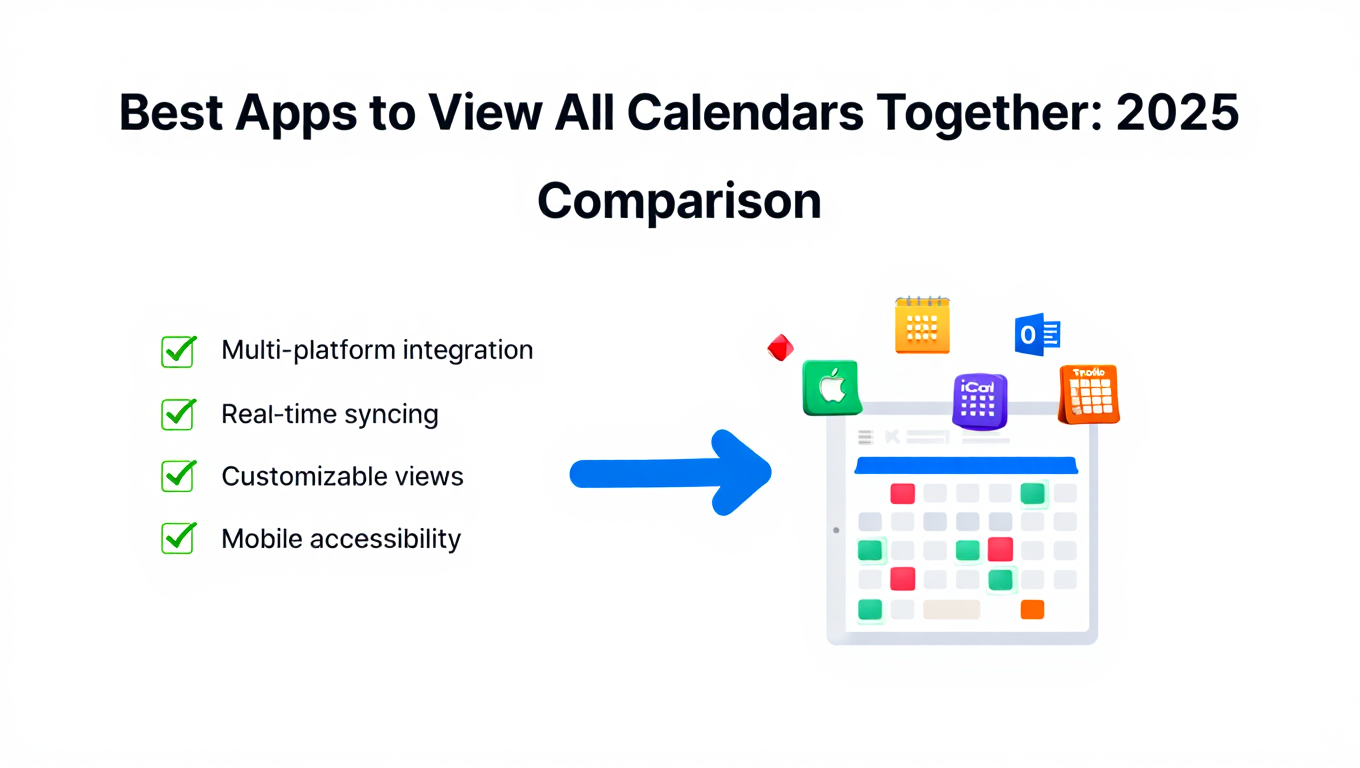
Best Apps to View All Calendars Together: 2025 Comparison
Compare the best apps and tools to view all calendars together. Detailed analysis of features, limits, pricing, and which solution fits your needs.
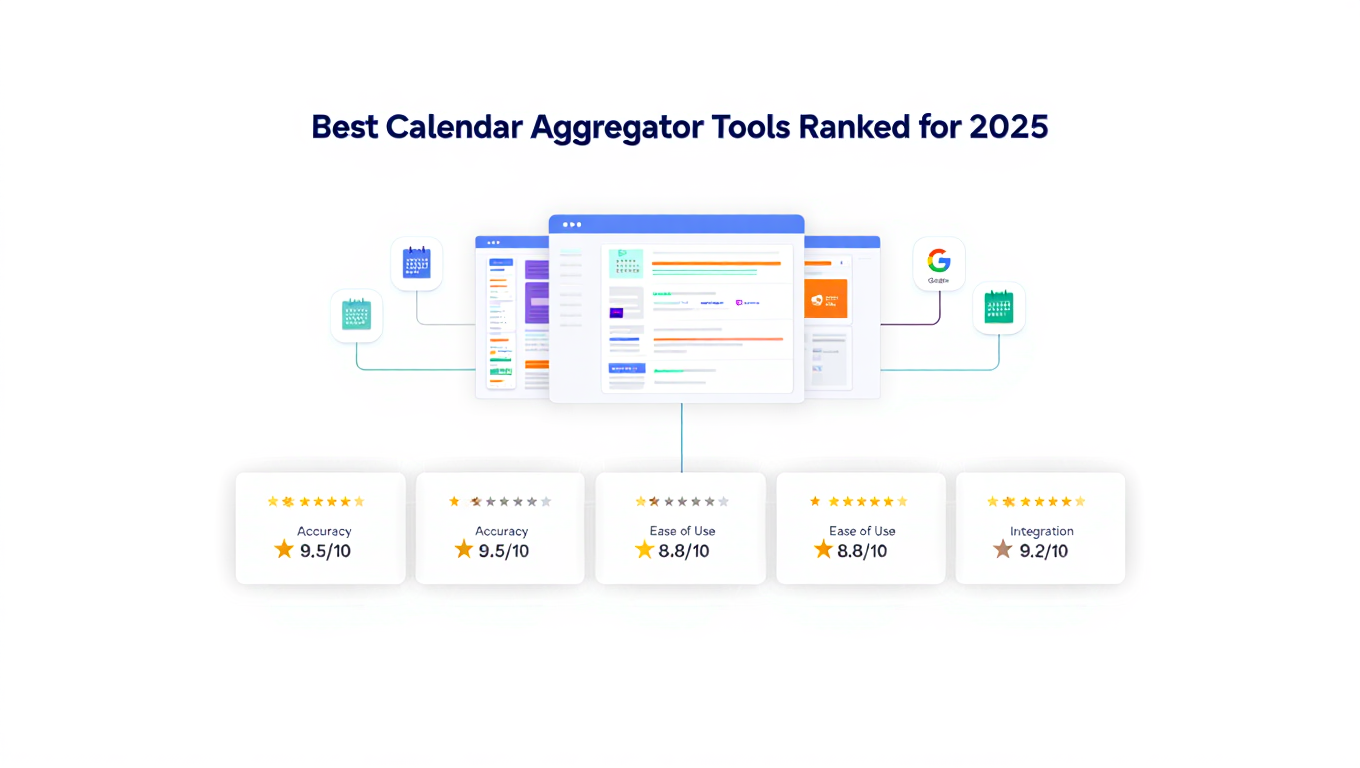
Best Calendar Aggregator Tools Ranked for 2025
Compare the top calendar aggregator tools in 2025. See which platforms offer unlimited connections, real-time sync, and true aggregation for professionals.