
 Google Calendar
  Outlook Calendar
  Google Meet
  Microsoft Teams
  Zoom Meetings
 How to Prevent Double Booking Multiple Calendars in 2025
Stop double booking across multiple calendars with proven conflict detection strategies. Learn how unified calendar management prevents scheduling disasters.
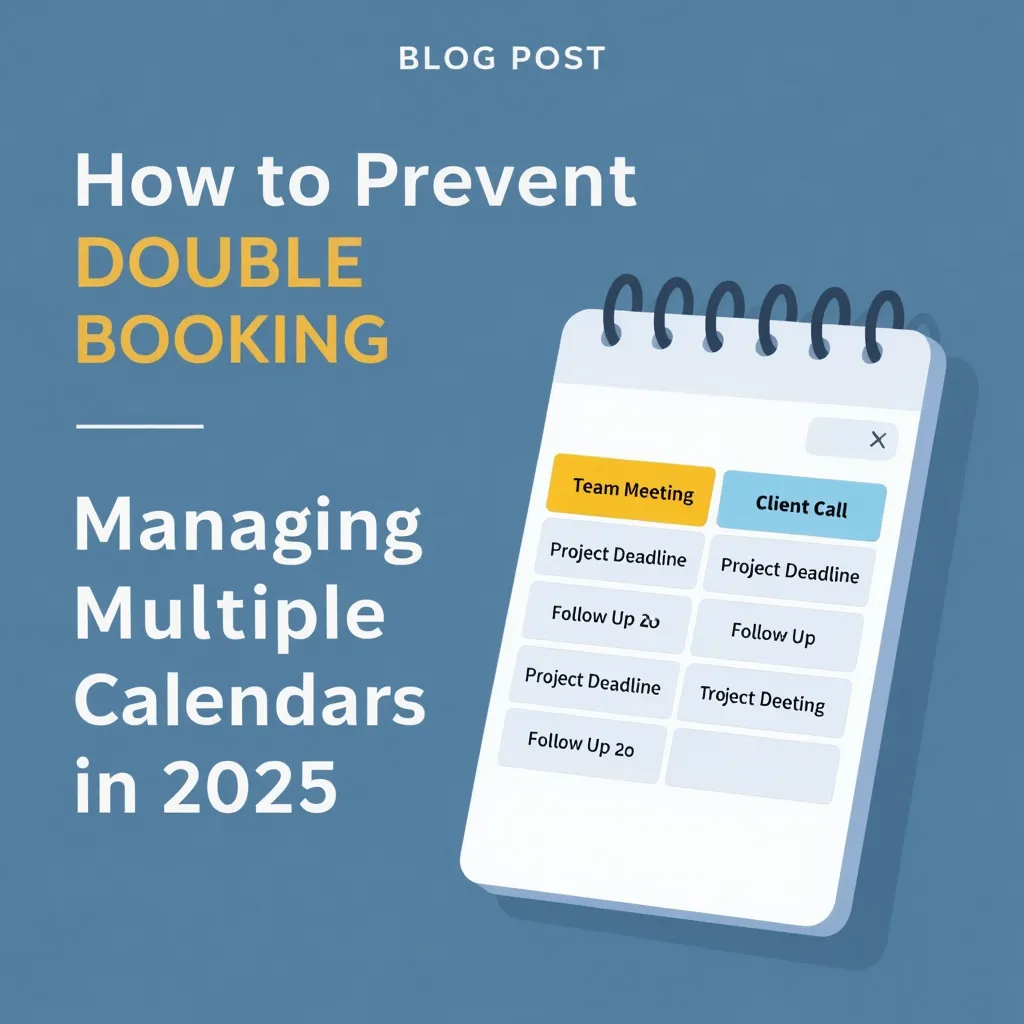
You just confirmed a client meeting for 2 PM on Tuesday, then realized you already have a standing team call scheduled at the exact same time. That sinking feeling in your stomach is familiar to anyone managing multiple calendars. Double booking multiple calendars damages your professional reputation, creates chaos for everyone involved, and signals poor organization to clients and colleagues.
The good news is that double booking multiple calendars is completely preventable with the right approach. This guide shows you exactly how to eliminate scheduling conflicts when juggling work calendars, personal schedules, and team coordination systems.
- Why double booking happens with multiple calendars
- Proven strategies to prevent calendar conflicts
- Technical solutions for real-time conflict detection
- How to set up foolproof calendar synchronization
- Tools that actually prevent double bookings
What Is Double Booking Multiple Calendars?
Double booking multiple calendars occurs when you schedule two or more appointments at the same time across different calendar systems. This happens because your Google Calendar, Outlook work calendar, iCloud personal calendar, and team scheduling tools operate independently without communicating with each other.
The result is overlapping commitments that force you to cancel meetings, reschedule appointments, and apologize to frustrated clients or colleagues. According to Doodle research, 78% of professionals identify scheduling overload as a factor contributing to unproductive meetings, with calendar fragmentation being a primary cause. Understanding why double bookings happen is essential to preventing them.
Why Double Booking Multiple Calendars Destroys Professional Credibility
The impact of double booking extends far beyond the immediate inconvenience of rescheduling. Here's what really happens when you double book across multiple calendars.
Reputation Damage That Spreads Fast
One unhappy client can damage your reputation through online reviews and social media. Bad news travels fast in today's digital world. Double bookings signal disorganization, unreliability, and lack of professionalism to everyone you work with.
For service businesses, the consequences multiply. Double bookings lead to client turnover, damaged reputation, and burnt-out teams dealing with constant crisis management. If you're not handling these conflicts properly, your business reputation and customer satisfaction suffer permanently.
The Real Cost of Calendar Conflicts
Unproductive meetings cost businesses upwards of $375 billion annually according to Atlassian in the United States alone. While not all of this stems from double bookings, scheduling conflicts contribute significantly to this waste. Learn about tools that prevent double bookings effectively. Consider the time spent:
- Apologizing and explaining the mistake
- Coordinating new meeting times with multiple people
- Dealing with frustrated clients or team members
- Managing the ripple effects on other scheduled commitments
- Rebuilding trust after demonstrating poor organization
Platform-specific penalties make things worse. If you're managing vacation rentals or bookings, double booking on Airbnb costs you Superhost status for an entire year. On Booking.com, you're responsible for relocating guests to similar or better properties and covering all travel expenses and rate differences.
Team Morale Takes a Hit
Your team feels the stress of constant scheduling conflicts. When double bookings become routine, teams lose morale and work less efficiently. The overwhelming pressure of dealing with ongoing scheduling problems creates burnout and reduces productivity across your organization.
The 5 Main Causes of Double Booking Multiple Calendars
Understanding why double booking happens is the first step to preventing it. Here are the technical and human factors that create calendar conflicts.
1. Unsynchronized Calendar Systems
The most common cause of double booking multiple calendars is using multiple apps that don't sync in real-time. Your work Outlook calendar doesn't automatically talk to your personal Google Calendar. When someone books time on one calendar, the other calendar still shows that time as available.
This lack of real-time synchronization creates a gap where double bookings slip through. You might accept a meeting request in Outlook while someone else is simultaneously booking you through a Google Calendar link.
2. Aggregated Calendar Limitations
Many professionals try to solve the multi-calendar problem by importing calendars from various sources into one account. The problem is that most scheduling tools don't recognize these imported calendar events even though they appear as busy on your main calendar.
When you share a scheduling link, the tool only checks your primary calendar for conflicts. Your aggregated calendars remain invisible to the conflict detection system, allowing double bookings to occur.
3. Permission and Access Issues
Calendar synchronization requires full editing permissions for all calendars involved. Without proper permissions, some busy events might not be picked up by scheduling tools. This technical limitation creates blind spots in your availability.
The challenge intensifies when you're managing team calendars, shared resources, or calendars owned by different organizations with varying access policies.
4. Manual Scheduling Prone to Human Error
Manually cross-checking schedules across multiple calendars is time-consuming and prone to error. When you're rushing to confirm an appointment, it's easy to forget to check all your calendars. One missed calendar check results in a double booking.
The cognitive load of tracking availability across multiple systems overwhelms even the most organized professionals. 43% of people spend three or more hours per week just scheduling meetings, increasing the likelihood of mistakes.
5. Sync Delays Create Booking Windows
Even when calendars are technically connected, sync delays create windows where double bookings can occur. Changes to Google and Outlook calendars typically take several minutes to propagate to connected systems. During this lag time, someone might book an appointment that conflicts with a meeting you just scheduled elsewhere.
Calendar sync delays are particularly problematic when appointments are booked quickly or when multiple people schedule meetings with you simultaneously through different platforms.
How to Prevent Double Booking Multiple Calendars
Now let's cover the proven strategies that actually work to eliminate double booking across multiple calendar systems.
Strategy 1: Implement Real-Time Calendar Synchronization
Real-time calendar synchronization is your first line of defense against double booking multiple calendars. Modern synchronization tools keep your calendars updated in seconds rather than minutes, closing the gap where conflicts occur.
Look for calendar sync solutions that offer:
- Bi-directional syncing that updates all calendars when changes occur on any platform
- Conflict detection algorithms that flag overlapping appointments before they're confirmed
- Sub-minute sync speeds that minimize the window for double bookings
- Support for multiple calendar platforms including Google, Outlook, iCloud, and team tools
CalendHub.com provides instant calendar integration that synchronizes across all major platforms with zero configuration required, ensuring your availability stays accurate across every scheduling channel. Discover how to consolidate multiple calendars for complete conflict prevention.
Strategy 2: Create a Unified Calendar View
A unified calendar view consolidates all your calendars into a single interface where you can see every commitment at once. This eliminates the need to manually check multiple calendar apps before accepting new appointments.
The best unified calendar solutions combine your work, personal, and team calendars into one real-time display without duplicates or manual updates. When someone tries to book time with you, the system checks your complete schedule across all calendars simultaneously.
Tools like CalendarBridge and OneCal offer unified views, but they require technical setup and ongoing maintenance. In contrast, CalendHub.com delivers unified calendar management with automatic conflict prevention built into every booking. Compare the best calendar aggregator tools for your needs.
Strategy 3: Use Conflict Detection and Alert Systems
Effective calendar synchronization tools incorporate proactive conflict detection that alerts you before double bookings happen. These systems flag overlapping events and offer smart suggestions for resolving scheduling conflicts.
Key features to look for include:
- Real-time conflict alerts when someone attempts to book unavailable time
- Visual conflict indicators that highlight potential overlaps in your calendar view
- Automatic blocking of time slots when appointments are confirmed
- Rescheduling suggestions when conflicts are detected
The most advanced systems use intelligent algorithms to detect not just direct overlaps, but also conflicts with travel time, buffer periods, and preparation requirements.
Strategy 4: Establish a Centralized Booking System
Create one authoritative calendar system that serves as your single source of truth. All appointment requests should flow through this centralized system, which maintains connections to your various calendars.
This approach works by:
- Designating one primary calendar platform for all booking requests
- Connecting all secondary calendars to this central system
- Routing all scheduling through a single URL or booking page
- Letting the central system handle conflict detection across all connected calendars
- Automatically updating all calendars when appointments are booked
CalendHub.com functions as this centralized booking system, maintaining real-time connections with your Google Calendar, Outlook, iCloud, and team scheduling tools while preventing any double bookings from occurring.
Strategy 5: Set Up Automated Availability Updates
Automation eliminates human error from the scheduling equation. Configure your calendar system to automatically update availability status after accepting appointments, without requiring manual action.
Need better calendar management? CalendHub unifies all your calendars with smart scheduling and video conferencing.
Automated systems should:
- Block time immediately when meetings are confirmed on any calendar
- Update availability across all connected platforms in real-time
- Refresh availability status continuously throughout the day
- Sync changes from external calendar updates automatically
- Display only genuine availability to anyone requesting your time
Modern scheduling software syncs with your digital calendars and displays only real-time availability, automatically blocking off time slots when appointments are booked.
- Zero Manual Checks: The system validates availability across all calendars automatically
- Instant Updates: Changes propagate across all platforms in seconds, not minutes
- Foolproof Protection: Double bookings become technically impossible with proper automation
- Time Savings: Eliminate the 3+ hours per week spent manually scheduling meetings
- Professional Image: Never cancel meetings due to scheduling conflicts again
Advanced Prevention Techniques for Power Users
Once you have basic synchronization in place, these advanced techniques provide additional protection against double booking multiple calendars.
Use Buffer Time Between Meetings
Configure buffer periods before and after appointments to prevent back-to-back bookings that create conflicts. A 15-minute buffer gives you time to wrap up one meeting, travel to the next location, or simply take a break.
Buffer time also protects against the human tendency to underestimate meeting duration. If a meeting runs long, your buffer prevents it from overlapping with the next commitment.
Implement Meeting Limits and Controls
Set daily or weekly meeting limits to prevent schedule overload that increases double booking risk. When your calendar becomes too packed, the likelihood of conflicts and errors multiplies.
Scheduling tools like Calendly offer meeting limits, buffer settings, and time zone detection to help you maintain control over your availability. These controls reduce the volume of bookings while ensuring adequate spacing between commitments.
Create Booking Rules and Constraints
Define clear rules about when you're available for different types of meetings. For example, you might restrict client meetings to mornings and reserve afternoons for internal team collaboration.
Booking rules help by:
- Segregating different meeting types to reduce conflicts
- Protecting focus time from being overbooked
- Ensuring you maintain appropriate availability boundaries
- Reducing the overall complexity of managing multiple calendars
Regular Calendar Audits and Cleanup
Schedule weekly reviews of your calendar to identify and resolve any synchronization issues before they cause double bookings. Look for:
- Events that didn't sync properly across all calendars
- Orphaned appointments on secondary calendars
- Permission issues blocking proper synchronization
- Outdated recurring meetings that need updating
Proactive calendar maintenance catches problems before they result in embarrassing double bookings and last-minute cancellations.
Tools That Actually Prevent Double Booking Multiple Calendars
Not all calendar tools offer equal protection against double booking. Here's what actually works in 2025.
Calendar Synchronization Services
OneCal keeps selected calendars in sync in real-time and automatically detects and syncs changes as they happen. Their Calendar View allows you to see Outlook, iCloud, and Google Calendars in one unified interface.
CalendarBridge syncs Outlook, Google, and iCloud calendars in real-time, with changes typically reflected on destination calendars in less than a minute. They offer unified calendar views and conflict detection for remote teams.
SyncThemCalendars provides bi-directional synchronization with conflict alerts, though it requires more technical setup than modern alternatives.
Scheduling Platforms with Built-in Conflict Detection
Calendly automatically syncs with existing calendars to avoid conflicts, with built-in time zone detection and buffer settings. However, it primarily checks your primary calendar and may miss events on aggregated calendars.
Acuity Scheduling offers real-time availability displays and automatic calendar blocking, though conflict detection depends on proper calendar connections.
Doodle helps avoid scheduling conflicts through group polling, but doesn't provide real-time conflict detection across multiple personal calendars.
The Unified Solution Approach
While individual calendar sync and scheduling tools address parts of the double booking problem, most require multiple subscriptions and complex integrations to cover all your calendars.
CalendHub.com takes a different approach by offering unified calendar management with automatic conflict prevention built into a single platform. Instead of managing multiple tools and hoping they work together properly, you get instant calendar integration across all major platforms with conflict detection that actually prevents double bookings from happening.
- Does it sync ALL your calendar platforms, not just popular ones?
- What's the actual sync speed in practice, not just marketing claims?
- Will it detect conflicts from aggregated or imported calendars?
- Does it require manual setup or ongoing maintenance?
- What happens if the sync fails temporarily?
Common Mistakes That Still Cause Double Bookings
Even with synchronization tools in place, these mistakes undermine your conflict prevention efforts.
Trusting Manual Calendar Checks
No matter how organized you are, manually checking multiple calendars before accepting appointments will eventually fail. The cognitive load is too high and the risk of missing something is too great. Automated systems exist precisely because human checking is unreliable.
Using Free Calendar Sync with Delays
Free calendar synchronization tools often have significant sync delays, sometimes 15 minutes or longer. These delays create windows where double bookings occur despite your calendars being "connected." Real-time conflict prevention requires enterprise-grade sync speeds.
Not Testing Your Conflict Detection
Many professionals assume their calendar tools prevent double bookings without ever testing the system. Try booking two conflicting appointments and see if the system actually catches it. You might discover your conflict detection isn't working as expected.
Ignoring Permission Issues
Calendar sync requires proper permissions on all platforms. When permissions change due to security updates, organizational policy changes, or expired tokens, your synchronization breaks silently. Regular permission audits prevent this failure mode.
Mixing Synced and Unsynced Calendars
If even one of your calendars isn't properly connected to your conflict detection system, double bookings will occur. You're only as protected as your least-integrated calendar. Make sure every calendar you use is included in your unified system.
Step-by-Step Implementation Plan
Here's how to set up foolproof protection against double booking multiple calendars.
Step 1: Audit Your Current Calendar Situation
List every calendar you currently use, including:
- Work calendars (Outlook, Google Workspace, Exchange)
- Personal calendars (iCloud, Gmail, Yahoo)
- Team scheduling tools (Calendly, Acuity, Microsoft Bookings)
- Shared calendars (team calendars, resource calendars, family calendars)
Document which calendars sync with each other and identify any gaps in your current synchronization.
Step 2: Choose a Unified Calendar Platform
Select a calendar platform that supports real-time synchronization across all your calendar systems. Evaluate options based on:
- Number of supported calendar platforms
- Actual sync speed in real-world conditions
- Quality of conflict detection algorithms
- Ease of setup and ongoing maintenance
- Cost relative to the value of preventing double bookings
For professionals managing multiple calendars, CalendHub.com offers the most comprehensive solution with instant integration and automatic conflict prevention.
Step 3: Connect All Your Calendars
Configure connections between your unified platform and every calendar you use. This typically involves:
- Authorizing calendar access through OAuth authentication
- Selecting which calendars to synchronize
- Configuring sync direction (one-way or bi-directional)
- Setting up conflict detection rules
- Testing synchronization with sample events
Verify that changes on any calendar propagate to all other calendars within acceptable timeframes.
Step 4: Configure Conflict Detection Rules
Set up your conflict detection system with appropriate rules for your situation:
- Define what constitutes a conflict (overlapping times, insufficient buffer, etc.)
- Set buffer periods before and after meetings
- Configure meeting limits and availability windows
- Establish booking rules for different meeting types
- Enable automatic conflict alerts and notifications
Step 5: Update Your Booking Process
Change how people schedule time with you to ensure all bookings go through your conflict-protected system:
- Share a single scheduling URL that checks all calendars
- Remove direct calendar sharing that bypasses conflict detection
- Update email signatures with your new scheduling link
- Train team members on the new booking process
- Communicate changes to regular meeting participants
Step 6: Test Thoroughly
Before relying on your new system, test it extensively:
- Try booking conflicting appointments across different calendars
- Verify that conflicts are detected and prevented
- Check that all calendars update when appointments are made
- Test the system during high-volume scheduling periods
- Confirm that sync continues working after calendar updates
Step 7: Monitor and Maintain
Set up ongoing monitoring to ensure your conflict prevention system continues working:
- Check calendar connections weekly
- Review sync logs for any failures or delays
- Update permissions when prompted by calendar providers
- Audit calendar integrations after security updates
- Keep your unified platform updated to the latest version
What to Do If Double Bookings Still Occur
Despite your best efforts, technical failures or edge cases might still create occasional double bookings. Here's how to handle them professionally.
Immediate Response Protocol
When you discover a double booking:
- Acknowledge immediately to all affected parties
- Apologize sincerely without making excuses
- Take responsibility for the scheduling error
- Offer solutions immediately with alternative times
- Make it right by prioritizing the rescheduled meeting
Speed matters here. The faster you respond, the less damage to your professional reputation.
Root Cause Analysis
After resolving the immediate crisis, investigate what caused the double booking to slip through your prevention system:
- Was there a sync failure or delay?
- Did someone bypass your booking system?
- Were permissions or integrations broken?
- Did you use a calendar not connected to your unified system?
- Was there a technical issue with your calendar platform?
Understanding the root cause prevents the same problem from recurring.
System Improvements
Based on your root cause analysis, implement improvements:
- Add any missing calendars to your synchronization system
- Increase sync frequency if delays were the problem
- Set up monitoring alerts for sync failures
- Update booking processes to close any bypasses
- Consider upgrading to enterprise-grade conflict detection if free tools failed
The Business Case for Preventing Double Bookings
Investing in proper calendar synchronization and conflict detection delivers measurable ROI.
Time Savings
Eliminating the 3+ hours per week spent manually coordinating schedules saves approximately 156 hours per year per person. At an average professional billing rate, this represents thousands of dollars in recovered productive time.
Reputation Protection
Your professional reputation takes years to build and minutes to damage. Preventing double bookings protects the trust you've established with clients, colleagues, and partners. This intangible value often exceeds the direct time savings.
Reduced Stress and Burnout
Constant calendar conflicts and the stress of managing multiple scheduling systems contribute to professional burnout. Automated conflict prevention reduces this cognitive load and improves overall work satisfaction.
Client Retention
Service businesses that eliminate double bookings see higher client retention rates. Clients appreciate reliability and professionalism, and they're more likely to return to service providers who respect their time.
Team Productivity
For teams, unified calendar management with conflict detection keeps projects moving forward. When team members can easily schedule collaboration time without conflicts, productivity increases and project delays decrease.
Conclusion: Never Double Book Multiple Calendars Again
Double booking multiple calendars is a solvable problem with the right approach. By implementing real-time calendar synchronization, unified calendar views, and automated conflict detection, you can eliminate scheduling conflicts completely.
The key is moving from manual calendar checking to automated systems that make double bookings technically impossible. Modern platforms like CalendHub.com provide this level of protection with instant calendar integration and zero-configuration conflict prevention.
Your next steps:
- Audit all calendars you currently use
- Choose a unified calendar platform with real-time conflict detection
- Connect all your calendars to the unified system
- Test thoroughly to verify double bookings are prevented
- Update your booking process to use conflict-protected scheduling
- Monitor regularly to ensure continued protection
Stop apologizing for double bookings and start using technology that actually prevents calendar conflicts from happening in the first place. Your professional reputation and peace of mind are worth the investment in proper calendar management.
Ready to Simplify Your Schedule?
Join thousands of professionals who have unified their calendars and reclaimed their time with CalendHub's intelligent scheduling platform.
Related Articles
Enterprise Scheduling Software with Multiple Calendar Support: Complete Guide for Teams in 2025
Comprehensive guide to enterprise scheduling software supporting multiple calendars. Discover requirements, features, and solutions for large teams and organizations.
Executive Assistant Multiple Calendar Tool: Complete 2025 Guide
Discover the best executive assistant multiple calendar tools for managing 5-10 executives simultaneously. Compare features, pricing, and EA-specific capabilities.
How to Choose Multiple Calendar Management Software
Expert guide to selecting the right multiple calendar management software for consultants, executives, and fractional leaders managing 10+ calendars.