
 Google Calendar
  Outlook Calendar
  Google Meet
  Microsoft Teams
  Zoom Meetings
 Two Way Calendar Sync Software: Complete Technical Guide for 2025
Understand true bidirectional calendar synchronization, how it works technically, and why most tools fail to deliver real two-way sync capabilities.
You just scheduled a client meeting in Outlook, but your booking page shows that time as available. Someone books the slot. Now you have a double booking disaster because your calendar sync only pushed changes one direction.
True two way calendar sync software solves this problem by synchronizing changes in both directions automatically. When you update a calendar event in one system, it instantly appears in all connected calendars. When someone books through your scheduling tool, that event flows back to your primary calendar immediately.
But here's the catch. Most calendar tools claim two-way sync while actually offering limited bidirectional functionality. Understanding the technical differences between genuine two-way synchronization and marketing claims saves you from scheduling disasters and wasted integration time.
- How true bidirectional calendar synchronization works technically
- The difference between two-way sync and one-way calendar push
- Conflict resolution mechanisms in calendar sync systems
- API limitations and synchronization protocols (CalDAV, webhooks)
- How to identify tools with genuine two-way sync capabilities
What is Two Way Calendar Sync Software?
Two way calendar sync software is a synchronization system that mirrors calendar data bidirectionally between two or more calendar platforms. When an event is created, modified, or deleted in any connected calendar, those changes propagate automatically to all other linked calendars.
The technical definition requires understanding data flow architecture. In genuine two way calendar sync software, each calendar acts as both a source and destination simultaneously. A change in Calendar A triggers an update to Calendar B, and a change in Calendar B triggers an update to Calendar A. This bidirectional data flow creates a continuous synchronization loop.
One bidirectional synchronization is equivalent to two unidirectional synchronizations running simultaneously. However, true two-way sync systems implement this as a unified process with conflict resolution logic, not two separate one-way sync processes.
How Two-Way Sync Differs from One-Way Calendar Push
One-way calendar synchronization flows data from a source calendar to a destination calendar only. If you modify an event in the destination calendar, that change never flows back to the source. This creates data consistency problems in multi-calendar environments.
Consider this scenario with one-way sync:
- You sync your Google Calendar to your scheduling software (one direction)
- Someone books an appointment through your scheduling software
- The appointment appears in your Google Calendar
- You reschedule the appointment in Google Calendar
- Your scheduling software never receives the update
- The original time slot becomes available again on your booking page
- Double booking occurs
With genuine two way calendar sync software, step 5 triggers an automatic update to your scheduling software. The change flows bidirectionally, maintaining data consistency across both systems.
The technical implementation requires bidirectional API connections, webhook listeners, and continuous polling mechanisms. One-way systems only implement outbound data transmission. Two-way systems implement both outbound transmission and inbound reception with update logic.
Technical Architecture of Bidirectional Calendar Sync
Understanding how two way calendar sync software works technically requires examining the underlying synchronization protocols, data flow patterns, and update mechanisms.
Synchronization Protocols and Standards
Most modern two way calendar sync software relies on three primary technical protocols:
CalDAV (Calendar Distributed Authoring and Versioning) provides standardized calendar data exchange via WebDAV/HTTP. First specified in RFC 4791 in 2007, CalDAV extends WebDAV with access control and iCalendar evaluation functions. CalDAV enables calendar data synchronization from any device using standard URLs for accessing remote resources.
API-Based Synchronization uses platform-specific APIs like Google Calendar API and Microsoft Graph API. These APIs provide programmatic access to calendar data with authentication via OAuth 2.0. API-based sync offers more granular control than CalDAV but requires separate integration for each calendar platform.
Webhook Push Notifications enable real-time synchronization by notifying applications immediately when calendar changes occur. Instead of continuously polling for updates (which creates API rate limit issues), webhooks push change notifications to registered endpoints. This reduces latency from minutes to seconds.
Modern two way calendar sync software typically combines these protocols. CalDAV provides standards-based connectivity, platform APIs enable advanced functionality, and webhooks deliver real-time updates.
Data Flow and Update Propagation
When you create or modify a calendar event, the synchronization process follows this technical sequence:
Change Detection happens through webhooks (push model) or polling intervals (pull model). Webhook-based systems detect changes within seconds. Polling-based systems check for updates every 1-10 minutes depending on configuration.
Data Normalization converts the event from the source calendar's format to a standardized internal representation. Google Calendar uses Google's proprietary format, Outlook uses Exchange Web Services format, and iCalendar uses the .ics standard. The sync engine normalizes these into a common structure.
Conflict Detection checks whether the target calendar has modified the same event since the last sync. This requires tracking modification timestamps and version numbers for each synchronized event.
Update Transmission sends the normalized event data to destination calendars via their respective APIs. The sync engine makes API calls to create, update, or delete events on target platforms.
Confirmation and State Update receives acknowledgment from destination APIs and updates internal sync state tracking. This prevents duplicate synchronization attempts and enables error recovery.
The entire sequence typically completes within 1-2 minutes for API-based systems with webhook support. Systems relying purely on polling may take 5-15 minutes depending on polling intervals.
- Sub-Minute Sync: Webhook-based architecture delivers updates in under 60 seconds
- Unlimited Calendar Support: Synchronize changes across unlimited connected calendars
- Intelligent Conflict Resolution: Automatic handling of simultaneous updates using last-write-wins with user override
- Platform-Agnostic Architecture: Works identically across Google, Outlook, iCloud, and other major platforms
Multi-Way Synchronization vs. Multiple Two-Way Syncs
When synchronizing more than two calendars, architectural approach matters significantly. Some two way calendar sync software requires creating separate sync configurations between each calendar pair.
For three calendars (A, B, C), this approach requires six separate sync configurations:
- A to B (one direction)
- B to A (reverse direction)
- B to C (one direction)
- C to B (reverse direction)
- A to C (one direction)
- C to A (reverse direction)
This architecture creates several technical problems:
- Configuration complexity scales exponentially (N calendars requires N×(N-1) configurations)
- Sync latency multiplies (changes must propagate through multiple sync hops)
- Conflict resolution becomes unpredictable (circular update loops can occur)
- Troubleshooting failures requires checking all sync pairs
Advanced two way calendar sync software implements multi-way synchronization as a unified process. All calendars connect to a central sync hub. When any calendar changes, the hub distributes updates to all other calendars simultaneously. This architecture requires only N configurations for N calendars, reduces latency, and enables centralized conflict resolution.
Platforms like CalendHub provide multi-way synchronization natively, allowing you to sync four calendars in minutes without configuring individual sync pairs.
Conflict Resolution in Two-Way Calendar Sync
The fundamental technical challenge in bidirectional synchronization is handling conflicts. When the same event is modified in multiple calendars before synchronization completes, the system must determine which version to preserve.
Types of Synchronization Conflicts
Simultaneous Modification Conflicts occur when users edit the same event in different calendars before sync propagates changes. For example, you reschedule a meeting to 2:00 PM in Google Calendar while your colleague reschedules the same meeting to 3:00 PM in Outlook. The two way calendar sync software receives both changes and must decide which time to use.
Create-Delete Conflicts happen when one calendar creates an event while another deletes it. This typically occurs when someone accepts a meeting invitation while another attendee deletes it from their calendar. The sync system must determine whether the event should exist.
Time Zone Conflicts arise from inconsistent time zone handling across platforms. An event scheduled for 9:00 AM Pacific Time might appear as 12:00 PM Eastern Time in one calendar and 11:00 AM Eastern in another if daylight saving time rules differ.
Permission and Visibility Conflicts occur when calendar sharing settings differ between platforms. An event marked private in one calendar may sync as public to another platform that doesn't support granular privacy controls.
Conflict Resolution Strategies
Modern two way calendar sync software implements several technical strategies for handling conflicts:
Last-Write-Wins (LWW) uses modification timestamps to determine precedence. The most recently modified version overwrites older versions. This simple approach works well when users rarely edit the same event simultaneously, but it can cause unexpected overwrites.
First-Write-Wins (FWW) preserves the first version and rejects subsequent modifications. This prevents data loss but can frustrate users whose changes get discarded.
Manual Resolution prompts users to choose which version to keep when conflicts occur. While this ensures user control, it interrupts workflow and doesn't scale for high-volume synchronization.
Intelligent Merge attempts to combine non-conflicting changes from both versions. If one calendar updates the event title and another updates the location, both changes are preserved. Only truly conflicting fields (like start time) require resolution logic.
Event Duplication creates separate copies of conflicting events, allowing users to resolve conflicts manually later. This prevents data loss but creates calendar clutter.
Most production systems use a hybrid approach. Minor conflicts (description changes, attendee list updates) use intelligent merge. Major conflicts (time, date, deletion) use last-write-wins with notification to affected users. CalendHub implements this hybrid strategy with configurable resolution preferences.
Preventing Conflicts Through Sync Architecture
Well-designed two way calendar sync software minimizes conflicts through architectural decisions:
Real-Time Synchronization reduces conflict windows. When changes propagate in under 60 seconds, simultaneous modifications become rare. Systems with 15-minute polling intervals experience significantly more conflicts.
Optimistic Locking tracks event version numbers. When syncing an update, the system checks whether the target calendar's event version matches the expected version. If versions diverge, a conflict exists.
Event Ownership designates one calendar as the authoritative source for specific fields. The event creator's calendar owns scheduling details (time, date, duration). Other calendars can modify attendee status but not core scheduling fields.
Conflict-Free Replicated Data Types (CRDTs) provide mathematical guarantees that concurrent updates converge to consistent state without coordination. While complex to implement, CRDTs eliminate conflict resolution logic entirely.
API Limitations and Technical Challenges in 2025
Building reliable two way calendar sync software requires navigating significant API limitations and technical constraints imposed by calendar platforms.
Rate Limits and Quota Management
Google Calendar API enforces a default quota of 1 million requests per project per day. For individual users, this translates to approximately 694 API calls per minute sustained. While this seems generous, high-frequency polling for multiple users quickly exhausts quotas.
Consider a sync service with 10,000 users, each syncing 3 calendars, with 5-minute polling intervals. The service makes 6,000 API calls per minute just for polling, approaching the sustainable rate limit. Adding actual event synchronization pushes the service over quota limits.
Microsoft Graph API implements more complex rate limiting based on tenant, user, and application factors. The API returns HTTP 429 (Too Many Requests) when limits are exceeded, with retry-after headers indicating when to resume requests. However, Microsoft doesn't publish exact rate limit numbers, making capacity planning difficult.
Effective two way calendar sync software must implement intelligent rate limit management including request batching (combining multiple operations into single API calls), exponential backoff (increasing retry delays after rate limit errors), quota monitoring (tracking usage to avoid hitting limits), and prioritization (syncing recently modified events before older events).
Authentication and Permission Challenges
OAuth 2.0 Token Management requires handling access token expiration and refresh. Access tokens typically expire after 60 minutes. The sync service must detect expiration, use refresh tokens to obtain new access tokens, and retry failed requests. If refresh tokens expire (typically after 90 days of inactivity), users must re-authenticate.
Administrative Consent Requirements for enterprise calendars often require IT administrator approval before applications can access calendar data. This creates deployment friction in organizational settings where individual users cannot authorize integrations independently.
Granular Permission Scopes vary significantly across platforms. Google Calendar API provides fine-grained scopes (read-only calendar access vs. full calendar modification). Microsoft Graph API uses broader permission sets. Implementing two way calendar sync software requires requesting sufficient permissions without overreaching into unnecessary data access.
Data Format Inconsistencies
Calendar platforms store event data in incompatible formats requiring extensive normalization:
Need better calendar management? CalendHub unifies all your calendars with smart scheduling and video conferencing.
Recurring Events use different recurrence rule syntaxes. Google Calendar follows the iCalendar RRULE standard. Microsoft uses Exchange Web Services recurrence patterns. Converting between these formats causes edge case failures, particularly for complex recurrence rules (e.g., "the last Friday of every other month").
All-Day Events have inconsistent representations. Some platforms store all-day events with start and end dates only. Others use midnight-to-midnight timestamps. Time zone handling differs, causing all-day events to shift dates when syncing across platforms.
Attendee and Response Tracking varies widely. Some platforms support detailed attendee status (accepted, declined, tentative, no response). Others only track whether attendees exist. Response information often doesn't synchronize bidirectionally.
Custom Fields and Extended Properties enable platforms to store arbitrary metadata with events. These fields rarely synchronize across platforms since each uses proprietary extension mechanisms.
Real-Time Sync vs. Polling Trade-Offs
Webhook-Based Real-Time Sync provides the fastest synchronization but has implementation challenges. Google Calendar API supports push notifications via webhooks, enabling sub-minute sync latency. However, webhook endpoints must be publicly accessible HTTPS URLs, requiring infrastructure that many tools don't provide. Webhook registrations expire after a week, requiring renewal logic. Failed webhook deliveries don't automatically retry, causing missed updates.
Polling-Based Sync checks for calendar changes at regular intervals (typically 5-15 minutes). This approach is simpler to implement and doesn't require public webhook endpoints. However, polling creates synchronization latency, wastes API quota on checks that find no changes, and scales poorly (polling frequency limits how many users you can support).
Advanced two way calendar sync software like CalendHub uses a hybrid approach combining webhooks for real-time updates when available, intelligent polling with adaptive intervals (checking more frequently after recent changes), and batch synchronization for initial setup and error recovery.
Identifying Genuine Two-Way Sync Capabilities
Many calendar tools market two-way sync functionality but deliver limited bidirectional support. Evaluating true synchronization capabilities requires technical verification.
Questions to Ask Calendar Sync Vendors
Does the tool automatically sync changes in both directions without separate configurations? Genuine two-way sync requires a single setup process. If you must configure "A to B" and "B to A" as separate sync jobs, the tool uses paired one-way synchronization, not true bidirectional sync.
What is the synchronization latency for bidirectional updates? Real-time two way calendar sync software delivers updates in under 2 minutes. Tools with 15-30 minute delays use inefficient polling mechanisms that create scheduling conflicts.
Which event fields synchronize bidirectionally? Ask specifically about titles, times, descriptions, locations, attendees, reminders, conferencing links, and custom fields. Many tools only sync basic fields while ignoring extended properties.
How does the system handle conflicts when the same event is modified in multiple calendars? If the vendor cannot clearly explain their conflict resolution strategy, the tool likely doesn't handle conflicts intelligently. You'll experience data loss or unexpected overwrites.
What happens when API rate limits are exceeded or synchronization fails? Production-grade systems implement automatic retry logic, queue management, and user notifications. Simple tools just fail silently, leaving calendars out of sync.
Testing Two-Way Sync Before Committing
Before deploying two way calendar sync software for production use, perform these technical verification tests:
Bidirectional Update Test: Create an event in Calendar A and verify it appears in Calendar B. Modify the event in Calendar B and verify changes appear in Calendar A. If the reverse update fails or takes over 5 minutes, bidirectional sync isn't working properly.
Conflict Simulation Test: Modify the same event in both calendars before sync completes. Check which version the system preserves and whether any data is lost. Document the conflict resolution behavior to understand data loss risks.
Deletion Propagation Test: Delete an event in Calendar A and verify it deletes from Calendar B. Some systems only sync creation and modification, not deletion, leaving zombie events in secondary calendars.
Multi-Calendar Scale Test: Add a third calendar to your sync configuration. Verify that changes in any calendar propagate to all others within acceptable latency. Many tools fail to scale beyond two calendars.
Field Coverage Test: Create an event with all possible fields populated (title, time, description, location, attendees, reminders, attachments, conferencing link, color, custom fields). Verify which fields actually sync bidirectionally. Document which fields don't synchronize to avoid surprises later.
- True Bidirectional Sync: All changes sync automatically in both directions with single configuration
- Comprehensive Field Sync: Synchronizes titles, times, descriptions, locations, attendees, and conferencing links bidirectionally
- Documented Latency: Sub-minute sync for webhook-supported platforms, under 5 minutes for polling-based platforms
- Transparent Conflict Resolution: Last-write-wins with optional manual override and notification of overwritten changes
Current State of Two-Way Calendar Sync Technology in 2025
The calendar synchronization market has experienced significant growth driven by remote work adoption and calendar-first workflows. Understanding current market trends helps predict which technologies will dominate.
Market Growth and Adoption Statistics
The calendar app market reached $5.71 billion in 2023 and is projected to grow to $16.37 billion by 2030, representing a 10.4% compound annual growth rate. Alternative estimates place the 2024 market at $2.5 billion growing to $5.4 billion by 2033 at a 9.4% CAGR.
Key adoption drivers include 55% of users adopting cloud-based calendar solutions, 60% of users demanding mobile calendar integration, and improved synchronization capabilities across devices being cited as the primary feature driving adoption.
These statistics reflect growing reliance on two way calendar sync software as the foundational technology for multi-platform calendar management.
Platform Ecosystem Changes
Google Calendar API Evolution has added improved webhook reliability, expanded rate limits for verified applications, and better support for conferencing integration (Google Meet). However, Google deprecated the Calendar v2 API in 2025, requiring all integrations to migrate to v3 endpoints.
Microsoft Graph API Expansion now provides unified access to Outlook Calendar, Microsoft Teams scheduling, and Microsoft 365 group calendars. Microsoft added enhanced recurring event APIs and improved time zone handling. However, the API's rapid evolution causes version compatibility issues for sync tools.
Apple iCloud Calendar Limitations remain the primary challenge in calendar ecosystem integration. Apple provides limited public API access compared to Google and Microsoft. Most tools access iCloud calendars via CalDAV protocol, which has 10-15 minute synchronization delays compared to webhook-based sync with Google and Outlook.
Emerging Technologies in Calendar Sync
AI-Powered Conflict Resolution uses machine learning to predict which version users prefer when conflicts occur. By analyzing historical resolution patterns, AI systems can automatically resolve most conflicts correctly, reducing manual intervention.
Blockchain-Based Sync Verification provides cryptographic proof of synchronization completion. This matters in regulated industries where audit trails of calendar synchronization are required for compliance.
Edge Computing for Sync Processing moves synchronization logic closer to users by processing updates in regional data centers rather than central servers. This reduces latency for international teams using two way calendar sync software.
Implementing Two-Way Calendar Sync in Your Workflow
Successfully deploying bidirectional calendar synchronization requires planning which calendars to sync, establishing sync policies, and monitoring synchronization health.
Determining Which Calendars Need Bidirectional Sync
Not all calendars require two-way synchronization. Use these criteria to determine sync requirements:
Primary Work Calendar always needs bidirectional sync with booking systems, CRM platforms, and project management tools. Any system that creates calendar events based on external actions (customer bookings, automated scheduling, team availability) must sync bidirectionally to reflect changes made in your primary calendar.
Personal Calendars may only need one-way sync to work calendars (showing personal commitments as busy time without details) unless you schedule work meetings from personal devices.
Shared Team Calendars require bidirectional sync only if team members can modify events from multiple systems. Read-only team calendars need only one-way sync from the authoritative source.
Resource Calendars (conference rooms, equipment) typically need bidirectional sync since bookings occur from multiple scheduling systems.
Sync Configuration Best Practices
Start with Clean Calendars before enabling two-way sync. If possible, sync one-way from your authoritative calendar to empty secondary calendars first. This prevents initial sync conflicts from mismatched existing events.
Configure Sync Filters to exclude certain event types from synchronization. Most two way calendar sync software allows filtering by calendar, event title keywords, privacy settings, or custom properties. Use filters to prevent personal events from syncing to work calendars.
Set Appropriate Sync Intervals based on your scheduling needs. Customer-facing booking systems need sub-minute sync to prevent double bookings. Internal team calendars can use 5-10 minute intervals without issues.
Document Conflict Resolution Policies for your team. Establish which calendar is authoritative for different event types. For example, CRM-generated customer meetings might always take precedence over manually created calendar blocks.
Monitor Sync Health Continuously using sync status dashboards. Production-grade systems provide visibility into sync latency, failed synchronization attempts, and quota consumption. CalendHub offers real-time sync monitoring showing exactly when each calendar last synchronized successfully.
Common Implementation Challenges and Solutions
Double Bookings During Initial Sync occur when enabling bidirectional sync on calendars with existing events that don't match. Solution is to perform an initial one-way sync to establish baseline event parity, then enable bidirectional sync.
Sync Loops from Identical Events happen when sync systems don't properly track event identity. The system creates duplicate events that trigger more sync operations, creating infinite loops. Solution is to use event IDs from source platforms rather than matching events by title and time.
Time Zone Confusion Across Platforms causes events to shift times unexpectedly. Solution is to standardize all calendars to use the same primary time zone and enable automatic time zone detection in sync software.
Performance Degradation with Large Event Volumes slows sync processing when calendars contain thousands of historical events. Solution is to implement sync windows (only syncing future events plus recent past) and archiving old events.
Security and Privacy Considerations
Bidirectional calendar synchronization creates security implications since two way calendar sync software must access and modify calendar data across multiple platforms.
Authentication and Authorization Best Practices
Use OAuth 2.0 Token Management instead of storing usernames and passwords. OAuth tokens can be revoked without changing passwords and provide granular permission scopes limiting what sync software can access.
Implement Token Encryption at Rest to protect stored OAuth refresh tokens. If sync service databases are compromised, encrypted tokens cannot be used to access calendar data without the encryption keys.
Require Periodic Re-Authentication to ensure users still consent to synchronization. Tokens that work indefinitely without user verification create security risks if accounts are transferred or user roles change.
Audit Access Logs Regularly to detect unauthorized calendar access. Production systems should log all calendar API calls with timestamps and IP addresses for security review.
Data Privacy and Compliance
GDPR and Data Residency requirements mandate that calendar data for European users must be processed and stored within the EU. Verify your two way calendar sync software provides regional data processing options.
HIPAA Compliance for Healthcare requires encrypted transmission, access controls, and audit logging for any calendar system handling patient information. Most generic calendar sync tools don't meet HIPAA requirements.
Data Retention Policies should specify how long the sync service retains calendar data after synchronization. Minimal retention (deleting sync copies immediately after processing) reduces exposure in data breaches.
Event Privacy Controls must respect calendar privacy settings. Events marked private in source calendars should either not sync or sync with details redacted.
Choosing the Right Two Way Calendar Sync Software
Selecting two way calendar sync software requires evaluating technical capabilities, vendor reliability, and total cost of ownership.
Essential Features for Production Use
Unlimited Calendar Support allows connecting as many calendars as needed without per-calendar pricing. Some vendors charge per calendar connection, making them cost-prohibitive for users managing multiple work calendars.
Multi-Way Synchronization distributes changes to all connected calendars simultaneously rather than requiring separate configurations for each calendar pair. This feature becomes essential when syncing more than two calendars.
Granular Sync Filtering enables excluding specific calendars, event types, or time ranges from synchronization. Without filtering, personal appointments sync to work calendars and vice versa.
Conflict Resolution Controls let you specify how the system handles simultaneous modifications. Configurable strategies (last-write-wins, manual resolution, intelligent merge) adapt to different use cases.
Real-Time Sync Monitoring provides visibility into synchronization status, latency, and errors. Without monitoring, you only discover sync failures when double bookings occur.
API Reliability and Uptime directly impacts your calendar availability. Evaluate vendor SLAs (Service Level Agreements) for uptime guarantees and support responsiveness.
Comparing Solutions: CalendHub vs. Alternatives
CalendHub differentiates itself through calendar-first architecture and technical implementation focused specifically on synchronization reliability. Unlike general productivity tools that added calendar sync as an afterthought, CalendHub was designed from the ground up for bidirectional calendar synchronization.
OneCal provides multi-way sync for Google Calendar, Microsoft Outlook, and iCloud Calendar with automatic real-time updates. However, iCloud syncs take 10 minutes versus under 1 minute for Google and Outlook. Pricing starts at $3 per month per user for 2 calendars.
SyncPenguin was built around two-way syncing and supports Google Calendar, Office 365, Exchange on-premise, and iCalendar. SyncPenguin emphasizes robust multi-tenant sync but has a steeper learning curve for configuration.
CalendarBridge focuses on real-time sync (under 1 minute) for Google and Outlook calendars with smart availability controls. However, it lacks support for other platforms beyond Google and Microsoft ecosystems.
CiraHub provides multi-way calendar sync including SharePoint and Public Folder calendars, making it suitable for Microsoft-centric enterprises. However, CiraHub focuses on on-premise Exchange environments rather than cloud-native solutions.
CalendHub delivers true bidirectional sync across unlimited calendars with sub-minute latency, comprehensive field synchronization, intelligent conflict resolution, and transparent monitoring, while maintaining the simplest setup process in the industry.
Total Cost of Ownership Analysis
Beyond subscription pricing, consider operational costs:
Setup and Configuration Time ranges from 5 minutes for simple tools like CalendHub to several hours for complex enterprise solutions requiring IT involvement.
Ongoing Maintenance includes monitoring sync health, resolving conflicts, updating API integrations when platforms change, and troubleshooting user issues.
Sync Failure Costs from missed meetings, double bookings, and scheduling conflicts can exceed subscription costs many times over. Reliable two way calendar sync software pays for itself by preventing scheduling disasters.
User Training Requirements vary significantly. Intuitive interfaces like CalendHub require minimal training while complex systems need documentation and support resources.
Future of Two-Way Calendar Synchronization
Calendar sync technology continues evolving with advances in artificial intelligence, distributed systems, and platform integration capabilities.
AI-Enhanced Synchronization Intelligence
Future two way calendar sync software will use AI to understand user scheduling patterns and preferences, automatically resolve conflicts based on context and historical decisions, predict scheduling conflicts before they occur, and suggest optimal meeting times considering all participants' synchronized calendars.
Machine learning models will analyze millions of synchronization operations to identify patterns in how users handle conflicts, which events take precedence, and which calendar platforms users trust as authoritative sources.
Decentralized Sync Architectures
Blockchain-based calendar synchronization will provide cryptographic verification of event authenticity and modification history without centralized sync servers. Users will control their own calendar data while still enabling bidirectional sync with other users through decentralized protocols.
This approach addresses privacy concerns with current two way calendar sync software that requires trusting third-party services with full calendar access.
Universal Calendar Protocols
Industry efforts to standardize calendar APIs through protocols like CalConnect's Calendar Sharing and Scheduling specifications aim to create universal calendar interoperability. Success would eliminate the need for platform-specific integrations, making bidirectional sync work uniformly across all calendar systems.
However, major platform vendors have limited incentives to adopt universal protocols when proprietary APIs lock users into their ecosystems.
Conclusion: Implementing True Bidirectional Calendar Sync
Two way calendar sync software has evolved from a convenience feature to a critical infrastructure component for modern scheduling workflows. Understanding the technical architecture, limitations, and implementation requirements enables you to select solutions that actually deliver bidirectional synchronization.
The key differentiator is whether tools provide genuine two-way sync (automatic bidirectional updates with single configuration, sub-minute synchronization latency, comprehensive field synchronization, and intelligent conflict resolution) versus marketing claims. Many tools advertise two-way sync while delivering limited functionality that fails under production workloads.
When evaluating two way calendar sync software, verify synchronization capabilities through hands-on testing rather than relying on feature lists. Create events, modify them in different calendars, delete events, and simulate conflicts. The behavior you observe during testing reflects what you'll experience in production.
For organizations requiring reliable bidirectional calendar synchronization, CalendHub provides production-grade two-way sync with calendar-first architecture designed specifically for this use case. Start your free trial at CalendHub.com to experience true bidirectional synchronization without configuration complexity or hidden limitations.
- Identify which calendars in your workflow require bidirectional synchronization
- Test current sync solutions using the verification procedures outlined above
- Document synchronization latency and field coverage limitations
- Evaluate whether tools provide genuine two-way sync or paired one-way configurations
- Try CalendHub for true bidirectional sync with comprehensive field synchronization
Ready to Simplify Your Schedule?
Join thousands of professionals who have unified their calendars and reclaimed their time with CalendHub's intelligent scheduling platform.
Related Articles
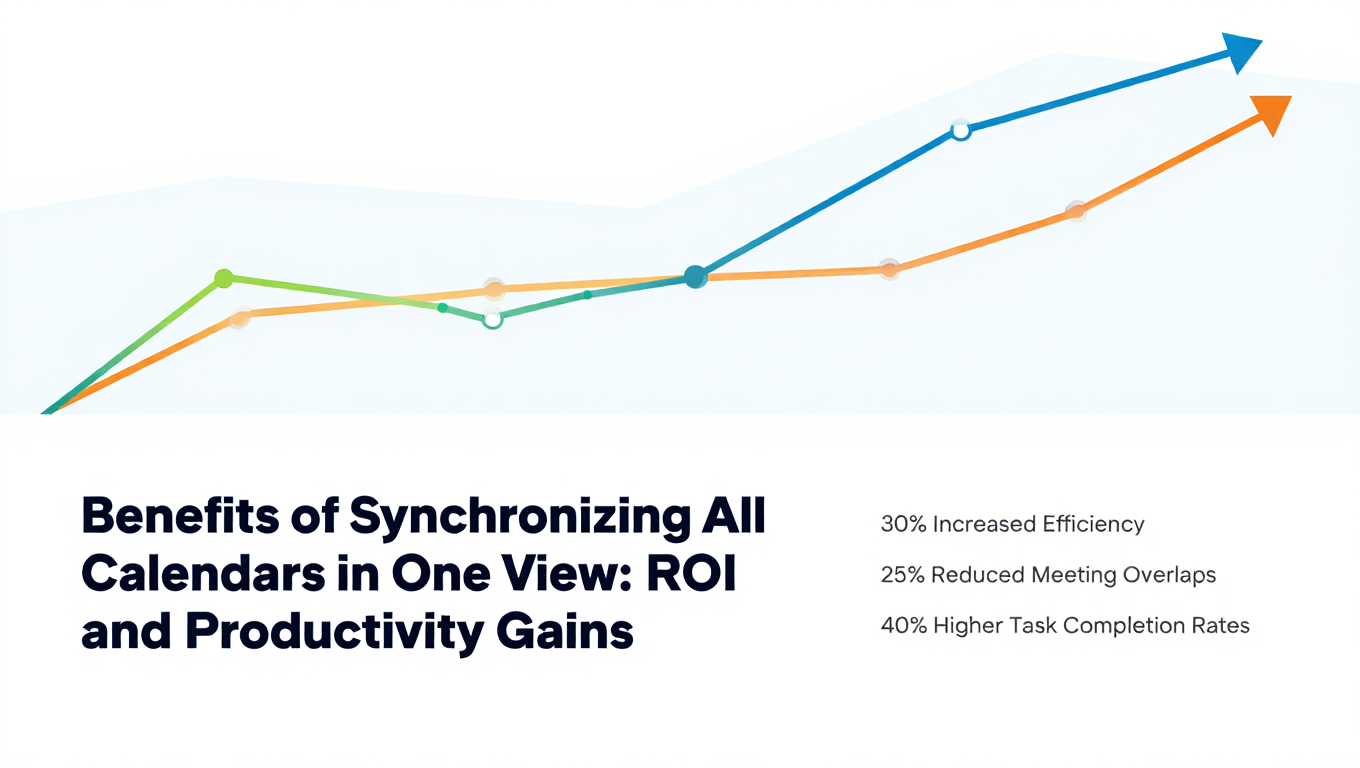
Benefits of Synchronizing All Calendars in One View: ROI and Productivity Gains
Discover the benefits of synchronizing all calendars in one view. See ROI data, productivity gains, reduced double bookings, and real-world business impact in 2025.
Best Bidirectional Calendar Sync Tools: 2025 Comparison Guide
Compare the best bidirectional calendar sync tools in 2025. Discover which platforms offer true two-way synchronization and which only provide one-way sync.
Best Two Way Calendar Sync Software: 2025 Expert Rankings & Comparison
Compare the top two-way calendar sync software tools. We tested 12 platforms for bidirectional sync speed, reliability, and field coverage to find which actually work.