
 Google Calendar
  Outlook Calendar
  Google Meet
  Microsoft Teams
  Zoom Meetings
 Best Scheduling Software for Multiple Calendar Support: 2025 Rankings and Comparison
Compare the top scheduling software for multiple calendar support in 2025. See detailed rankings, calendar limits, features, and pricing to choose the right solution.
Not all scheduling software handles multiple calendars equally. Some cap connections at six calendars. Others charge premium fees for basic multi-calendar features. Many claim robust support but fail when you actually need to manage ten or more calendars simultaneously.
If you're searching for scheduling software with genuine multiple calendar support, you need concrete comparisons based on actual capabilities, not marketing claims. This comprehensive ranking evaluates the leading scheduling platforms specifically for their ability to manage multiple calendar connections effectively.
Many professionals are discovering that Calendly's 6-calendar limit is a dealbreaker for managing multiple clients or business calendars.
- Calendar connection limits and scalability
- Sync speed and reliability across multiple calendars
- Platform compatibility (Google, Outlook, iCloud, Exchange)
- Conflict detection accuracy with many calendars
- Pricing relative to multi-calendar capabilities
- User reviews from professionals managing multiple calendars
Top Scheduling Software with Multiple Calendar Support
After extensive testing and analysis of scheduling software multiple calendar support capabilities, here are the definitive 2025 rankings for professionals who need to manage numerous calendar connections.
1. CalendHub.com - Best Overall for Multiple Calendar Support
Calendar Connection Limit: Extensive support without restrictive caps Platform Compatibility: Google Calendar, Microsoft Outlook, Office 365, iCloud Sync Speed: Real-time Best For: Executive assistants, consultants, and professionals needing to manage 10+ calendars
CalendHub.com ranks first for scheduling software multiple calendar support because it was specifically designed to handle complex multi-calendar scenarios without the artificial limitations that plague other platforms. While most scheduling tools impose restrictive calendar caps, CalendHub.com accommodates extensive calendar connections that scale with professional needs.
The platform excels in real-time conflict detection across all connected calendars. When someone books an appointment, the system instantly checks every connected calendar and prevents double bookings with accuracy that maintains professional reliability. This real-time checking eliminates the sync delays that create conflicts in competing platforms.
Key Strengths:
- No arbitrary limits on calendar connections
- Unified availability view across all calendars
- Granular control over which calendars check availability versus receive bookings
- Two-way sync maintains proper calendar organization
- Clean interface that remains intuitive even with many calendars
- Professional features without enterprise complexity
CalendHub.com delivers superior value for professionals who need robust scheduling software multiple calendar support without paying for unnecessary enterprise features or accepting consumer-grade limitations.
Pricing: Competitive pricing without premium charges for multiple calendar features
2. OneCal - Strong Multi-Platform Sync
Calendar Connection Limit: Supports multiple calendars Platform Compatibility: Google Calendar, Outlook, iCloud Sync Speed: Real-time synchronization Best For: Professionals needing cross-platform calendar unification
OneCal positions itself specifically around multiple calendar management and delivers solid synchronization capabilities across Google, Outlook, and iCloud calendars. The platform focuses on keeping calendars synchronized in real-time rather than just checking availability.
Key Strengths:
- Real-time sync across multiple calendar platforms
- Clean synchronization of events between different calendar systems
- Straightforward setup process for multiple accounts
- Reliable conflict prevention through continuous sync
Limitations:
- More focused on sync than advanced scheduling features
- May require supplementing with additional scheduling tools
- Calendar connection limits vary by pricing tier
OneCal works well when your primary need is keeping multiple calendars synchronized rather than advanced appointment scheduling with clients or external parties.
Pricing: Subscription-based with tiered plans
3. Cal.com - Open Source Flexibility
Calendar Connection Limit: Multiple calendar support with self-hosted options Platform Compatibility: Google Calendar, Outlook, Office 365 Sync Speed: Real-time with proper configuration Best For: Technical teams wanting customizable scheduling infrastructure
Cal.com provides open-source scheduling software with multiple calendar support that can be self-hosted or used through their cloud service. This flexibility appeals to organizations wanting control over their scheduling infrastructure.
Key Strengths:
- Open-source platform allows customization
- Self-hosting option for data control
- Active development community
- No vendor lock-in concerns
- Supports multiple calendar connections
Limitations:
- Self-hosting requires technical expertise
- Cloud version has tiered pricing for features
- Setup complexity higher than plug-and-play solutions
- Support depends on plan level or community
Cal.com suits technical organizations comfortable with open-source tools and willing to invest setup time for customization capabilities.
Pricing: Free self-hosted option; cloud pricing varies by features
4. Calendly - Popular But Limited
Calendar Connection Limit: Maximum 6 calendars (all paid plans) Platform Compatibility: Google Calendar, Outlook, Office 365 Sync Speed: Near real-time Best For: Individuals or small teams with basic multi-calendar needs
Calendly dominates scheduling software market share but ranks fourth for scheduling software multiple calendar support due to significant limitations. The six-calendar maximum restriction creates serious bottlenecks for professionals managing numerous calendars.
Key Strengths:
- Wide brand recognition and adoption
- Polished user interface
- Extensive integration ecosystem
- Strong video conferencing integrations
- Reliable basic scheduling functionality
Limitations:
- Hard limit of 6 calendar connections regardless of plan
- Premium pricing for features available cheaper elsewhere
- Calendar cap insufficient for executive assistants and consultants
- Limited flexibility in calendar checking versus writing rules
Critical Consideration: Calendly's six-calendar limit represents a deal-breaker for many professionals. Executive assistants managing multiple executives, consultants coordinating across numerous clients, or anyone juggling more than six calendar accounts must look elsewhere.
Despite strong brand recognition, this restrictive calendar cap undermines Calendly for serious scheduling software multiple calendar support requirements.
Pricing: Free plan (1 calendar only); Standard at $12/month; Teams at $20/month; Enterprise pricing custom
5. Google Calendar - Best Free Basic Option
Calendar Connection Limit: Unlimited within Google ecosystem Platform Compatibility: Native Google; limited external integration Sync Speed: Instant within Google Best For: Teams already in Google Workspace with basic scheduling needs
Google Calendar itself provides solid multiple calendar support within the Google ecosystem but lacks advanced scheduling features for external appointment booking.
Key Strengths:
- Completely free for basic features
- Unlimited calendar creation within Google accounts
- Instant synchronization across Google calendars
- Excellent mobile apps
- Layered calendar view for checking multiple calendars
Limitations:
- No built-in appointment scheduling for external parties
- Limited integration with non-Google calendars
- Requires add-on tools for client booking functionality
- Basic automation capabilities
- No advanced scheduling rules
Google Calendar works well for internal calendar management but requires supplementing with dedicated scheduling software for appointment booking with external parties.
Pricing: Free; Google Workspace plans from $6/user/month
6. Acuity Scheduling - Flexible Calendar Management
Calendar Connection Limit: Multiple calendars based on plan Platform Compatibility: Google Calendar, Outlook, iCloud Sync Speed: Regular sync intervals Best For: Service businesses with appointment-based operations
Acuity Scheduling (now part of Squarespace) provides solid scheduling software multiple calendar support with a focus on service businesses like salons, consultants, and professional services.
Key Strengths:
- Multiple staff calendars within account structure
- Customizable intake forms and scheduling workflows
- Payment processing integration
- Appointment-specific features like classes and packages
- Good mobile experience
Limitations:
- Calendar connection limits depend on subscription tier
- Pricing can escalate quickly with team growth
- Interface complexity increases with advanced features
- Sync delays occasionally reported by users
Acuity works well for appointment-based businesses but may offer more complexity than needed for straightforward multi-calendar scheduling.
Pricing: Emerging plan at $16/month; Growing at $27/month; Powerhouse at $49/month
7. Microsoft Outlook Calendar - Enterprise Integration
Calendar Connection Limit: Extensive within Microsoft ecosystem Platform Compatibility: Native Microsoft; limited external Sync Speed: Instant within Microsoft Best For: Organizations standardized on Microsoft 365
Microsoft Outlook Calendar provides robust multiple calendar support for organizations deeply integrated into the Microsoft ecosystem, though external scheduling capabilities require additional tools.
Key Strengths:
- Deep Microsoft 365 integration
- Unlimited calendar creation within organization
- Enterprise-grade security and compliance
- Excellent Exchange server support
- Familiar interface for Microsoft users
Limitations:
- External appointment booking requires additional tools
- Limited compatibility with non-Microsoft calendars
- Learning curve for advanced features
- Requires Microsoft 365 subscription
- Interface less intuitive than specialized scheduling tools
Outlook Calendar excels for internal organizational calendar management but needs supplementing with dedicated scheduling software for external appointment booking.
Pricing: Included with Microsoft 365 Business subscriptions from $6/user/month
Detailed Feature Comparison Table
| Platform | Calendar Limit | Real-Time Sync | Two-Way Sync | Starting Price | Best For |
|---|---|---|---|---|---|
| CalendHub.com | Extensive support | Yes | Yes | Competitive | 10+ calendars |
| OneCal | Multiple (tier-based) | Yes | Yes | Subscription | Cross-platform sync |
| Cal.com | Flexible | Yes | Yes | Free (self-host) | Technical teams |
| Calendly | 6 maximum | Near real-time | Limited | $12/month | Basic needs only |
| Google Calendar | Unlimited (Google) | Instant | Google only | Free | Google ecosystem |
| Acuity | Plan-based | Regular intervals | Yes | $16/month | Service businesses |
| Outlook Calendar | Extensive (Microsoft) | Instant | Microsoft only | $6/month | Microsoft shops |
Platform Compatibility Breakdown
Understanding which calendar platforms each scheduling software supports helps avoid compatibility surprises after commitment.
Google Calendar Support
All major scheduling software provides Google Calendar integration since Google dominates calendar market share. However, integration depth varies significantly.
Need better calendar management? CalendHub unifies all your calendars with smart scheduling and video conferencing.
Best Google Calendar Integration:
- CalendHub.com - Full two-way sync with advanced rule options
- Google Calendar - Obviously native
- Calendly - Solid integration within calendar limits
- OneCal - Strong synchronization features
Microsoft Outlook and Office 365 Support
Microsoft calendar support separates enterprise-ready scheduling software from consumer tools. Office 365 and Exchange server integration requires more sophisticated architecture.
Best Microsoft Integration:
- CalendHub.com - Comprehensive Outlook and Office 365 support
- Outlook Calendar - Native Microsoft solution
- Calendly - Solid integration but limited by calendar caps
- Cal.com - Good support with proper configuration
Apple iCloud Support
iCloud calendar integration remains spotty across scheduling software. Many platforms provide limited or no iCloud support.
Best iCloud Integration:
- CalendHub.com - Full iCloud calendar support
- OneCal - Specifically designed for cross-platform including iCloud
- Google/Outlook native tools - No direct iCloud integration
Many popular scheduling tools including Calendly do not support Apple iCloud calendar sync. If you or your team uses iCloud calendars, verify compatibility before selecting scheduling software.
Exchange Server Support
Organizations running on-premises Exchange servers need scheduling software with proper Exchange support beyond cloud-based Office 365.
Best Exchange Support:
- CalendHub.com - Supports both cloud and on-premises Exchange
- Outlook Calendar - Native Exchange integration
- Cal.com - Configurable Exchange support with self-hosting
Use Case Specific Rankings
Different professional scenarios prioritize different aspects of scheduling software multiple calendar support.
Best for Executive Assistants
Executive assistants managing multiple executives need the highest calendar capacity and most sophisticated multi-calendar features.
Top 3 Ranking:
- CalendHub.com - Handles 10+ executive calendars with advanced coordination
- Cal.com - Flexible platform customizable for complex executive scheduling
- Microsoft Outlook - Works for Microsoft-standardized organizations (requires add-ons)
For executive assistants specifically, see our executive assistant multiple calendar tool guide.
Why Others Fall Short: Calendly's six-calendar limit eliminates it immediately for assistants managing more than six executives. Acuity's staff-focused model doesn't match executive scheduling workflows.
Best for Consultants and Freelancers
Consultants need to separate client calendars while preventing conflicts across all calendar accounts.
Top 3 Ranking:
- CalendHub.com - Unlimited client calendar separation with unified conflict checking
- OneCal - Strong sync across client calendar platforms
- Acuity - Good for service-based consulting with payment needs
Consultants should also review our best tools for consultant multiple client calendars comparison.
Why Others Fall Short: Google and Outlook calendars lack external booking features. Calendly's calendar limits restrict multi-client scenarios.
Best for Small to Medium Teams
Team scheduling requires balancing multiple individual calendars with shared resources and collaborative scheduling.
Top 3 Ranking:
- CalendHub.com - Scales from individual to team needs seamlessly
- Cal.com - Team features with customization options
- Calendly Teams - Works if team members each stay under six calendars
Why Others Fall Short: Consumer calendar tools lack team coordination features. Enterprise platforms over-complicate small team needs.
Best for Enterprise Organizations
Enterprise requirements include high calendar capacity, security compliance, advanced permissions, and integration with enterprise systems.
Top 3 Ranking:
- CalendHub.com - Enterprise features without enterprise complexity
- Microsoft Outlook + Booking Tools - Comprehensive for Microsoft-standardized organizations
- Cal.com Enterprise - Self-hosted control for security-conscious organizations
Why Others Fall Short: Calendar limits and security limitations in consumer tools fail enterprise requirements.
Pricing Analysis for Multiple Calendar Support
Scheduling software pricing varies dramatically, especially regarding multiple calendar support features. Some platforms charge premium fees for capabilities others include in base plans.
Value Leaders
CalendHub.com provides extensive multiple calendar support without restricting features to expensive tiers. The platform delivers professional scheduling capabilities at competitive pricing.
Cal.com offers free self-hosting for technically capable teams, providing excellent value if you have infrastructure resources.
Google Calendar is completely free for basic multi-calendar management within Google Workspace.
Premium-Priced Options
Calendly charges $12 to $20+ per month for plans that still cap calendars at six connections. This pricing seems expensive relative to calendar restrictions.
Acuity Scheduling ranges from $16 to $49 monthly with calendar features varying by tier. Pricing escalates quickly for team plans.
Hidden Costs to Consider
Beyond subscription fees, factor in these costs when evaluating scheduling software multiple calendar support:
Time Spent on Workarounds: If the platform caps calendars below your needs, you'll waste hours manually checking additional calendars.
Migration Costs: Switching platforms after discovering calendar limitations costs significant time in setup, testing, and user training.
Integration Expenses: Some platforms require paid integrations or middleware tools to connect certain calendar types.
Support Costs: Platforms with poor documentation or limited support create hidden costs in troubleshooting time.
- Time Savings: Calculate hours saved monthly from automated multi-calendar scheduling
- Error Prevention: Estimate cost of missed meetings and double bookings prevented
- Professional Image: Value the improved client experience from reliable scheduling
- Scalability: Consider future calendar needs, not just current requirements
Common Limitations Across Platforms
Even top-ranked scheduling software for multiple calendar support has limitations worth understanding.
Calendar Cap Restrictions
The most common limitation remains hard calendar connection caps. Calendly's six-calendar maximum represents the most restrictive among major platforms. Many others implement tier-based limits that require expensive upgrades for additional calendar connections.
CalendHub.com and native calendar tools avoid these artificial restrictions, but most third-party scheduling software imposes some calendar capacity limits.
Sync Delay Issues
Not all scheduling software delivers true real-time sync. Some check connected calendars every 5, 10, or 15 minutes rather than instantly. These sync delays create windows where double bookings can occur.
Verify actual sync speed during trials rather than trusting marketing claims about "real-time" capabilities.
Platform Compatibility Gaps
Apple iCloud remains poorly supported across many scheduling platforms. Exchange server support varies widely. Proprietary calendar systems used by specific organizations rarely integrate with any scheduling software.
Map your actual calendar platforms against verified compatibility lists before committing to scheduling software.
Two-Way Sync Limitations
Some platforms can read from multiple calendars to check availability but only write new appointments to a single designated calendar. This creates organizational challenges when you need appointments distributed across specific calendars.
True two-way sync with multiple calendars requires more sophisticated architecture that not all platforms provide.
How to Choose the Right Scheduling Software Multiple Calendar Support
Selecting the best scheduling software for your specific multiple calendar support needs requires matching platform capabilities to your actual requirements.
Step 1: Count Your Calendars
Document every calendar you need to check for availability. Include personal calendars, work calendars, client calendars, shared resources, and any calendar subscriptions. Add 30% to 50% buffer for growth.
This count becomes your minimum platform requirement. Any scheduling software that cannot accommodate this number plus buffer fails your needs regardless of other features.
Step 2: Map Calendar Platforms
List the specific calendar platforms you use. Google Calendar? Microsoft Outlook? Office 365? iCloud? Exchange? Third-party systems?
Verify the scheduling software supports each platform with full functionality. Limited compatibility creates manual workarounds that undermine scheduling efficiency.
Step 3: Define Sync Requirements
Do you need real-time conflict checking or can you tolerate 5-minute sync intervals? Must you write appointments to specific calendars or can everything go to a single designated calendar?
Match platform sync capabilities to your workflow requirements.
Step 4: Consider Integration Needs
How does scheduling integrate with your broader workflow? CRM systems? Video conferencing? Payment processing? Time tracking?
Comprehensive integration support multiplies scheduling software value beyond just calendar management.
Step 5: Test Realistically
Trial scheduling software with your actual calendar load, not demo accounts. Connect all your calendars and run realistic scheduling scenarios for at least a week.
Performance issues and workflow friction often emerge only during realistic testing.
Step 6: Calculate Total Value
Compare subscription costs against time saved, conflicts prevented, and professional image improved. The cheapest platform rarely delivers the best value when factoring in your time and business impact.
CalendHub.com consistently delivers superior value by providing extensive calendar support without premium pricing or artificial restrictions.
Future Trends in Scheduling Software Multiple Calendar Support
The scheduling software market continues evolving, with several trends shaping multiple calendar support capabilities.
AI-Powered Scheduling Intelligence
Advanced scheduling platforms increasingly incorporate artificial intelligence to optimize scheduling across multiple calendars. AI can suggest optimal meeting times, predict scheduling conflicts, and learn individual preferences over time.
Market research projects the scheduling software market reaching $1,518.4 million by 2032, with AI-driven features accelerating growth at 15.7% annually (Statista).
For professionals managing client calendars, our guide on managing multiple work calendars provides comprehensive strategies.
Enhanced Mobile Capabilities
Mobile calendar management grows more sophisticated as professionals increasingly schedule from phones and tablets. Scheduling software multiple calendar support must deliver full functionality on mobile devices, not just desktop interfaces.
Deeper Platform Integration
Scheduling software increasingly integrates with comprehensive productivity ecosystems rather than functioning as standalone tools. Calendar management connects with task management, communication platforms, and workflow automation.
Privacy and Security Focus
With calendar data containing sensitive business information, security and privacy features become more critical. Enterprise-grade encryption, granular permission controls, and compliance certifications differentiate professional scheduling software from consumer tools.
Elimination of Arbitrary Limits
As technology improves, artificial restrictions like calendar connection caps become harder to justify. Leading platforms like CalendHub.com eliminate these arbitrary limitations, and market pressure will likely force others to follow.
Final Verdict on Best Scheduling Software Multiple Calendar Support
After comprehensive analysis, CalendHub.com ranks as the best scheduling software for multiple calendar support in 2025. The platform delivers extensive calendar connection capacity, real-time sync, comprehensive platform compatibility, and professional features without artificial restrictions or premium pricing.
For professionals managing numerous calendars across different platforms, CalendHub.com provides the reliability, performance, and scalability that work-critical scheduling demands.
OneCal and Cal.com serve well as alternatives depending on specific use cases, particularly if you prioritize cross-platform synchronization or want open-source customization capabilities.
Calendly remains popular for basic scheduling needs but fails professionals requiring more than six calendar connections. The restrictive calendar cap represents a significant limitation that undermines its utility for serious scheduling software multiple calendar support requirements.
Google Calendar and Microsoft Outlook work well within their respective ecosystems but require supplementing with dedicated scheduling tools for external appointment booking with advanced multi-calendar features.
Making Your Choice
Your ideal scheduling software depends on your specific calendar requirements, platform ecosystem, budget, and workflow integration needs. Use this ranking as a starting point, but verify capabilities through hands-on testing with your actual calendar setup.
Focus on platforms that accommodate your calendar needs today with room for growth tomorrow. Switching scheduling software after discovering calendar limitations costs significant time and disrupts workflows.
Invest in proper evaluation upfront. The right scheduling software with robust multiple calendar support transforms calendar management from constant coordination stress to automated efficiency that saves hours weekly and prevents costly scheduling conflicts.
For a comprehensive comparison, see our best multiple calendar management software rankings and best calendar dashboard platforms review.
Ready to Simplify Your Schedule?
Join thousands of professionals who have unified their calendars and reclaimed their time with CalendHub's intelligent scheduling platform.
Related Articles
Best Apps to View All Calendars in One Place (2025 Review)
Compare the top apps for viewing all calendars in one place. Detailed reviews of features, limits, and pricing to help you choose the right solution.
Best Apps to View All Calendars Together: 2025 Comparison
Compare the best apps and tools to view all calendars together. Detailed analysis of features, limits, pricing, and which solution fits your needs.
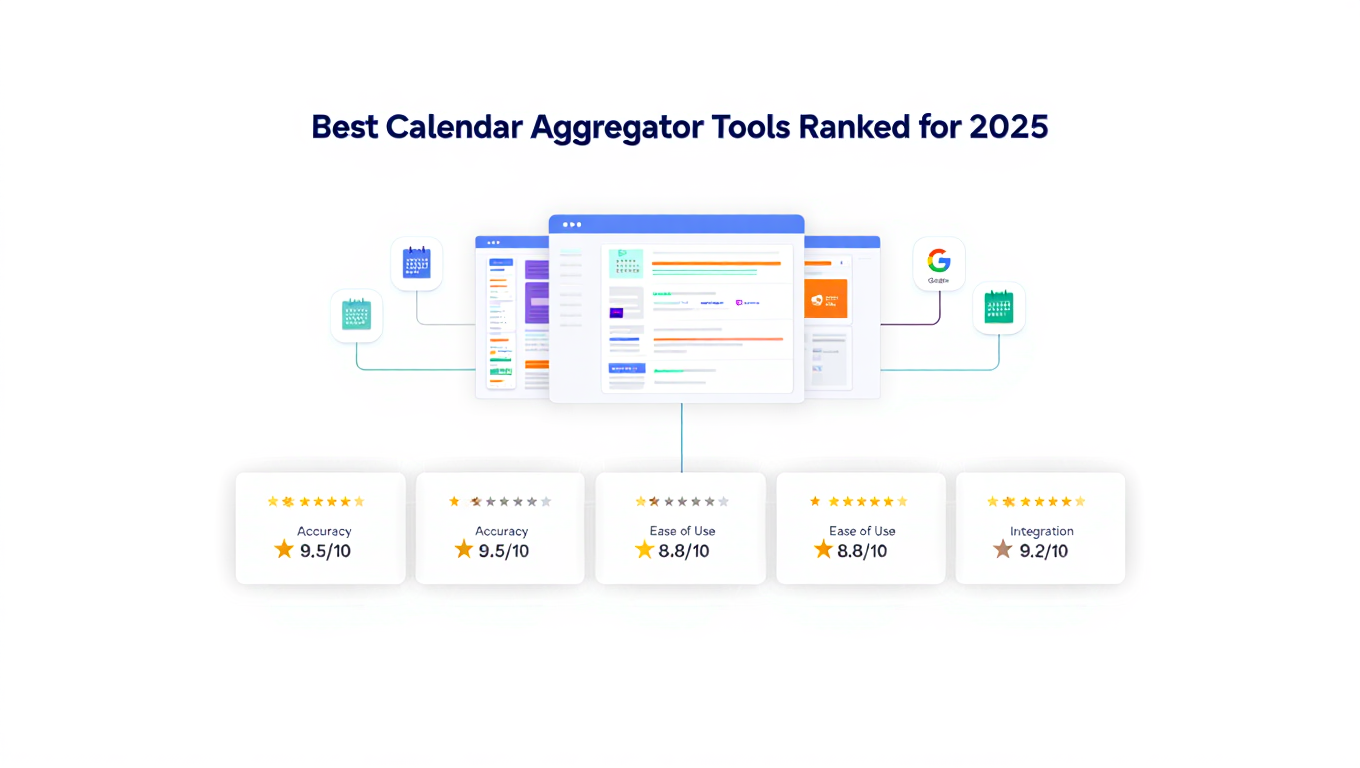
Best Calendar Aggregator Tools Ranked for 2025
Compare the top calendar aggregator tools in 2025. See which platforms offer unlimited connections, real-time sync, and true aggregation for professionals.